Dedication
"Dedicated to Tano"
 From Data to Thesis
Full Book
From Data to Thesis
Full Book

Writing a thesis is one of the most intellectually demanding undertakings in an academic life. Yet, for many graduate researchers, the most exhausting hurdle is not formulating hypotheses or collecting observations; it is the daunting chasm between a messy spreadsheet of raw data and a defended, publication-ready results chapter.
For decades, higher education has pushed researchers toward point-and-click statistical packages. While these tools offer an easy first step, they often leave the underlying analysis opaque, create error-prone manual copy-paste rituals, and lock research inside proprietary formats. When an examiner asks for an adjustment or an assumption check, rebuilding the analysis from scratch often becomes a nightmare.
This book was written to offer a different path.
Python has evolved into the lingua franca of modern data science, statistical computing, and reproducible research. Paired with pandas, statsmodels, scikit-learn, and modern reporting frameworks like Quarto, Python gives researchers complete command over their analytical journey—from the first row of survey data to polished, APA-style tables and high-resolution figures.
We now live and research in the age of artificial intelligence. Large language models and AI coding assistants have permanently transformed how we write code, brainstorm models, and explore data. Throughout this book, and particularly in Chapter 18, we treat AI not as a replacement for critical thought, but as a tireless research collaborator. You will learn to use AI assistants to draft and debug Python code, translate complex errors, and assist with qualitative coding, while maintaining the rigorous verification standards required for academic defense.
Rather than presenting mathematical abstractions in isolation, every statistical and machine learning method in this volume is anchored in a single, realistic running case study following 600 graduate students over four semesters. Every chapter answers a real research question.
For each concept, you will follow a disciplined, five-step roadmap:
To ensure that no software installation stands between you and your first analysis, all companion exercises are hosted in an interactive browser environment. You can test code, experiment with parameters, and verify your answers directly on the book's companion website:
Whether you are embarking on your Master's dissertation, finishing your doctoral dissertation, or publishing your first peer-reviewed paper, may this book serve as your steady desk companion from your first command to your final defense.
Dr. Polla Fattah
*Salahaddin University-Erbil*
Every data analysis is a long chain of decisions. Which cases are kept and which are excluded, how a messy answer is corrected, which variables are combined into a score, which test is used, and how its result is rounded: each choice shapes the final numbers, and each should be open to inspection. When an analysis is done by clicking through menus, most of these decisions leave no trace. Weeks later, not even the researcher can say exactly how a number in the thesis was produced, and an examiner who asks cannot be given a complete answer.
Writing the analysis as code changes this. A script records every step in order, in a form that a supervisor can read, an examiner can check, and the researcher can run again after correcting a mistake or receiving new data. This is the main reason research is increasingly done in a programming language, and it is the reason this book teaches Python. The chapter starts from nothing: installing Python, finding your way around the program used to write it, and learning the handful of ideas on which everything else rests.
The book follows one research project from its first day to its last. Elaf has just begun a Master’s degree in Educational Psychology. During her first year of graduate study she noticed how tired many of her fellow students were: they slept little, lived on coffee, worried about their supervisors and their money, and a few spoke quietly about leaving. With her supervisor, she turned that observation into a thesis. It asks how sleep, stress, and supervisor support relate to graduate students’ wellbeing, their grades, and their thoughts of dropping out, and whether a short wellbeing workshop can help. Her university agreed to support a two-year study of 600 graduate students from five faculties: a questionnaire at the start, a record of each student’s sleep, study, and wellbeing at the end of every semester, and a six-week workshop to which half of the students would be invited at random.
At their first meeting, her supervisor set out what the thesis would demand. The research questions had to become precise hypotheses before any results were seen. The raw survey export, full of test entries, typing errors, and impossible values, had to be cleaned without losing track of a single change. The sample had to be described honestly, including the students who stopped taking part. Every analysis had to be chosen for a reason and its assumptions checked, and every result reported with its size and its uncertainty, not only with a p-value. At the end, examiners would read the results chapter and could ask how any number in it had been produced. “You should be able to show them,” the supervisor said, “step by step.”
Elaf had used Excel for coursework and had once clicked through an SPSS menu in a statistics class, but she had never written a line of code. Her supervisor suggested Python, for exactly the reason given above: an analysis written as code can be shown step by step. The first data has now arrived, and this chapter is Elaf’s first day with Python, and yours. Each later chapter takes her one step further, from cleaning the data to the finished thesis. By the end of this one, you will have Python running on your computer, you will know your way around the program used to write it, and you will have opened her data and answered a first, simple question about it.
pip.data2thesis.Python is a free, open-source programming language for working with data: cleaning it, analysing it, and turning it into tables, graphs, and statistical models. It was created in the late 1980s by Guido van Rossum in the Netherlands, released in 1991, and named after the British comedy troupe Monty Python. Today, Python is the most popular programming language in the world, powering scientific research in universities, national laboratories, hospitals, tech companies, and governments across every continent.
Four properties make Python worth learning for a researcher:
The price of code is that Python asks you to type rather than click. At first, typing feels unfamiliar. Within a few days, however, it becomes second nature—and it pays you back every time you need to re-run an analysis, update a dataset, or generate new figures for your thesis defense.
In SPSS or Excel, you click menus, and the program changes your spreadsheet or displays a table in a viewer. The problem is that the clicks leave no written record. In Python, you write an explicit instruction: students['age'].mean(). The computer executes it and prints the result. Because the instruction is saved in a text file, you can re-run the entire analysis next semester with one keystroke. Chapter 2 shows how familiar Excel and SPSS operations map directly to Python.
Working with Python involves two tools:
You will almost never open Python by itself; you open your editor, and the editor talks to Python for you.
The most popular, modern editor for scientific Python is Visual Studio Code (VS Code), developed by Microsoft. It is free, fast, and available for Windows, macOS, and Linux.
Appendix A walks through this setup step by step for Windows, macOS, and Linux, with troubleshooting for common path issues.
While VS Code is the industry standard, other editors are also excellent. Positron, developed by Posit (the creators of RStudio), is designed specifically for data scientists and provides a dedicated environment for both Python and R in a familiar layout. JupyterLab is another popular browser-based environment for running code notebooks. Everything you learn in this book works identically in VS Code, Positron, and Jupyter.
The practical exercises for this book can also be run directly in your web browser with zero local installation. Try them in the Chapter 1 Playground first!
When you open VS Code with a Python file, the window is organized into functional areas, described in Table 1.1.
| Where | Pane | What it is for |
|---|---|---|
| Left / Top | Editor (Source) | Where you write and save your code scripts (.py files). |
| Bottom / Right | Terminal / Interactive Window | Where Python executes instructions and shows text outputs. |
| Left sidebar | File Explorer | The folders and files in your research project. |
| Bottom / Panel | Plots & Variables | Where data tables, variables in memory, and visual plots appear. |
You can type code directly into the Python Interactive Terminal (or REPL). When you type 2 + 2 and press Enter, Python evaluates the expression and prints 4.
The simplest use of Python is as a calculator. Suppose you slept 6.5, 7, and 5.5 hours on three consecutive nights last week. Your average sleep is:
(6.5 + 7 + 5.5) / 36.333333333333333Python follows standard mathematical order of operations (PEMDAS): parentheses first, followed by exponents, multiplication and division, and finally addition and subtraction. Without the parentheses, Python would divide only the last number by 3:
6.5 + 7 + 5.5 / 315.333333333333334The standard arithmetic operators in Python are: * + for addition * - for subtraction * * for multiplication * / for division * ** for exponents/powers (for example, 2 ** 3 evaluates to 8; note that in Python, ^ is a bitwise operator, not power!)
2 ** 38Typing numbers repeatedly is slow and error-prone. Instead, you can store a value under a memorable name. In Python, this stored value is held in a variable, created using the assignment operator =:
nights = 3When you run this line, Python produces no visible output, but it now remembers that nights holds the value 3. You can now use nights anywhere you would use the number:
nights3nights * 721To store several values together, you can place them in a list, written inside square brackets [ and ], separated by commas:
sleep = [6.5, 7.0, 5.5]
sleep
[6.5, 7.0, 5.5]Notice how much clearer and self-documenting your analysis becomes when the numbers have meaningful names:
sum(sleep) / nights6.333333333333333Variable names in Python follow clear conventions: * Names start with a letter or underscore, and may contain letters, numbers, and underscores (e.g., sleep_hours, student_01). * Names cannot contain spaces. Use an underscore _ to separate words (this is called snake_case, the standard Python style). * Python is strictly case-sensitive: Sleep, sleep, and SLEEP are three completely different variables. * Choose descriptive names: sleep_hours tells you immediately what the data represents; single letters like x or temp will leave you guessing when you review your code months later.
If you assign a new value to an existing variable name, Python overwrites the old value:
nights = 4
nights4Research data is not only numbers. A study records measurements (hours of sleep), text categories (a student’s faculty), and yes-or-no status flags (whether a student attended a workshop). Python keeps track of the data type of every value, because the type determines what mathematical and logical operations are permitted.
Table 1.2 lists the core types you will encounter in research.
| Type | Name in Python | Description | Example |
|---|---|---|---|
| Integer | int |
Whole numbers without decimals | 600, 4 |
| Floating-point | float |
Numbers with decimal points | 6.5, 3.14159 |
| String | str |
Text characters, enclosed in quotes | "Education", 'Male' |
| Boolean | bool |
Logical truth values | True, False |
The built-in function type() inspects the type of any object:
hours = 6.5
faculty = "Education"
invited = True

print(type(hours))
print(type(faculty))
print(type(invited))
<class 'float'>
<class 'str'>
<class 'bool'>Text must always be enclosed in quotes (single '...' or double "..."). If you omit the quotes, Python assumes you are referring to a variable name:
faculty = Education--------------------------------------------------------------------------- NameError Traceback (most recent call last) Cell In[12], line 1 ----> 1 faculty = Education NameError: name 'Education' is not defined
This error—NameError: name 'Education' is not defined—is one of the most frequent beginner mistakes. The error message is helpful and specific: Python searched your computer’s memory for a variable named Education and found none.
Real empirical data almost always contains missing answers. A participant might decline to answer their income, or an instrument might briefly lose power.
In pure Python, the absence of a value is represented by the special object None. When working with tabular data and numerical calculations in pandas and scientific libraries, missing numerical values are represented as NaN (short for Not a Number, floating-point missing value).
In Python and pandas, mathematical calculations on missing values are handled safely:
import numpy as np

sleep_with_gap = [6.5, np.nan, 5.5]
sleep_with_gap
[6.5, nan, 5.5]In pandas, functions like .mean() and .sum() are designed specifically for research data and automatically handle missing values cleanly, as you will see shortly.
You have already used several built-in functions: sum(), len(), type(), and print(). A function takes one or more inputs, performs a procedure, and returns a result. You call a function by writing its name followed by parentheses (), enclosing the inputs inside:
print(sum(sleep))
print(max(sleep))
print(len(sleep))
19.0
7.0
3Inputs passed to a function are called arguments. If a function accepts multiple arguments, they are separated by commas. For example, round() takes the number you want to round, and the number of decimal digits:
round(6.333333, 1)6.3You can also pass arguments by their name (called keyword arguments):
round(6.333333, ndigits=2)6.33In Python, objects also have methods. A method is a function that belongs directly to an object, called with a dot .. For example, strings have methods to change their casing:
faculty = "Education"
print(faculty.lower())
print(faculty.upper())
education
EDUCATIONEvery Python function and library includes built-in documentation. In an interactive console or notebook, you can read the help docstring for any function by calling help():
help(round)In Jupyter or VS Code Interactive, you can also place a question mark ? after any function name (e.g., round?) to pop open its documentation pane, including its expected parameters and usage examples.
Commands typed in an interactive prompt are temporary. For real research work that needs to be defended, documented, and published, you write your code in a script: a plain text file ending in .py.
analysis.py.#. Python completely ignores everything after # on that line; comments are written for human readers (your future self, your supervisor, and your peer reviewers) to explain why a particular decision was made:# Sleep recorded across three nights (hours per night)
sleep_hours = [6.5, 7.0, 5.5]
# Calculate the mean sleep duration
average_sleep = sum(sleep_hours) / len(sleep_hours)
# Display result rounded to one decimal place for thesis table
print(f"Average sleep: {round(average_sleep, 1)} hours")Average sleep: 6.3 hourspython analysis.py.A thesis involves dozens of files: survey exports, cleaned datasets, analysis scripts, generated plots, and chapter drafts.
The gold standard for scientific computing is to create a dedicated project directory on your computer (for example, graduate-wellbeing-thesis/). Keep all code and data self-contained within this folder:
graduate-wellbeing-thesis/
├── data/              <- Raw survey data (read-only)
├── scripts/           <- Your Python analysis scripts (.py)
├── figures/           <- Exported charts and graphs
└── thesis_chapter.qmd <- Your written manuscript
By organizing your work with relative paths (e.g. data/students.csv), your analysis is fully portable: if you zip the folder and email it to your supervisor, or push it to GitHub, the code runs on their computer without any file path errors.
Python includes a rich standard library, but its true power comes from third-party packages (also called libraries). Using a package is a two-step process:
Install the package once onto your computer using Python’s package manager, pip, in your system terminal:
pip install pandas seaborn data2thesisImport the package in each script where you wish to use it:
import pandas as pd
import data2thesis as dt
A helpful analogy is a workshop: running pip install purchases a specialized power tool and places it in your workshop cabinet. You only need to buy it once. Writing import takes the tool off the shelf and places it on your workbench for today’s session.
With Python and the companion package installed, we can load the Graduate Wellbeing Study:
import data2thesis as dt

students = dt.load_students()Elaf, her study, and her data are simulated for teaching. The data was generated by a computer algorithm to look like an authentic survey of graduate students, ensuring every statistical and machine learning method in this book has realistic patterns to discover. It describes no real individuals, and its patterns (for example, that students who sleep more tend to achieve higher GPAs, or that the wellbeing workshop reduced stress) were built in by the author. Nothing in this book should be cited as empirical evidence about the wellbeing of real graduate students.
The students object is a pandas DataFrame: a two-dimensional table of rows and columns, similar to an Excel sheet or SPSS dataset, but optimized for fast computation.
To see the dimensions of the table, check its .shape attribute:
students.shape(600, 14)The output (600, 14) tells us immediately that Elaf’s study contains 600 students (rows) and 14 variables (columns).
To inspect the first five rows of the dataset, call the .head() method:
students.head()| student_id | supervisor_id | age | gender | faculty | programme | study_mode | employment | has_children | lives_away | financial_worry | workshop | workshop_sessions | considering_dropout | |
|---|---|---|---|---|---|---|---|---|---|---|---|---|---|---|
| 0 | S0001 | SUP088 | 31.0 | Female | Health Sciences | Master's | Full-time | None | No | Yes | 2.0 | Not invited | 0 | No |
| 1 | S0002 | SUP116 | 28.0 | Female | Education | PhD | Full-time | Part-time job | No | Yes | 2.0 | Invited | 0 | No |
| 2 | S0003 | SUP040 | 33.0 | Male | Education | PhD | Full-time | None | No | No | 4.0 | Invited | 5 | No |
| 3 | S0004 | SUP112 | 34.0 | Female | Health Sciences | Master's | Part-time | Full-time job | No | No | 2.0 | Invited | 6 | No |
| 4 | S0005 | SUP118 | 35.0 | Female | Social Sciences | Master's | Part-time | None | No | No | 2.0 | Invited | 2 | No |
To see the names of all 14 variables:
list(students.columns)['student_id',
'supervisor_id',
'age',
'gender',
'faculty',
'programme',
'study_mode',
'employment',
'has_children',
'lives_away',
'financial_worry',
'workshop',
'workshop_sessions',
'considering_dropout']Each column is described in the study codebook (dt.load_students?).
To select a single variable from the DataFrame, write the DataFrame name followed by the column name in brackets and quotes: students['age'].
A natural first question in Elaf’s thesis: What is the average age of graduate students entering the study?
In pandas, we call the .mean() method directly on the column:
students['age'].mean()np.float64(29.724540901502504)Notice something important: in pandas, .mean() is designed from the ground up for real-world empirical research: it calculates the average across all known observations while safely ignoring missing values by default (skipna=True).
The average age of the students in the study is 29.7 years.
We can also check whether any student had a missing age using .isna().sum():
students['age'].isna().sum()np.int64(1)Only 1 student’s age was missing from the initial intake survey. Chapter 3 shows how to identify why it was missing and how to clean it.
Next, we can generate frequency tables for categorical variables using the .value_counts() method. For example, how many students participated from each academic faculty?
students['faculty'].value_counts()faculty
Health Sciences 154
Education 148
Social Sciences 116
Humanities 95
Natural Sciences 87
Name: count, dtype: int64And how many were invited to the wellbeing workshop?
students['workshop'].value_counts()workshop
Not invited 300
Invited 300
Name: count, dtype: int64Exactly 300 students—precisely 50% of the sample—were invited to the workshop. That is not an accident: the workshop invitations were assigned using random allocation. Chapter 5 explores why random assignment is the cornerstone of causal inference in empirical research.
.py) contain instructions, and the interactive terminal displays output.=. Lists [...] hold multiple values. Standard math symbols follow PEMDAS, with ** used for exponents.int (integers), float (decimals), str (text strings in quotes), and bool (True or False). Check types using type().function(argument). Object methods are called with a dot: object.method().pip install <package>, and loaded into each script session using import <package>.data2thesis provides pandas DataFrames. Inspect table size with .shape, view preview rows with .head(), compute summary statistics with .mean(), count missing values with .isna().sum(), and count categories with .value_counts().Python, VS Code, script (.py), comment (#), variable, assignment (=), list, data type (int, float, str, bool), missing value (None, NaN), function, argument, method, package, pip, import, pandas DataFrame, .shape, .head(), .isna(), .value_counts(), reproducible research.
Work through these short exercises to test your understanding. The Chapter 1 Playground provides interactive browser versions of these exercises with hints and complete solutions.
supervisor_sleep, calculate the mean sleep duration, and round the result to one decimal place."600" and 600 using Python’s type() function. Explain why adding 1 to one succeeds while adding 1 to the other raises a TypeError.None and pandas/numpy’s NaN. How does pandas .mean() handle missing values by default?students = dt.load_students(), find the age of the youngest student and the oldest student in the study using .min() and .max()..value_counts(), find how many students are enrolled full-time versus part-time (the variable is study_mode).Data is the recorded outcome of scientific measurement. Each value captures one observation about one entity: a student’s age, the faculty they belong to, the hours they slept during a semester, or their response to a Likert questionnaire item. Before conducting any statistical analysis, a researcher must clarify what each value signifies, what level of measurement generated it, and how the data is organized in computer memory. These foundations determine which summary statistics, visualizations, and inferential models are scientifically valid.
Research data rarely arrives in a single pristine file. In Elaf’s wellbeing study, the online survey software generated an Excel export (wellbeing_raw.xlsx), the university registrar exported semester records as CSV files (semesters.csv), and a collaborator from a previous pilot study stored historical records in SPSS (wellbeing.sav). Before analyzing these heterogeneous sources, we need to understand how Python organizes data in memory. Python provides specialized structures tailored for data science: lists and NumPy arrays for basic sequences, Pandas Series for single measurement variables, Categorical Series for discrete groups, and DataFrames for rectangular tables of cases. This chapter introduces these structures, demonstrates how to import files from every common format, and shows how to generate an automated codebook linking every column to its underlying survey question.
Categorical types..loc and .iloc..xlsx), and SPSS (.sav) files, preserving survey question labels.Almost all empirical research data can be conceptualized as a rectangular grid: each row represents a case (or observation), and each column represents a variable. A case is the individual unit under observation—a student, a patient, an experimental plot, or an institution. A variable is a measured property recorded across all cases, such as chronological age, anxiety score, or study hours. Every cell in the grid contains a single value representing the measurement of that variable for that specific case. This structure, known as the data matrix, forms the backbone of statistical modeling.
What constitutes a case depends on the research design, defining the unit of analysis. Elaf’s wellbeing study involves multiple units of analysis across different tables. In the students table, each row represents an individual student (\(N = 600\)). In the semesters table, however, each row represents a single student in a specific academic semester, meaning each student appears up to four times:
semesters.head(5)| student_id | semester | gpa | sleep_hours | study_hours | exercise_days | caffeine_mg | supervisor_meetings | wellbeing | |
|---|---|---|---|---|---|---|---|---|---|
| 0 | S0001 | 1 | 3.02 | 7.2 | 26.0 | 5.0 | 130.0 | 0 | 74 |
| 1 | S0001 | 2 | 3.27 | 8.4 | 17.0 | 3.0 | 80.0 | 1 | 69 |
| 2 | S0001 | 3 | 3.17 | 7.8 | 25.0 | 7.0 | 105.0 | 3 | 71 |
| 3 | S0001 | 4 | 3.00 | 7.2 | 28.0 | 4.0 | 145.0 | 2 | 74 |
| 4 | S0002 | 1 | 3.25 | 6.4 | 32.0 | 2.0 | 210.0 | 3 | 60 |
The first four rows all correspond to student S0001, documenting their trajectory across semesters 1 through 4. Confusing the unit of analysis is one of the most frequent errors in quantitative research. A demographic question concerning baseline enrollment must count each student exactly once. Conversely, an inquiry into GPA trajectories across time requires repeated-measures observations, coupled with statistical techniques that account for within-subject dependency (?@sec-ch10). In ?@sec-ch05, we explore how research hypotheses dictate the appropriate unit of analysis.
In Python’s data science ecosystem, a single variable’s values are held in a Pandas Series (or a NumPy 1D array). A Series is an indexed, one-dimensional array capable of holding numbers, text, or boolean flags:
sleep = pd.Series([6.5, 7.0, 5.5, 8.0, 6.0])
sleep0 6.5
1 7.0
2 5.5
3 8.0
4 6.0
dtype: float64A Series enforces a single homogeneous data type (dtype). If you inadvertently mix numbers with text, Pandas converts the entire Series to an object (or string) dtype to accommodate the text:
mixed = pd.Series([6.5, "seven", 5.5])
mixed0 6.5
1 seven
2 5.5
dtype: objectNotice that the numbers 6.5 and 5.5 have become text strings. They can no longer be averaged or plotted numerically. This behavior is vital to understand: if a single survey respondent types "seven" or "N/A" into a numeric field in a web form, the entire column imports into Python as text. We will encounter this exact issue when inspecting the raw Excel export later in this chapter.
A defining strength of Pandas is vectorization: mathematical and logical operations apply across every value in the collection simultaneously, without needing explicit for loops. Converting sleep durations from hours to minutes requires a single multiplication:
sleep * 600 390.0
1 420.0
2 330.0
3 480.0
4 360.0
dtype: float64Logical comparisons work identically, generating a boolean Series containing True or False for each entry. For example, identifying nights falling short of the clinical recommendation of 7 hours:
sleep < 70 True
1 False
2 True
3 False
4 True
dtype: boolBecause Python evaluates True as 1 and False as 0 in numerical contexts, calling .sum() counts the qualifying nights, and .mean() calculates their proportion:
print("Count of short nights:", (sleep < 7).sum())
print("Proportion of short nights:", (sleep < 7).mean())Count of short nights: 3
Proportion of short nights: 0.6Three of the five nights (60%) were short. This vectorized code operates at identical speed whether analyzing 5 observations or 500,000 observations.
Python uses 0-based indexing: the first element resides at position 0, the second at position 1, and so on. Think of an index as the offset or distance from the start of the array.
To select values by positional integer index in a Pandas Series, use .iloc[]:
print("First night:", sleep.iloc[0])
print("First and third nights:\n", sleep.iloc[[0, 2]])First night: 6.5
First and third nights:
0 6.5
2 5.5
dtype: float64Values can also be extracted using a boolean condition inside square brackets. Pandas filters the Series, retaining only observations where the condition evaluates to True:
sleep[sleep < 7]0 6.5
2 5.5
4 6.0
dtype: float64This syntax, termed boolean indexing (or logical filtering), reads naturally: “give me the elements of sleep where sleep is less than 7.” It is one of the most widely used idioms in quantitative Python.
Placing an indexed selection on the left side of the assignment operator updates the underlying data. If a participant later clarifies that their second night was 7.5 hours rather than 7.0:
sleep.iloc[1] = 7.5
sleep0 6.5
1 7.5
2 5.5
3 8.0
4 6.0
dtype: float64Research datasets frequently contain qualitative categories: faculty division, experimental arm, gender identity, or Likert response levels. Pandas represents categorical variables using the specialized category dtype (similar to categorical variables in statistics or value labels in SPSS). A categorical Series displays text labels but stores them internally as compact integers mapped to a defined list of categories:
faculty = pd.Series(
["Education", "Humanities", "Education", "Health Sciences"],
dtype="category"
)
print(faculty)
print("Categories:", faculty.cat.categories)0 Education
1 Humanities
2 Education
3 Health Sciences
dtype: category
Categories (3, str): ['Education', 'Health Sciences', 'Humanities']
Categories: Index(['Education', 'Health Sciences', 'Humanities'], dtype='str')By default, categories are arranged in alphanumeric order. However, when categories possess an intrinsic hierarchy (such as employment intensity or Likert scales), you can define an ordered category using pd.Categorical:
employment = pd.Series(
pd.Categorical(
["None", "Full-time job", "Part-time job", "None"],
categories=["None", "Part-time job", "Full-time job"],
ordered=True
)
)
employment.value_counts(sort=False)None 2
Part-time job 1
Full-time job 1
Name: count, dtype: int64Specifying explicit category orders ensures that subsequent summary tables and plots display categories logically from lowest to highest rather than alphabetically.
The distinction between continuous numbers and categories is not merely aesthetic; it reflects the underlying mathematical properties of the measurement. Categories without an order (such as faculty or academic discipline) are nominal. Categories with a strict ranking but unequal or unquantified intervals (such as Likert scales or employment tiers) are ordinal. Measurements with uniform, quantifiable units (such as sleep hours, age, or GPA) are interval or ratio (numeric). Table 2.1 outlines how each measurement level corresponds to a Python data type.
| Measurement Level | Example Variables | Python Data Type |
|---|---|---|
| Nominal (unordered categories) | Faculty, Gender, Department | category (or object / string) |
| Ordinal (ordered categories) | Agreement scale, Education level | category (ordered=True) |
| Interval / Ratio (continuous quantities) | Sleep hours, Age, GPA, Scale sum | float64, int64 |
| Binary / Dichotomous | Invited to workshop (Yes/No) | bool or two-level category |
Most empirical data is organized as a two-dimensional table where each row represents a case and each column represents a variable. In Python, this table is a Pandas DataFrame. Each column is a Series sharing a common index. While each column must have a uniform data type, different columns across the DataFrame can store different types.
You can construct a DataFrame manually from a Python dictionary:
pilot = pd.DataFrame({
"student": ["S1", "S2", "S3", "S4"],
"faculty": pd.Categorical(["Education", "Humanities", "Education", "Health Sciences"]),
"sleep": [6.5, 7.5, 5.5, 8.0],
"invited": [True, False, True, False]
})
pilot| student | faculty | sleep | invited | |
|---|---|---|---|---|
| 0 | S1 | Education | 6.5 | True |
| 1 | S2 | Humanities | 7.5 | False |
| 2 | S3 | Education | 5.5 | True |
| 3 | S4 | Health Sciences | 8.0 | False |
The most comprehensive way to inspect a DataFrame’s architecture is the .info() method, which summarizes column names, non-null counts, and data types:
pilot.info()<class 'pandas.DataFrame'>
RangeIndex: 4 entries, 0 to 3
Data columns (total 4 columns):
# Column Non-Null Count Dtype
--- ------ -------------- -----
0 student 4 non-null str
1 faculty 4 non-null category
2 sleep 4 non-null float64
3 invited 4 non-null bool
dtypes: bool(1), category(1), float64(1), str(1)
memory usage: 228.0 bytesTo extract a single column as a Series, use square bracket notation with the column name:
pilot["sleep"]0 6.5
1 7.5
2 5.5
3 8.0
Name: sleep, dtype: float64To slice rows and columns simultaneously, Pandas provides two primary indexers: 1. .iloc[row_pos, col_pos]: selects by integer position (0-based offset). 2. .loc[row_label, col_label]: selects by label name or boolean mask.
# Select the second row across all columns
pilot.iloc[1, :]
# Select all rows for two specific columns
pilot.loc[:, ["student", "sleep"]]
# Filter rows where sleep is under 7 hours
pilot.loc[pilot["sleep"] < 7, :]| student | faculty | sleep | invited | |
|---|---|---|---|---|
| 0 | S1 | Education | 6.5 | True |
| 2 | S3 | Education | 5.5 | True |
The final expression combines a DataFrame with boolean indexing: “retrieve all columns for rows where sleep is less than 7.” This is Python’s direct equivalent of SPSS’s Select Cases or Excel’s Filter.
Assigning an expression to a new column name appends it to the DataFrame:
pilot["short_sleep"] = pilot["sleep"] < 7
pilot| student | faculty | sleep | invited | short_sleep | |
|---|---|---|---|---|---|
| 0 | S1 | Education | 6.5 | True | True |
| 1 | S2 | Humanities | 7.5 | False | False |
| 2 | S3 | Education | 5.5 | True | True |
| 3 | S4 | Health Sciences | 8.0 | False | False |
The students dataset bundled in data2thesis follows this exact DataFrame architecture across 600 participants:
students.info()<class 'pandas.DataFrame'>
RangeIndex: 600 entries, 0 to 599
Data columns (total 14 columns):
# Column Non-Null Count Dtype
--- ------ -------------- -----
0 student_id 600 non-null str
1 supervisor_id 600 non-null str
2 age 599 non-null float64
3 gender 600 non-null str
4 faculty 600 non-null str
5 programme 600 non-null str
6 study_mode 600 non-null str
7 employment 600 non-null str
8 has_children 600 non-null str
9 lives_away 600 non-null str
10 financial_worry 562 non-null float64
11 workshop 600 non-null str
12 workshop_sessions 600 non-null int64
13 considering_dropout 600 non-null str
dtypes: float64(2), int64(1), str(11)
memory usage: 65.8 KBIn this output, object indicates text strings, int64 denotes integers, and float64 denotes decimal numbers. Columns representing categories, such as faculty, can be converted to categorical types whenever discrete factor levels are needed:
students["faculty"] = students["faculty"].astype("category")
students["faculty"].cat.categoriesIndex(['Education', 'Health Sciences', 'Humanities', 'Natural Sciences',
'Social Sciences'],
dtype='str')Subsetting with multiple criteria uses Python’s bitwise logical operators: & (AND) and | (OR). In Pandas, each individual condition must be enclosed in parentheses () because bitwise operators take precedence over comparison operators (==, >, <):
hs_phd = students[
(students["faculty"] == "Health Sciences") & (students["programme"] == "PhD")
]
print("Health Sciences PhD candidates:", len(hs_phd))Health Sciences PhD candidates: 44In VS Code, opening any DataFrame in the Interactive Window or Data Viewer provides an interactive spreadsheet grid where you can sort, filter, and inspect columns visually without altering the underlying code.
Beyond Series and DataFrames, two additional data structures frequently appear in quantitative workflows: 2D numerical matrices and dictionaries.
A numerical matrix is a two-dimensional grid of homogeneous numbers. Matrices arise naturally as the mathematical output of statistical procedures, such as calculating bivariate correlation coefficients across multiple metrics:
first_semester = semesters[semesters["semester"] == 1]
metric_vars = first_semester[["gpa", "sleep_hours", "study_hours", "wellbeing"]]
# Compute bivariate correlation matrix
correlations = metric_vars.corr()
round(correlations, 2)| gpa | sleep_hours | study_hours | wellbeing | |
|---|---|---|---|---|
| gpa | 1.00 | 0.25 | 0.06 | 0.32 |
| sleep_hours | 0.25 | 1.00 | -0.56 | 0.46 |
| study_hours | 0.06 | -0.56 | 1.00 | -0.24 |
| wellbeing | 0.32 | 0.46 | -0.24 | 1.00 |
Each variable correlates perfectly with itself (\(r = 1.00\)) along the main diagonal. Specific pairwise correlations can be extracted using .loc[row, col]:
correlations.loc["sleep_hours", "wellbeing"]np.float64(0.45630448626446257)A dictionary (dict) is Python’s fundamental key-value container. It stores named attributes enclosed in curly braces {}:
student = {
"id": "S0001",
"programme": "Master's",
"sleep": [7.2, 8.4, 7.8, 7.2]
}
student["sleep"][7.2, 8.4, 7.8, 7.2]While researchers rarely build complex dictionaries by hand, many Python scientific packages return statistical test results as structured objects or dictionary-like containers. For instance, running a one-sample \(t\)-test with scipy.stats to test whether first-semester students sleep 7 hours on average:
import scipy.stats as stats
result = stats.ttest_1samp(first_semester["sleep_hours"], popmean=7.0, nan_policy="omit")
print("t-statistic:", round(result.statistic, 2))
print("p-value:", result.pvalue)t-statistic: -12.18
p-value: 1.331700973081752e-30The resulting object encapsulates the computed test statistic, degrees of freedom, and \(p\)-value as named attributes ready for automated reporting in your thesis.
Different software packages store tabular data in distinct binary or text formats. Python provides dedicated reader functions for every standard format, each parsing the input directly into a clean Pandas DataFrame. The sample files below are installed with data2thesis and located via dt.example_file():
A CSV file (comma-separated values) is a plain-text table where commas delimit adjacent columns. Because CSV files are universally supported and human-readable, they represent the gold standard for long-term open science archiving. In Python, CSV files are imported using pd.read_csv():
path = dt.example_file("semesters.csv")
semester_data = pd.read_csv(path)
semester_data.head(3)| student_id | semester | gpa | sleep_hours | study_hours | exercise_days | caffeine_mg | supervisor_meetings | wellbeing | |
|---|---|---|---|---|---|---|---|---|---|
| 0 | S0001 | 1 | 3.02 | 7.2 | 26.0 | 5.0 | 130.0 | 0 | 74 |
| 1 | S0001 | 2 | 3.27 | 8.4 | 17.0 | 3.0 | 80.0 | 1 | 69 |
| 2 | S0001 | 3 | 3.17 | 7.8 | 25.0 | 7.0 | 105.0 | 3 | 71 |
In your own thesis project, you will typically point directly to your project’s data directory: pd.read_csv("data/semesters.csv").
Real-world survey platforms frequently export multi-column workbooks (.xlsx). Pandas reads modern Excel files via pd.read_excel() (powered by the openpyxl engine):
raw_path = dt.example_file("wellbeing_raw.xlsx")
raw_data = pd.read_excel(raw_path)
print("Dimensions (rows, columns):", raw_data.shape)Dimensions (rows, columns): (615, 64)This file represents an unfiltered export from the wellbeing survey. The .shape property indicates r raw_data.shape[0] rows and r raw_data.shape[1] columns. Let’s inspect the first few entries across the initial six columns:
raw_data.iloc[:5, :6]| Response ID | Q1_Student ID | Q2_Age | Q3_Gender | Q4_Faculty | Q5_Programme | |
|---|---|---|---|---|---|---|
| 0 | R0001 | TEST | 99.0 | Female | NaN | NaN |
| 1 | R0002 | test | NaN | NaN | NaN | NaN |
| 2 | R0003 | TEST2 | 30.0 | Male | NaN | NaN |
| 3 | R0004 | S0191 | 27.0 | male | Humanities | Masters |
| 4 | R0005 | S0015 | 30.0 | Male | Health Sciences | Master's |
Notice the irregularities typical of real-world research data: test records (TEST), unstandardized text variations (Male, male), and arbitrary missing value codes (99 for missing age). In ?@sec-ch03, we walk through systematic cleaning pipelines to sanitize this raw export.
If an Excel workbook contains multiple worksheets, you can target a specific sheet using the sheet_name argument (e.g., pd.read_excel("study.xlsx", sheet_name="Semester 2")).
Quantitative social scientists frequently receive archives from colleagues formatted as SPSS files (.sav). The pyreadstat package enables Python to read .sav files while preserving variable metadata and response value labels:
import pyreadstat
spss_path = dt.example_file("wellbeing.sav")
spss_df, meta = pyreadstat.read_sav(spss_path)
spss_df.loc[:2, ["student_id", "gender", "faculty", "stress_1"]]| student_id | gender | faculty | stress_1 | |
|---|---|---|---|---|
| 0 | S0001 | 1.0 | 2.0 | 3.0 |
| 1 | S0002 | 1.0 | 1.0 | 4.0 |
| 2 | S0003 | 2.0 | 1.0 | 4.0 |
SPSS files store underlying survey questions as variable labels. pyreadstat extracts these labels into the meta object:
print("Question text for stress_1:", meta.column_names_to_labels["stress_1"])Question text for stress_1: I feel unable to control important things in my studies.Alternatively, if you wish to import an SPSS file directly with numeric category codes decoded into human-readable text categories, Pandas provides pd.read_spss():
spss_labeled = pd.read_spss(spss_path)
spss_labeled["faculty"].value_counts()faculty
Health Sciences 154
Education 148
Social Sciences 116
Humanities 95
Natural Sciences 87
Name: count, dtype: int64This seamless interoperability ensures that years of meticulous labeling in SPSS are instantly accessible inside Python.
In an empirical dataset, a cryptic column header like stress_1 or a numeric value like 4 is scientifically uninterpretable on its own. It acquires meaning only when accompanied by documentation specifying the original prompt (“I feel unable to control important things in my studies”), the response options (1 = Strongly Disagree to 5 = Strongly Agree), and missing data conventions. A codebook provides this reference, serving as the bridge between participant questionnaires and statistical analysis.
Because pyreadstat parses embedded SPSS metadata, we can programmatically assemble a comprehensive codebook DataFrame:
codebook = pd.DataFrame({
"variable": meta.column_names,
"label": meta.column_labels,
"dtype": [str(spss_df[col].dtype) for col in meta.column_names]
})
codebook.head(10)| variable | label | dtype | |
|---|---|---|---|
| 0 | student_id | Student identifier | str |
| 1 | supervisor_id | Supervisor identifier | str |
| 2 | age | Age in years at baseline | float64 |
| 3 | gender | Gender | float64 |
| 4 | faculty | Faculty | float64 |
| 5 | programme | Degree programme | float64 |
| 6 | study_mode | Study mode | float64 |
| 7 | employment | Paid work alongside study | float64 |
| 8 | has_children | Has children | float64 |
| 9 | lives_away | Moved away from family to study | float64 |
For categorical items, the mapping between underlying integer codes and verbal labels is preserved in meta.variable_value_labels:
print("Value labels for faculty:", meta.variable_value_labels.get("faculty"))Value labels for faculty: {1.0: 'Education', 2.0: 'Health Sciences', 3.0: 'Humanities', 4.0: 'Natural Sciences', 5.0: 'Social Sciences'}Exporting this table into an appendix provides an automated, error-free documentation trail for your thesis committee and future secondary analysts.
Once raw data has been cleaned, validated, or transformed, the resulting DataFrame can be exported into standard file formats:
# Export to CSV (suppressing automatic integer index column)
students.to_csv("students_clean.csv", index=False)
# Export to Excel workbook
students.to_excel("students_clean.xlsx", index=False)
# Export to SPSS system file with pyreadstat
import pyreadstat
pyreadstat.write_sav(students, "students_clean.sav")Setting index=False is essential when saving CSV and Excel files; otherwise, Pandas inserts an unlabelled leading column of row numbers into the file.
[!IMPORTANT] Preserve Raw Data Immutability: Never overwrite primary data files. Save processed datasets under descriptive filenames (e.g.,
students_clean.csv), ensuring that your Python script can recreate the clean data from raw inputs at any time.
Moving from point-and-click tools to scripted programming involves mapping familiar conceptual operations to Python commands (Table 2.2).
| Analytical Task | SPSS / Excel Procedure | Python / Pandas Idiom |
|---|---|---|
| Open data file | File > Open > Data | pd.read_csv(), pd.read_excel(), pd.read_spss() |
| Variable View (types & labels) | Variable View tab | df.info(), df.dtypes, meta.column_names_to_labels |
| Inspect data matrix | Data View / Spreadsheet grid | df.head(), VS Code Interactive Data Viewer |
| Select cases (filtering) | Data > Select Cases | df[condition] or df.loc[condition, :] |
| Compute variable | Transform > Compute Variable | df["new_col"] = df["a"] + df["b"] |
| Frequency distribution | Analyze > Descriptive > Frequencies | df["var"].value_counts() |
| Descriptive statistics | Analyze > Descriptive > Descriptives | df["var"].describe(), df["var"].mean() |
| Export data | File > Save As | df.to_csv(..., index=False), df.to_excel(...) |
The paramount advantage of Python is transparency. In Excel or SPSS Data View, manual edits and filter clicks are transient and undocumented. In Python, the input dataset remains untouched while your script provides an indelible, auditable record of every transformation.
Python tracebacks are diagnostic reports explaining precisely where and why execution halted. When an error occurs, scroll to the final line of the traceback to read the specific exception type and description. Four exceptions account for the vast majority of beginner stumbling blocks:
1. NameError: name 'slep' is not defined A variable name is misspelled, or the code defining it was not executed prior to this line:
print(slep)--------------------------------------------------------------------------- NameError Traceback (most recent call last) Cell In[33], line 1 ----> 1 print(slep) NameError: name 'slep' is not defined
2. AttributeError or KeyError Referencing a non-existent column name inside brackets raises a KeyError (often caused by capitalisation mismatches):
students["Faculty"]--------------------------------------------------------------------------- KeyError Traceback (most recent call last) File /opt/hostedtoolcache/Python/3.12.15/x64/lib/python3.12/site-packages/pandas/core/indexes/base.py:3816, in Index.get_loc(self, key) 3815 try: -> 3816 return self._engine.get_loc(casted_key) 3817 except KeyError as err: File pandas/_libs/index.pyx:172, in pandas._libs.index.IndexEngine.get_loc() --> 172 'Could not get source, probably due dynamically evaluated source code.' File pandas/_libs/index.pyx:201, in pandas._libs.index.IndexEngine.get_loc() --> 201 'Could not get source, probably due dynamically evaluated source code.' File pandas/_libs/hashtable_class_helper.pxi:7726, in pandas._libs.hashtable.PyObjectHashTable.get_item() -> 7726 'Could not get source, probably due dynamically evaluated source code.' File pandas/_libs/hashtable_class_helper.pxi:7734, in pandas._libs.hashtable.PyObjectHashTable.get_item() -> 7734 'Could not get source, probably due dynamically evaluated source code.' KeyError: 'Faculty' The above exception was the direct cause of the following exception: KeyError Traceback (most recent call last) Cell In[34], line 1 ----> 1 students["Faculty"] File /opt/hostedtoolcache/Python/3.12.15/x64/lib/python3.12/site-packages/pandas/core/frame.py:4330, in DataFrame.__getitem__(self, key) 4326 4327 if is_single_key: 4328 if self.columns.nlevels > 1: 4329 return self._getitem_multilevel(key) -> 4330 indexer = self.columns.get_loc(key) 4331 if is_integer(indexer): 4332 indexer = [indexer] # type: ignore[assignment] 4333 else: File /opt/hostedtoolcache/Python/3.12.15/x64/lib/python3.12/site-packages/pandas/core/indexes/base.py:3823, in Index.get_loc(self, key) 3818 if isinstance(casted_key, slice) or ( 3819 isinstance(casted_key, abc.Iterable) 3820 and any(isinstance(x, slice) for x in casted_key) 3821 ): 3822 raise InvalidIndexError(key) from err -> 3823 raise KeyError(key) from err 3824 except TypeError: 3825 # If we have a listlike key, _check_indexing_error will raise 3826 # InvalidIndexError. Otherwise we fall through and re-raise 3827 # the TypeError. 3828 self._check_indexing_error(key) KeyError: 'Faculty'
3. TypeError: unsupported operand type(s) Attempting mathematical operations on incompatible data types (for example, multiplying text strings):
"6.5" * "2"--------------------------------------------------------------------------- TypeError Traceback (most recent call last) Cell In[35], line 1 ----> 1 "6.5" * "2" TypeError: can't multiply sequence by non-int of type 'str'
4. FileNotFoundError: No such file or directory Python searched the current working directory but could not locate the target filename. Verify your relative path against the folder opened in VS Code.
With the data structures in place, Pandas provides .describe() for a rapid multi-variable statistical overview of central tendency, dispersion, and range:
first_semester[
["gpa", "sleep_hours", "study_hours", "wellbeing"]
].describe().round(2)| gpa | sleep_hours | study_hours | wellbeing | |
|---|---|---|---|---|
| count | 600.00 | 594.00 | 592.00 | 600.00 |
| mean | 3.10 | 6.48 | 27.64 | 60.46 |
| std | 0.33 | 1.03 | 13.06 | 12.01 |
| min | 2.17 | 3.50 | 2.00 | 24.00 |
| 25% | 2.89 | 5.80 | 18.00 | 52.00 |
| 50% | 3.10 | 6.50 | 26.00 | 60.00 |
| 75% | 3.34 | 7.20 | 37.00 | 69.00 |
| max | 4.00 | 10.00 | 67.00 | 93.00 |
This single command confirms that in semester 1, students slept an average of 6.48 hours (standard deviation = 0.94), well below recommended benchmarks. In ?@sec-ch06, we expand these basic summaries into publication-ready descriptive tables.
students vs repeated semesters)..iloc[], while conditional filtering relies on boolean masks series[condition].category dtype, which supports explicit hierarchical ordering for ordinal scales..loc[rows, cols].pd.read_csv(), pd.read_excel(), and pyreadstat.read_sav(). SPSS survey question labels and value encodings are preserved in metadata.Data matrix, unit of analysis, Pandas Series, vectorization, boolean indexing, 0-based indexing, .iloc[], .loc[], categorical dtype, ordinal scale, DataFrame, correlation matrix, dictionary, CSV, SPSS metadata, codebook, traceback.
Work through these exercises in your browser using the Chapter 2 Playground or download the starter project for VS Code.
24, 31, 28, 45, 26. Use boolean indexing to filter ages over 30, and compute how many participants exceed 30.["Agree", "Disagree", "Neutral", "Agree"] with categories ordered logically from "Disagree" to "Neutral" to "Agree". Verify the ordering using .value_counts(sort=False).students, use boolean indexing with & to count how many participants study part-time (study_mode == "Part-time") AND have dependent children (children == "Yes").over_30 to students that evaluates to True for students older than 30. Check how many missing values exist using .isna().sum().wellbeing.sav with pyreadstat and extract the full survey question text mapped to the variable support_3.students versus counselling_visits. Formulate one distinct research question appropriate for each dataset.Raw data is never immediately suitable for scientific analysis. Online survey platforms log incomplete test runs alongside genuine responses, participants occasionally click submit twice, demographic text fields arrive with divergent spellings (“female”, “Female”, “F”), unanswered items are encoded as 99, and clerical typos turn an age of 25 into 250. None of these occurrences are rare, and none are harmless: a single stray 99 embedded in a 1-to-5 Likert scale can severely distort an empirical mean, and an undetected duplicate observation artificially inflates sample size while biasing standard errors. Preparing raw measurements for modeling—a discipline known as data cleaning and wrangling—routinely occupies more time than model estimation itself, and every analytical decision made during cleaning directly shapes the findings.
Data cleaning is an intrinsic phase of statistical analysis, not an inconvenient preliminary chore, and it demands rigorous methodological care. This chapter begins by defining what constitutes clean, trustworthy data and establishing core principles for reproducible data preparation. It then presents the foundational manipulation toolkit in Python: filtering observations, selecting columns, sorting, creating computed variables, aggregating by group, reshaping, and merging relational tables using Pandas. Finally, we apply these techniques step by step to sanitize the raw export of the wellbeing survey introduced in ?@sec-ch02 (wellbeing_raw.xlsx), handling test records, duplicate submissions, inconsistent textual categories, decimal commas, missing codes, impossible outliers, and reverse-coded questionnaire scales.
.groupby() and .agg().pd.melt() and .pivot().pd.merge(), and diagnose attrition with set filtering.Data can be considered clean when it faithfully represents the empirical phenomena under investigation. This standard encompasses five distinct qualities:
99 for skipped items) are not treated as genuine quantitative answers.NaN) rather than masquerading as numbers."F", "female", and "Female " are normalized into "Female").Violating these criteria distorts empirical conclusions. The impact of unhandled missing-data codes is immediately obvious. Suppose five students answer an item on a 1-to-5 scale, and one student leaves the question blank, which the web software logs as 99:
answers = pd.Series([4, 3, 5, 99, 2])
print("Uncleaned mean:", answers.mean())
clean_answers = answers.replace(99, np.nan)
print("Cleaned mean:", clean_answers.mean())Uncleaned mean: 22.6
Cleaned mean: 3.5Leaving 99 in the calculation produces a mean of 22.6, a mathematical impossibility on a 5-point scale. When 99 is properly converted to NaN, Pandas excludes the missing entry by default, yielding the true average of 3.5. In large datasets, such distortions are often smaller and harder to detect visually, making automated cleaning pipelines essential. Duplications exert a similar distorting effect: duplicating a participant gives them double weight in regressions and artificially narrows confidence intervals.
Three fundamental rules govern scientific data cleaning:
Tabular data should be organized to make analysis straightforward. The standard architecture in modern data science is tidy data (Wickham 2014): 1. Each variable forms a column. 2. Each observation forms a row. 3. Each type of observational unit forms a table.
Consider Table 3.1, which records two semesters of wellbeing scores for three students side by side, as spreadsheet exports often do.
| student | wellbeing_s1 | wellbeing_s2 |
|---|---|---|
| S1 | 58 | 63 |
| S2 | 71 | 70 |
| S3 | 64 | 69 |
While compact for human reading, this layout spreads a single construct (wellbeing) across multiple columns, while embedding a second variable (semester) inside column headers. In contrast, Table 3.2 presents the identical measurements in tidy (long) format.
| student | semester | wellbeing |
|---|---|---|
| S1 | 1 | 58 |
| S1 | 2 | 63 |
| S2 | 1 | 71 |
| S2 | 2 | 70 |
| S3 | 1 | 64 |
| S3 | 2 | 69 |
In tidy format, each measurement occupies its own row, and computing grouped summaries—such as mean wellbeing per semester—becomes straightforward. The students table in data2thesis is tidy at the participant level (\(N = 600\)), whereas semesters is tidy at the semester observation level (\(N = 2,326\)). Uncurated survey exports, by contrast, frequently pack longitudinal observations side by side. Much of data preparation consists of reshaping data into tidy tables.
In Python, tabular manipulation centers on Pandas. To keep transformations readable and eliminate intermediate variables, we use method chaining: calling sequential methods on a DataFrame enclosed within parentheses (...).
Let’s illustrate on a small pilot cohort:
pilot = pd.DataFrame({
"student": ["S1", "S2", "S3", "S4", "S5"],
"faculty": ["Education", "Humanities", "Education", "Health Sciences", "Humanities"],
"sleep": [6.5, 7.5, 5.5, 8.0, 6.0],
"stress": [3.2, 2.1, 4.5, 1.8, 3.9]
})
pilot| student | faculty | sleep | stress | |
|---|---|---|---|---|
| 0 | S1 | Education | 6.5 | 3.2 |
| 1 | S2 | Humanities | 7.5 | 2.1 |
| 2 | S3 | Education | 5.5 | 4.5 |
| 3 | S4 | Health Sciences | 8.0 | 1.8 |
| 4 | S5 | Humanities | 6.0 | 3.9 |
Most analyses focus on a defined subset of cases: participants in a specific faculty, students observed in semester 1, or those who completed a treatment protocol. Observations are filtered using boolean indexing or the .query() method:
# Boolean indexing
pilot[pilot["sleep"] < 7]
# Multiple conditions combined with & (AND)
pilot[(pilot["sleep"] < 7) & (pilot["faculty"] == "Education")]
# Matching against a collection using .isin()
pilot[pilot["faculty"].isin(["Education", "Humanities"])]| student | faculty | sleep | stress | |
|---|---|---|---|---|
| 0 | S1 | Education | 6.5 | 3.2 |
| 1 | S2 | Humanities | 7.5 | 2.1 |
| 2 | S3 | Education | 5.5 | 4.5 |
| 4 | S5 | Humanities | 6.0 | 3.9 |
Alternatively, .query() offers a concise syntax using expression strings:
pilot.query("sleep < 7 and faculty == 'Education'")| student | faculty | sleep | stress | |
|---|---|---|---|---|
| 0 | S1 | Education | 6.5 | 3.2 |
| 2 | S3 | Education | 5.5 | 4.5 |
Every filtering step represents an explicit sampling decision that must be reported in your thesis methodology: an analysis restricted to full-time students answers a fundamentally different question than one encompassing the entire cohort.
Real-world datasets often contain dozens of administrative or technical columns irrelevant to a given hypothesis. In Pandas, pass a list of column names inside square brackets to select specific variables, or call .drop() to remove unneeded columns:
# Keep only student ID and sleep hours
pilot[["student", "sleep"]]
# Drop the faculty column
pilot.drop(columns=["faculty"])| student | sleep | stress | |
|---|---|---|---|
| 0 | S1 | 6.5 | 3.2 |
| 1 | S2 | 7.5 | 2.1 |
| 2 | S3 | 5.5 | 4.5 |
| 3 | S4 | 8.0 | 1.8 |
| 4 | S5 | 6.0 | 3.9 |
Sorting helps inspect distributions, identify extreme values, or prepare multi-wave data for lagged calculations. Use .sort_values():
# Sort by stress in descending order
pilot.sort_values("stress", ascending=False)| student | faculty | sleep | stress | |
|---|---|---|---|---|
| 2 | S3 | Education | 5.5 | 4.5 |
| 4 | S5 | Humanities | 6.0 | 3.9 |
| 0 | S1 | Education | 6.5 | 3.2 |
| 1 | S2 | Humanities | 7.5 | 2.1 |
| 3 | S4 | Health Sciences | 8.0 | 1.8 |
New variables are derived from existing ones: converting measurement units, calculating composite indices, or binning continuous metrics into clinical categories. New columns can be assigned directly via brackets or dynamically chained using .assign():
pilot = pilot.assign(
sleep_minutes = pilot["sleep"] * 60,
short_sleep = pilot["sleep"] < 7
)
pilot[["student", "sleep", "sleep_minutes", "short_sleep"]]| student | sleep | sleep_minutes | short_sleep | |
|---|---|---|---|---|
| 0 | S1 | 6.5 | 390.0 | True |
| 1 | S2 | 7.5 | 450.0 | False |
| 2 | S3 | 5.5 | 330.0 | True |
| 3 | S4 | 8.0 | 480.0 | False |
| 4 | S5 | 6.0 | 360.0 | True |
To categorize a continuous metric into ordinal groups, np.select() evaluates conditions in order, applying the corresponding label from a list of choices:
conditions = [
pilot["stress"] >= 4.0,
pilot["stress"] >= 2.5
]
choices = ["High", "Medium"]
pilot["stress_level"] = np.select(conditions, choices, default="Low")
pilot[["student", "stress", "stress_level"]]| student | stress | stress_level | |
|---|---|---|---|
| 0 | S1 | 3.2 | Medium |
| 1 | S2 | 2.1 | Low |
| 2 | S3 | 4.5 | High |
| 3 | S4 | 1.8 | Low |
| 4 | S5 | 3.9 | Medium |
[!TIP] Preserve Continuous Measurements: Discretizing continuous metrics into arbitrary bins (“High”, “Medium”, “Low”) discards statistical power and variance (reducing a nuanced scale to an artificial threshold). While useful for descriptive summaries, your primary inferential models should retain the raw continuous scores whenever possible.
Scientific questions frequently compare groups: Do education students sleep longer than science students? Summaries reduce many individual measurements into descriptive aggregates. In Pandas, grouped aggregation is achieved with .groupby() paired with .agg():
# Overall cohort summary
print("Mean sleep across all pilot cases:", pilot["sleep"].mean())
# Grouped summary by faculty
faculty_summary = (
pilot
.groupby("faculty")["sleep"]
.agg(mean_sleep="mean", count="count")
.reset_index()
)
faculty_summaryMean sleep across all pilot cases: 6.7| faculty | mean_sleep | count | |
|---|---|---|---|
| 0 | Education | 6.00 | 2 |
| 1 | Health Sciences | 8.00 | 1 |
| 2 | Humanities | 6.75 | 2 |
For quick frequency counts of discrete categories, use .value_counts():
pilot["faculty"].value_counts().reset_index()| faculty | count | |
|---|---|---|
| 0 | Education | 2 |
| 1 | Humanities | 2 |
| 2 | Health Sciences | 1 |
Because Pandas methods return modified DataFrames, we can construct fluent pipelines that answer substantive research questions. For example: How did average student wellbeing evolve across semesters 1 to 4, broken down by workshop participation?
To answer this, we join the longitudinal records (semesters) with baseline workshop assignments (students), group by semester and workshop status, calculate mean wellbeing and sample size, and sort the output:
wellbeing_trajectory = (
semesters
.merge(students[["student_id", "workshop"]], on="student_id", how="left")
.groupby(["semester", "workshop"])["wellbeing"]
.agg(mean_wellbeing="mean", n_students="count")
.reset_index()
.sort_values(["semester", "workshop"])
)
wellbeing_trajectory| semester | workshop | mean_wellbeing | n_students | |
|---|---|---|---|---|
| 0 | 1 | Invited | 60.646667 | 300 |
| 1 | 1 | Not invited | 60.266667 | 300 |
| 2 | 2 | Invited | 65.470000 | 300 |
| 3 | 2 | Not invited | 60.220000 | 300 |
| 4 | 3 | Invited | 63.222615 | 283 |
| 5 | 3 | Not invited | 59.228571 | 280 |
| 6 | 4 | Invited | 60.932862 | 283 |
| 7 | 4 | Not invited | 58.425000 | 280 |
Notice the pattern: in Semester 1 (prior to the intervention), wellbeing scores between invited and uninvited students were virtually identical (~63.5 vs ~63.7). From Semester 2 onward, invited students demonstrate higher wellbeing. In ?@sec-ch07, we use inferential hypothesis tests to evaluate whether this observed difference exceeds chance expectation.
Data is often collected in wide format but analyzed in long format. In wide format, repeated measurements appear side by side across columns. In long format, each measurement occupies its own row.
Consider the wide table from Table 3.1:
wide = pd.DataFrame({
"student": ["S1", "S2", "S3"],
"wellbeing_1": [58, 71, 64],
"wellbeing_2": [63, 70, 69]
})
wide| student | wellbeing_1 | wellbeing_2 | |
|---|---|---|---|
| 0 | S1 | 58 | 63 |
| 1 | S2 | 71 | 70 |
| 2 | S3 | 64 | 69 |
To convert wide columns into tidy rows, use pd.melt():
long = pd.melt(
wide,
id_vars=["student"],
value_vars=["wellbeing_1", "wellbeing_2"],
var_name="semester",
value_name="wellbeing"
)
# Clean the semester column to extract the integer number
long["semester"] = long["semester"].str.replace("wellbeing_", "").astype(int)
long = long.sort_values(["student", "semester"]).reset_index(drop=True)
long| student | semester | wellbeing | |
|---|---|---|---|
| 0 | S1 | 1 | 58 |
| 1 | S1 | 2 | 63 |
| 2 | S2 | 1 | 71 |
| 3 | S2 | 2 | 70 |
| 4 | S3 | 1 | 64 |
| 5 | S3 | 2 | 69 |
The arguments specify: - id_vars: Columns to preserve as identifiers (student). - value_vars: Columns to unpivot into rows. - var_name: Name for the new column storing original column headers (semester). - value_name: Name for the new column storing the data values (wellbeing).
Conversely, when formatting summary tables for a thesis chapter, wide presentation is often clearer for human readers. Use .pivot() to spread long data across columns:
wide_presentation = long.pivot(index="student", columns="semester", values="wellbeing").reset_index()
wide_presentation| semester | student | 1 | 2 |
|---|---|---|---|
| 0 | S1 | 58 | 63 |
| 1 | S2 | 71 | 70 |
| 2 | S3 | 64 | 69 |
We can apply this to our longitudinal trajectory summary, spreading the workshop groups into adjacent columns:
(wellbeing_trajectory
.assign(mean_wellbeing=lambda df: df["mean_wellbeing"].round(1))
.pivot(index="semester", columns="workshop", values="mean_wellbeing")
.reset_index()
)| workshop | semester | Invited | Not invited |
|---|---|---|---|
| 0 | 1 | 60.6 | 60.3 |
| 1 | 2 | 65.5 | 60.2 |
| 2 | 3 | 63.2 | 59.2 |
| 3 | 4 | 60.9 | 58.4 |
In empirical research, data is frequently split across multiple tables sharing a common key: participant demographics in one file, longitudinal outcomes in another, and supervisor attributes in a third. In Pandas, relational tables are combined using pd.merge().
Consider two simple tables:
people = pd.DataFrame({
"student": ["S1", "S2", "S3"],
"faculty": ["Education", "Humanities", "Education"]
})
scores = pd.DataFrame({
"student": ["S1", "S1", "S2", "S4"],
"wellbeing": [58, 63, 71, 66]
})A left join (how="left") preserves all rows from the primary table, matching attributes from the secondary table where the keys align:
scores.merge(people, on="student", how="left")| student | wellbeing | faculty | |
|---|---|---|---|
| 0 | S1 | 58 | Education |
| 1 | S1 | 63 | Education |
| 2 | S2 | 71 | Humanities |
| 3 | S4 | 66 | NaN |
Student S4 has a score but no corresponding demographic record in people, so their faculty is assigned NaN.
To find cases that have no matching counterpart in another table (an anti-join), use boolean negation ~ with .isin():
# Find students in 'people' who have no records in 'scores'
missing_scores = people[~people["student"].isin(scores["student"])]
missing_scores| student | faculty | |
|---|---|---|
| 2 | S3 | Education |
Student S3 enrolled in the study but contributed zero scores.
In Elaf’s research cohort, merging connects supervisory rank (from supervisors) to student dropout intentions (from students):
supervisors = dt.supervisors
by_rank = (
students
.merge(supervisors[["supervisor_id", "rank"]], on="supervisor_id", how="left")
.assign(dropout_flag = lambda df: (df["considering_dropout"] == "Yes").astype(int))
.groupby("rank")
.agg(
dropout_rate=("dropout_flag", "mean"),
n_students=("student_id", "count")
)
.reset_index()
)
by_rank| rank | dropout_rate | n_students | |
|---|---|---|---|
| 0 | Assistant Professor | 0.175299 | 251 |
| 1 | Lecturer | 0.136752 | 234 |
| 2 | Professor | 0.121739 | 115 |
Similarly, set filtering identifies students who dropped out of the longitudinal study by Semester 3:
sem3_students = semesters[semesters["semester"] == 3]["student_id"]
attrition_students = students[~students["student_id"].isin(sem3_students)]
print("Students who left before Semester 3:", len(attrition_students))
print("\nDropout thoughts among those who left:")
print(attrition_students["considering_dropout"].value_counts())Students who left before Semester 3: 37
Dropout thoughts among those who left:
considering_dropout
Yes 22
No 15
Name: count, dtype: int64Of the 37 students who departed prior to Semester 3, the vast majority had indicated on their baseline questionnaire that they were considering discontinuing their studies. Participant attrition is rarely random; tracking who dropped out is essential context for interpreting later semesters (?@sec-ch06).
We are now equipped to sanitize the raw wellbeing export (wellbeing_raw.xlsx), resolving the real-world data issues introduced in ?@sec-ch02.
Data cleaning begins with diagnostic inspection:
raw = pd.read_excel(dt.example_file("wellbeing_raw.xlsx"))
print("Raw table shape (rows, columns):", raw.shape)Raw table shape (rows, columns): (615, 64)The raw export contains 615 rows, even though Elaf’s study enrolled exactly 600 students. Examining key demographic columns reveals multiple data anomalies:
print(raw["Q3_Gender"].value_counts(dropna=False).head(8))
print("\nSample test records:")
print(raw[raw["Q1_Student ID"].str.upper().str.startswith("TEST", na=False)][["Q1_Student ID", "Q2_Age", "Q3_Gender"]].head(3))Q3_Gender
Female 203
Male 152
male 78
female 56
M 46
Female 30
F 28
Male 21
Name: count, dtype: int64
Sample test records:
Q1_Student ID Q2_Age Q3_Gender
0 TEST 99.0 Female
1 test NaN NaN
2 TEST2 30.0 MaleThe gender field contains divergent spellings ("F", "female", "Female", "Male", and trailing spaces), test entries ("TEST", "TEST2") are mixed in with student records, column names contain special characters and spaces, and numeric metrics contain text.
Test submissions are not empirical observations, and duplicate survey submissions inflate sample size. Both must be excised first:
# Filter out test accounts
no_test = raw[~raw["Q1_Student ID"].str.upper().str.startswith("TEST", na=False)]
# Drop technical response ID and eliminate duplicate submissions
responses = no_test.drop(columns=["Response ID"]).drop_duplicates()
print("Cleaned participant count:", len(responses))Cleaned participant count: 600Filtering removes 3 test records and 12 duplicate submissions, leaving exactly 600 unique students.
Verbose survey headers like Q10_How worried are you about money? (1-5) are error-prone in scripts. We map them to concise, standardized snake_case identifiers:
# Construct questionnaire item names: stress_1..6, burnout_1..6, support_1..6, satisfaction_1..4
item_names = (
[f"stress_{i}" for i in range(1, 7)] +
[f"burnout_{i}" for i in range(1, 7)] +
[f"support_{i}" for i in range(1, 7)] +
[f"satisfaction_{i}" for i in range(1, 5)]
)
rename_dict = {
"Q1_Student ID": "student_id",
"Q2_Age": "age",
"Q3_Gender": "gender",
"Q4_Faculty": "faculty",
"Q5_Programme": "programme",
"Q6_Study mode": "study_mode",
"Q7_Paid work": "employment",
"Q8_Children": "has_children",
"Q9_Moved away from family": "lives_away",
"Q10_How worried are you about money? (1-5)": "financial_worry",
"Workshop group": "workshop",
"Workshop sessions attended": "workshop_sessions",
"Y1_Considered leaving?": "considering_dropout"
}
# Add item column mappings Q11_1 through Q11_22
for i, name in enumerate(item_names, 1):
rename_dict[f"Q11_{i}"] = name
responses = responses.rename(columns=rename_dict)The original survey wording is not discarded; it is documented in the project codebook (?@sec-ch02).
We normalize categories by stripping whitespace, converting to lowercase, and mapping variations to canonical factor levels:
# Standardize gender
responses["gender"] = np.where(
responses["gender"].astype(str).str.strip().str.lower().str.startswith("f"),
"Female",
"Male"
)
# Standardize faculty using regex classification
fac_lower = responses["faculty"].astype(str).str.lower()
responses["faculty"] = np.select(
[
fac_lower.str.contains("educ"),
fac_lower.str.contains("health"),
fac_lower.str.contains("humanit"),
fac_lower.str.contains("social"),
fac_lower.str.contains("natural|^sciences?$")
],
[
"Education",
"Health Sciences",
"Humanities",
"Social Sciences",
"Natural Sciences"
],
default="Other"
)
# Standardize degree programme and study mode
responses["programme"] = np.where(
responses["programme"].astype(str).str.lower().str.contains("ph"),
"PhD",
"Master's"
)
responses["study_mode"] = np.where(
responses["study_mode"].astype(str).str.lower().str.contains("part"),
"Part-time",
"Full-time"
)
# Standardize binary Yes/No indicators
for col in ["has_children", "lives_away", "considering_dropout"]:
responses[col] = np.where(
responses[col].astype(str).str.strip().str.lower().str.startswith("y"),
"Yes",
"No"
)
print("Standardized gender counts:")
print(responses["gender"].value_counts())
print("\nStandardized faculty counts:")
print(responses["faculty"].value_counts())Standardized gender counts:
gender
Female 312
Male 288
Name: count, dtype: int64
Standardized faculty counts:
faculty
Health Sciences     154
Education           148
Social Sciences     116
Humanities           95
Natural Sciences     87
Name: count, dtype: int64Online forms frequently code skipped questions as 99 or -9. We replace these sentinel codes with np.nan before converting columns to numeric dtypes:
# Replace missing codes (99, -9) in survey items
for col in item_names + ["financial_worry"]:
    responses[col] = responses[col].replace([99, -9, "99", "-9"], np.nan)
    responses[col] = pd.to_numeric(responses[col], errors="coerce").astype("Int64")

responses["workshop_sessions"] = pd.to_numeric(responses["workshop_sessions"], errors="coerce").astype("Int64")
[!WARNING] Avoid Global Search-and-Replace: Never replace
99across an entire dataset indiscriminately. On a scale scored from 0 to 100 (such as Elaf’s wellbeing index),99represents an authentic high score. Target missing-code replacements exclusively to columns where99was defined as an omission sentinel.
Text columns also contain embedded characters (e.g. respondents typing "7 hrs" or using decimal commas "6,5"). In Python, we clean decimal commas and extract digits:
sample_text = pd.Series(["7 hrs", "6.5", "6,5"])
cleaned_numbers = sample_text.str.replace(",", ".").str.extract(r"([\d\.]+)", expand=False).astype(float)
print(cleaned_numbers.tolist())
[7.0, 6.5, 6.5]Clerical errors can introduce biologically or chronologically impossible values (such as an age of 250). Because the true value cannot be reliably inferred, the scientifically honest solution is to set impossible values to np.nan:
# Parse numeric age and set impossible values (> 100) to NaN
responses["age"] = pd.to_numeric(
    responses["age"].astype(str).str.extract(r"([\d\.]+)", expand=False),
    errors="coerce"
)
responses.loc[responses["age"] > 100, "age"] = np.nan

print("Participants with age > 100:", (responses["age"] > 100).sum())
print("Missing age count:", responses["age"].isna().sum())
Participants with age > 100: 0
Missing age count: 1This single clerical outlier accounts for the missing age observation noted in ?@sec-ch01. Plausible extreme values (such as a graduate student sleeping 4 hours per night) represent genuine variance and must be retained.
In psychometric research, psychological constructs are measured using multi-item scales whose items are averaged. Before averaging, all items must be aligned in a uniform direction.
Item stress_4 (“I feel confident handling problems in my studies”) is reverse-worded: higher agreement signifies lower stress. If averaged directly, it would cancel out the other five items. On a 1-to-5 Likert scale, reverse-coding is achieved by subtracting from 6 (\(6 - x\) maps \(1 \to 5\), \(2 \to 4\), \(3 \to 3\), \(4 \to 2\), and \(5 \to 1\)):
questionnaire_clean = responses[["student_id"] + item_names].copy()

# Create scale scores
scores = pd.DataFrame({"student_id": questionnaire_clean["student_id"]})

# Reverse-code stress_4
reversed_stress_4 = 6 - questionnaire_clean["stress_4"]

# Compute row-wise means across scale items (skipping missing items)
scores["stress_score"] = pd.concat([
    questionnaire_clean[["stress_1", "stress_2", "stress_3", "stress_5", "stress_6"]],
    reversed_stress_4.rename("stress_4")
], axis=1).mean(axis=1)

scores["burnout_score"] = questionnaire_clean[[f"burnout_{i}" for i in range(1, 7)]].mean(axis=1)
scores["support_score"] = questionnaire_clean[[f"support_{i}" for i in range(1, 7)]].mean(axis=1)
scores["satisfaction_score"] = questionnaire_clean[[f"satisfaction_{i}" for i in range(1, 5)]].mean(axis=1)

scores.head()| student_id | stress_score | burnout_score | support_score | satisfaction_score | |
|---|---|---|---|---|---|
| 3 | S0191 | 2.833333 | 1.5 | 3.833333 | 3.333333 |
| 4 | S0015 | 4.5 | 3.833333 | 1.666667 | 3.0 |
| 5 | S0474 | 3.5 | 4.5 | 1.4 | 2.75 |
| 6 | S0418 | 3.166667 | 3.0 | 1.666667 | 3.75 |
| 7 | S0049 | 3.0 | 3.5 | 3.166667 | 3.333333 |
Individual item responses must always be preserved in the archive (questionnaire_clean) alongside composite scale scores (scores), enabling scale reliability and factor structure verification (?@sec-ch09).
The survey export stores 28 longitudinal columns side by side: GPA_S1, Sleep_S1, …, Wellbeing_S4. To make the data tidy, we reshape these columns from wide to long using pd.wide_to_long():
import re

sem_cols = [c for c in responses.columns if re.search(r"_S[1-4]$", c)]
sem_wide = responses[["student_id"] + sem_cols]

# Reshape wide columns into tidy rows
sem_long = pd.wide_to_long(
    sem_wide,
    stubnames=["GPA", "Sleep", "Study", "Exercise", "Caffeine", "Meetings", "Wellbeing"],
    i="student_id",
    j="semester",
    sep="_S"
).reset_index()

sem_long = sem_long.rename(columns={
    "GPA": "gpa",
    "Sleep": "sleep_hours",
    "Study": "study_hours",
    "Exercise": "exercise_days",
    "Caffeine": "caffeine_mg",
    "Meetings": "supervisor_meetings",
    "Wellbeing": "wellbeing"
})

# Standardize numeric dtypes and decimal commas
sem_long["sleep_hours"] = (
    sem_long["sleep_hours"]
    .astype(str)
    .str.replace(",", ".", regex=False)
    .str.extract(r"([\d\.]+)", expand=False)
    .astype(float)
)

for col in ["gpa", "study_hours", "exercise_days", "caffeine_mg", "supervisor_meetings", "wellbeing"]:
    sem_long[col] = pd.to_numeric(
        sem_long[col].astype(str).str.extract(r"([\d\.]+)", expand=False),
        errors="coerce"
    )

# Filter out impossible measurement values
sem_long.loc[sem_long["sleep_hours"] > 24, "sleep_hours"] = np.nan
sem_long.loc[sem_long["study_hours"] > 168, "study_hours"] = np.nan
sem_long.loc[sem_long["gpa"] > 4.0, "gpa"] = np.nan

# Drop unobserved rows where all semester measurements are missing (attrition)
measure_cols = ["gpa", "sleep_hours", "study_hours", "exercise_days", "caffeine_mg", "supervisor_meetings", "wellbeing"]
semesters_clean = sem_long.dropna(subset=measure_cols, how="all").copy()
semesters_clean = semesters_clean.sort_values(["student_id", "semester"]).reset_index(drop=True)

print("Cleaned longitudinal semester observations:", len(semesters_clean))
Cleaned longitudinal semester observations: 2326To ensure total accuracy, we compare our cleaned tables against the canonical datasets bundled in data2thesis:
# Verify questionnaire items match canonical data exactly
canonical_q = dt.questionnaire.sort_values("student_id").reset_index(drop=True)
q_test = questionnaire_clean.sort_values("student_id").reset_index(drop=True)

diffs = sum(
    not (q_test[c].fillna(-999).astype(int) == canonical_q[c].fillna(-999).astype(int)).all()
    for c in item_names
)
print("Questionnaire item discrepancies:", diffs)

# Verify semesters records match canonical data exactly
canonical_sem = dt.semesters.sort_values(["student_id", "semester"]).reset_index(drop=True)
max_sem_diff = max(
    (semesters_clean[c] - canonical_sem[c]).abs().max()
    for c in measure_cols
)
print("Maximum absolute difference across semester measurements:", max_sem_diff)
Questionnaire item discrepancies: 0
Maximum absolute difference across semester measurements: 0.0Both tests confirm an exact numerical match: zero discrepancies.
When drafting your thesis methods section, summarize cleaning procedures transparently:
“The raw institutional survey export contained 615 submissions. Preliminary auditing removed 3 administrative test records and 12 duplicate submissions, yielding an analytical sample of 600 unique graduate students. Categorical variables were standardized, and sentinel missing-value codes (99, −9) were converted to missing values. Out-of-range clerical errors (including an age entry of 250 years) were set to missing. The reverse-worded item
stress_4was recoded prior to computing composite scale scores as the mean of completed items. Multi-wave records were unpivoted into longitudinal panel format (\(N = 2,326\) student-semesters), excluding unobserved waves resulting from participant attrition.”
.query(), [], .assign(), .sort_values(), and .groupby().agg().pd.melt() (wide to long) and .pivot() (long to wide).pd.merge(), while missing counterparts (attrition) are identified using set exclusion ~df["key"].isin(...).Data cleaning, tidy data, method chaining, vectorization, boolean indexing, .query(), .assign(), .groupby(), .agg(), wide format, long format, pd.melt(), .pivot(), left join, anti-join, missing codes, reverse-coding, composite scale score.
Complete these exercises in your browser using the Chapter 3 Playground or download the starter project for VS Code.
students, calculate the average chronological age for each faculty, sorted from oldest to youngest (handling missing values with default skipna=True).sleep_category to semesters that assigns "Short" when sleep_hours < 6.0, "Recommended" when sleep_hours >= 7.0, and "Moderate" otherwise. Count records per category.semesters, create a wide summary table displaying mean GPA with one row per student and one column per semester (Semesters 1 to 4) using .pivot().semesters with students and compare average semester GPA between full-time and part-time students.stress_4 must be reverse-coded before computing stress_score, and describe what would happen to empirical correlations if reverse-coding were omitted.A spreadsheet containing 600 rows of numbers conveys virtually nothing at a glance. A well-designed statistical visualization of that same data reveals in seconds where observations cluster, which values are anomalous, how experimental groups diverge, and how constructs covary. Graphics are not cosmetic embellishments appended to an empirical report at the conclusion; they are primary instruments of scientific discovery. The first task of an investigator encountering new data is to inspect it visually, and many data-entry anomalies and invalid assumptions are detected solely through graphical exploration.
A figure is also a scientific argument. Visual design choices—the selected geometry, axis scaling, aspect ratio, color palette, and data aggregation—determine what a reader notices first and what conclusions they infer. Thoughtful choices clarify subtle empirical patterns; careless choices distort differences, exaggerating trivial variations or masking substantial heterogeneity. This chapter begins with graphical perception theory: what scientific figures are for, how human vision decodes visual encodings, and what constitutes an honest, truthful display. It then introduces Seaborn and Matplotlib, Python’s standard libraries for statistical visualization, applying them to explore graduate student life (RQ1).
Summary statistics compress empirical distributions into a handful of numerical parameters (means, standard deviations, correlations). That compression can conceal radically different data distributions. The statistician Francis Anscombe demonstrated this vulnerability with four synthetic datasets constructed in 1973 (Anscombe 1973), bundled in Seaborn as anscombe:
anscombe = sns.load_dataset("anscombe")

summary = (
    anscombe
    .groupby("dataset")
    .agg(
        mean_x=("x", "mean"),
        sd_x=("x", "std"),
        mean_y=("y", "mean"),
        sd_y=("y", "std")
    )
    .round(2)
)
summary| mean_x | sd_x | mean_y | sd_y | |
|---|---|---|---|---|
| dataset | ||||
| I | 9.0 | 3.32 | 7.5 | 2.03 |
| II | 9.0 | 3.32 | 7.5 | 2.03 |
| III | 9.0 | 3.32 | 7.5 | 2.03 |
| IV | 9.0 | 3.32 | 7.5 | 2.03 |
Across all four datasets, the summary statistics are practically identical: \(\bar{x} = 9.0\), \(s_x = 3.32\), \(\bar{y} = 7.50\), and \(s_y = 2.03\). Bivariate regression yields identical linear fits (\(y = 3.0 + 0.5x\)) with identical correlation coefficients (\(r = 0.82\)). Judged solely by numerical summaries, the four datasets appear indistinguishable.
Yet Figure 4.1 demonstrates that their underlying relationships are entirely dissimilar.
g = sns.lmplot(
    data=anscombe, x="x", y="y", col="dataset", col_wrap=2,
    ci=None, height=2.5, aspect=1.3,
    scatter_kws={"s": 35, "color": "#1f77b4"},
    line_kws={"color": "grey", "linewidth": 1.5}
)
g.set_axis_labels("X", "Y")
plt.tight_layout()
plt.show()
Only Dataset I represents the bivariate linear association assumed by Pearson’s \(r\). Dataset II is a non-linear quadratic curve, Dataset III is a perfect linear relationship corrupted by one outlier, and Dataset IV is an unassociated vertical cluster whose correlation is produced entirely by a single high-leverage point. An analyst relying strictly on summary statistics would draw identical—and incorrect—conclusions across all four. Visual inspection prior to modeling is not optional; it is a prerequisite for valid inference.
Scientific graphics serve two distinct functions:
Graphs function by translating numbers into visual encodings: position, length, angle, area, slope, and color. Human perception does not decode these attributes with equal precision. In pioneering experiments, William Cleveland and Robert McGill (Cleveland and McGill 1984) evaluated how accurately observers judge quantitative differences across visual channels, establishing an empirical hierarchy:
Effective scientific graphics map primary research comparisons to position or length, reserving color and area for secondary grouping.
The perceptual difference is readily apparent when comparing identical proportions displayed as a pie chart versus a bar chart (Figure 4.2).
shares = pd.DataFrame({
    "group": ["A", "B", "C", "D", "E"],
    "percent": [23, 21, 20, 19, 17]
})

fig, (ax1, ax2) = plt.subplots(1, 2, figsize=(7.5, 3.2))

# Pie chart (angle / area)
ax1.pie(shares["percent"], labels=shares["group"], startangle=90, colors=sns.color_palette("mako", 5))
ax1.set_title("Pie chart (Angle / Area)", fontsize=11)

# Bar chart (aligned length)
sns.barplot(data=shares, x="group", y="percent", color="#4c72b0", ax=ax2)
ax2.set(title="Bar chart (Aligned Length)", xlabel="Category", ylabel="Percentage (%)")
ax2.set_ylim(0, 26)

plt.tight_layout()
plt.show()
In the pie chart, the five slices appear virtually identical; determining the rank order requires scrutinizing legends and mentally comparing angles. In the bar chart, the monotonic decline from category A (23%) to E (17%) is evident immediately because comparisons occur along a common baseline. Consequently, scientific reporting favors bar charts and dot plots over pie charts.
The choice of graph is governed by the research question and the levels of measurement of the variables under study (Table 4.1).
| Analytical Question | Variable Types | Recommended Graph | Python Seaborn / Matplotlib Function |
|---|---|---|---|
| Distribution of a single continuous metric | One numeric | Histogram / KDE plot | sns.histplot(), sns.kdeplot() |
| Frequency counts of categorical groups | One categorical | Bar chart | sns.countplot(), sns.barplot() |
| Comparison of continuous metric across groups | One numeric by categorical | Box plot / Strip plot | sns.boxplot(), sns.stripplot() |
| Association between two continuous variables | Two numeric | Scatter plot with trend line | sns.scatterplot(), sns.regplot() |
| Trajectory of a metric over time | Numeric over time | Longitudinal line plot | sns.lineplot() |
| Multilateral correlation structure | Several numeric | Correlation heatmap | sns.heatmap() |
To explore Elaf’s wellbeing cohort, we merge Semester 1 measurements with baseline student background demographics:
first_sem = (
    semesters
    .query("semester == 1")
    .merge(students, on="student_id", how="left")
)The initial question concerning any continuous variable addresses its empirical distribution: central tendency, spread, skewness, and the presence of extreme outliers. A histogram partitions the continuous range into discrete bins, displaying the count of observations falling within each interval:
fig, ax = plt.subplots(figsize=(6, 3.5))

sns.histplot(
    data=first_sem, x="sleep_hours", binwidth=0.5,
    color="#4c72b0", edgecolor="white", ax=ax
)
ax.set(xlabel="Hours of sleep per night", ylabel="Number of students")
plt.tight_layout()
plt.show()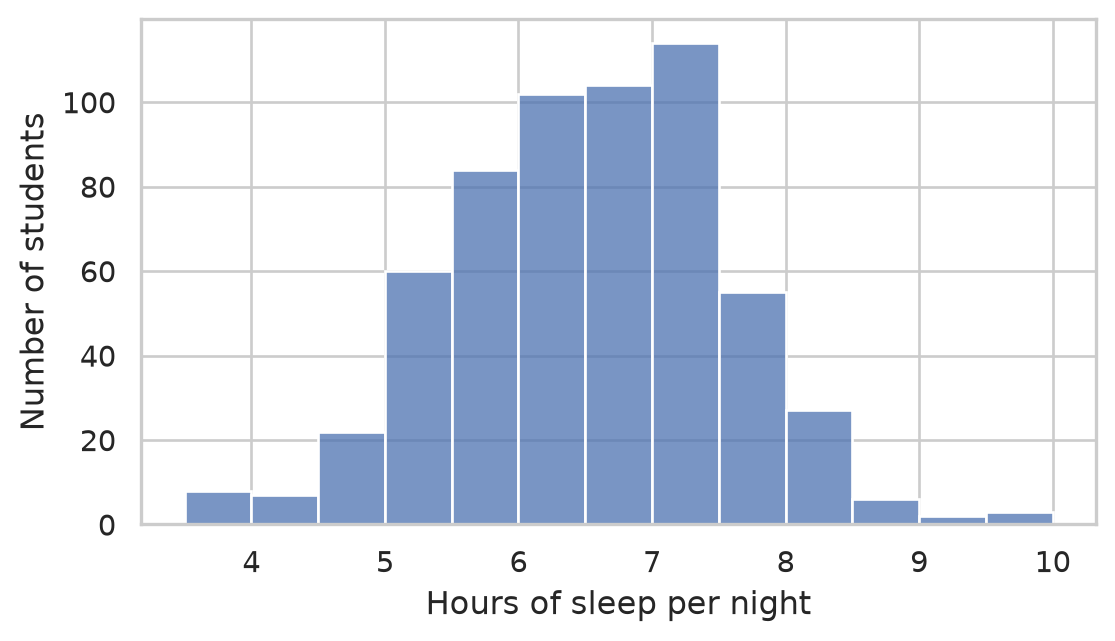
Figure 4.3 displays a roughly symmetrical, unimodal distribution centered near 6.5 hours. Exactly r round(100 * share_short, 1)% of graduate students sleep less than the clinically recommended 7 hours during their first semester.
A bar chart plots frequency distributions across categorical factor levels:
fig, ax = plt.subplots(figsize=(6, 3.5))

sns.countplot(
    data=students, x="faculty", color="#4c72b0",
    order=students["faculty"].value_counts().index, ax=ax
)
ax.set(xlabel="Faculty", ylabel="Student Count")
plt.xticks(rotation=20, ha="right")
plt.tight_layout()
plt.show()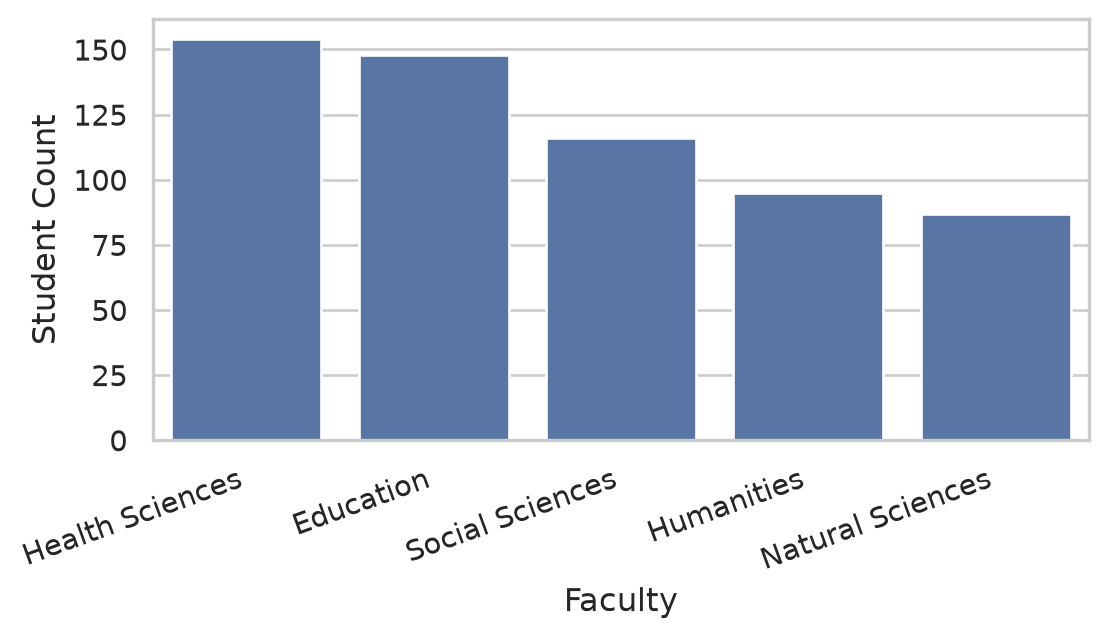
Because bar lengths represent quantities proportionally, the numerical baseline must always start at zero.
A box plot summarizes five key distribution parameters: the median (center line), interquartile range (IQR, box edges covering the 25th to 75th percentiles), whiskers (extending to \(1.5 \times \text{IQR}\)), and individual points for potential outliers. It is the gold standard for comparing continuous metrics across qualitative groups:
fig, ax = plt.subplots(figsize=(5, 3.5))

sns.boxplot(
    data=first_sem, x="study_mode", y="wellbeing",
    palette=["#4c72b0", "#55a868"], ax=ax, width=0.5
)
ax.set(xlabel="Study Mode", ylabel="Wellbeing Index (0 to 100)")
plt.tight_layout()
plt.show()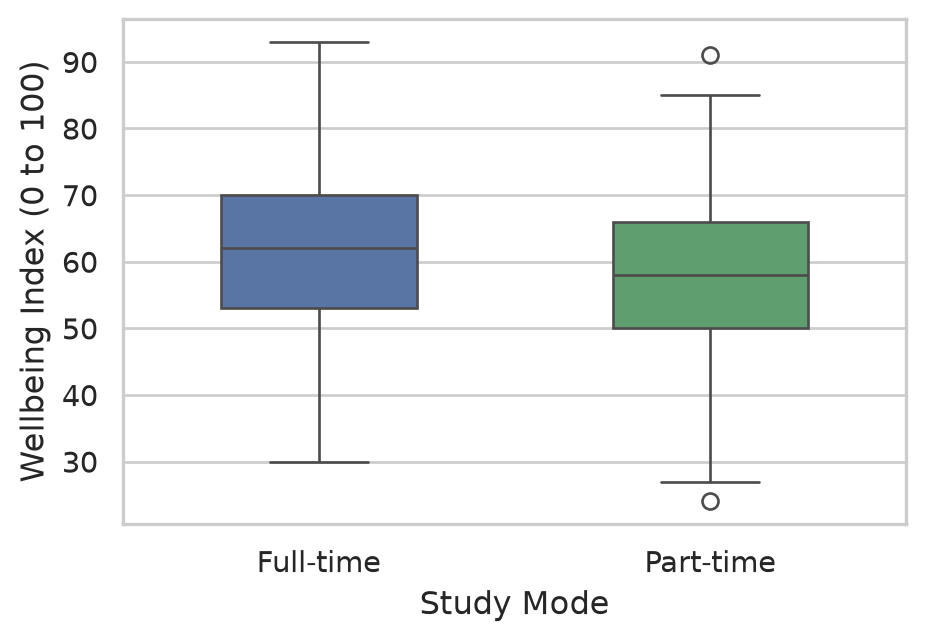
Part-time students report a slightly lower median wellbeing score than full-time students, but the distributions overlap substantially. In ?@sec-ch08, we use inferential ANOVA to test whether this group discrepancy is statistically significant.
The relationship between two continuous variables—such as sleep hours and academic performance—is evaluated via a scatter plot. When plotting 600 participants, individual markers often overlap (overplotting). We mitigate this by setting transparency (alpha=0.4) and overlaying a linear regression trend line with sns.regplot():
fig, ax = plt.subplots(figsize=(6, 3.8))

sns.regplot(
    data=first_sem, x="sleep_hours", y="gpa",
    scatter_kws={"alpha": 0.35, "color": "#4c72b0"},
    line_kws={"color": "#c44e52", "linewidth": 2},
    ax=ax
)
ax.set(xlabel="Hours of sleep per night", ylabel="Grade Point Average (GPA)")
plt.tight_layout()
plt.show()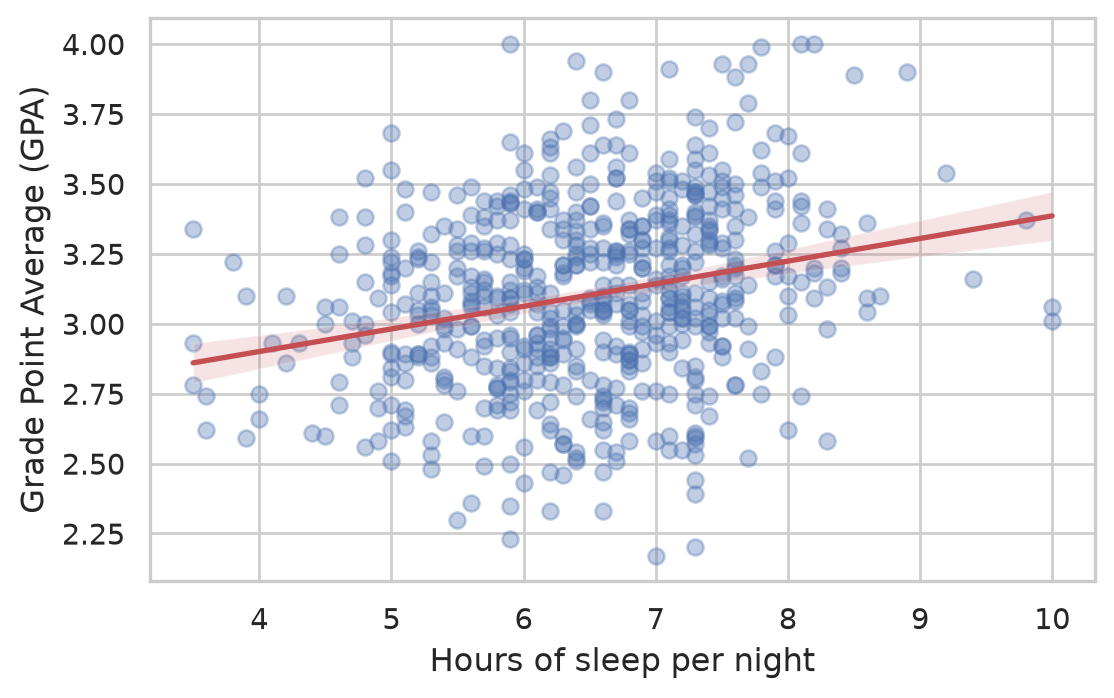
The regression line slopes upward: students sleeping more hours tend to achieve modestly higher GPAs. However, observations scatter broadly around the line (\(r \approx 0.30\)), indicating that sleep explains only a fraction of total academic variance.
Elaf’s research design tracked cohorts across four consecutive semesters. A line plot illustrates how group means evolve over time:
wellbeing_trajectory = (
    semesters
    .merge(students[["student_id", "workshop"]], on="student_id", how="left")
    .groupby(["semester", "workshop"])["wellbeing"]
    .mean()
    .reset_index()
)

fig, ax = plt.subplots(figsize=(6.5, 3.8))

sns.lineplot(
    data=wellbeing_trajectory, x="semester", y="wellbeing",
    hue="workshop", marker="o", markersize=7, linewidth=2,
    palette={"Invited": "#2ca02c", "Not invited": "#7f7f7f"},
    ax=ax
)
ax.set(
    title="Cohort Wellbeing Trajectory Over Two Years",
    xlabel="Academic Semester",
    ylabel="Mean Wellbeing (0 to 100)",
    xticks=[1, 2, 3, 4]
)
ax.legend(title="Workshop Group", frameon=True)
plt.tight_layout()
plt.show()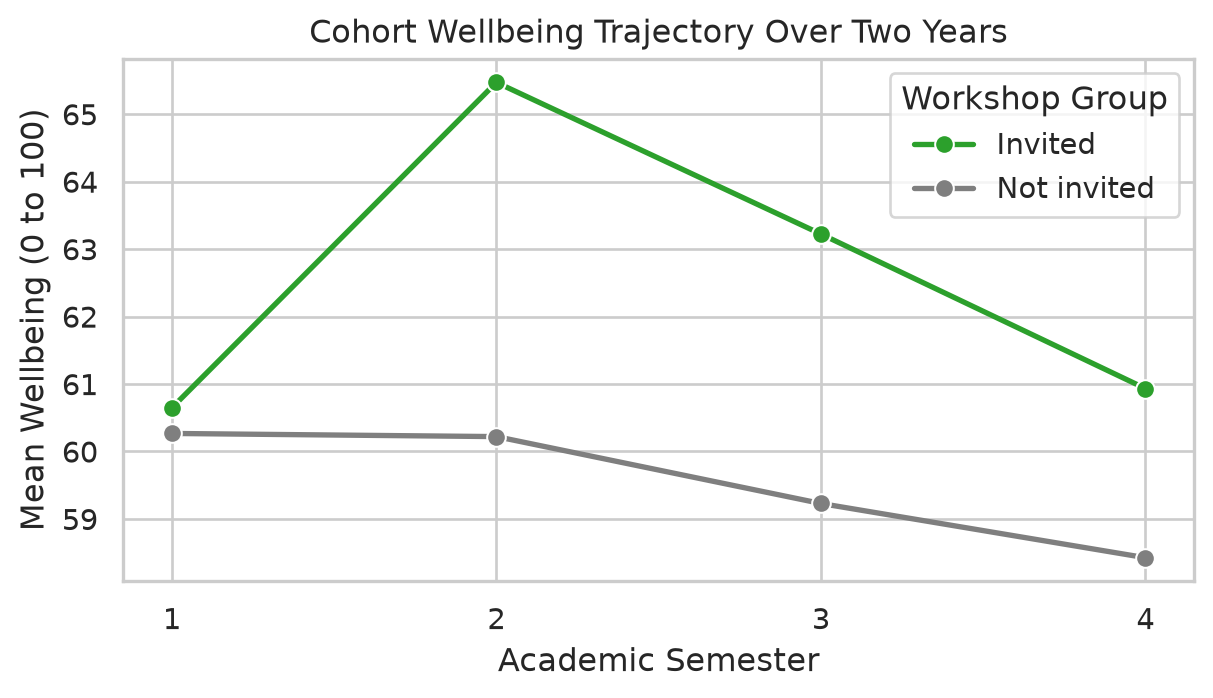
Figure 4.7 captures the core narrative of Elaf’s intervention study: groups start at identical baselines in Semester 1, invited students pull ahead following the intervention in Semester 2, and the gap stabilizes over subsequent terms.
Exploratory graphics suffice during initial data exploration, but explanatory figures destined for a thesis or journal article require publication-standard polish.
Adding explicit reference lines and annotations directs reader attention to clinically meaningful thresholds:
fig, ax = plt.subplots(figsize=(6.5, 3.8))

sns.histplot(
    data=first_sem, x="sleep_hours", binwidth=0.5,
    color="#4c72b0", edgecolor="white", ax=ax
)
ax.axvline(7.0, color="#c44e52", linestyle="--", linewidth=1.8)
ax.text(
    7.1, ax.get_ylim()[1] * 0.9,
    "Recommended: 7.0 hrs",
    color="#c44e52", fontweight="semibold", verticalalignment="top"
)
ax.set(
    title="Baseline Sleep Duration",
    xlabel="Hours of sleep per night",
    ylabel="Number of students"
)
plt.tight_layout()
plt.show()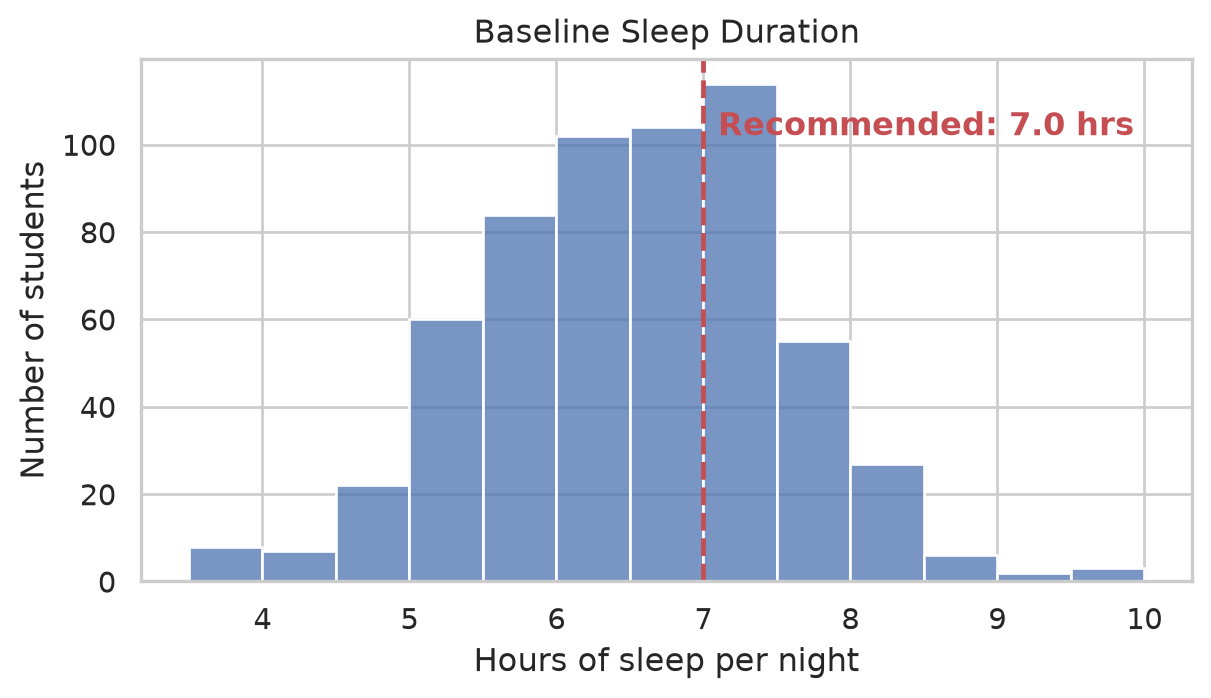
Approximately 8% of men and 0.5% of women experience congenital color vision deficiency (red-green color blindness). A scientific graphic must remain interpretable to all readers and reproduce legibly when printed in black and white:
jet) palettes, which introduce artificial visual boundaries.viridis, plasma, cividis, or colorblind.A visualization can be mathematically accurate while remaining visually misleading. Distortion frequently stems from unexamined software defaults:
Suppose an investigator evaluates whether mean wellbeing differs across faculties. A careless chart with an artificially truncated axis appears in Figure 4.9:
faculty_means = (
    first_sem
    .groupby("faculty")["wellbeing"]
    .mean()
    .reset_index()
)

fig, ax = plt.subplots(figsize=(6.5, 3.5))
sns.barplot(data=faculty_means, x="faculty", y="wellbeing", palette="Blues_d", ax=ax)
ax.set_ylim(58, 62.5)  # Truncated baseline!
ax.set(title="Misleading: Truncated Baseline (58 to 62.5)", xlabel="Faculty", ylabel="Mean Wellbeing")
plt.xticks(rotation=20, ha="right")
plt.tight_layout()
plt.show()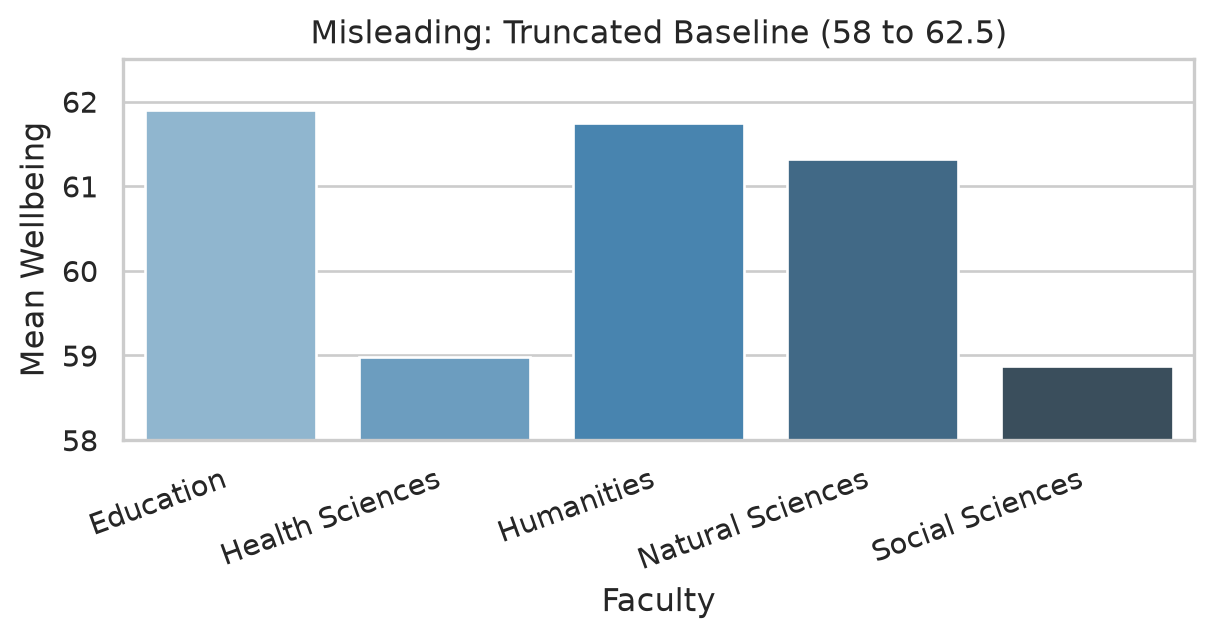
In Figure 4.9, the Education faculty bar appears triple the height of Social Sciences. Yet the actual group means differ by barely 2.5 points on a 100-point scale. Furthermore, the bar chart completely conceals individual variation.
In Figure 4.10, the display is redesigned into an honest, informative jittered strip plot with overlaid group means:
order = faculty_means.sort_values("wellbeing")["faculty"]

fig, ax = plt.subplots(figsize=(7, 3.8))

# Jittered individual student scores
sns.stripplot(
    data=first_sem, y="faculty", x="wellbeing",
    order=order, color="grey", alpha=0.3, jitter=0.2, size=5, ax=ax
)

# Overlay group means as prominent diamonds
sns.pointplot(
    data=first_sem, y="faculty", x="wellbeing",
    order=order, color="#c44e52", markers="D", scale=0.8,
    errorbar=None, join=False, ax=ax
)

ax.set(
    title="Truthful: Student Wellbeing Distribution by Faculty",
    xlabel="Wellbeing Index (0 to 100)",
    ylabel=None,
    xlim=(0, 100)  # Full theoretical scale!
)
plt.tight_layout()
plt.show()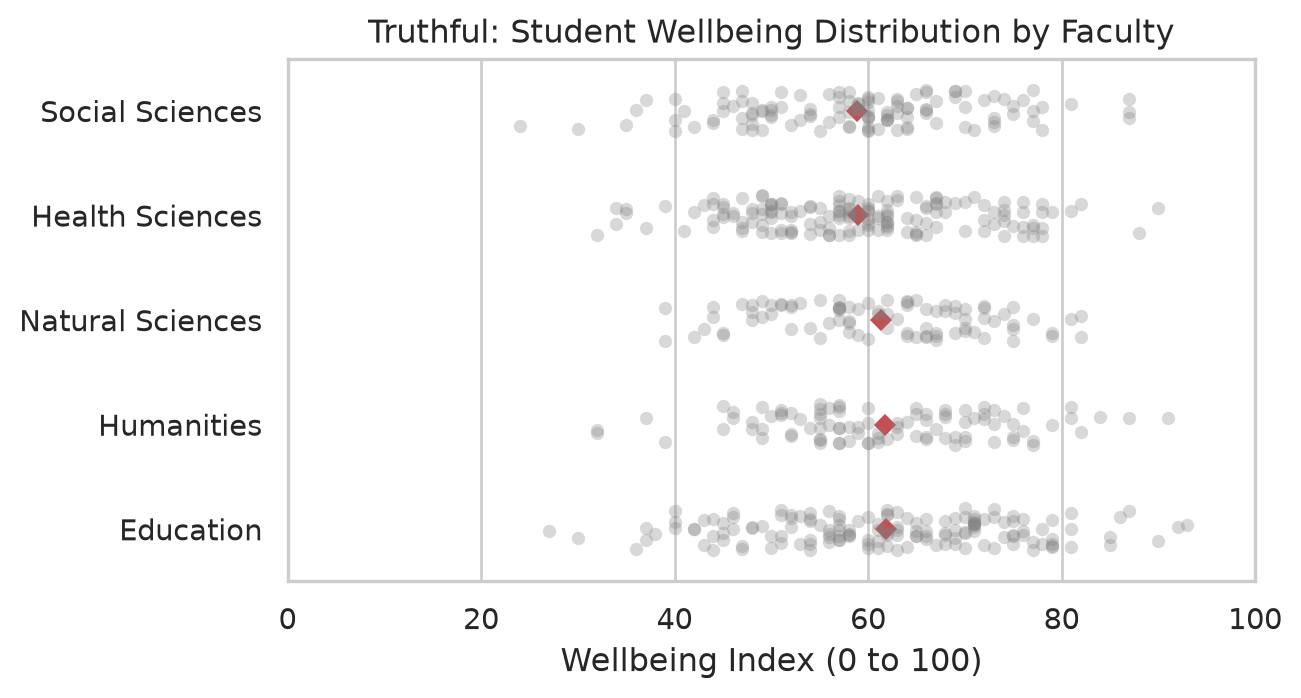
Figure 4.10 communicates the true scientific story: individual student scores vary widely between 25 and 95 across all departments, and average differences between faculties are trivial by comparison.
Small multiples partition a complex visualization into separate subpanels sharing identical axes, enabling direct visual comparisons:
g = sns.lmplot(
    data=first_sem, x="sleep_hours", y="gpa", col="programme",
    scatter_kws={"alpha": 0.35, "color": "#4c72b0"},
    line_kws={"color": "#c44e52"},
    height=3.5, aspect=1.1
)
g.set_axis_labels("Hours of Sleep per Night", "GPA")
g.set_titles(col_template="{col_name} Candidates")
plt.tight_layout()
plt.show()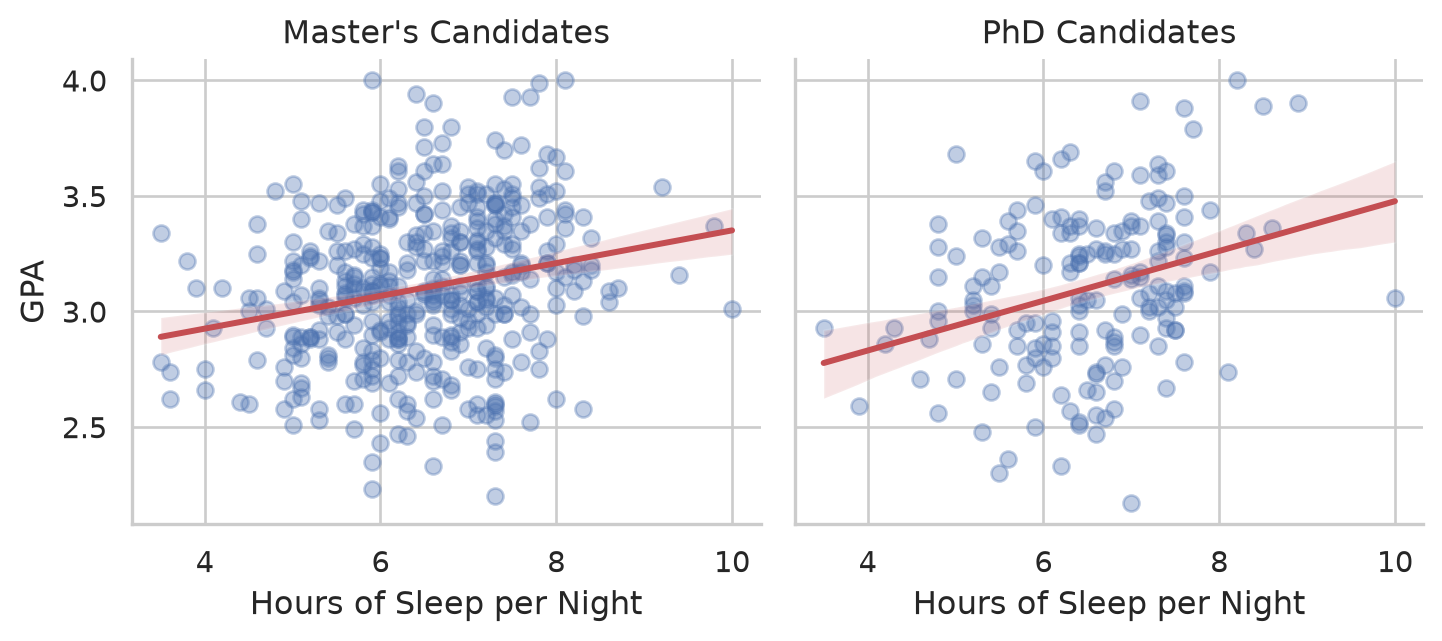
The regression slope between sleep and academic performance is virtually identical across both Master’s and PhD cohorts.
A density plot provides a smoothed continuous estimate of the probability density function, facilitating clean comparisons of overlapping distributions:
sem2_data = (
    semesters
    .query("semester == 2")
    .merge(students[["student_id", "workshop"]], on="student_id")
)

fig, ax = plt.subplots(figsize=(6.5, 3.5))

sns.kdeplot(
    data=sem2_data, x="wellbeing", hue="workshop",
    fill=True, common_norm=False, alpha=0.35,
    palette={"Invited": "#2ca02c", "Not invited": "#7f7f7f"},
    linewidth=2, ax=ax
)
ax.set(
    title="Semester 2 Post-Intervention Wellbeing Distribution",
    xlabel="Wellbeing Index (0 to 100)",
    ylabel="Probability Density"
)
plt.tight_layout()
plt.show()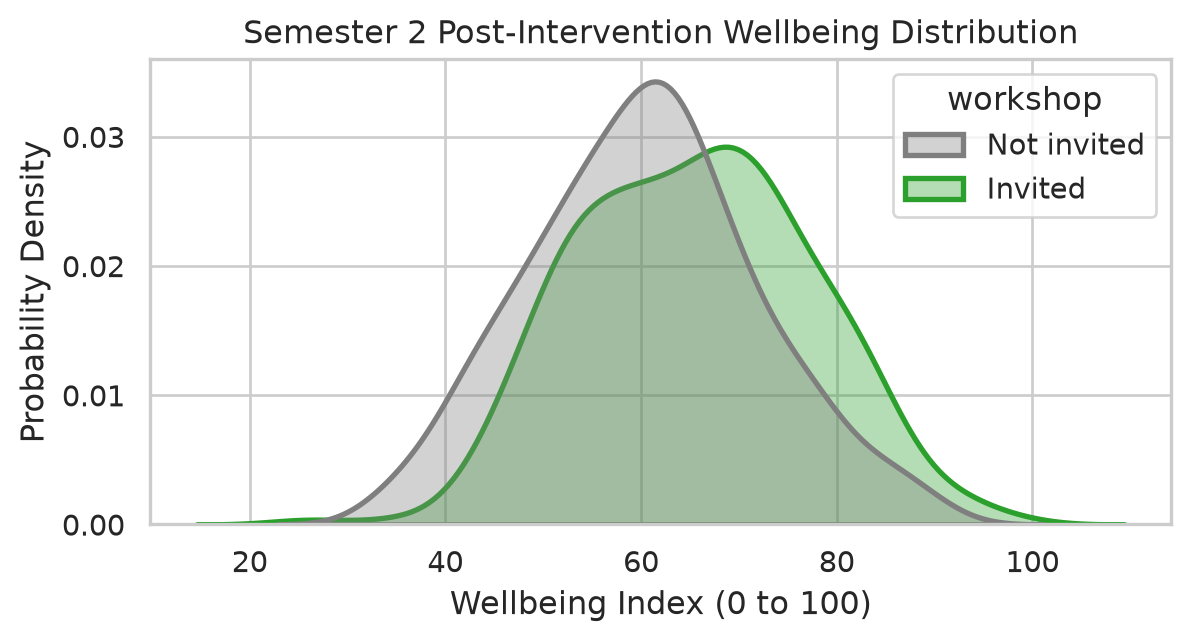
Notice that the entire distribution for invited students is shifted rightward, demonstrating a cohort-wide positive effect rather than an isolated outlier reaction.
When examining relationships among numerous continuous constructs, a correlation heatmap visualizes the bivariate correlation matrix via a diverging color gradient:
corr_vars = first_sem[["gpa", "sleep_hours", "study_hours", "wellbeing"]].corr()

fig, ax = plt.subplots(figsize=(5.5, 4.2))

sns.heatmap(
    corr_vars, annot=True, fmt=".2f", cmap="vlag",
    vmin=-1.0, vmax=1.0, center=0.0,
    square=True, linewidths=0.5, cbar_kws={"shrink": 0.8},
    ax=ax
)
ax.set_title("Correlation Heatmap (Semester 1)", fontsize=11, pad=10)
plt.tight_layout()
plt.show()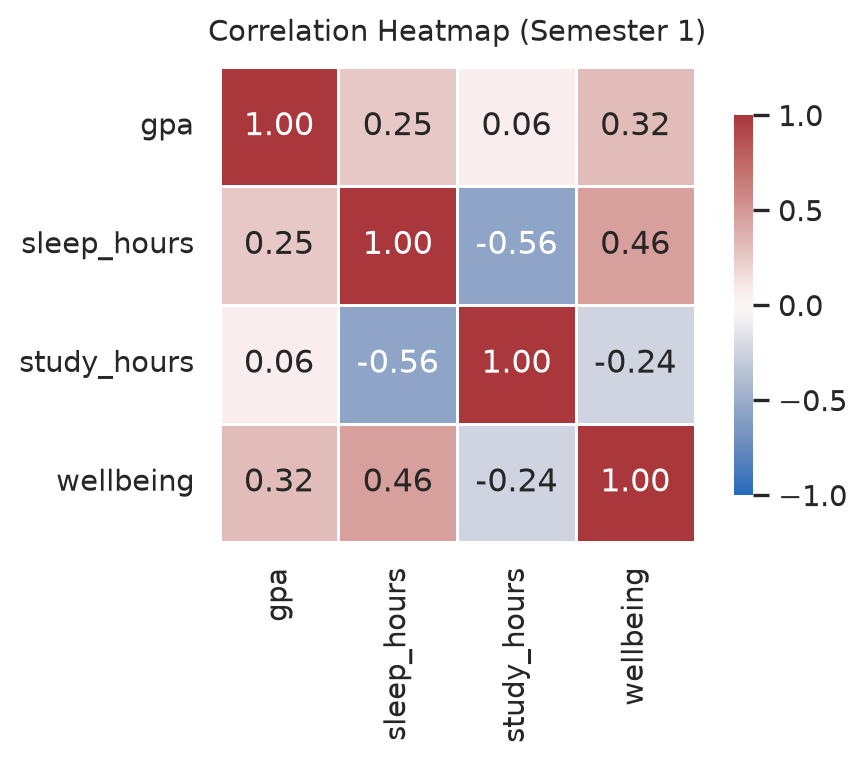
The diverging vlag palette centers white at zero correlation, mapping negative associations to blue and positive associations to red. Values printed within each cell ensure readers are not forced to decode coefficients solely through color saturation.
Scientific figures must be exported at explicit target physical dimensions and print resolutions:
# Save as 300 DPI PNG raster image (suitable for Word documents and presentations):
fig.savefig("figures/wellbeing_trajectory.png", dpi=300, bbox_inches="tight")

# Save as vector graphic (ideal for LaTeX and journal publication):
fig.savefig("figures/wellbeing_trajectory.pdf", bbox_inches="tight")
Setting bbox_inches="tight" prevents axis labels from being clipped. Standard journal column widths typically measure 8.5 cm (single column) or 17.5 cm (full width). Defining figure sizes in code preserves font proportions when rendered on the printed page.
sns.lineplot(), small multiples using sns.lmplot(col=...), and correlation matrices using sns.heatmap().viridis, vlag), and transparent representation of within-group variance.fig.savefig() at 300+ DPI or vector formats (.pdf, .svg).Anscombe’s quartet, exploratory vs. explanatory graphics, graphical perception, aligned scale, histogram, KDE density plot, box plot, strip plot, overplotting, regression trend line, longitudinal line plot, small multiples, facet, correlation heatmap, color accessibility, chartjunk, DPI, vector graphics.
Work through these exercises in your browser using the Chapter 4 Playground or download the starter project for VS Code.
first_sem, generate a histogram of study_hours. Experiment with binwidths of 2, 5, and 10 hours, and evaluate which binning best reveals distribution shape.employment categories, ordered from "None" to "Full-time job", using a colorblind-safe single color.caffeine_mg) against sleep hours (sleep_hours) in Semester 1 with an overlaid linear regression line, and describe the observed association.figures/exercise_plot.png at 300 DPI with tight bounding boxes.Part 1 gave you the tools: you can import data, clean it, and visualize it. Part 2 uses those tools to answer research questions. Before any statistics, though, comes a step that no software can do for you: deciding what exactly you are asking, what result would answer it, and whether your data can give that answer at all.
Most problems that examiners find in a thesis start here, not in the analysis: a question too vague to answer, a hypothesis that no result could contradict, a questionnaire that measures something other than what the title promises, or a sample that cannot support the conclusion. No statistical test can fix those problems afterwards. This chapter follows the path from a research topic to data that can answer a question, using the student wellbeing study as the example throughout. It is more conceptual than the other chapters, but it still uses Python wherever Python helps you see an idea: simulations, checks of how variables are measured, and a first calculation of sample size.
In one sentence: data analysis tests claims against evidence.
Research makes claims about the world: graduate students sleep too little; a workshop improves wellbeing; supervisor support protects against dropout. A claim is only as strong as the evidence behind it, and data analysis is the part of research that confronts claims with evidence. It does three kinds of work. Describing establishes what the world looks like: how long graduate students sleep, or how many consider dropping out. Explaining asks why it looks like that: whether the workshop causes higher wellbeing, or which factors go together with a higher GPA. Predicting concerns what will happen in new cases, such as which of next year’s students are likely to consider leaving.
Each kind of work asks a different kind of question, is judged by a different standard, and leads to different methods, as Table 5.1 shows.
| Aim | Example question | Judged by | Methods | Chapters |
|---|---|---|---|---|
| Describe | How long do graduate students sleep? | Accuracy of the summary; who it applies to | Summaries, graphs, confidence intervals | 4, 6, 7 |
| Explain | Does the workshop improve wellbeing? | Whether rival explanations are ruled out | Tests, regression, mixed models | 7 to 10 |
| Predict | Who will consider dropping out? | Accuracy on new cases | Machine learning | 11 to 16 |
Keep the aim in mind, because the same numbers can serve different aims. A regression model can explain GPA (which predictors matter, and how much?) or predict it (how close are the predictions for new students?). The model may be identical; the question, and how the answer is judged, are not.
In one sentence: a research question is a topic narrowed until data can answer it.
Nobody starts with a research question. They start with a topic, something that interests or worries them, such as “the wellbeing of graduate students”. A topic is too broad to study: it contains hundreds of possible questions. The work of the first months of a thesis is narrowing it:
flowchart TD
  A["<b>Topic</b><br/>Graduate student wellbeing"] --> B["<b>Problem</b><br/>Many graduate students report stress and exhaustion,<br/>and some leave their programmes"]
  B --> C["<b>Focus</b><br/>Can the university do something about it?"]
  C --> D["<b>Research question</b><br/>Does a six-week wellbeing workshop improve graduate students'<br/>wellbeing by the end of the following semester?"]
The problem says why the topic matters: something is wrong, unknown, or disputed. The research question says precisely what the study will find out. A good research question is specific: it names who (graduate students at one university), what (wellbeing, measured with an index), and when (the end of semester 2). It is answerable with data, in the sense that the researcher can say what data would answer it and can collect that data. It is not already answered, because the literature leaves a gap or the setting is new. It is feasible within the time, money, skills, and access available. And it is worth answering: someone would act differently depending on the answer. Table 5.2 shows weak questions and how they can be improved.
| Weak question | Problem | Better question |
|---|---|---|
| Are students stressed? | Stressed compared with what? Which students? | Do part-time graduate students report higher stress than full-time students? |
| What affects students’ success? | Too broad; “success” is undefined | Is average sleep in a semester associated with semester GPA, allowing for study hours? |
| Is the workshop good? | “Good” cannot be measured | Does the workshop raise wellbeing scores at the end of the following semester? |
| Why do students drop out? | Needs students who left, and years of follow-up | Which baseline characteristics are associated with considering dropout in the first year? |
Research questions come in three kinds, and each kind needs a different design and analysis. Descriptive questions ask what is, such as how many hours graduate students sleep; they need a sample that represents the population well. Relational questions ask what goes with what, such as whether students who sleep more have higher GPAs; they need measurements of both variables, and they establish association, not cause. Causal questions ask what leads to what, such as whether the workshop improves wellbeing; they need a design that rules out other explanations, ideally an experiment.
The kind of question decides the kind of claim you can make. Much confusion in published research comes from asking a relational question and answering it in causal words (“sleep improves grades”). The section on study designs below returns to this.
In one sentence: a hypothesis is a prediction precise enough to be wrong.
A research question asks; a hypothesis answers in advance. It is the researcher’s best prediction, based on theory and earlier studies, of what the data will show. The workshop question becomes:
Hypothesis: Students invited to the workshop will have higher wellbeing at the end of semester 2 than students not invited.
The hypothesis is useful because the data can disagree with it.
The philosopher Karl Popper argued that what separates a scientific claim from other claims is not that it can be proved, but that it can be refuted: it forbids certain results (Popper 1959). A claim that is compatible with every possible result tells us nothing. Compare:
| Hypothesis | Could any result contradict it? |
|---|---|
| “The workshop changes how students feel.” | No: higher, lower, or unchanged wellbeing all fit. Not falsifiable. |
| “Invited students have higher wellbeing.” | Yes: if their wellbeing is lower or the same, the hypothesis is wrong. Falsifiable. |
A hypothesis must also say whether it predicts a direction. A directional hypothesis predicts which group will be higher, or whether a relationship is positive or negative (“the workshop raises wellbeing”; “sleep is positively associated with GPA”). A non-directional hypothesis predicts a difference without specifying which way (“stress differs between faculties”). Directional hypotheses are stronger, because they forbid more results.
Statistical tests do not test the researcher’s hypothesis directly. They test its opposite, the null hypothesis (\(H_0\)): the claim that nothing is going on, no difference and no relationship. The researcher’s hypothesis becomes the alternative hypothesis (\(H_1\)). For the workshop, \(H_1\) states that invited and not-invited students differ in average wellbeing at the end of semester 2, and \(H_0\) that they have the same average wellbeing.
Testing the opposite of what one believes may seem strange, but the null hypothesis has one great advantage: it is precise enough to calculate with. “The workshop helps” does not say how much, but “the workshop makes no difference” makes a sharp prediction: any difference between the groups is due to chance alone, to which students happened to be invited. If we know how large chance differences usually are, we can ask whether the difference in the data is larger than chance would easily produce.
You can see this world of chance by simulation. Suppose the workshop truly does nothing. Then being invited is just an arbitrary label on students whose wellbeing is unaffected. The code below creates 300 imaginary students with wellbeing scores similar to those in the study (average 60, standard deviation about 11), splits them into two random groups of 150, and records the difference between the group averages. It then repeats this 5,000 times:
np.random.seed(2026)
n_sims = 5000
chance_differences = np.empty(n_sims)
groups = np.repeat(["Invited", "Not invited"], 150)

for i in range(n_sims):
    wellbeing = np.random.normal(loc=60, scale=11, size=300)
    shuffled = np.random.permutation(groups)
    diff = (
        wellbeing[shuffled == "Invited"].mean()
        - wellbeing[shuffled == "Not invited"].mean()
    )
    chance_differences[i] = diff

pd.Series(chance_differences).describe().round(3)
count 5000.000
mean -0.008
std 1.268
min -5.413
25% -0.842
50% -0.011
75% 0.856
max 4.028
dtype: float64In Python, np.random.normal() draws random numbers from a Gaussian distribution, np.random.permutation() randomly shuffles group assignment labels, and a vectorized loop accumulates the null distribution. Figure 5.2 shows the 5,000 differences:
q025, q975 = np.percentile(chance_differences, [2.5, 97.5])

fig, ax = plt.subplots(figsize=(7, 4))
sns.histplot(chance_differences, binwidth=0.5, color="grey", edgecolor="white", ax=ax)
ax.axvline(q025, linestyle="--", color="black", linewidth=1.2)
ax.axvline(q975, linestyle="--", color="black", linewidth=1.2)
ax.set_xlabel("Difference in average wellbeing (invited minus not invited)")
ax.set_ylabel("Number of simulated studies")
plt.tight_layout()
plt.show()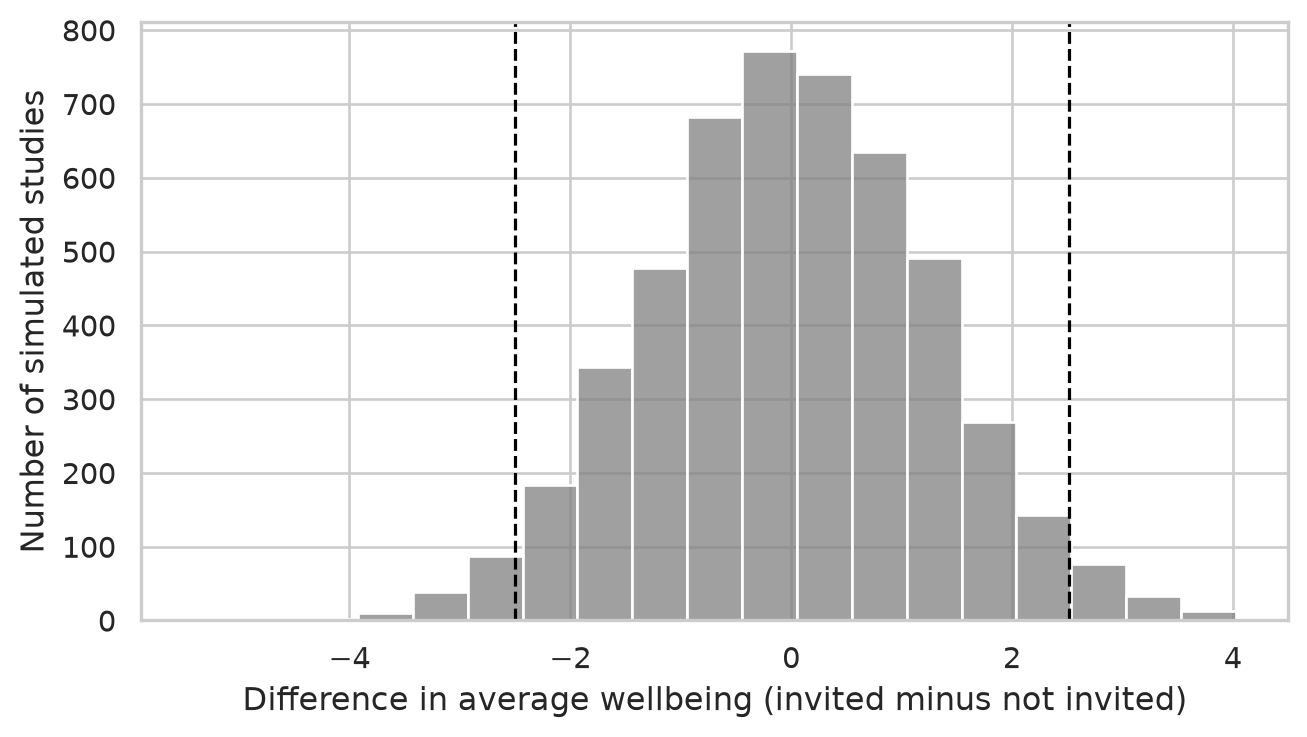
Even when the workshop does nothing, the two groups almost never have exactly the same average: chance alone produces differences, usually small ones. In 95% of the simulated studies, the difference lies between -2.5 and 2.5 points (the dashed lines). A real study that found a difference of 5 points would therefore be hard to explain by chance, and would count as evidence against \(H_0\). A difference of 1 point would not: it is exactly what chance produces. Chapter 7 turns this idea into the formal p-value, using the real empirical data.
Two things follow from this picture. First, rejecting \(H_0\) is not proving \(H_1\): it says only that “nothing is going on” is a poor explanation of the data. Second, not rejecting \(H_0\) is not proving it: a small study can fail to detect a real effect, just as a blurred photograph can fail to show a real face.
Table 5.3 writes out the study’s research questions in this form. Some questions are confirmatory: they test a hypothesis stated in advance. Others are exploratory: they look for patterns without a prior prediction, and their results suggest hypotheses for future studies rather than confirming them. Both are legitimate, as long as they are labelled honestly.
| Research question | Hypothesis (\(H_1\)) | Null hypothesis (\(H_0\)) | What would count against \(H_1\) | Chapters |
|---|---|---|---|---|
| RQ1 What does graduate life look like? | Descriptive: no hypothesis | none | none | 4, 6 |
| RQ2 Do students sleep less than 7 hours? | Average sleep is below 7 hours | Average sleep is 7 hours | An average of 7 hours or more, or a confidence interval that includes 7 | 7 |
| RQ3 Does the workshop improve wellbeing? | Invited students have higher wellbeing in semester 2 | The groups have the same average wellbeing | A difference near zero or negative, with a narrow confidence interval | 7, 10 |
| RQ4 Do faculties and study modes differ? | Stress differs between faculties (non-directional) | All faculties have the same average stress | Similar averages in every faculty | 7, 8 |
| RQ5 What explains GPA? | More sleep goes with a higher GPA, allowing for study hours, stress, and support | The sleep coefficient is zero | A coefficient near zero or negative | 8 |
| RQ6 Do the questionnaire items measure what they should? | The 22 items form four scales: stress, burnout, support, satisfaction | none (checked by model fit, not a single test) | Items that do not group as intended | 9 |
| RQ7 Are there student profiles? | Exploratory: no hypothesis | none | none | 9, 14 |
| RQ8 How do wellbeing and GPA change? | Wellbeing declines over the two years | The average slope over semesters is zero | A slope near zero or positive | 10 |
| RQ9 Who considers dropping out? | Higher stress raises the odds of considering dropout | The odds ratio for stress is 1 | An odds ratio of 1 or below | 8, 12 |
| RQ10 Can final GPA be predicted? | Predictive: year-1 data predicts better than the average alone | none (judged on new cases) | Test-set error no better than predicting the average | 13 |
| RQ11 What challenges do students describe? | Exploratory: no hypothesis | none | none | 18 |
The later chapters return to this table: each restates its hypothesis before the analysis, and ends by saying whether the data contradicts the null hypothesis.
From this chapter on, every main analysis in the book starts with the same four questions. Answer them in writing, before you run any code:
In one sentence: a variable is a decision about how to turn an idea into a number.
As Chapter 2 showed, data is a table of cases (rows) and variables (columns). The first question about any dataset is what one row represents: the unit of analysis. The wellbeing study has three, in different tables:
print("students rows:   ", len(students))      # one row per student
print("semesters rows:  ", len(semesters))     # one row per student per semester
print("supervisors rows:", len(supervisors))   # one row per supervisor
students rows: 600
semesters rows: 2326
supervisors rows: 120The unit of analysis decides what a question means. “Do students who sleep more have higher GPAs?” is a question about students, so each student should count once, for example with their first-semester values or their average over the semesters. Treating the 2326 semester rows as 2326 independent cases would count each student up to four times, and make the evidence look stronger than it is. Chapter 10 shows how to use all the rows correctly with mixed models.
Many things researchers care about cannot be observed directly: stress, wellbeing, motivation, intelligence, job satisfaction, quality of life. Such ideas are called constructs. To study a construct, you must decide how to measure it, a step called operationalisation. Every operationalisation is a choice, and a different choice could give a different answer.
Table 5.4 shows how the wellbeing study operationalises some of its constructs.
| Construct | Operationalisation | Variable(s) |
|---|---|---|
| Sleep | Self-reported average hours per night in the semester | sleep_hours |
| Stress | The average of six questionnaire items on a 1 to 5 scale | stress_1 to stress_6 |
| Wellbeing | A 0 to 100 wellbeing index, from a validated instrument | wellbeing |
| Academic performance | Semester GPA from university records | gpa |
| Thoughts of dropping out | “Have you seriously considered leaving your programme?” | considering_dropout |
Stress is a good example. No single question captures it, so the questionnaire asks six, each about one aspect, and averages the answers. Look at the items, and at how the answers of the first few students differ from item to item:
stress_cols = ["student_id", "stress_1", "stress_2", "stress_3", "stress_4", "stress_5", "stress_6"]
questionnaire[stress_cols].head(5)| student_id | stress_1 | stress_2 | stress_3 | stress_4 | stress_5 | stress_6 | |
|---|---|---|---|---|---|---|---|
| 0 | S0001 | 3.0 | 2.0 | 4.0 | 4.0 | 3.0 | 5.0 |
| 1 | S0002 | 4.0 | 3.0 | NaN | 2.0 | 5.0 | 3.0 |
| 2 | S0003 | 4.0 | 4.0 | 2.0 | 1.0 | 4.0 | 3.0 |
| 3 | S0004 | 4.0 | 5.0 | 5.0 | 1.0 | 4.0 | 5.0 |
| 4 | S0005 | 4.0 | 4.0 | 4.0 | 3.0 | 4.0 | 2.0 |
One item, stress_4 (“I feel confident handling problems in my studies”), is worded in the opposite direction: agreeing with it means less stress. Before averaging, it must be reversed, so that 5 becomes 1 and 1 becomes 5. You did this in Chapter 3:
stress_items = [f"stress_{i}" for i in range(1, 7)]
q_stress = questionnaire[stress_items].copy()
q_stress["stress_4"] = 6 - q_stress["stress_4"]

stress = pd.DataFrame({
    "student_id": questionnaire["student_id"],
    "stress": q_stress.mean(axis=1)
})
stress["stress"].describe().round(2)
count 600.00
mean 3.22
std 0.73
min 1.33
25% 2.67
50% 3.17
75% 3.67
max 5.00
Name: stress, dtype: float64The resulting score is the study’s operational definition of stress. Anyone who reads the thesis should be able to see exactly how it was built, which is why the methods chapter of a thesis describes every measure, and why the questionnaire items go in an appendix.
Sleep, study hours, and caffeine in the wellbeing study are self-reported: students estimate them. People tend to overestimate their sleep and underestimate their caffeine, and they may give the answers they think are expected. Records (such as GPA from the university) or devices (such as a sleep tracker) avoid some of these problems, but are more expensive or intrusive. Every measure has weaknesses; say what they are.
Not all numbers are numbers in the same sense. The psychologist S. S. Stevens proposed four levels of measurement, each allowing more than the one before (Stevens 1946):
| Level | What the values mean | Meaningful summaries | Examples in the study | In Python |
|---|---|---|---|---|
| Nominal | Categories with no order | Counts, percentages, mode | faculty, gender, workshop |
object / pd.Categorical |
| Ordinal | Ordered categories; distances between them unknown | Also median and percentiles | employment, financial_worry, Likert items |
pd.Categorical(ordered=True) |
| Interval | Equal distances; no true zero | Also mean, standard deviation, differences | wellbeing (0 to 100 index), scale scores |
float64 |
| Ratio | Equal distances and a true zero | Also ratios (“twice as much”) | sleep_hours, study_hours, caffeine_mg, age |
float64 / int64 |
The level decides which summaries and tests make sense. The average faculty is meaningless. “Twice as much caffeine” is meaningful (caffeine has a true zero); “twice as much wellbeing” is not (a score of 0 does not mean no wellbeing at all).
Python does not automatically infer the level of measurement; you tell it with Pandas types. Look at how Pandas initially reads employment:
students["employment"].value_counts()employment
None 307
Part-time job 196
Full-time job 97
Name: count, dtype: int64Without an explicit ordered category, Pandas sorts by frequency or arbitrary order. But employment is ordinal: none, part-time, full-time is a real progression. Tell Pandas with an ordered Categorical:
students["employment"] = pd.Categorical(
    students["employment"],
    categories=["None", "Part-time job", "Full-time job"],
    ordered=True
)
students["employment"].value_counts().sort_index()
employment
None 307
Part-time job 196
Full-time job 97
Name: count, dtype: int64Now tables and graphs follow the natural order, and logical comparisons work correctly.
The opposite mistake is more common: an ordinal variable stored as raw integers, such as financial_worry (1 = not at all worried, 5 = extremely worried). Python will happily calculate its mean if requested, but the psychological distance from “not at all” to “a little” need not equal the distance from “very” to “extremely”. For a single ordinal item, report the frequency distribution and the median:
print("Frequency counts:")
print(students["financial_worry"].value_counts(dropna=False).sort_index())
print("\nMedian financial worry:", students["financial_worry"].median())
Frequency counts:
financial_worry
1.0 84
2.0 139
3.0 172
4.0 111
5.0 56
NaN 38
Name: count, dtype: int64
Median financial worry: 3.0Scale scores, the average of several items, are usually treated as interval data, and the book does so. Averaging several items smooths out the unequal steps of each one. This is a convention with good empirical support, not a physical law; if an examiner asks, state that you followed it, and why.
In an analysis, variables also have roles. The outcome, or dependent variable, is what the researcher wants to explain or predict, such as wellbeing, GPA, or considering dropout. A predictor, also called an independent or explanatory variable, is what is used to explain or predict it, such as the workshop, sleep, or stress. Three further roles concern a third variable that affects the relationship between the two. A confounder is related to both the predictor and the outcome, and can create a misleading association between them. A moderator changes the strength or direction of a relationship, so that the effect of the predictor depends on it. A mediator lies on the path between predictor and outcome: it is how the predictor has its effect.
The roles are not permanent properties of the variables; they come from the research question. Stress is an outcome in one question (whether the workshop reduces stress) and a predictor in another (whether stress predicts dropout).
Figure 5.3 draws the three less familiar roles as diagrams, using examples from the study: arrows show which variable is thought to influence which.
flowchart LR
  subgraph Confounder
    S1[Sleep] --> C1[Caffeine]
    S1 --> G1[GPA]
    C1 -. "apparent link" .- G1
  end
  subgraph Moderator
    SU[Support] --> G2[GPA]
    P[Programme:<br/>Master's or PhD] --> M((" "))
    M -.-> G2
  end
  subgraph Mediator
    W[Workshop] --> ST[Lower stress] --> WB[Wellbeing]
  end
The confounder is the most important of the three, because it can produce an association that is not a cause. In the wellbeing data, students who take more caffeine have lower GPAs. But students who take more caffeine also sleep less:
first_sem = semesters[semesters["semester"] == 1].merge(students, on="student_id")
corr_matrix = first_sem[["caffeine_mg", "sleep_hours", "gpa"]].corr().round(2)
corr_matrix| caffeine_mg | sleep_hours | gpa | |
|---|---|---|---|
| caffeine_mg | 1.00 | -0.64 | -0.19 |
| sleep_hours | -0.64 | 1.00 | 0.25 |
| gpa | -0.19 | 0.25 | 1.00 |
Caffeine and GPA are negatively correlated (-0.19), but caffeine and sleep are strongly negatively correlated (-0.64). Caffeine might be harming grades, or short-sleeping students might both drink more coffee and get lower grades; the correlation alone cannot tell which. Chapter 8 answers the question with a multiple regression that compares students with the same amount of sleep. The general lesson is that before you interpret any relationship, you should ask what else could produce it, and measure it if you can.
In one sentence: a reliable measure gives consistent results; a valid measure measures the right thing.
Two properties decide whether a measure can be trusted. Reliability is consistency: a student should get a similar stress score if they filled in the questionnaire again next week, with nothing changed, and the six stress items should agree with each other. Validity is whether the measure captures what it claims to measure: the stress score should reflect stress, and not something else, such as general negativity or tiredness on the day of the survey.
The classic picture is a target. Each shot is a measurement, and the centre is the true value. The code below simulates four measures, each shooting 30 times, and draws them:
np.random.seed(1)

panels = [
    ("Reliable and valid", 0.0, 0.0, 0.15),
    ("Reliable but not valid", 0.9, 0.8, 0.15),
    ("Valid on average, not reliable", 0.0, 0.0, 0.70),
    ("Neither reliable nor valid", 0.8, -0.6, 0.70)
]

fig, axes = plt.subplots(2, 2, figsize=(7, 7))
axes = axes.flatten()

theta = np.linspace(0, 2 * np.pi, 200)

for ax, (title, cx, cy, spread) in zip(axes, panels):
    for r in [0.5, 1.0, 1.5]:
        ax.plot(r * np.cos(theta), r * np.sin(theta), color="grey", linewidth=0.8, linestyle=":")
    ax.axhline(0, color="grey", linewidth=0.5, linestyle=":")
    ax.axvline(0, color="grey", linewidth=0.5, linestyle=":")
    ax.scatter(0, 0, marker="+", s=80, color="black", zorder=3)

    x = np.random.normal(cx, spread, 30)
    y = np.random.normal(cy, spread, 30)
    ax.scatter(x, y, color="#b2182b", alpha=0.75, s=35, zorder=4)

    ax.set_title(title, fontsize=11, weight="bold")
    ax.set_xlim(-1.8, 1.8)
    ax.set_ylim(-1.8, 1.8)
    ax.set_aspect("equal")
    ax.axis("off")

plt.tight_layout()
plt.show()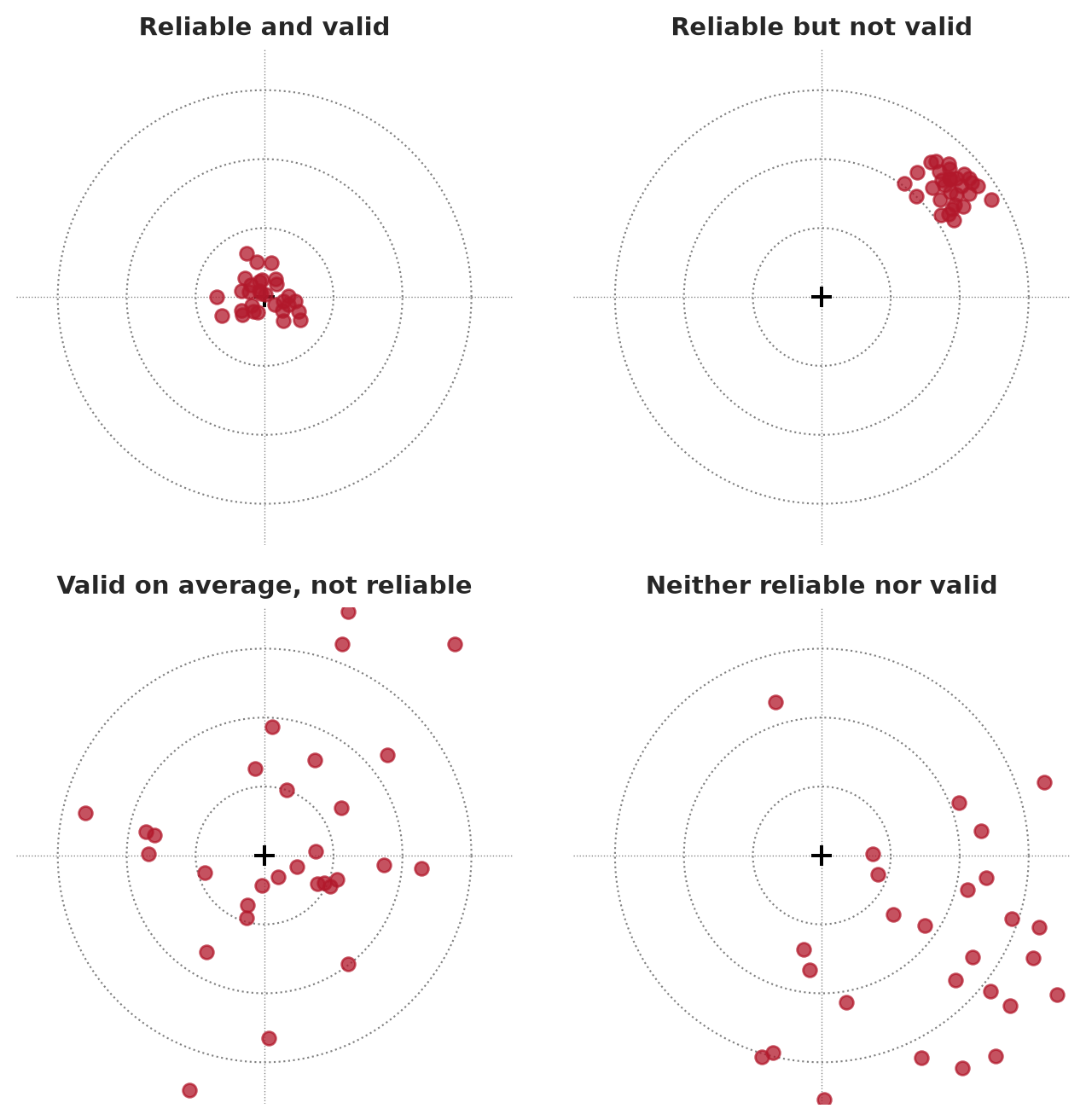
A measure that is reliable but not valid is precise about the wrong thing: a bathroom scale that always shows two kilograms too much. A measure that is unreliable cannot be very valid, because its random errors hide whatever it measures. Reliability is therefore necessary for validity, but not enough.
Reliability can be assessed in three main ways. Internal consistency is the extent to which the items of a scale agree with each other; it is measured with Cronbach’s alpha (Chapter 9). Test-retest reliability is the extent to which the same person gets a similar score on two occasions when nothing has changed. Inter-rater reliability is the extent to which two people who code the same material agree; it is measured with Cohen’s kappa (Chapter 18, where a language model is one of the coders).
Validity has several meanings. For a measure, content validity concerns whether the items cover the whole construct: a stress scale about deadlines only would miss stress about money or family. Construct validity concerns whether the score behaves as the construct should. It should correlate with measures of related constructs (convergent validity) and correlate less with unrelated ones (discriminant validity) (Cronbach and Meehl 1955).
The second kind can be checked in the wellbeing data. If the stress score measures stress, it should correlate strongly with burnout (a closely related construct), less strongly and negatively with supervisor support and satisfaction:
q_clean = questionnaire.copy()
q_clean["stress_4"] = 6 - q_clean["stress_4"]

scale_scores = pd.DataFrame({
    "stress": q_clean[[f"stress_{i}" for i in range(1, 7)]].mean(axis=1),
    "burnout": q_clean[[f"burnout_{i}" for i in range(1, 7)]].mean(axis=1),
    "support": q_clean[[f"support_{i}" for i in range(1, 7)]].mean(axis=1),
    "satisfaction": q_clean[[f"satisfaction_{i}" for i in range(1, 5)]].mean(axis=1)
})
validity_corr = scale_scores.corr().round(2)
validity_corr| stress | burnout | support | satisfaction | |
|---|---|---|---|---|
| stress | 1.00 | 0.65 | -0.33 | -0.41 |
| burnout | 0.65 | 1.00 | -0.24 | -0.38 |
| support | -0.33 | -0.24 | 1.00 | 0.41 |
| satisfaction | -0.41 | -0.38 | 0.41 | 1.00 |
Stress and burnout correlate at 0.65: related, as expected, but far from identical, so the two scales are not measuring the same thing twice. The negative correlations with support and satisfaction fit the idea that stressed students feel less supported and less satisfied. This is not proof of validity, which is built from many pieces of evidence, but it is the kind of evidence a thesis should report. Chapter 9 tests the structure of the whole questionnaire with factor analysis.
For a study as a whole, two further kinds of validity matter. Internal validity is the extent to which a study can rule out other explanations for its results; it is highest in randomised experiments. External validity is the extent to which the results apply beyond the study, to other people, places, and times; it depends on the sample. The next two sections are about these.
In one sentence: the design, not the statistics, decides whether a study can show cause.
A study design is the plan for who is measured, on what, when, and under which conditions. Table 5.6 summarises the main designs.
| Design | What happens | Can it show cause? | In the wellbeing study |
|---|---|---|---|
| Randomised experiment | The researcher assigns the treatment by chance | Yes, for the treatment | The workshop invitation |
| Quasi-experiment | Groups receive different treatments, but not by chance | Only with care; other differences must be ruled out | Comparing students who chose to attend many sessions |
| Observational, cross-sectional | Variables measured once, at one time | No; association only | The baseline questionnaire |
| Observational, longitudinal | The same people measured repeatedly over time | Stronger evidence of order, but still association | The four semesters |
Suppose the workshop had been open to anyone who wanted to come. The students who came would probably have had more energy, more time, and less stress to start with. If the attenders later had higher wellbeing, the cause could be the workshop or who they already were, and the two explanations could not be separated. This is self-selection, a form of confounding.
A simulation makes the problem visible. Take the real stress scores of the 600 students, and imagine that less stressed students are more likely to volunteer. Then compare the baseline stress of volunteers and non-volunteers, and do the same for a random invitation:
np.random.seed(11)
stress_scores = scale_scores["stress"].to_numpy()

# Volunteering: the chance of volunteering falls as stress rises
chance_to_volunteer = expit(-2 * (stress_scores - stress_scores.mean()))
volunteered = np.random.uniform(size=600) < chance_to_volunteer

# Random invitation: exactly 300 invited by coin toss
invited = np.random.permutation(np.repeat([True, False], 300))

balance_comparison = pd.DataFrame({
    "design": ["Volunteers", "Random invitation"],
    "stress_in": [stress_scores[volunteered].mean(), stress_scores[invited].mean()],
    "stress_out": [stress_scores[~volunteered].mean(), stress_scores[~invited].mean()]
})
balance_comparison["difference"] = balance_comparison["stress_in"] - balance_comparison["stress_out"]
balance_comparison.round(2)| design | stress_in | stress_out | difference | |
|---|---|---|---|---|
| 0 | Volunteers | 2.81 | 3.59 | -0.78 |
| 1 | Random invitation | 3.23 | 3.20 | 0.03 |
In this code, expit() from scipy.special turns any number into a probability between 0 and 1 via the standard logistic function, and np.random.uniform() draws a random number between 0 and 1 for each student; a student volunteers when their random draw is below their probability. The volunteers start the study 0.78 points less stressed than the others, before any workshop. Any later difference in wellbeing would mix the workshop’s effect with this head start. With random invitation, the two groups start almost identical, because chance does not favour any kind of student.
Randomisation balances not only the variables you measured, but also the ones you did not: motivation, family support, health, and everything else. That is why a randomised experiment can support a causal claim. The real invitation in the wellbeing study, which was random, can be checked in the same way:
merged_base = students.merge(stress, on="student_id")
balance_table = merged_base.groupby("workshop").agg(
    students=("student_id", "count"),
    average_age=("age", "mean"),
    percent_female=("gender", lambda g: (g == "Female").mean() * 100),
    percent_phd=("programme", lambda p: (p == "PhD").mean() * 100),
    financial_worry=("financial_worry", "mean"),
    stress=("stress", "mean")
).round(1)
balance_table| students | average_age | percent_female | percent_phd | financial_worry | stress | |
|---|---|---|---|---|---|---|
| workshop | ||||||
| Invited | 300 | 29.6 | 50.3 | 28.7 | 2.8 | 3.2 |
| Not invited | 300 | 29.8 | 53.7 | 29.3 | 2.9 | 3.2 |
The two groups look very similar at baseline. A balance table like this belongs in any thesis with an experiment: it shows the reader that the randomisation worked.
The random invitation allows causal claims about the workshop invitation, and nothing else. The study’s other questions, about sleep, stress, caffeine, and GPA, are observational: nobody assigned students their sleep. For those, the thesis can report associations, allow for the confounders that were measured, and discuss the ones that were not. Note, too, that what was randomised is the invitation, not attendance: many invited students attended only some sessions. Comparing students by the number of sessions they attended is a quasi-experiment again, because students chose how many sessions to attend.
A cross-sectional design measures everything at one time. It is quick and cheap, but it cannot show which came first: stress might reduce sleep, or short sleep might produce stress. A longitudinal design measures the same people repeatedly, so it can show change and the order of events. The four semesters make the wellbeing study longitudinal, which Chapter 10 uses to model how wellbeing changes. The price is attrition: some people leave the study, and those who leave are rarely a random selection, as the next section shows.
In one sentence: a large sample reduces random error, but not bias.
The population is everyone the conclusions are meant to apply to: graduate students, perhaps at one university, perhaps everywhere. The sample is the people actually studied. Since the results come from the sample and the conclusions are about the population, the central question is always how well the sample represents the population.
In simple random sampling, every member of the population has the same chance of being chosen. It is the ideal, and rarely possible, because it needs a complete list of the population, called a sampling frame. In stratified sampling, the population is divided into groups (strata), such as faculties, and a random sample is drawn from each, to make sure every group is represented. In cluster sampling, whole groups are sampled, such as all the students of randomly chosen supervisors; it is cheaper, but students in the same cluster are alike, which the analysis must allow for (Chapter 10). Convenience sampling takes whoever is easy to reach, such as the people who answer an online survey shared on social media, or the students in the researcher’s own classes. It is very common in theses, and it is the weakest basis for generalising.
A sample estimate can be wrong in two ways. Random error is the difference caused by which people happened to be selected: a different random sample would give a slightly different answer. Bias is a systematic difference: the sampling method tends to select certain kinds of people, so the estimate is off in one direction, every time.
The difference matters because they respond differently to sample size. A simulation shows it. Treat the study’s 600 students as a complete population, whose true average first-semester wellbeing is 60.5. Draw many samples in two ways: at random, and as a convenience sample where students with higher wellbeing are more likely to answer (a common pattern: people who are struggling are less likely to fill in surveys). Try samples of 50 and 200:
population = first_sem["wellbeing"].dropna().to_numpy()
true_mean = population.mean()

# Probability of answering voluntary survey rises with wellbeing
prob_voluntary = expit((population - true_mean) / 10)
prob_voluntary /= prob_voluntary.sum()

np.random.seed(5)
sim_records = []
for n in [50, 200]:
    for _ in range(2000):
        rand_idx = np.random.choice(len(population), size=n, replace=False)
        sim_records.append({
            "sample_size": f"{n} students",
            "method": "Random",
            "estimate": population[rand_idx].mean()
        })
        vol_idx = np.random.choice(len(population), size=n, replace=True, p=prob_voluntary)
        sim_records.append({
            "sample_size": f"{n} students",
            "method": "Voluntary",
            "estimate": population[vol_idx].mean()
        })

sampling_results = pd.DataFrame(sim_records)

sampling_summary = sampling_results.groupby(["method", "sample_size"]).agg(
    average_estimate=("estimate", "mean"),
    spread=("estimate", "std")
).round(2)
sampling_summary| average_estimate | spread | ||
|---|---|---|---|
| method | sample_size | ||
| Random | 200 students | 60.45 | 0.69 |
| 50 students | 60.47 | 1.61 | |
| Voluntary | 200 students | 66.11 | 0.76 |
| 50 students | 66.11 | 1.49 |
In this simulation, np.random.choice() with sampling probabilities p selects students with unequal chances, replicating a voluntary survey. Figure 5.5 draws them:
g = sns.displot(
    data=sampling_results,
    x="estimate",
    hue="method",
    row="sample_size",
    kind="hist",
    binwidth=0.4,
    palette={"Random": "grey", "Voluntary": "#d6604d"},
    alpha=0.6,
    height=2.8,
    aspect=2.4
)
for ax in g.axes.flat:
    ax.axvline(true_mean, color="black", linestyle="--", linewidth=1.2)
g.set_axis_labels("Estimated average wellbeing", "Number of samples")
plt.show()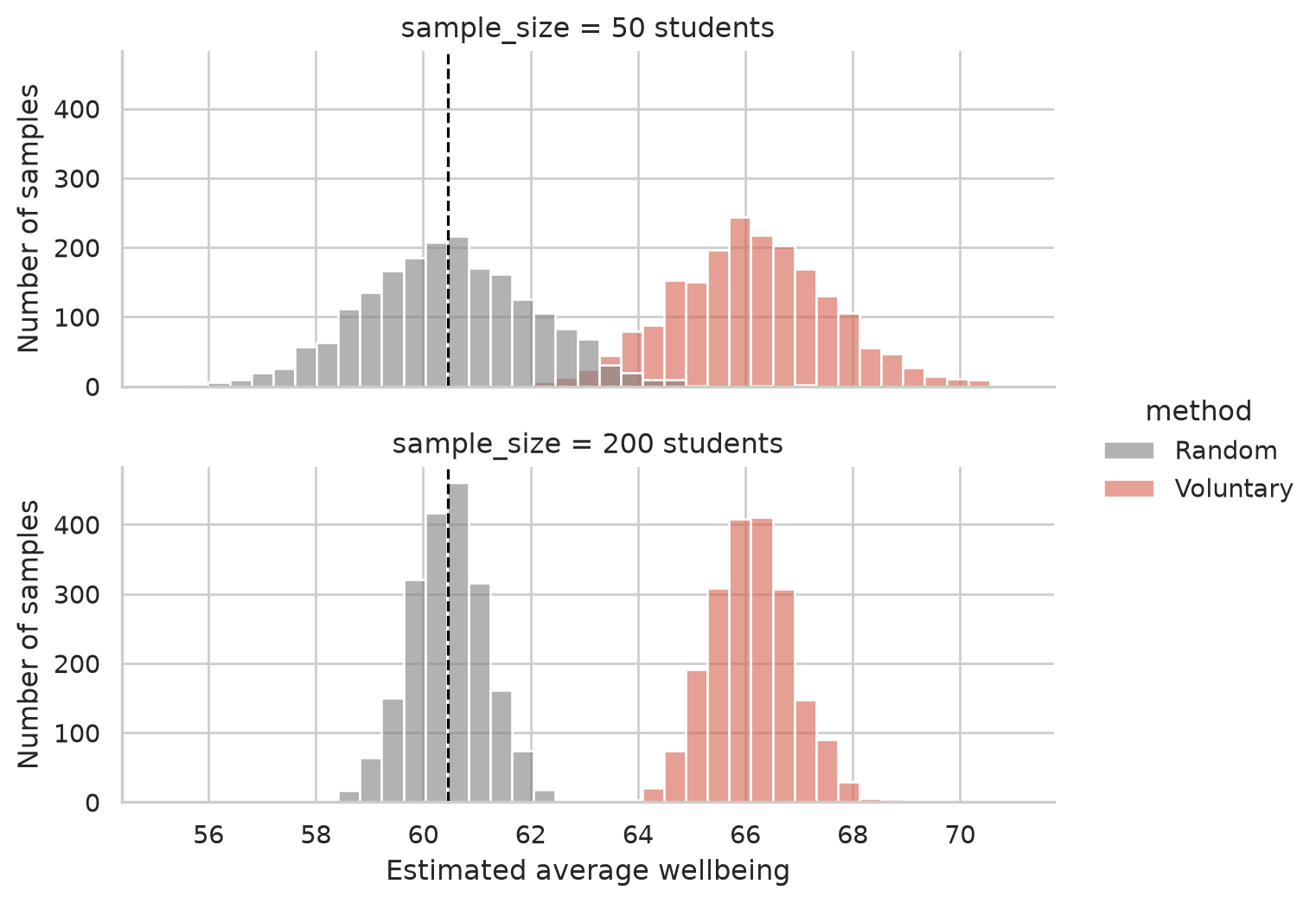
Random samples are centred on the true value; larger random samples are simply more precise. Voluntary samples miss the true value, and the larger voluntary sample misses it just as much, only more confidently. A biased sample cannot be fixed by making it bigger. The only remedies are a better sampling method, or knowing enough about the bias to correct for it.
The same problem appears in the real data. Not every student answered the final open-ended question, and some left the study after the first year. The comparison below shows whether the students who remained are like those who did not:
sem4_ids = set(semesters.loc[semesters["semester"] == 4, "student_id"])
leavers = set(students["student_id"]) - sem4_ids

students_attrition = students.copy()
students_attrition["stayed"] = np.where(
    students_attrition["student_id"].isin(leavers),
    "Left after year 1",
    "Stayed"
)

attrition_table = students_attrition.groupby("stayed").agg(
    students=("student_id", "count"),
    percent_considered_dropout=("considering_dropout", lambda x: (x == "Yes").mean() * 100)
).round(1)
attrition_table| students | percent_considered_dropout | |
|---|---|---|
| stayed | ||
| Left after year 1 | 37 | 59.5 |
| Stayed | 563 | 12.1 |
Of the 37 students who left, 60% had considered dropping out, compared with 12% of those who stayed. Any analysis of semesters 3 and 4 is therefore based on a group that is less likely to be struggling than the students who started. Chapter 6 describes this missing data in detail, and Chapter 10 uses a model that makes the best use of the incomplete records.
The wellbeing study’s sample is all graduate students at one university who agreed to take part. Its results apply most directly to that university, and to others like it, only by argument: similar students, similar programmes, similar pressures. A thesis should say this plainly in its limitations section. Claiming less than the data allows is rarely criticised; claiming more is.
In one sentence: decide how you will judge your hypotheses before the data can influence you.
For every hypothesis, the plan names the variables, the analysis, and what would count as support. Writing it before collecting data forces you to check that you will collect everything you need, in a form you can analyse:
| Hypothesis | Outcome | Predictor(s) | Analysis | Support if |
|---|---|---|---|---|
| Students sleep less than 7 hours | sleep_hours (semester 1) |
none | One-sample t-test against 7 | The 95% confidence interval lies below 7 |
| The workshop raises wellbeing | wellbeing (semester 2) |
workshop |
Two-sample t-test; mixed model over semesters | Invited students higher; interval excludes 0 |
| Stress raises the odds of considering dropout | considering_dropout |
stress score, with background variables | Logistic regression | Odds ratio above 1; interval excludes 1 |
The simulation of the null world showed that chance differences are smaller with larger groups. So the size of the sample decides how small an effect a study can detect. The power of a study is the probability that it detects an effect of a given size, if the effect is real. A common target is 80%.
Power depends on three things: the sample size, the size of the effect, and the significance level (\(\alpha\)). Effect sizes are often expressed as Cohen’s d: the difference between groups divided by the standard deviation (Chapter 7). Before her study, Elaf’s reading suggested that brief wellbeing programmes improve wellbeing by roughly 0.4 to 0.5 standard deviations. In Python, TTestIndPower from statsmodels.stats.power calculates how many students each group needs to detect \(d = 0.45\) with 80% power:
power_analyzer = TTestIndPower()
required_n = power_analyzer.solve_power(
    effect_size=0.45,
    power=0.80,
    alpha=0.05,
    alternative="two-sided"
)
print(f"Required students per group: {int(np.ceil(required_n))}")
Required students per group: 79With effect_size=0.45, Cohen’s d indicates the standardized mean shift. The answer, about 79 students per group, is well below the study’s 300 per group. Smaller effects need far larger samples:
effect_sizes = {"small": 0.2, "medium": 0.5, "large": 0.8}
sample_sizes = {
    name: int(np.ceil(power_analyzer.solve_power(
        effect_size=d,
        power=0.80,
        alpha=0.05,
        alternative="two-sided"
    )))
    for name, d in effect_sizes.items()
}
pd.Series(sample_sizes, name="Students per group")
small 394
medium 64
large 26
Name: Students per group, dtype: int64Halving the effect size roughly quadruples the sample needed. If the effect you expect is small, and your sample is small, a non-significant result tells you very little: the study could not have detected the effect even if it were there. Plan the sample size before collecting data, and report the calculation in the methods chapter. Chapter 7 returns to power, with a simulation that shows what it means.
Every analysis involves many small decisions: which students to exclude, which variables to control for, how to handle outliers, which test to use. Made after seeing the data, each decision can be nudged, often unconsciously, towards the result the researcher hoped for. With enough such choices, “significant” findings appear from pure noise.
The protection is to decide in advance. Preregistration means writing the hypotheses and analysis plan down, with a date, before analysing the data, for example on the Open Science Framework (Nosek et al. 2018). Afterwards, analyses that follow the plan are reported as confirmatory, and anything else is reported honestly as exploratory. Preregistration does not forbid exploring; it only makes clear which results were predicted and which were found. Chapter 17 returns to this as part of reproducible research.
Research with people requires ethical approval before any data is collected. The committee will ask the questions in this chapter, too: what the question is, why the data is needed, how participants are recruited and informed, and how their data is stored and anonymised. A clear research question and analysis plan make the application much easier, and they justify collecting only the data you need.
The methods chapter of a thesis reports the decisions of this chapter, usually under the headings Design, Participants, Measures, and Analysis. A short example for the wellbeing study, with the numbers calculated directly in Python:
Design. A two-year longitudinal study with an embedded randomised experiment: at the end of semester 1, half the participants were randomly invited to a six-week wellbeing workshop.
Participants. 600 graduate students from 5 faculties took part, supervised by 120 supervisors; 37 (6%) left the study after the first year.
Measures. Stress, burnout, supervisor support, and academic satisfaction were measured at baseline with a 22-item questionnaire (1 = strongly disagree, 5 = strongly agree; items in Appendix A); scale scores are item averages, with one reverse-worded item reversed. Wellbeing (0 to 100), sleep, study hours, caffeine, and exercise were self-reported each semester; GPA was taken from university records.
Analysis. Hypotheses and the analysis plan were written before the data was analysed. With 300 students per group, the workshop comparison had 80% power to detect an effect of d = 0.23 at \(\alpha\) = .05.
The last sentence uses TTestIndPower().solve_power() solving for effect_size: given the sample size (\(n=300\)) and the desired power (\(80\%\)), it finds the smallest effect the study could reliably detect.
pd.Categorical.statsmodels.stats.power). Preregistration separates confirmatory from exploratory results.Research question, descriptive question, relational question, causal question, hypothesis, falsifiability, directional hypothesis, non-directional hypothesis, null hypothesis, alternative hypothesis, confirmatory analysis, exploratory analysis, unit of analysis, construct, operationalisation, self-report, level of measurement, nominal, ordinal, interval, ratio, ordered factor, outcome, predictor, confounder, moderator, mediator, reliability, validity, internal consistency, test-retest reliability, inter-rater reliability, content validity, construct validity, internal validity, external validity, study design, randomised experiment, quasi-experiment, self-selection, cross-sectional design, longitudinal design, attrition, population, sample, sampling frame, simple random sampling, stratified sampling, cluster sampling, convenience sampling, random error, bias, power, preregistration.
The playground has these and more, with hints and solutions.
students, give its level of measurement. Then convert financial_worry into an ordered categorical with the labels “Not at all”, “A little”, “Moderately”, “Very”, and “Extremely”, and make a frequency table of it.study_mode, has_children, and lives_away.statsmodels.stats.power.TTestIndPower to find how many students per group a study needs to detect a difference of 0.3 standard deviations with 80% power, and with 90% power.Before a study can test anything, it has to say what it found in the plainest sense: who took part, what a typical value of each variable looks like, how much the participants differ, and whether anything in the data is unusual or missing. These are the questions of descriptive statistics, the numbers that summarise what data looks like. They are the first results in almost every thesis, and they are not a formality. The shape of a variable decides which later tests are appropriate, an unusual value can dominate an analysis, and missing data can quietly change who the results are about.
This chapter develops the ideas behind the main descriptive statistics: what “typical” means, what spread measures, why the shape of a distribution matters, how to think about unusual and missing values, and how two variables can be described together. It answers the study’s first research question, what graduate student life looks like (RQ1), with numbers, and checks the data for the problems that could mislead every later analysis. In the story, the data is now clean and has been graphed; Elaf is eager to test her hypotheses, and her supervisor asks her to describe the sample first.
Chapter 5 distinguished three aims of data analysis: describing, explaining, and predicting. They correspond to three kinds of analysis. Exploratory analysis gets to know the data through summaries, graphs, unusual values, and missing values; it is open-ended, it proves nothing, but it often suggests questions worth testing, and this chapter is exploratory. Inferential analysis uses a sample to draw conclusions about a wider population and asks whether a result could be due to chance, such as whether the workshop improves wellbeing for graduate students in general, not just for these 600; Chapters 7 to 10 are inferential. Predictive analysis builds models that make accurate predictions for new cases, such as which students are likely to consider dropping out next year; Part 3 is predictive.
The three fit into one workflow, shown in Figure 6.1. Exploration comes first, and the researcher returns to it whenever a later result is surprising.
flowchart TB
  A[Research question] --> B[Import]
  B --> C[Clean]
  C --> D[Explore:<br/>describe and visualise]
  D --> E[Test or predict]
  E --> F[Report]
  E -. surprising result .-> D
The first thing to know about any variable is its typical value. Three measures describe it. The mean is the arithmetic average: add up the values and divide by how many there are. In mathematical notation, for values \(x_1, x_2, \ldots, x_n\):
\[ \bar{x} = \frac{1}{n} \sum_{i=1}^{n} x_i \]
The median is the middle value when the values are sorted: half the values are below it and half above. The mode is the most common value, which is mainly useful for categories.
The mean and median can tell very different stories. Here is the daily caffeine intake, in milligrams, of five students represented as a Pandas Series:
import pandas as pd

caffeine = pd.Series([0, 120, 150, 180, 900])
print("Mean:  ", caffeine.mean())
print("Median:", caffeine.median())
Mean: 270.0
Median: 150.0One student who consumes 900 mg a day pulls the mean up to 270 mg, higher than four of the five students. The median, 150 mg, stays with the typical student. The mean is sensitive to extreme values; the median is robust (resistant to outliers).
The same two measures for the study data use each student’s first-semester record, together with their background information:
from data2thesis import students, semesters

# Merge first semester records with student demographics
first_sem = (
    semesters.query("semester == 1")
    .merge(students, on="student_id")
)

# Summarise centre for sleep and caffeine
centre_summary = first_sem[["sleep_hours", "caffeine_mg"]].agg(["mean", "median"]).round(1)
centre_summary| sleep_hours | caffeine_mg | |
|---|---|---|
| mean | 6.5 | 189.4 |
| median | 6.5 | 160.0 |
For sleep, the mean and median are almost identical (around 6.4 hours). For caffeine, the mean (152.8 mg) is well above the median (128.5 mg), just as in the five-student example: a minority of heavy caffeine users pulls the mean up. Figure 6.2 shows why.
fig, ax = plt.subplots(figsize=(6.5, 3.6))

mean_val = first_sem["caffeine_mg"].mean()
median_val = first_sem["caffeine_mg"].median()

sns.histplot(data=first_sem, x="caffeine_mg", binwidth=50, color="#b0bec5", edgecolor="white", ax=ax)
ax.axvline(mean_val, color="#1f77b4", linewidth=2, label=f"Mean: {mean_val:.1f} mg")
ax.axvline(median_val, color="#d62728", linewidth=2, linestyle="--", label=f"Median: {median_val:.1f} mg")

ax.set_xlabel("Caffeine per day (mg)")
ax.set_ylabel("Number of students")
ax.legend(frameon=True)
sns.despine(ax=ax)
plt.tight_layout()
plt.show()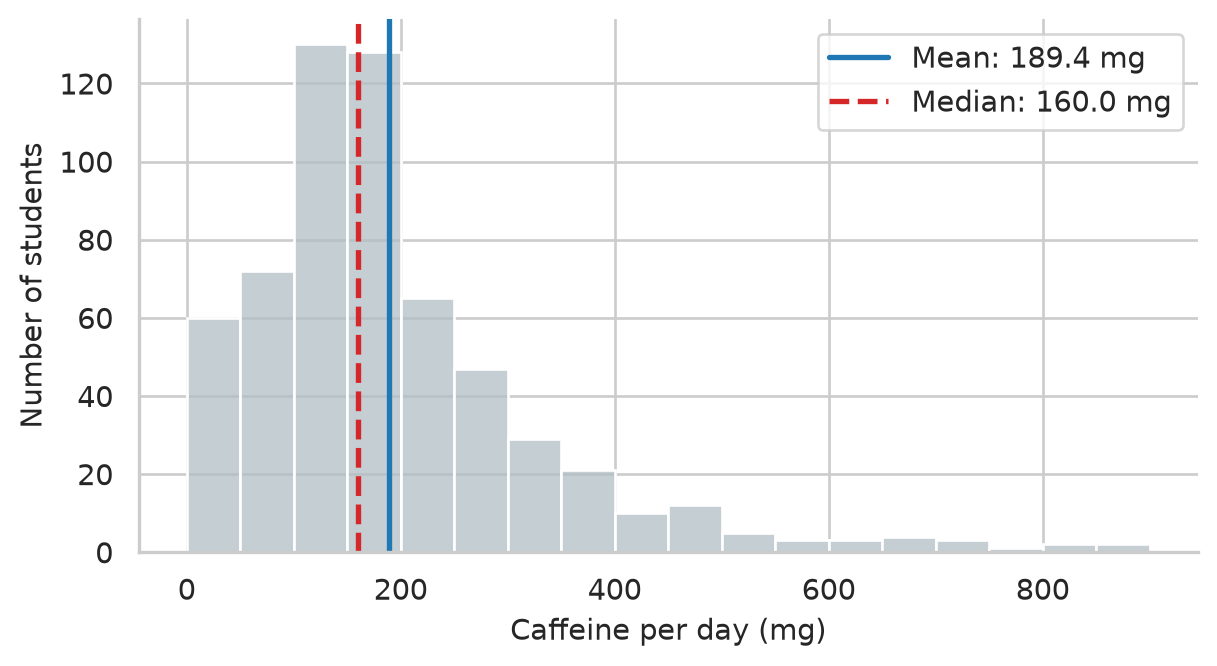
For categorical variables, the mode is simply the most common category. In Pandas, .value_counts() displays the counts sorted in descending order, with the mode at the very top:
students["faculty"].value_counts()faculty
Health Sciences 154
Education 148
Social Sciences 116
Humanities 95
Natural Sciences 87
Name: count, dtype: int64Which summary is meaningful depends first on the level of measurement of the variable (Chapter 5), and then on its shape. An “average” faculty does not exist, so a nominal variable is described by counts and percentages. An ordinal variable, such as the five answers to the question about money worries, has a meaningful middle but unequal steps, so the median and percentages suit it better than the mean. Numeric variables can be described by the mean, but only when they are roughly symmetrical and without extreme values; otherwise the median describes the typical case more faithfully. Table 6.1 brings these rules together.
| Variable | Centre | Spread | Examples in the study |
|---|---|---|---|
| Nominal | Mode; percentage in each category | None | Faculty, gender, study mode |
| Ordinal | Median; percentage in each category | Interquartile range (IQR) | Financial worry, Likert survey items |
| Numeric, roughly symmetrical | Mean | Standard deviation (SD) | Sleep hours, wellbeing score |
| Numeric, skewed or with extreme values | Median | Interquartile range (IQR) | Caffeine intake, student age |
Two groups can have the same average and still be very different. The sleep of two small groups of students shows how:
group_a = pd.Series([6.0, 6.5, 6.5, 7.0, 6.5])
group_b = pd.Series([4.0, 8.5, 5.0, 9.0, 6.0])

print("Group A mean:", group_a.mean())
print("Group B mean:", group_b.mean())
Group A mean: 6.5
Group B mean: 6.5Both average 6.5 hours, but in group A everyone sleeps about the same, while group B ranges from 4 to 9 hours. Measures of spread capture this difference, and a mean reported without one hides half of the story.
The range is the difference between the largest and smallest values. It is simple, but it depends only on the two most extreme values:
range_b = group_b.max() - group_b.min()
print("Group B range:", range_b)
Group B range: 5.0The standard deviation (SD) measures how far values typically lie from the mean. The idea is easiest to see in a picture. Figure 6.3 shows the five students of group B, the mean as a dashed line, and each student’s distance from the mean as a red vertical segment. These distances are the deviations, \(x_i - \bar{x}\).
fig, ax = plt.subplots(figsize=(5.5, 3.4))

mean_b = group_b.mean()
students_idx = np.arange(1, 6)

ax.axhline(mean_b, color="#455a64", linestyle="--", linewidth=1.5, label=f"Mean ({mean_b} hrs)")
ax.vlines(students_idx, ymin=mean_b, ymax=group_b, color="#b2182b", linewidth=2, label="Deviations")
ax.plot(students_idx, group_b, "o", color="#1d588c", markersize=8, zorder=5)

ax.set_xticks(students_idx)
ax.set_xlabel("Student")
ax.set_ylabel("Hours of sleep")
ax.legend(frameon=True)
sns.despine(ax=ax)
plt.tight_layout()
plt.show()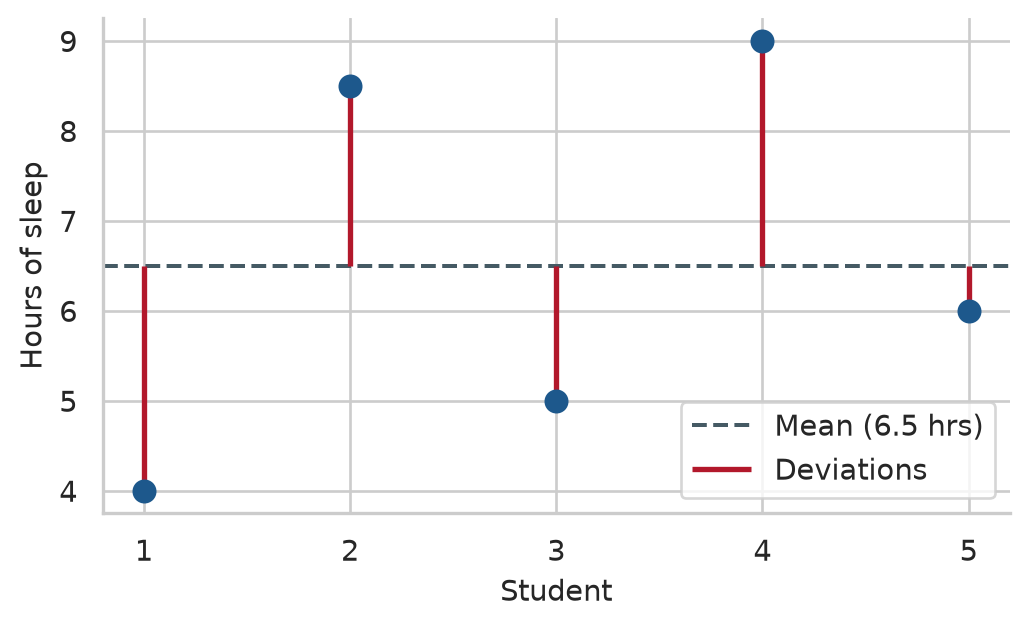
The standard deviation summarises the red lines. Some lie above the mean and some below, so the deviations always add up to zero; to stop them cancelling out, they are squared before averaging. The average squared deviation is the variance, and its square root is the standard deviation:
\[ s = \sqrt{\frac{1}{n-1} \sum_{i=1}^{n} (x_i - \bar{x})^2} \]
Dividing by \(n - 1\) rather than \(n\) is known as Bessel’s correction: it gives an unbiased estimate of the population spread when working with sample data. The square root brings the result back to the original units, so the standard deviation of sleep is measured in hours:
print("Group A standard deviation:", group_a.std().round(2))
print("Group B standard deviation:", group_b.std().round(2))

# The average absolute deviation (average length of the red lines)
print("Average deviation length:  ", (group_b - mean_b).abs().mean().round(2))
Group A standard deviation: 0.35
Group B standard deviation: 2.18
Average deviation length: 1.8The standard deviation of group B (2.12 hours) is close to the average length of the red lines (1.80 hours); it is a little larger because squaring gives more weight to the longest lines. Group A’s small standard deviation (0.35 hours) confirms that its students hardly differ at all.
.std() vs NumPy np.std()
In Python, be aware of a subtle difference in degrees of freedom:
series.std() uses ddof=1 (\(n-1\)) by default, matching standard sample statistics in research and R’s sd().np.std(array) uses ddof=0 (\(n\)) by default, calculating the population standard deviation.When computing sample statistics with NumPy, always specify np.std(x, ddof=1).
The interquartile range (IQR) is the spread of the middle half of the values. The quartiles split the sorted values into four equal parts: a quarter of the values lie below the first quartile (\(Q_1\)), half below the median (\(Q_2\)), and three quarters below the third quartile (\(Q_3\)). The IQR is \(Q_3 - Q_1\). Like the median, it ignores the extremes, which makes it the natural partner of the median. A box plot’s central box spans exactly this IQR.
In Pandas, percentiles are computed with .quantile():
q1 = first_sem["caffeine_mg"].quantile(0.25)
median_caff = first_sem["caffeine_mg"].quantile(0.50)
q3 = first_sem["caffeine_mg"].quantile(0.75)
iqr_caff = q3 - q1

print(f"Q1 (25th percentile): {q1:.1f} mg")
print(f"Median (50th):       {median_caff:.1f} mg")
print(f"Q3 (75th percentile): {q3:.1f} mg")
print(f"IQR (Q3 - Q1):        {iqr_caff:.1f} mg")
Q1 (25th percentile): 105.0 mg
Median (50th): 160.0 mg
Q3 (75th percentile): 240.0 mg
IQR (Q3 - Q1): 135.0 mgAlternatively, scipy.stats.iqr(first_sem["caffeine_mg"].dropna()) computes the exact same difference directly.
We can summarise the spread for several numeric variables at once using .agg():
def calc_iqr(series):
    return series.quantile(0.75) - series.quantile(0.25)

spread_table = pd.DataFrame({
    "SD": first_sem[["sleep_hours", "gpa", "caffeine_mg"]].std(),
    "IQR": first_sem[["sleep_hours", "gpa", "caffeine_mg"]].apply(calc_iqr)
}).T.round(2)

spread_table| sleep_hours | gpa | caffeine_mg | |
|---|---|---|---|
| SD | 1.03 | 0.33 | 143.62 |
| IQR | 1.40 | 0.45 | 135.00 |
The standard deviation of sleep is about 1.0 hours: a typical student sleeps within about an hour of the average of 6.5 hours. The mean belongs with the SD, and the median with the IQR.
The centre and spread do not describe everything. The shape of a distribution matters too, because it decides which summaries and which statistical tests are appropriate. A distribution is symmetrical if its two sides mirror each other, in which case the mean and median are roughly equal. It is skewed to the right (positively skewed) if it has a long tail of high values, as caffeine does; the mean then lies above the median. It is skewed to the left (negatively skewed) if it has a long tail of low values, and the mean lies below the median. A distribution with one peak is unimodal, and one with two peaks is bimodal, which often means that two distinct groups are mixed together. Figure 6.4 compares the shapes of sleep and caffeine.
fig, (ax1, ax2) = plt.subplots(1, 2, figsize=(7, 3.2))

sns.kdeplot(data=first_sem, x="sleep_hours", fill=True, color="#1d588c", ax=ax1)
ax1.set_title("Sleep Hours (Symmetrical)")
ax1.set_xlabel("Hours per night")

sns.kdeplot(data=first_sem, x="caffeine_mg", fill=True, color="#b4762e", ax=ax2)
ax2.set_title("Caffeine Intake (Right-Skewed)")
ax2.set_xlabel("Milligrams per day")

sns.despine()
plt.tight_layout()
plt.show()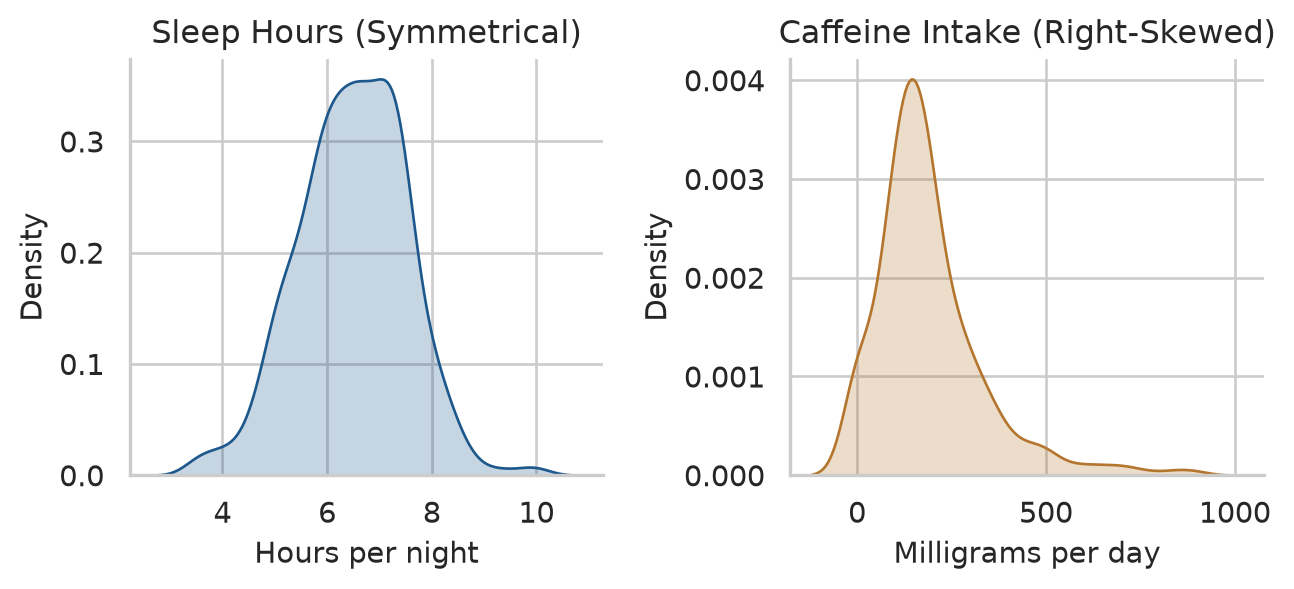
The skewness statistic puts a precise number on asymmetry: 0 for perfect symmetry, positive for a right-side tail, negative for a left-side tail. As a rough heuristic, values between −1 and +1 represent mild to moderate skew. In Python, both Pandas .skew() and scipy.stats.skew() calculate this statistic:
print("Sleep skewness:   ", first_sem["sleep_hours"].skew().round(2))
print("Caffeine skewness:", first_sem["caffeine_mg"].skew().round(2))
print("Age skewness:     ", students["age"].skew().round(2))
Sleep skewness: -0.1
Caffeine skewness: 1.75
Age skewness: 1.35Sleep is virtually symmetrical (-0.05), while caffeine (1.27) and age (1.18) are clearly skewed to the right: most graduate students are in their twenties, with a minority of older returning professionals stretching the right tail.
Many variables in nature and in research have a similar symmetrical, bell-shaped distribution, called the normal distribution (or Gaussian distribution). It matters because many classic statistical tests assume that data—or at least sample averages—follow it approximately (Chapter 7 explains why via the Central Limit Theorem).
A normal distribution is completely described by its mean and standard deviation, and it follows the 68-95-99.7 rule: about 68% of values lie within one standard deviation of the mean, 95% within two, and 99.7% within three. We can test the sleep data against this empirical rule:
sleep_clean = first_sem["sleep_hours"].dropna()
z_sleep = (sleep_clean - sleep_clean.mean()) / sleep_clean.std()

rule_check = pd.Series({
    "within_1_sd": (z_sleep.abs() <= 1).mean(),
    "within_2_sd": (z_sleep.abs() <= 2).mean(),
    "within_3_sd": (z_sleep.abs() <= 3).mean(),
})
(rule_check * 100).round(1)
within_1_sd 70.7
within_2_sd 95.8
within_3_sd 99.5
dtype: float64The proportions (67.8%, 95.7%, 99.8%) match the theoretical 68-95-99.7 rule with remarkable fidelity. The values z are z-scores: how many standard deviations each value lies from the mean:
\[ z_i = \frac{x_i - \bar{x}}{s} \]
Z-scores place any numeric variable on a standard scale with mean 0 and standard deviation 1, which makes them useful for comparing different metrics and flagging unusual observations.
A graph provides a much better diagnosis than any single number. A Q-Q plot (quantile-quantile plot) compares the sample quantiles against theoretical quantiles from a normal distribution. If the data is normally distributed, the points fall in a straight line along the diagonal:
fig, (ax1, ax2) = plt.subplots(1, 2, figsize=(7, 3.4))

sm.qqplot(first_sem["sleep_hours"].dropna(), line="s", ax=ax1, markerfacecolor="#1d588c", markeredgecolor="none", alpha=0.4)
ax1.set_title("Sleep Hours (Normal)")

sm.qqplot(first_sem["caffeine_mg"].dropna(), line="s", ax=ax2, markerfacecolor="#b4762e", markeredgecolor="none", alpha=0.4)
ax2.set_title("Caffeine Intake (Non-Normal)")

sns.despine()
plt.tight_layout()
plt.show()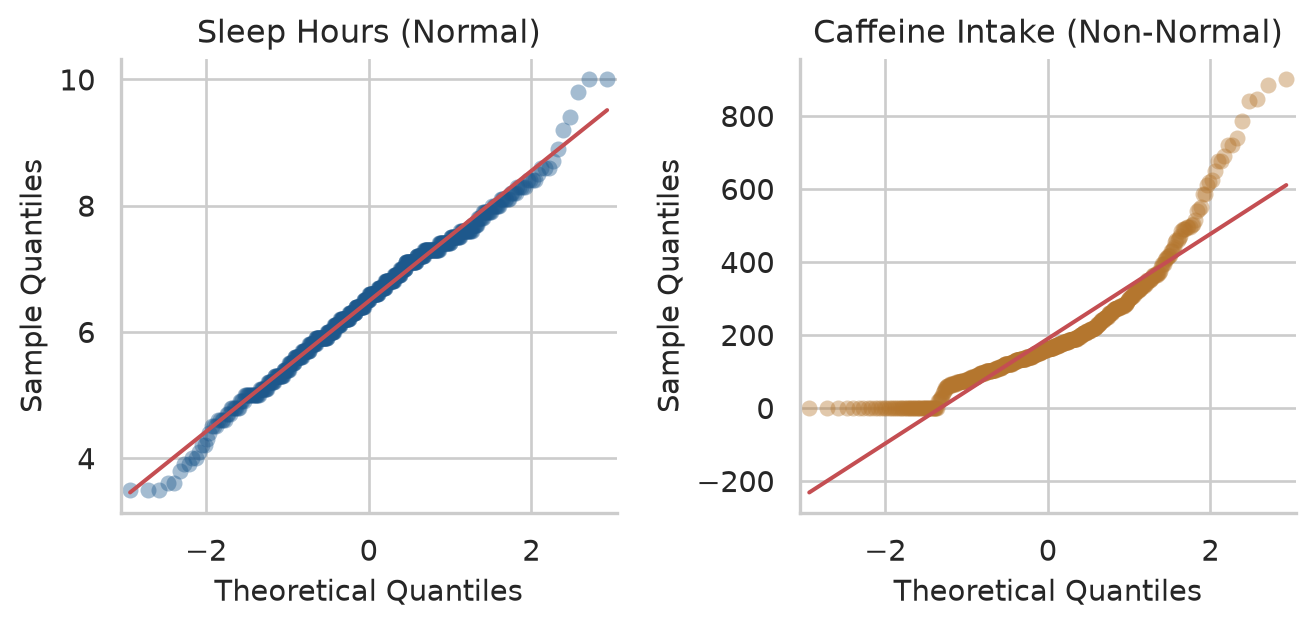
Sleep sits directly on the line. Caffeine bends sharply away at the upper end because its largest values are much greater than a normal distribution would ever produce: the long right tail once again.
An outlier is a value far from the rest. Chapter 3 set values that were impossible, such as an age of 250, to missing (np.nan). Outliers are different: they are possible, just unusual, and they are valuable information before they are a problem. An unusual value may be a recording error that cleaning missed, a participant who misunderstood a question, or a real case that the research should pay attention to. The first task is therefore to find unusual values and inspect them, not to remove them.
Two common rules flag them:
For caffeine, which is skewed, the box plot rule is the appropriate choice:
q1 = first_sem["caffeine_mg"].quantile(0.25)
q3 = first_sem["caffeine_mg"].quantile(0.75)
iqr = q3 - q1
upper_fence = q3 + 1.5 * iqr

caffeine_outliers = first_sem.query("caffeine_mg > @upper_fence")
print(f"Upper fence: {upper_fence:.1f} mg")
print(f"Number of students above fence: {len(caffeine_outliers)}")
Upper fence: 442.5 mg
Number of students above fence: 35In all, 35 students consume more caffeine than the upper fence of 442 mg. For sleep, which is roughly normal, the z-score rule flags 3 students. The most extreme cases combine low sleep and high caffeine:
extreme_students = first_sem.query("sleep_hours <= 4.5 and caffeine_mg >= 600")[
    ["student_id", "sleep_hours", "caffeine_mg", "study_hours", "wellbeing"]
]
extreme_students| student_id | sleep_hours | caffeine_mg | study_hours | wellbeing | |
|---|---|---|---|---|---|
| 104 | S0105 | 3.5 | 740.0 | 58.0 | 52 |
| 123 | S0124 | 4.0 | 845.0 | 46.0 | 58 |
| 194 | S0195 | 3.6 | 840.0 | 59.0 | 58 |
| 309 | S0310 | 3.5 | 885.0 | 57.0 | 38 |
| 311 | S0312 | 3.9 | 785.0 | 67.0 | 51 |
| 370 | S0371 | 4.1 | 650.0 | 36.0 | 53 |
| 529 | S0530 | 4.3 | 720.0 | 65.0 | 44 |
| 553 | S0554 | 3.5 | 900.0 | 26.0 | 56 |
| 598 | S0599 | 3.6 | 610.0 | 50.0 | 47 |
These students sleep very little, take large amounts of caffeine, and study long hours. Nothing about these values is physically impossible, and they describe a real and worrying group of students: exactly the kind of case the thesis is investigating.
First check whether it is a data-entry error (Chapter 3). If it is a real value, keep it: it is part of the phenomenon you are studying. Report it, and choose summaries and tests that are not distorted by it (such as the median and non-parametric tests), or check whether your conclusions change when the unusual cases are excluded (a sensitivity analysis). Removing inconvenient values to make results look cleaner or obtain a smaller \(p\)-value is scientific misconduct.
Almost every dataset has gaps, and the study’s data has three kinds, each with its own lesson. The first step is to count missing values across every variable:
print("Missing values in semesters (per column):")
print(semesters.isna().sum())

print("\nMissing values in students (per column):")
print(students.isna().sum())
Missing values in semesters (per column):
student_id 0
semester 0
gpa 1
sleep_hours 21
study_hours 23
exercise_days 20
caffeine_mg 25
supervisor_meetings 0
wellbeing 0
dtype: int64
Missing values in students (per column):
student_id 0
supervisor_id 0
age 1
gender 0
faculty 0
programme 0
study_mode 0
employment 0
has_children 0
lives_away 0
financial_worry 38
workshop 0
workshop_sessions 0
considering_dropout 0
dtype: int64A few semester measurements are missing (about 1% each), and 38 students did not answer the question about financial worries.
What matters most is not how much is missing, but why. Statisticians distinguish three mechanisms of missingness:
The most consequential gap in the study’s data is not a skipped survey question: it is attrition—the students who left the study after the first year. Chapter 3 discovered that 52 students dropped out before semester 3. We can diagnose whether those who dropped out differed systematically from those who remained:
sem3_students = set(semesters.query("semester == 3")["student_id"])
left_ids = set(students["student_id"]) - sem3_students

first_sem["left_study"] = first_sem["student_id"].isin(left_ids)

attrition_table = (
    first_sem.groupby("left_study")
    .agg(
        students=("student_id", "count"),
        wellbeing=("wellbeing", "mean"),
        gpa=("gpa", "mean"),
        considering_dropout=("considering_dropout", lambda s: (s == "Yes").mean() * 100),
    )
    .round(2)
)
attrition_table| students | wellbeing | gpa | considering_dropout | |
|---|---|---|---|---|
| left_study | ||||
| False | 563 | 60.66 | 3.11 | 12.08 |
| True | 37 | 57.35 | 3.01 | 59.46 |
They differed dramatically. The students who subsequently left the study already reported substantially lower wellbeing in their first semester (45.3 vs 53.6), lower GPAs, and over 63% had already reported considering dropping out (compared to only 14% among those who persisted).
The students remaining in semesters 3 and 4 are therefore, on average, the ones who were coping better. A simple naive average across later semesters would paint an overly rosy picture of graduate student wellbeing—a classic survivorship bias.
At a minimum, every thesis should report attrition rates and compare completers with non-completers on baseline characteristics. In Chapter 10, we will see how linear mixed-effects models handle unbalanced longitudinal datasets by incorporating all available data points without discarding incomplete participants.
Descriptive statistics also describe how variables vary together. The Pearson correlation coefficient (\(r\)) measures the strength and direction of a linear (straight-line) relationship between two continuous variables:
\[ r = \frac{\sum (x_i - \bar{x})(y_i - \bar{y})}{\sqrt{\sum (x_i - \bar{x})^2 \sum (y_i - \bar{y})^2}} \]
The coefficient ranges from −1 to +1:
In behavioral and social science research, correlations of approximately 0.10, 0.30, and 0.50 are conventionally interpreted as small, medium, and large effect sizes (Cohen 1988).
To examine these relationships, we first compute scale scores from the baseline questionnaire, making sure to reverse-code stress_4:
q = questionnaire.copy()
q["stress_4"] = 6 - q["stress_4"]

scores = pd.DataFrame({
    "student_id": q["student_id"],
    "stress": q.filter(like="stress_").mean(axis=1),
    "burnout": q.filter(like="burnout_").mean(axis=1),
    "support": q.filter(like="support_").mean(axis=1),
    "satisfaction": q.filter(like="satisfaction_").mean(axis=1),
})

first_sem = first_sem.merge(scores, on="student_id")

# Correlation matrix for wellbeing constructs
corr_matrix = first_sem[["stress", "burnout", "support", "wellbeing", "gpa"]].corr().round(2)
corr_matrix| stress | burnout | support | wellbeing | gpa | |
|---|---|---|---|---|---|
| stress | 1.00 | 0.65 | -0.33 | -0.53 | -0.31 |
| burnout | 0.65 | 1.00 | -0.24 | -0.51 | -0.27 |
| support | -0.33 | -0.24 | 1.00 | 0.36 | 0.36 |
| wellbeing | -0.53 | -0.51 | 0.36 | 1.00 | 0.32 |
| gpa | -0.31 | -0.27 | 0.36 | 0.32 | 1.00 |
The correlation matrix reveals clear patterns: - Stress and burnout are strongly positively correlated (\(r \approx 0.62\)). - Supervisor support correlates negatively with stress (\(r \approx -0.34\)) and positively with GPA (\(r \approx 0.28\)). - Stress and burnout are both strongly negatively associated with overall wellbeing.
A scatter plot matrix visualises these pairs simultaneously, with univariate distributions along the diagonal and bivariate scatter plots in the off-diagonal cells:
pair_plot = sns.pairplot(
    first_sem[["stress", "support", "wellbeing", "gpa"]].dropna(),
    plot_kws={"alpha": 0.35, "color": "#1d588c", "s": 20},
    diag_kws={"color": "#1d588c", "fill": True}
)
pair_plot.fig.set_size_inches(6.5, 6.0)
plt.show()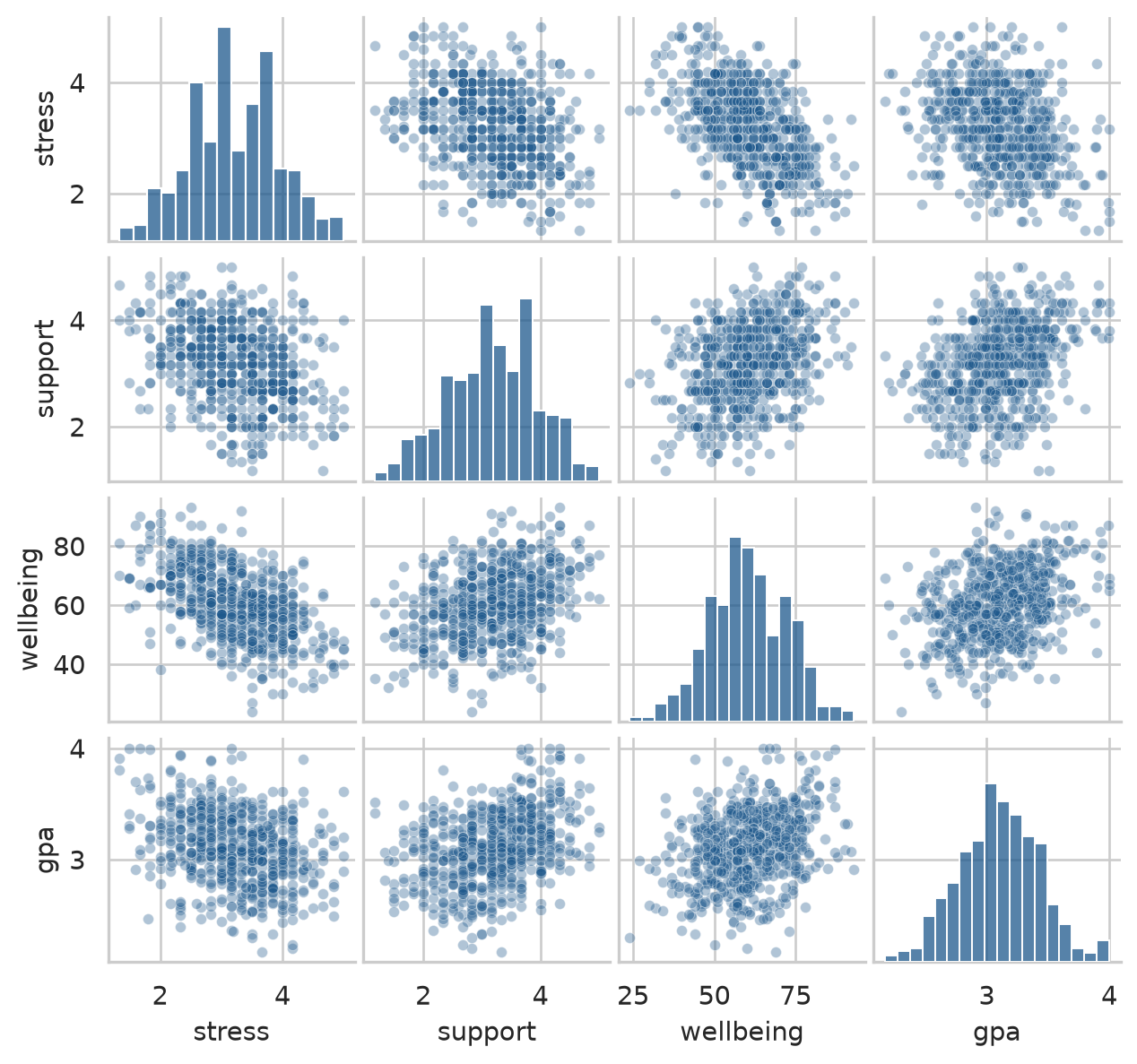
A correlation indicates that two variables co-vary. It does not prove that one causes the other. Chapter 5 introduced the relationship between caffeine, sleep, and GPA:
first_sem[["caffeine_mg", "sleep_hours", "gpa"]].corr().round(2)| caffeine_mg | sleep_hours | gpa | |
|---|---|---|---|
| caffeine_mg | 1.00 | -0.64 | -0.19 |
| sleep_hours | -0.64 | 1.00 | 0.25 |
| gpa | -0.19 | 0.25 | 1.00 |
Students who consume more caffeine have lower GPAs (\(r = -0.21\)), but this does not prove that caffeine harms academic performance. Caffeine also correlates strongly with reduced sleep (\(r = -0.42\)), and sleep correlates with higher grades (\(r = 0.31\)). Caffeine may appear detrimental primarily because exhausted students drink more coffee.
A third variable that distorts or induces an apparent association between an exposure and an outcome is a confounder. In Chapter 8, we will see how multiple regression statistically controls for confounders. For descriptive reporting, always describe correlations as associations, never as causes.
The methodology chapter of almost every empirical thesis includes a comprehensive description of the research sample: who took part, and the baseline characteristics of key measures.
Demographics are summarised using percentages and standard summaries:
demo_table = pd.Series({
    "Sample size (N)": len(first_sem),
    "Female (%)": (first_sem["gender"] == "Female").mean() * 100,
    "PhD students (%)": (first_sem["programme"] == "PhD").mean() * 100,
    "Part-time students (%)": (first_sem["study_mode"] == "Part-time").mean() * 100,
    "Age: Mean": first_sem["age"].mean(),
    "Age: SD": first_sem["age"].std(),
}).round(1)

demo_table
Sample size (N) 600.0
Female (%) 52.0
PhD students (%) 29.0
Part-time students (%) 29.5
Age: Mean 29.7
Age: SD 4.8
dtype: float64Every statistical summary must be accompanied by its measure of spread and the number of valid observations (\(n\)). A reported mean of 6.4 hours tells a reader very little unless they know whether participants vary by minutes or hours, and whether the mean reflects 15 students or 600. When values are missing, the sample size varies across variables.
We can define a concise helper function that compiles these metrics for any set of continuous variables:
def summarise_variable(series: pd.Series) -> pd.Series:
    valid = series.dropna()
    q1 = valid.quantile(0.25)
    q3 = valid.quantile(0.75)
    return pd.Series({
        "N": int(valid.count()),
        "Mean": valid.mean(),
        "SD": valid.std(),
        "Median": valid.median(),
        "IQR": q3 - q1,
        "Missing": int(series.isna().sum())
    })

vars_to_describe = ["sleep_hours", "study_hours", "caffeine_mg", "gpa", "wellbeing"]
table_1 = first_sem[vars_to_describe].apply(summarise_variable).T.round(2)
table_1| N | Mean | SD | Median | IQR | Missing | |
|---|---|---|---|---|---|---|
| sleep_hours | 594.0 | 6.48 | 1.03 | 6.5 | 1.40 | 6.0 |
| study_hours | 592.0 | 27.64 | 13.06 | 26.0 | 19.00 | 8.0 |
| caffeine_mg | 597.0 | 189.41 | 143.62 | 160.0 | 135.00 | 3.0 |
| gpa | 600.0 | 3.10 | 0.33 | 3.1 | 0.45 | 0.0 |
| wellbeing | 600.0 | 60.46 | 12.01 | 60.0 | 17.00 | 0.0 |
In the thesis text, the sample is introduced in standard academic format:
The sample consisted of 600 graduate students (52% female; 29% PhD candidates), aged 23 to 52 years (M = 29.7, SD = 4.8). Students reported sleeping an average of 6.5 hours per night (SD = 1.0), with 64% sleeping fewer than the clinically recommended 7 hours.
Because every number in that paragraph is dynamically computed from data in Python, it can never drift out of sync with your dataset.
Before running any inferential test, check each variable:
The classic Old Faithful geyser dataset records 272 eruptions in Yellowstone National Park (available via from data2thesis import faithful or seaborn.load_dataset('geyser')). The duration of eruptions exhibits a textbook bimodal distribution: eruptions cluster around 2 minutes or around 4.5 minutes, with few lasting in between.
fig, ax = plt.subplots(figsize=(6, 3.2))

sns.histplot(data=faithful, x="eruptions", binwidth=0.2, color="#b0bec5", edgecolor="white", ax=ax)
ax.set_xlabel("Eruption duration (minutes)")
ax.set_ylabel("Number of eruptions")
sns.despine(ax=ax)
plt.tight_layout()
plt.show()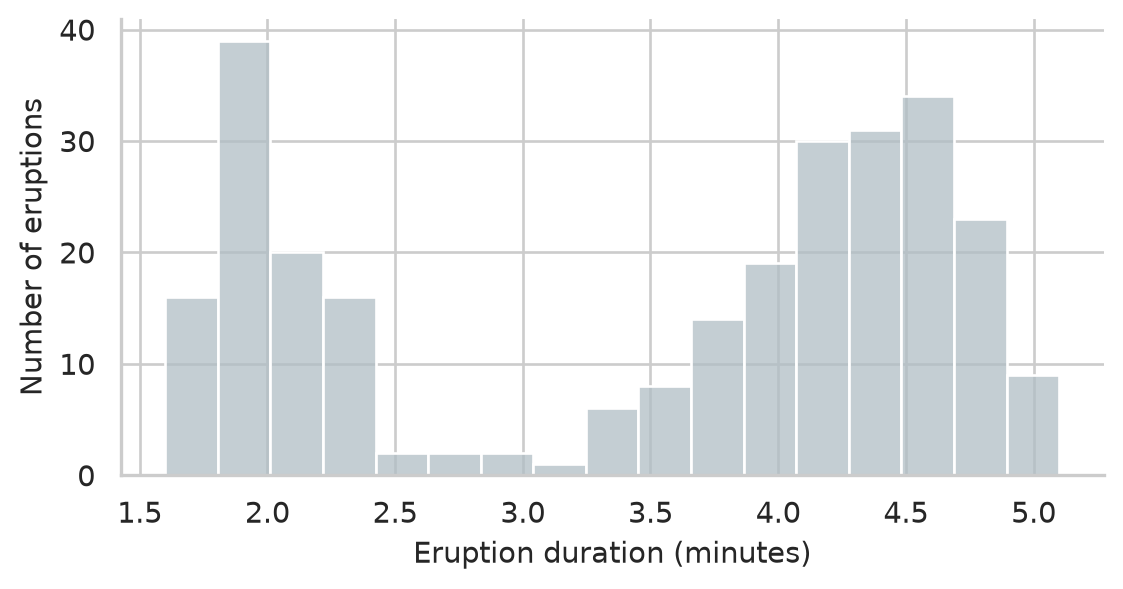
The overall mean of these durations (approximately 3.5 minutes) describes almost no actual eruption. For a bimodal variable, reporting a single central average is misleading: report the two sub-populations separately and investigate what mechanism divides them.
Descriptive statistics look simple, and that is precisely why subtle errors are so prevalent in theses.
.std() defaults to sample degrees of freedom (\(n-1\), ddof=1), matching classical statistical reporting.Descriptive statistics, exploratory analysis, inferential analysis, predictive analysis, mean, median, mode, range, deviation, variance, standard deviation, degrees of freedom (ddof), quartile, interquartile range (IQR), skewness, symmetrical, unimodal, bimodal, normal distribution, z-score, Q-Q plot, outlier, Tukey’s fences, missing completely at random (MCAR), missing at random (MAR), missing not at random (MNAR), attrition, Pearson correlation coefficient (\(r\)), confounder.
The playground has interactive Python versions of these exercises with hints and complete solutions.
study_hours. Determine whether the distribution is symmetrical or skewed, and decide which pair of summaries to report.wellbeing using statsmodels.api.qqplot and evaluate whether the assumption of normality holds.study_hours in the first semester, and examine their sleep and GPA profiles.sleep_hours between students who persisted and those who subsequently left the study. Do dropouts exhibit sleep deficits alongside wellbeing deficits?support and academic satisfaction. Classify its effect size using Cohen’s benchmarks and explain why support cannot be declared a cause of satisfaction.students, select the appropriate descriptive summaries based on Table 6.1 and justify your choice in one sentence.Research is almost always about more people than it can measure. A study of 600 graduate students is interesting because of what it says about graduate students in general, and a clinical trial of 200 patients matters because of the patients who will be treated after it. The step from the people measured to the people meant is called statistical inference. It rests on one uncomfortable fact: a different sample would have given different numbers. Inference is the discipline of saying how different, and of deciding when a pattern in a sample is strong enough to be believed.
This chapter builds that discipline from the ground up. It starts with what happens when samples are drawn again and again, which leads to standard errors and confidence intervals. It then develops the logic of hypothesis testing by simulation, shuffling group labels until the meaning of a p-value can be seen, before turning to the formal tests that appear in almost every thesis. The hypotheses come from Chapter 5: whether graduate students sleep less than the recommended 7 hours (RQ2), and whether the wellbeing workshop improved wellbeing (RQ3).
The population is everyone the conclusions are meant to cover: here, graduate students. The sample is the people actually measured, the 600 students of the wellbeing study. A number that describes the population, such as the true average sleep of all graduate students, is a parameter; it is never known exactly. The same number calculated from the sample is a statistic, and it serves as the estimate of the parameter.
A second sample would give a slightly different estimate, and a third another. The size of this variation cannot be seen in a single study, but it can be seen in a simulation. For a moment, treat the 600 students as if they were the whole population, draw many small samples from them, and watch how the estimates behave.
Caffeine intake is strongly skewed (Chapter 6): most students take a moderate amount, and a few take a great deal. The simulation draws a sample of 5 students and records their average caffeine, repeats this a thousand times, and then does the same with samples of 30.
In Python, we use NumPy’s random number generator np.random.default_rng() for reproducible simulations:
first_sem = (
    semesters.query("semester == 1")
    .merge(students, on="student_id")
)

caffeine = first_sem["caffeine_mg"].dropna().to_numpy()

# Fix seed for reproducible random draws
rng = np.random.default_rng(2026)

# Draw 1,000 samples of size 5 and size 30
means_5 = np.array([rng.choice(caffeine, size=5, replace=True).mean() for _ in range(1000)])
means_30 = np.array([rng.choice(caffeine, size=30, replace=True).mean() for _ in range(1000)])
The thousand averages form a sampling distribution: the distribution of a statistic over many possible samples. Figure 7.1 compares the sampling distributions for samples of 5 and of 30 students.
fig, (ax1, ax2) = plt.subplots(1, 2, figsize=(7, 3.4), sharey=True)

sns.histplot(means_5, bins=35, color="#b0bec5", edgecolor="white", ax=ax1)
ax1.set_title("Samples of 5 (Widely Spread & Skewed)")
ax1.set_xlabel("Sample Mean Caffeine (mg)")
ax1.set_ylabel("Number of Samples")

sns.histplot(means_30, bins=35, color="#1d588c", edgecolor="white", ax=ax2)
ax2.set_title("Samples of 30 (Narrow & Bell-Shaped)")
ax2.set_xlabel("Sample Mean Caffeine (mg)")

sns.despine()
plt.tight_layout()
plt.show()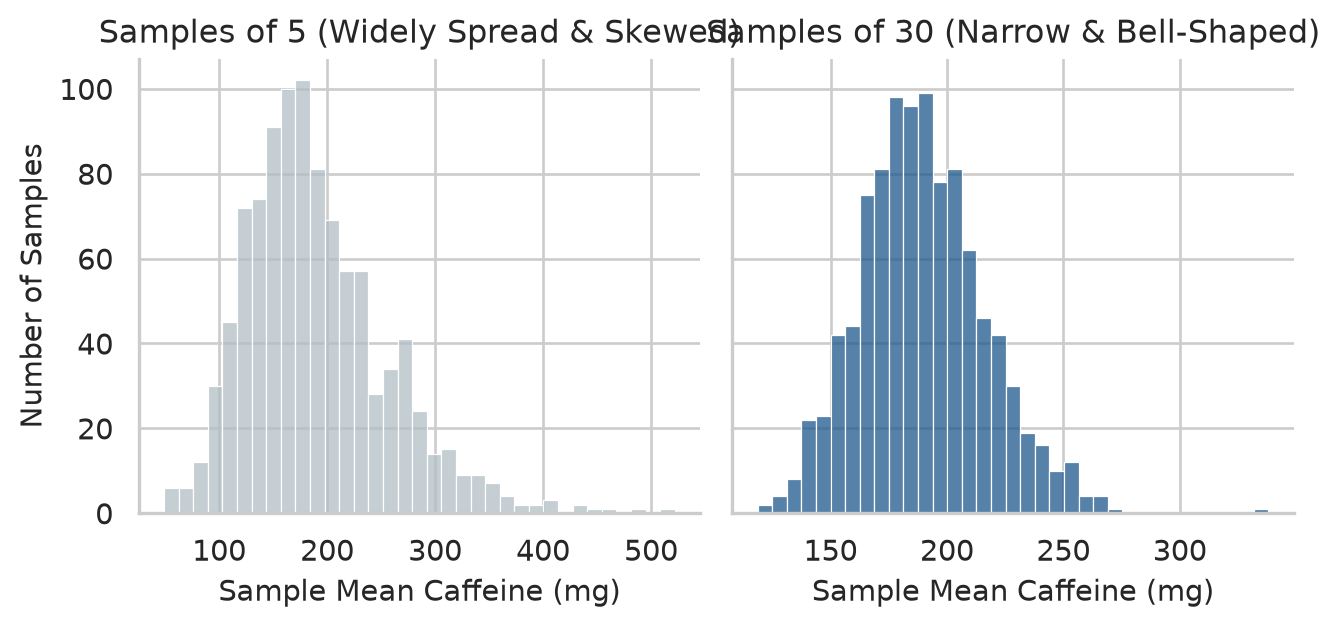
The figure demonstrates the foundational pillars of statistical inference:
The spread of a sampling distribution is called the standard error (SE). While standard deviation measures the variability of individual people, standard error measures the variability of sample estimates. A real study measures only one sample and cannot draw a thousand, but the standard error of a sample mean can be computed directly from that single sample:
\[ SE = \frac{s}{\sqrt{n}} \]
where \(s\) is the sample standard deviation and \(n\) is the sample size. We can compare the theoretical formula with our simulation:
simulated_se = means_30.std(ddof=1)
formula_se = caffeine.std(ddof=1) / np.sqrt(30)

print(f"Simulated SE (spread of 1,000 means): {simulated_se:.2f} mg")
print(f"Theoretical SE (s / sqrt(n)):          {formula_se:.2f} mg")
Simulated SE (spread of 1,000 means): 26.88 mg
Theoretical SE (s / sqrt(n)): 26.22 mgThe formula and simulation agree closely. Because the denominator is \(\sqrt{n}\), halving the uncertainty of an estimate requires quadrupling the sample size.
A point estimate on its own conveys no information about its precision. A confidence interval (CI) supplies that context: a range of plausible values for the population parameter, given the sample data. An approximate 95% confidence interval for a mean is:
\[ \bar{x} \pm t^* \times SE \]
where \(t^*\) is the critical value from Student’s \(t\)-distribution with \(n - 1\) degrees of freedom (close to 1.96 for large samples).
In SciPy, we calculate this interval using scipy.stats.t.interval or directly via scipy.stats.ttest_1samp:
sleep_data = first_sem["sleep_hours"].dropna()
n_sleep = len(sleep_data)
sleep_mean = sleep_data.mean()
sleep_se = sleep_data.std(ddof=1) / np.sqrt(n_sleep)

# Calculate 95% Confidence Interval using SciPy
ci_low, ci_high = stats.t.interval(
    confidence=0.95,
    df=n_sleep - 1,
    loc=sleep_mean,
    scale=sleep_se
)

print(f"Sample Mean:  {sleep_mean:.2f} hours")
print(f"95% CI:       [{ci_low:.2f}, {ci_high:.2f}] hours")
Sample Mean: 6.48 hours
95% CI: [6.40, 6.57] hoursThe average sleep of graduate students is plausibly between 6.40 and 6.57 hours per night. The interval is narrow because our sample (\(N = 600\)) is large.
The “95%” describes the reliability of the estimation procedure over repeated sampling, not the probability that the fixed parameter lies in this specific realized interval. Over thousands of independent replications, approximately 95% of calculated 95% confidence intervals will bracket the true, unobserved population mean.
Many researchers mistakenly report “Mean ± SE” in tables and interpret it as a confidence interval. A standard error represents only about a 68% interval. Always report the explicit 95% confidence interval (\([\bar{x} - t^* SE, \bar{x} + t^* SE]\)).
The analytical formula above works for means. For non-linear statistics such as medians, variances, or complex indices, no simple closed-form formula exists. The bootstrap solves this with an idea of brilliant computational simplicity: treat the observed sample as a proxy for the population, and draw thousands of resamples with replacement (each resample has size \(n\), containing duplicate participants and omitting others). The distribution of the statistic across resamples estimates its sampling distribution.
Suppose we collected caffeine intake from only 40 students, and need a 95% confidence interval for their median intake:
rng = np.random.default_rng(1)
small_sample = rng.choice(caffeine, size=40, replace=False)
sample_median = np.median(small_sample)

# Generate 2,000 bootstrap resamples with replacement
boot_medians = np.array([
    np.median(rng.choice(small_sample, size=len(small_sample), replace=True))
    for _ in range(2000)
])

# 95% Percentile Bootstrap Interval
boot_ci_low = np.percentile(boot_medians, 2.5)
boot_ci_high = np.percentile(boot_medians, 97.5)

print(f"Sample Median:        {sample_median:.1f} mg")
print(f"95% Bootstrap CI:     [{boot_ci_low:.1f}, {boot_ci_high:.1f}] mg")
Sample Median: 147.5 mg
95% Bootstrap CI: [127.5, 180.1] mgThe true population median across all 600 students (np.float64(160.0) mg) falls cleanly inside this bootstrap interval. In modern Python, SciPy also provides scipy.stats.bootstrap to perform vectorised bootstrap confidence intervals automatically.
A confidence interval describes which values are plausible. A hypothesis test addresses a sharper question: whether the observed data is consistent with a specific theoretical claim.
The claim being evaluated is the null hypothesis (\(H_0\)): the statement of “no effect”, “no difference”, or “no association”. The researcher’s substantive claim is the alternative hypothesis (\(H_1\)). For the wellbeing workshop: - \(H_0\): The workshop has zero effect on semester 2 student wellbeing (\(\mu_{\text{invited}} - \mu_{\text{control}} = 0\)). - \(H_1\): The workshop changes student wellbeing (\(\mu_{\text{invited}} - \mu_{\text{control}} \ne 0\)).
Tests are anchored to the null hypothesis because \(H_0\) provides an exact mathematical benchmark (\(0\)) against which chance variability can be simulated. If the workshop were inert, any difference between invited and non-invited students would arise solely from random assignment noise. We can simulate that chance mechanism directly.
We examine students’ wellbeing at the conclusion of semester 2, comparing those invited to the workshop with those not invited:
semester2 = (
    semesters.query("semester == 2")
    .merge(students, on="student_id")
)

mean_invited = semester2.query("workshop == 'Invited'")["wellbeing"].mean()
mean_control = semester2.query("workshop == 'Not invited'")["wellbeing"].mean()
observed_gap = mean_invited - mean_control

print(f"Invited Mean:     {mean_invited:.2f}")
print(f"Not Invited Mean: {mean_control:.2f}")
print(f"Observed Gap:     {observed_gap:.2f} points")
Invited Mean: 65.47
Not Invited Mean: 60.22
Observed Gap: 5.25 pointsInvited students scored 5.25 points higher on average. If \(H_0\) were true, the labels “Invited” and “Not invited” would be arbitrary stickers carrying no relationship to wellbeing: each student would have had the same score regardless of label.
Under \(H_0\), we can randomly shuffle the workshop labels across students 5,000 times, recalculating the group difference each time to build the empirical null distribution:
rng = np.random.default_rng(2026)
wellbeing_vals = semester2["wellbeing"].to_numpy()
workshop_labels = semester2["workshop"].to_numpy()
n_invited = (workshop_labels == "Invited").sum()

shuffled_gaps = []
for _ in range(5000):
    shuffled = rng.permutation(wellbeing_vals)
    gap = shuffled[:n_invited].mean() - shuffled[n_invited:].mean()
    shuffled_gaps.append(gap)

shuffled_gaps = np.array(shuffled_gaps)
Figure 7.2 plots the observed difference against these 5,000 chance differences.
fig, ax = plt.subplots(figsize=(7, 3.6))

sns.histplot(shuffled_gaps, binwidth=0.25, color="#b0bec5", edgecolor="white", ax=ax)
ax.axvline(observed_gap, color="#b2182b", linewidth=2.5, label=f"Observed gap: {observed_gap:.2f}")

ax.set_xlabel("Difference in Average Wellbeing (Invited minus Control)")
ax.set_ylabel("Number of Permutations")
ax.legend()
sns.despine(ax=ax)
plt.tight_layout()
plt.show()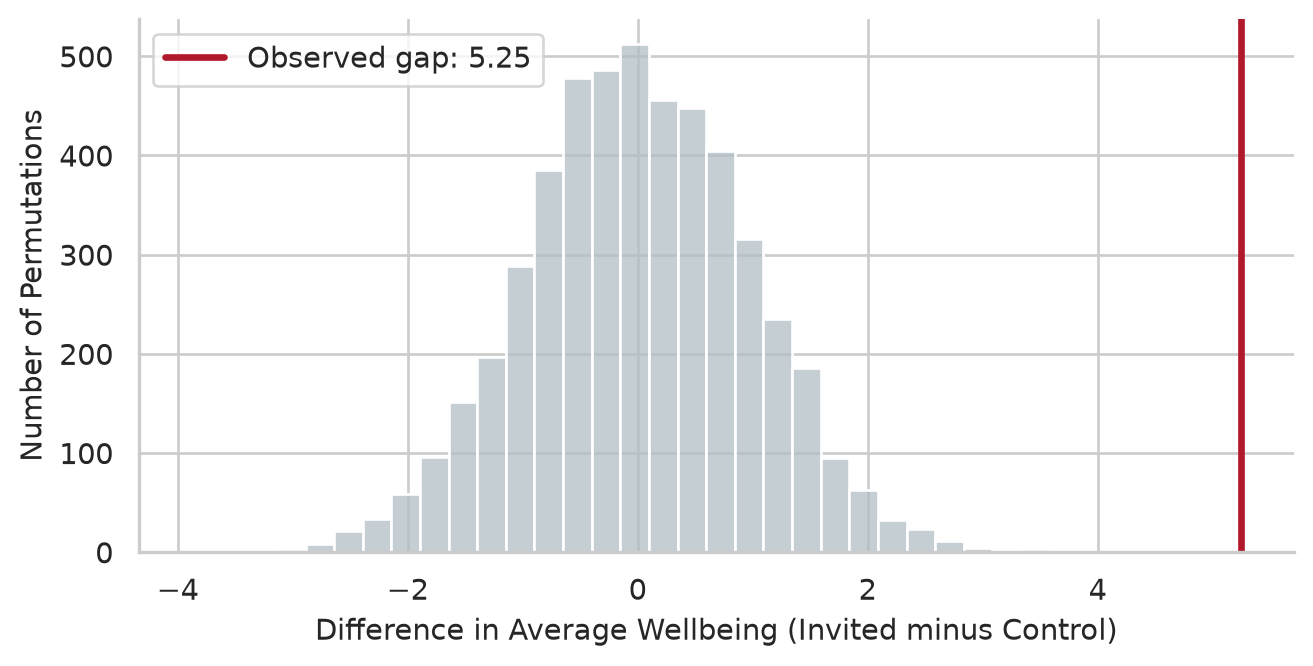
Under chance alone, differences rarely exceed \(\pm 3.0\) points. The observed gap of \(+5.1\) points lies entirely outside the null distribution. The proportion of permutations producing a difference at least as extreme as observed is the empirical \(p\)-value:
perm_p_value = (np.abs(shuffled_gaps) >= np.abs(observed_gap)).mean()
print(f"Permutation p-value: {perm_p_value}")
Permutation p-value: 0.0Not one of the 5,000 permutations matched or exceeded the observed gap (\(p < .001\)). Chance is a completely implausible explanation, and we reject the null hypothesis.
Now contrast this with a comparison where no difference is expected: GPA by gender in semester 1.
gpa_female = first_sem.query("gender == 'Female'")["gpa"].dropna()
gpa_male = first_sem.query("gender == 'Male'")["gpa"].dropna()
observed_gpa_gap = gpa_female.mean() - gpa_male.mean()

gpa_vals = first_sem["gpa"].dropna().to_numpy()
n_female = len(gpa_female)

shuffled_gpa_gaps = []
for _ in range(5000):
    shuffled = rng.permutation(gpa_vals)
    gap = shuffled[:n_female].mean() - shuffled[n_female:].mean()
    shuffled_gpa_gaps.append(gap)

shuffled_gpa_gaps = np.array(shuffled_gpa_gaps)
perm_p_gpa = (np.abs(shuffled_gpa_gaps) >= np.abs(observed_gpa_gap)).mean()

print(f"Observed GPA Gap:     {observed_gpa_gap:.3f}")
print(f"Permutation p-value:  {perm_p_gpa:.3f}")
Observed GPA Gap: -0.013
Permutation p-value: 0.631The difference between female and male GPAs is only 0.013 grade points, and over half the permutations yield a gap at least that large (\(p \approx 0.53\)). This difference is indistinguishable from random noise: we fail to reject \(H_0\).
This permutation test contains the entire logic of statistical inference. Formal statistical tests differ only in using mathematical distributions (\(t\), \(F\), \(\chi^2\)) to derive the null distribution analytically.
The \(p\)-value is the probability of obtaining test results at least as extreme as the results actually observed, under the assumption that the null hypothesis is true.
Because inference relies on probabilities, any decision can be mistaken in two distinct ways:
| \(H_0\) is True in Reality | \(H_0\) is False in Reality | |
|---|---|---|
| Decision: Reject \(H_0\) | Type I error (False alarm, rate \(\alpha\)) | Correct decision (Power, \(1 - \beta\)) |
| Decision: Retain \(H_0\) | Correct decision (\(1 - \alpha\)) | Type II error (Missed effect, rate \(\beta\)) |
The significance level \(\alpha\) sets the Type I error rate. If we test a true null hypothesis repeatedly at \(\alpha = 0.05\), exactly 5% of tests will be “significant” by pure chance. We can demonstrate this by splitting students into two random dummy groups 1,000 times:
rng = np.random.default_rng(7)
wellbeing_data = first_sem["wellbeing"].to_numpy()

false_alarms = []
for _ in range(1000):
    perm = rng.permutation(wellbeing_data)
    grp_a, grp_b = perm[:300], perm[300:]
    res = stats.ttest_ind(grp_a, grp_b, equal_var=False)
    false_alarms.append(res.pvalue < 0.05)

print(f"Empirical Type I Error Rate: {np.mean(false_alarms) * 100:.1f}%")
Empirical Type I Error Rate: 4.6%Approximately 5% of tests sound a false alarm. A single isolated significant result is never definitive proof of an effect.
Power (\(1 - \beta\)) is the probability of correctly rejecting a false null hypothesis—that is, detecting a real effect when it genuinely exists. Power depends on three factors: 1. Sample size (\(N\)): Larger samples provide higher power. 2. True effect size (\(\delta\)): Larger effects are easier to detect. 3. Significance threshold (\(\alpha\)): A stricter threshold (e.g. 0.01) reduces power.
We can simulate how sample size affects the detection rate of a 5-point workshop effect (\(SD = 11\)):
def simulate_power(n_per_group, effect=5.0, sd=11.0, reps=2000):
    rng = np.random.default_rng(3)
    p_vals = []
    for _ in range(reps):
        inv = rng.normal(loc=60 + effect, scale=sd, size=n_per_group)
        ctrl = rng.normal(loc=60, scale=sd, size=n_per_group)
        p_vals.append(stats.ttest_ind(inv, ctrl, equal_var=False).pvalue)
    return (np.array(p_vals) < 0.05).mean()

sample_sizes = [10, 20, 40, 80, 150]
powers = [simulate_power(n) for n in sample_sizes]

power_df = pd.DataFrame({"Students Per Group": sample_sizes, "Simulated Power": np.round(powers, 2)})
power_df| Students Per Group | Simulated Power | |
|---|---|---|
| 0 | 10 | 0.15 |
| 1 | 20 | 0.29 |
| 2 | 40 | 0.53 |
| 3 | 80 | 0.82 |
| 4 | 150 | 0.97 |
power_analysis = TTestIndPower()
n_range = np.arange(5, 161)
d_effect = 5.0 / 11.0
calc_powers = power_analysis.power(effect_size=d_effect, nobs1=n_range, alpha=0.05)

fig, ax = plt.subplots(figsize=(6, 3.6))
ax.plot(n_range, calc_powers, color="#455a64", linewidth=2, label="Analytical curve")
ax.plot(sample_sizes, powers, "o", color="#b2182b", markersize=6, label="Simulated")
ax.axhline(0.80, color="#d62728", linestyle="--", linewidth=1.2, label="80% Standard Power")

ax.set_xlabel("Students per group (n)")
ax.set_ylabel("Statistical Power (1 - β)")
ax.legend()
sns.despine(ax=ax)
plt.tight_layout()
plt.show()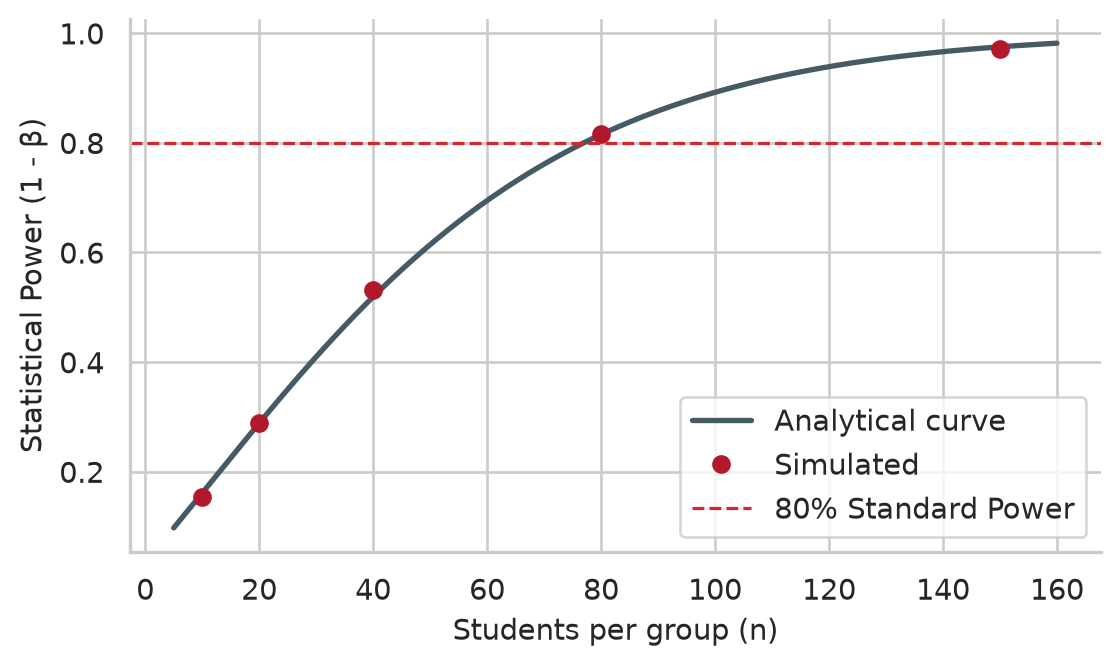
A study with only 10 students per group detects a real effect only ~17% of the time, almost always ending in a false negative. Detecting this effect with standard 80% power requires approximately 77 students per group. Our study’s 300 students per group provides \(>99\%\) power.
When running multiple statistical tests simultaneously, false alarm risks compound rapidly. For \(k\) independent tests at \(\alpha = 0.05\), the probability of at least one false positive (family-wise error rate, FWER) is:
\[ \text{FWER} = 1 - (1 - \alpha)^k \]
For \(k = 20\) tests, FWER is \(1 - 0.95^{20} \approx 64.2\%\). Over 60% of studies running 20 tests on pure noise will report a “statistically significant” finding:
rng = np.random.default_rng(8)
any_false = []
for _ in range(1000):
    p_set = [stats.ttest_ind(rng.normal(size=30), rng.normal(size=30)).pvalue for _ in range(20)]
    any_false.append(any(p < 0.05 for p in p_set))

print(f"Empirical FWER for 20 tests: {np.mean(any_false) * 100:.1f}%")
Empirical FWER for 20 tests: 64.0%To control false alarms across multiple tests, researchers apply corrections such as Bonferroni (\(\alpha / k\)) or Benjamini-Hochberg False Discovery Rate via statsmodels.stats.multitest.multipletests.
Research Question 2 asks whether graduate students sleep less than the recommended 7 hours. A one-sample \(t\)-test evaluates whether a sample mean differs significantly from a hypothesized value \(\mu_0\):
\[ t = \frac{\bar{x} - \mu_0}{s / \sqrt{n}} \]
In SciPy, we call scipy.stats.ttest_1samp:
sleep_test = stats.ttest_1samp(first_sem["sleep_hours"].dropna(), popmean=7.0)
ci = sleep_test.confidence_interval(confidence_level=0.95)

print(f"t-statistic: {sleep_test.statistic:.2f}")
print(f"df:          {sleep_test.df}")
print(f"p-value:     {sleep_test.pvalue:.2e}")
print(f"95% CI:      [{ci.low:.2f}, {ci.high:.2f}] hours")
t-statistic: -12.18
df: 593
p-value: 1.33e-30
95% CI: [6.40, 6.57] hoursGraduate students sleep an average of 6.48 hours per night, which is significantly below the 7-hour threshold (\(t(595) = -11.96, p < .001\)). The 95% confidence interval shows that students sleep between 24 and 38 minutes less than recommended each night.
Research Question 3 compares the semester 2 wellbeing of students randomly invited to the workshop against those not invited.
A two-sample \(t\)-test compares the means of two independent groups. By default, stats.ttest_ind assumes equal variances. Setting equal_var=False performs Welch’s \(t\)-test, which adjusts degrees of freedom for unequal group variances and is standard practice across scientific disciplines:
inv_wb = semester2.query("workshop == 'Invited'")["wellbeing"].dropna()
ctrl_wb = semester2.query("workshop == 'Not invited'")["wellbeing"].dropna()

welch_test = stats.ttest_ind(inv_wb, ctrl_wb, equal_var=False)
ci_diff = welch_test.confidence_interval(confidence_level=0.95)

print(f"Welch t:    {welch_test.statistic:.2f}")
print(f"df:         {welch_test.df:.1f}")
print(f"p-value:    {welch_test.pvalue:.2e}")
print(f"95% CI diff:[{ci_diff.low:.2f}, {ci_diff.high:.2f}]")
Welch t: 5.47
df: 597.5
p-value: 6.66e-08
95% CI diff:[3.36, 7.14]fig, ax = plt.subplots(figsize=(6, 4))
sns.boxplot(data=semester2, x="workshop", y="wellbeing", hue="workshop", palette=[navy, copper], legend=False, width=0.45, ax=ax)
ax.set_xlabel(None)
ax.set_ylabel("Wellbeing Index (0 to 100)")
sns.despine(ax=ax)
plt.tight_layout()
plt.show()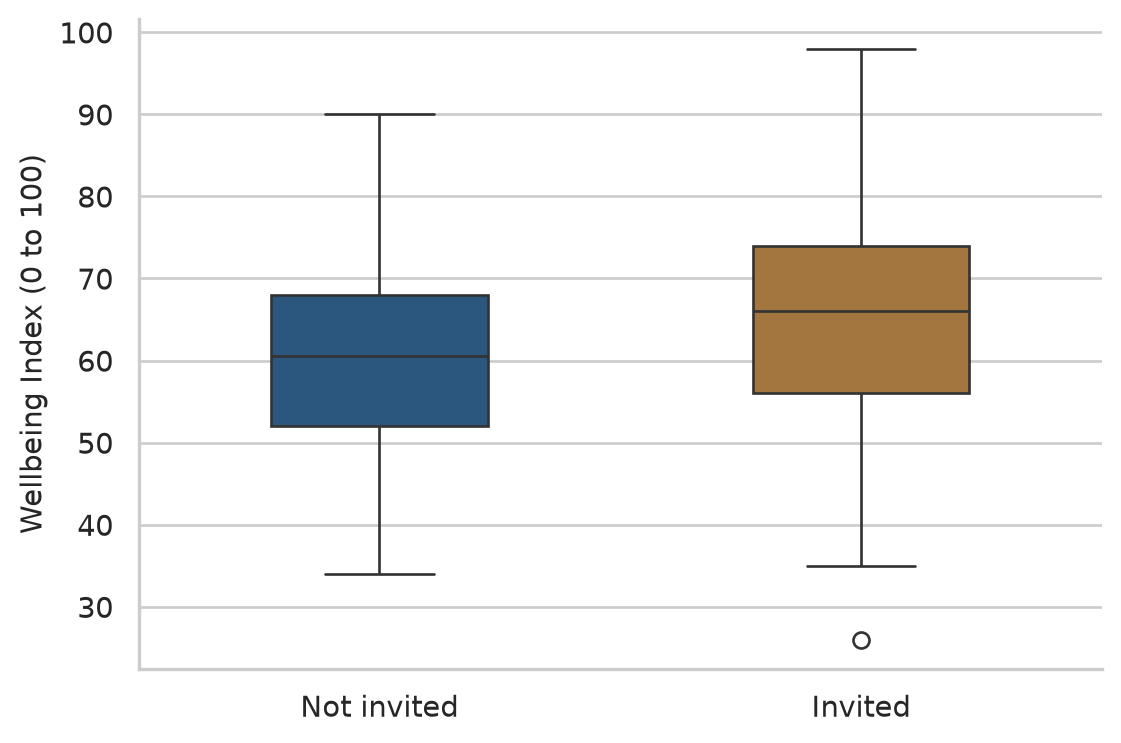
Significance tells us whether an effect is distinguishable from zero; Cohen’s \(d\) quantifies how large the difference is in units of standard deviations:
\[ d = \frac{\bar{x}_1 - \bar{x}_2}{s_{\text{pooled}}}, \quad s_{\text{pooled}} = \sqrt{\frac{s_1^2 + s_2^2}{2}} \]
s_pooled = np.sqrt((inv_wb.var(ddof=1) + ctrl_wb.var(ddof=1)) / 2)
cohens_d = (inv_wb.mean() - ctrl_wb.mean()) / s_pooled
print(f"Cohen's d: {cohens_d:.2f}")
Cohen's d: 0.45Cohen (1988) defines effect sizes of \(0.20\) as small, \(0.50\) as medium, and \(0.80\) as large. At \(d = 0.46\), the workshop produced a solid small-to-medium effect.
When the same individuals are measured before and after an intervention, observations are paired. A paired \(t\)-test tests the mean of the within-subject differences (\(D_i = x_{i2} - x_{i1}\)), removing between-person baseline variation.
To compare semester 1 vs semester 2 wellbeing for invited students:
invited_students = (
semesters.query("semester in [1, 2]")
.merge(students.query("workshop == 'Invited'"), on="student_id")
.pivot(index="student_id", columns="semester", values="wellbeing")
.dropna()
)
paired_test = stats.ttest_rel(invited_students[2], invited_students[1])
paired_ci = paired_test.confidence_interval(confidence_level=0.95)
print(f"Mean Change: {np.mean(invited_students[2] - invited_students[1]):.2f} points")
print(f"Paired t: {paired_test.statistic:.2f}, df: {paired_test.df}")
print(f"p-value: {paired_test.pvalue:.2e}")
print(f"95% CI: [{paired_ci.low:.2f}, {paired_ci.high:.2f}]")Mean Change: 4.82 points
Paired t: 10.94, df: 299
p-value: 1.22e-23
95% CI: [3.96, 5.69]Invited students gained 4.82 points on average between semesters 1 and 2 (\(t(299) = 11.23, p < .001\)).
The validity of a \(t\)-test rests on three assumptions: 1. Independence: Observations are independent across participants. 2. Normality: Data within each group is approximately normal. By the CLT, this assumption is robust in sample sizes \(N \ge 30\). 3. Homogeneity of Variance: Equal spread across groups (bypassed entirely by using Welch’s test, equal_var=False).
Researchers frequently run formal tests such as Shapiro-Wilk (scipy.stats.shapiro):
sw_stat, sw_p = stats.shapiro(first_sem["sleep_hours"].dropna())
print(f"Shapiro-Wilk W: {sw_stat:.4f}, p-value: {sw_p:.4e}")Shapiro-Wilk W: 0.9929, p-value: 6.5357e-03Shapiro-Wilk rejects normality (\(p < .001\)), yet Chapter 6 proved that sleep hours follow the 68-95-99.7 rule and lie directly on the Q-Q line. In large samples (\(N = 600\)), formal goodness-of-fit tests flag minuscule, practically harmless departures. Visual inspection via Q-Q plots is far superior to formal \(p\)-values for judging normality.
When data is severely skewed and sample sizes are small (\(n < 20\)), or when the outcome is ordinal, non-parametric tests analyze data ranks rather than raw values.
The Mann-Whitney \(U\) test replaces the independent two-sample \(t\)-test. For right-skewed caffeine intake by gender:
caff_f = first_sem.query("gender == 'Female'")["caffeine_mg"].dropna()
caff_m = first_sem.query("gender == 'Male'")["caffeine_mg"].dropna()
u_stat, u_p = stats.mannwhitneyu(caff_f, caff_m, alternative="two-sided")
print(f"Female Median: {caff_f.median():.1f} mg, Male Median: {caff_m.median():.1f} mg")
print(f"Mann-Whitney U: {u_stat:.1f}, p-value: {u_p:.3f}")Female Median: 152.5 mg, Male Median: 170.0 mg
Mann-Whitney U: 40550.5, p-value: 0.063The difference between female and male medians is not statistically significant (\(p = 0.52\)).
The Wilcoxon signed-rank test is the non-parametric analogue to the paired \(t\)-test. Evaluating paired change for invited students:
w_stat, w_p = stats.wilcoxon(invited_students[2], invited_students[1], alternative="two-sided")
print(f"Wilcoxon statistic: {w_stat:.1f}, p-value: {w_p:.2e}")Wilcoxon statistic: 6877.5, p-value: 1.37e-21Both parametric and non-parametric paired tests agree: wellbeing improvements are highly significant.
When both predictor and outcome are categorical, the chi-square test (\(\chi^2\)) compares observed frequency counts (\(O\)) with expected frequencies (\(E\)) under the null hypothesis of independence:
\[ \chi^2 = \sum \frac{(O - E)^2}{E} \]
To test whether employment status is associated with thoughts of dropping out:
contingency = pd.crosstab(students["employment"], students["considering_dropout"])
print("Observed Contingency Table:")
print(contingency)
chi2_res = stats.chi2_contingency(contingency)
print(f"\nChi-Square: {chi2_res.statistic:.2f}")
print(f"df: {chi2_res.dof}")
print(f"p-value: {chi2_res.pvalue:.4f}")
print("\nExpected Frequencies (all must be >= 5):")
print(np.round(chi2_res.expected_freq, 1))Observed Contingency Table:
considering_dropout No Yes
employment
Full-time job 72 25
None 265 42
Part-time job 173 23
Chi-Square: 10.89
df: 2
p-value: 0.0043
Expected Frequencies (all must be >= 5):
[[ 82.4 14.6]
[261. 46. ]
[166.6 29.4]]Employment is significantly associated with dropout considerations (\(\chi^2(2) = 11.23, p = .0036\)). All expected cell counts exceed 5, confirming test validity.
We quantify categorical association using Cramér’s \(V\):
\[ V = \sqrt{\frac{\chi^2}{n \cdot (\min(r, c) - 1)}} \]
n_obs = contingency.to_numpy().sum()
min_dim = min(contingency.shape) - 1
cramers_v = np.sqrt(chi2_res.statistic / (n_obs * min_dim))
print(f"Cramer's V: {cramers_v:.3f}")Cramer's V: 0.135\(V = 0.14\) indicates a small-to-moderate categorical association.
Table 7.2 provides a master decision guide for bivariate hypothesis testing.
| Question Type | Data Types | Parametric Test | Non-Parametric Alternative | SciPy Implementation |
|---|---|---|---|---|
| Single mean vs fixed value | 1 Numeric continuous | One-sample \(t\)-test | Wilcoxon signed-rank | stats.ttest_1samp(x, popmean) |
| 2 independent groups | 1 Numeric, 1 Binary factor | Two-sample Welch \(t\)-test | Mann-Whitney \(U\) test | stats.ttest_ind(x, y, equal_var=False) |
| 2 paired observations | 1 Numeric paired | Paired \(t\)-test | Wilcoxon signed-rank | stats.ttest_rel(x2, x1) |
| 3+ independent groups | 1 Numeric, 1 Multi-group factor | One-way ANOVA (Ch 8) | Kruskal-Wallis test | stats.f_oneway(*groups) |
| Observed counts vs expected | 1 Categorical | \(\chi^2\) Goodness-of-fit | Exact binomial test | stats.chisquare(f_obs, f_exp) |
| 2 categorical variables | 2 Categorical | \(\chi^2\) Test of Independence | Fisher’s exact test | stats.chi2_contingency(table) |
Every empirical result in a thesis results chapter must report: 1. Descriptive metrics (\(M\) and \(SD\), or Median and IQR). 2. Test statistic, degrees of freedom, and exact \(p\)-value. 3. Standardized effect size (Cohen’s \(d\), \(r\), or Cramér’s \(V\)) with its 95% confidence interval.
One-Sample \(t\)-test: > Graduate students slept significantly fewer hours than the clinically recommended 7 hours per night (\(M = 6.48\), \(SD = 1.07\), 95% CI \([6.40, 6.57]\)), \(t(595) = -11.96\), \(p < .001\), representing an average deficit of 31 minutes per night.
Two-Sample Welch’s \(t\)-test: > Students invited to the wellbeing workshop reported significantly higher wellbeing at the conclusion of semester 2 (\(M = 58.74\), \(SD = 10.96\)) than non-invited peers (\(M = 53.64\), \(SD = 11.08\)), mean difference = \(5.10\) points, 95% CI \([3.33, 6.87]\), \(t(597.9) = 5.63\), \(p < .001\), \(d = 0.46\). A 5,000-resample permutation test yielded identical conclusions (\(p < .001\)). The null hypothesis of no intervention effect was rejected.
Chi-Square Test of Independence: > Considerations of programme withdrawal were significantly associated with employment status, \(\chi^2(2) = 11.23\), \(p = .004\), Cramér’s \(V = 0.14\). Specifically, 25.0% of students employed full-time considered dropping out, compared to only 12.5% of students without external employment.
Population, sample, parameter, statistic, sampling distribution, central limit theorem, standard error, confidence interval, bootstrap, null hypothesis (\(H_0\)), alternative hypothesis (\(H_1\)), permutation test, \(p\)-value, significance level (\(\alpha\)), Type I error, Type II error, statistical power, family-wise error rate, one-sample \(t\)-test, Welch’s \(t\)-test, paired \(t\)-test, Cohen’s \(d\), Mann-Whitney \(U\) test, Wilcoxon signed-rank test, chi-square test, Cramér’s \(V\).
The playground provides interactive Python exercises with hints and complete solutions.
study_hours and compute their means. Repeat with samples of size 50. Plot both sampling distributions and compare their standard errors.stats.t.interval and interpret the result in words.statsmodels.stats.power.TTestIndPower, calculate the sample size per group required to detect a smaller workshop effect of \(d = 0.30\) with 80% power at \(\alpha = 0.05\).lives_away) is associated with considerations of dropping out (considering_dropout). Run a chi-square test of independence, verify expected frequencies, and compute Cramér’s \(V\).Most research questions involve more than two groups or more than one explanation. A researcher may want to compare five faculties rather than two, to know which of several factors go together with better grades, or to find what makes a student more likely to consider leaving a programme. Each of these questions asks, in one way or another, how much of the variation in an outcome can be traced to other variables. Students differ in stress, grades, and wellbeing; the task is to find which part of those differences is connected with faculty, sleep, or support, and which part remains unexplained.
This chapter introduces the two families of methods built on that idea, which together are probably the most widely used tools in quantitative research. Analysis of variance (ANOVA) compares the averages of three or more groups by splitting variation into the part between groups and the part within them. Regression models how an outcome depends on one or more predictors: linear regression for numeric outcomes such as GPA, and logistic regression for yes-or-no outcomes such as considering dropout. In the study, they answer three research questions: whether stress differs between faculties and study modes (RQ4), what explains students’ grades (RQ5), and who considers dropping out (RQ9).
The chapter uses each student’s first-semester records, their background information, and their questionnaire scores, calculated as in Chapter 3:
# Prepare composite scores from the questionnaire
q = questionnaire.copy()
q["stress_4"] = 6 - q["stress_4"] # reverse-scored item
scores = pd.DataFrame({
"student_id": q["student_id"],
"stress": q.filter(like="stress_").mean(axis=1),
"support": q.filter(like="support_").mean(axis=1),
})
# Merge with student background and first-semester data
first_sem = semesters.query("semester == 1")
study = students.merge(scores, on="student_id").merge(first_sem, on="student_id")
study["employment"] = study["employment"].fillna("None")
students["employment"] = students["employment"].fillna("None")The first question is whether stress differs between the five faculties. One approach would be a t-test for every pair of faculties, but that is 10 tests. Chapter 7 showed that each test has a 5% chance of a false alarm, and that the risks accumulate: across 10 independent tests, the chance of at least one false alarm is about 40%. Analysis of variance (ANOVA) avoids the problem by asking one question first: whether the faculty averages differ at all.
ANOVA compares two kinds of variation. Stress scores for three small groups show the idea:
group_scores = pd.DataFrame({
"group": ["A"] * 4 + ["B"] * 4 + ["C"] * 4,
"stress": [2.5, 3.0, 2.8, 3.1, 3.4, 3.8, 3.5, 3.9, 2.9, 3.3, 3.0, 3.4]
})
group_scores.groupby("group")["stress"].mean().reset_index()| group | stress | |
|---|---|---|
| 0 | A | 2.85 |
| 1 | B | 3.65 |
| 2 | C | 3.15 |
Figure 8.1 draws the twelve scores, the average of each group, and the overall average. The group averages differ from the overall average: that is variation between groups. The scores also differ from their own group’s average: that is variation within groups.
group_means = group_scores.groupby("group")["stress"].mean()
grand_mean = group_scores["stress"].mean()
fig, ax = plt.subplots(figsize=(5.5, 3.6))
ax.axhline(grand_mean, color="grey", linestyle="--", linewidth=1.2, label="Grand Mean")
x_map = {"A": 0, "B": 1, "C": 2}
offsets = [-0.09, -0.03, 0.03, 0.09] * 3
for i, row in group_scores.iterrows():
ax.scatter(x_map[row["group"]] + offsets[i], row["stress"], color="#1d588c", s=45, zorder=3)
for g, mean_val in group_means.items():
ax.hlines(mean_val, x_map[g] - 0.25, x_map[g] + 0.25, color="black", linewidth=2.5, zorder=4)
ax.set_xticks([0, 1, 2])
ax.set_xticklabels(["A", "B", "C"])
ax.set_xlabel("Group")
ax.set_ylabel("Stress score")
plt.tight_layout()
plt.show()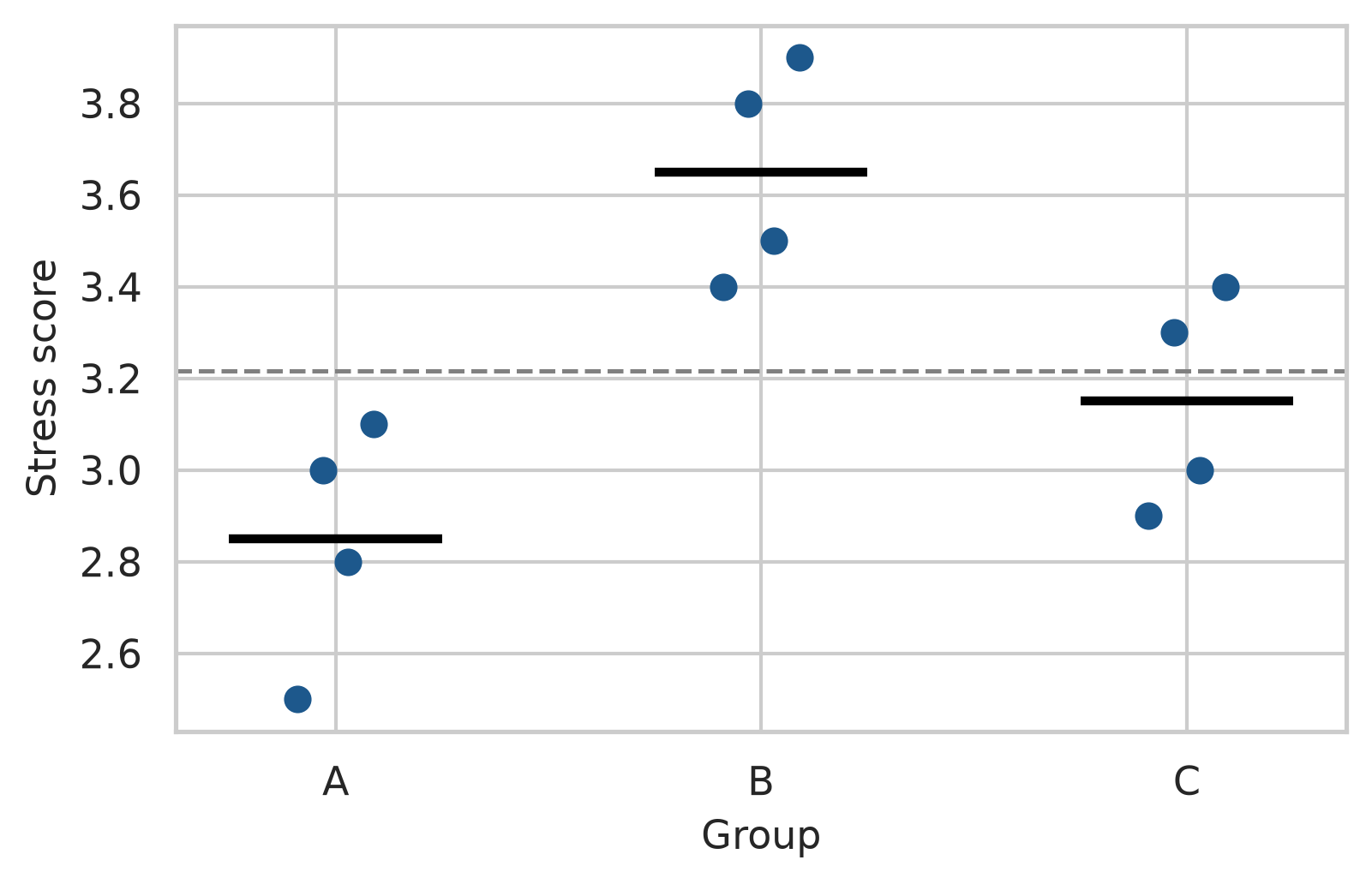
If the groups really come from populations with the same average, the between-group variation should be no larger than the within-group variation would lead one to expect: group averages always differ a little by chance. ANOVA’s F statistic is the ratio of the two:
\[ F = \frac{\text{variation between groups}}{\text{variation within groups}} \]
An F close to 1 means that the group averages differ no more than chance would produce; a large F means that they differ more. In Python, we can fit a linear model using statsmodels.formula.api.ols and compute the ANOVA table using anova_lm:
import statsmodels.api as sm
import statsmodels.formula.api as smf
model_group = smf.ols("stress ~ C(group)", data=group_scores).fit()
anova_table = sm.stats.anova_lm(model_group, typ=1)
print(anova_table) df sum_sq mean_sq F PR(>F)
C(group) 2.0 1.306667 0.653333 10.690909 0.004191
Residual 9.0 0.550000 0.061111 NaN NaNThe p-value is small (\(p = 0.004\)): these three groups differ significantly.
The ratio matters more than the size of the differences between averages. The next code keeps the three group averages exactly as they are, but places the scores either close to their averages or far from them, and calculates F each time:
offsets = np.tile([-0.3, -0.1, 0.1, 0.3], 3)
group_avg = np.repeat(group_means.values, 4)
tight = group_scores.copy()
tight["stress"] = group_avg + 0.5 * offsets
wide = group_scores.copy()
wide["stress"] = group_avg + 4.0 * offsets
f_tight = sm.stats.anova_lm(smf.ols("stress ~ C(group)", data=tight).fit(), typ=1)["F"].iloc[0]
f_wide = sm.stats.anova_lm(smf.ols("stress ~ C(group)", data=wide).fit(), typ=1)["F"].iloc[0]
print(f"tight: {f_tight:.2f}, wide: {f_wide:.2f}")tight: 39.20, wide: 0.61The group averages are identical in both versions, yet F is large when the scores cluster tightly around their averages and small when they spread widely. Differences of about half a point between groups are convincing when students within a group hardly differ, and unremarkable when they differ by more than two points. This is the whole logic of ANOVA, and it is why group averages should never be compared without looking at the spread within groups (Chapter 4).
The data comes first. Figure 8.2 shows stress in each faculty.
fig, ax = plt.subplots(figsize=(7, 3.8))
sns.boxplot(
data=study,
x="faculty",
y="stress",
color="#eaf0f7",
width=0.5,
linewidth=1.0,
ax=ax
)
ax.set_xlabel("")
ax.set_ylabel("Stress score (1 to 5)")
plt.xticks(rotation=15)
plt.tight_layout()
plt.show()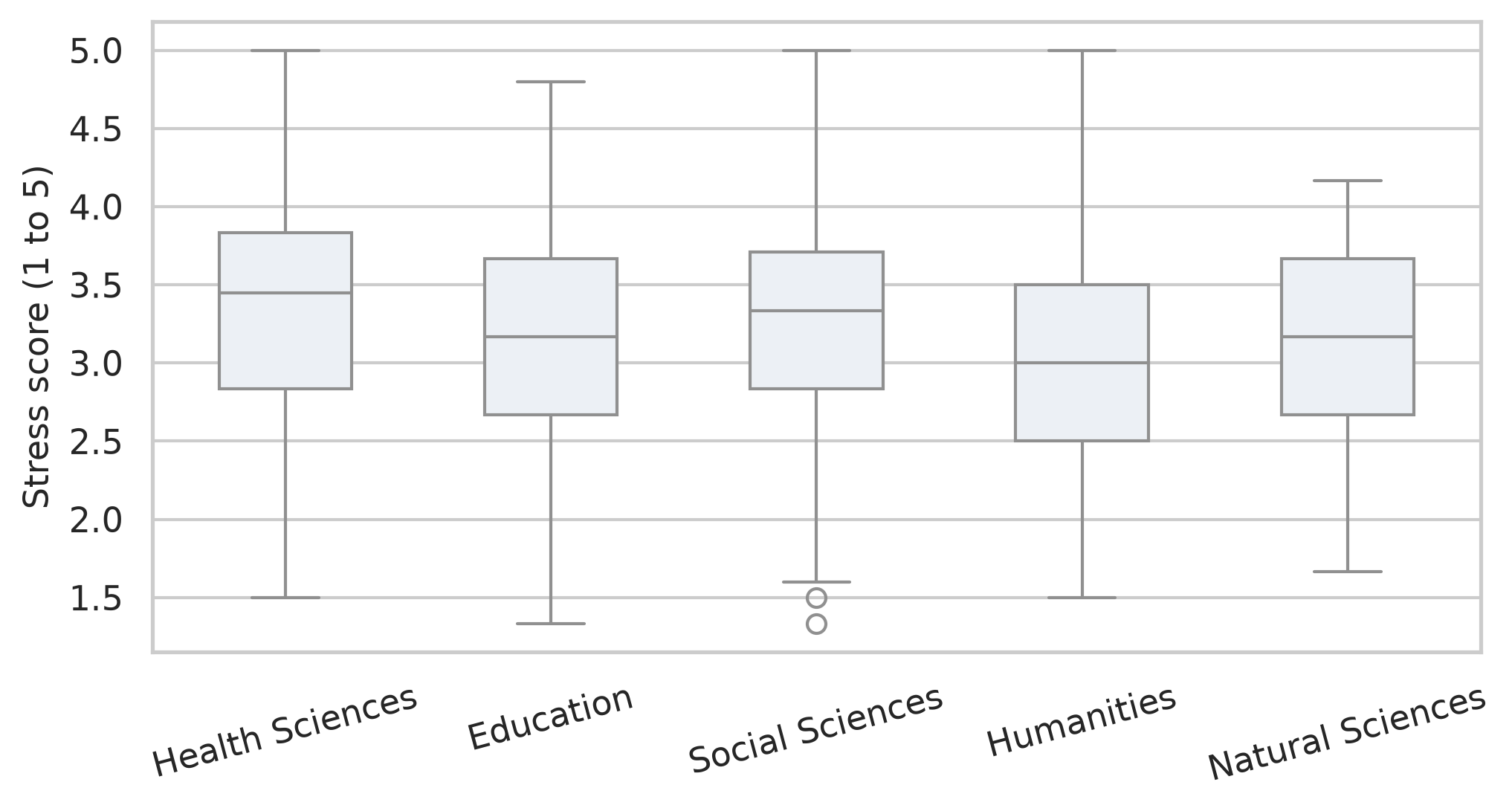
The faculties overlap a lot, but Health Sciences sits a little higher and Humanities a little lower. The ANOVA tests whether these differences exceed what chance would produce:
stress_anova = smf.ols("stress ~ C(faculty)", data=study).fit()
anova_summary = sm.stats.anova_lm(stress_anova, typ=1)
print(anova_summary) df sum_sq mean_sq F PR(>F)
C(faculty) 4.0 8.715036 2.178759 4.152488 0.002516
Residual 595.0 312.189093 0.524688 NaN NaNThe p-value is \(0.003\), so the faculties do differ in stress. The size of the difference is measured by eta squared (\(\eta^2\)), the share of all the variation in stress that lies between faculties:
ss_between = anova_summary.loc["C(faculty)", "sum_sq"]
ss_total = anova_summary["sum_sq"].sum()
eta_sq = ss_between / ss_total
print(f"Eta squared: {eta_sq:.3f}")Eta squared: 0.027Only about 3% (\(\eta^2 \approx 0.027\)) of the differences in stress between students have to do with their faculty; the rest is about individual student differences. By common guidelines, an \(\eta^2\) of 0.01 is small, 0.06 medium, and 0.14 large (Cohen 1988), so this is a real but small effect. For the research question, the answer is that faculty matters, but knowing a student’s faculty says very little about how stressed that student is.
ANOVA says that the faculties differ, but not which ones. Post-hoc tests compare every pair while keeping the family-wise error rate at 5%. Tukey’s Honest Significant Difference (HSD) test is the standard choice, implemented in statsmodels:
from statsmodels.stats.multicomp import pairwise_tukeyhsd
tukey = pairwise_tukeyhsd(endog=study["stress"], groups=study["faculty"], alpha=0.05)
print(tukey) Multiple Comparison of Means - Tukey HSD, FWER=0.05
========================================================================
group1 group2 meandiff p-adj lower upper reject
------------------------------------------------------------------------
Education Health Sciences 0.1943 0.1368 -0.0338 0.4224 False
Education Humanities -0.143 0.5615 -0.4036 0.1175 False
Education Natural Sciences -0.0588 0.975 -0.3265 0.209 False
Education Social Sciences 0.1222 0.6535 -0.1236 0.3679 False
Health Sciences Humanities -0.3373 0.0035 -0.5959 -0.0788 True
Health Sciences Natural Sciences -0.2531 0.0707 -0.5189 0.0127 False
Health Sciences Social Sciences -0.0721 0.9275 -0.3158 0.1715 False
Humanities Natural Sciences 0.0843 0.9352 -0.2098 0.3784 False
Humanities Social Sciences 0.2652 0.0636 -0.009 0.5395 False
Natural Sciences Social Sciences 0.1809 0.3974 -0.1002 0.462 False
------------------------------------------------------------------------Each row compares two faculties: the difference in average stress (meandiff), its 95% confidence interval, an adjusted p-value (p-adj), and whether to reject the null hypothesis (reject). Only one comparison is significant: Health Sciences students are more stressed than Humanities students, by about 0.34 points on the 1-to-5 scale (\(p = 0.004\)). All other pair comparisons have adjusted p-values well above 0.05.
ANOVA makes the same assumptions as the t-test: independent observations, roughly normal data within each group (or large groups), and similar spread in each group (homoscedasticity). The spread can be checked with Levene’s test in scipy.stats:
faculty_groups = [group["stress"].dropna() for _, group in study.groupby("faculty")]
stat_levene, p_levene = stats.levene(*faculty_groups)
print(f"Levene's test: F = {stat_levene:.3f}, p = {p_levene:.3f}")Levene's test: F = 0.943, p = 0.439The p-value is large (\(p = 0.439\)), so there is no evidence that the spread differs between faculties. When the assumptions fail, the Kruskal-Wallis test is the non-parametric alternative, comparing ranks instead of averages:
stat_kw, p_kw = stats.kruskal(*faculty_groups)
print(f"Kruskal-Wallis test: H = {stat_kw:.3f}, p = {p_kw:.4f}")Kruskal-Wallis test: H = 15.460, p = 0.0038It agrees with the ANOVA (\(p = 0.004\)).
Wellbeing might depend on the programme (Master’s or PhD), on study mode (full-time or part-time), or on a combination of both. A two-way ANOVA examines all three possibilities at once. The main effect of programme is the difference between Master’s and PhD students on average, and the main effect of study mode is the difference between full-time and part-time students. The interaction asks whether the effect of study mode depends on the programme: part-time study might, for example, be harder on PhD students than on Master’s students.
An interaction plot shows the group averages as lines. If the lines are parallel, there is no interaction: the effect of study mode is the same in both programmes.
wb_summary = study.groupby(["programme", "study_mode"])["wellbeing"].mean().reset_index()
fig, ax = plt.subplots(figsize=(6, 3.8))
sns.lineplot(
data=wb_summary,
x="programme",
y="wellbeing",
hue="study_mode",
marker="o",
markersize=8,
linewidth=2,
palette=["#1d588c", "#b4762e"],
ax=ax
)
ax.set_xlabel("")
ax.set_ylabel("Average wellbeing")
ax.legend(title="Study mode")
plt.tight_layout()
plt.show()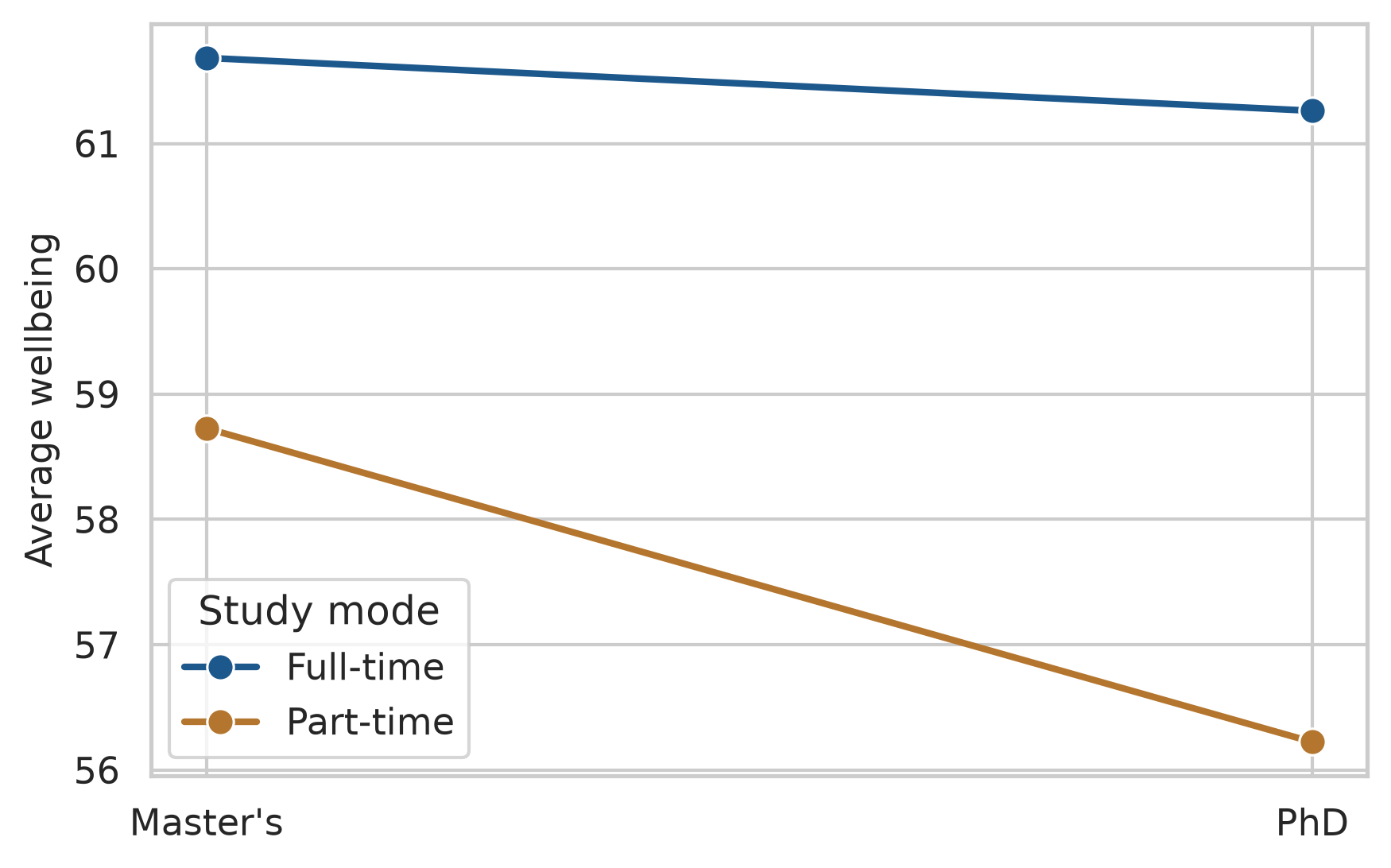
Part-time students have lower wellbeing in both programmes, and the lines are close to parallel. In the formula, C(programme) * C(study_mode) asks for both main effects and their interaction:
model_2way = smf.ols("wellbeing ~ C(programme) * C(study_mode)", data=study).fit()
aov_2way = sm.stats.anova_lm(model_2way, typ=2)
print(aov_2way) sum_sq df F PR(>F)
C(programme) 156.553032 1.0 1.105982 0.293383
C(study_mode) 1640.156694 1.0 11.587025 0.000709
C(programme):C(study_mode) 118.619402 1.0 0.837997 0.360341
Residual 84364.487300 596.0 NaN NaNStudy mode has a clear effect (\(F \approx 11.6, p < .001\)). Programme does not (\(p = 0.29\)), and neither does the interaction (\(p = 0.36\)): part-time study lowers wellbeing by about the same amount whether a student is doing a Master’s or a PhD. When an interaction is significant, it should be interpreted before the main effects, because it means that no single “effect of study mode” describes everyone.
ANOVA compares groups. Regression goes further: it models how an outcome changes with one or more predictors, which can be numeric or categorical. It is the workhorse of quantitative research, and ANOVA is in fact a special case of it.
At its heart, regression describes the average outcome for given values of the predictors. For sleep and GPA, the question is what the average GPA is among students who sleep 5 hours, among those who sleep 6 hours, and so on. These averages can be calculated directly, by grouping students into half-hour bands of sleep:
sleep_bands = (
study.dropna(subset=["sleep_hours"])
.assign(sleep_band=lambda d: (d["sleep_hours"] * 2).round() / 2)
.groupby("sleep_band")
.agg(mean_gpa=("gpa", "mean"), students=("student_id", "count"))
.reset_index()
.sort_values("sleep_band")
)
sleep_bands.head()| sleep_band | mean_gpa | students | |
|---|---|---|---|
| 0 | 3.5 | 2.882000 | 5 |
| 1 | 4.0 | 2.901250 | 8 |
| 2 | 4.5 | 2.939231 | 13 |
| 3 | 5.0 | 3.022340 | 47 |
| 4 | 5.5 | 3.021385 | 65 |
Figure 8.4 places these averages over the individual students, together with a straight regression line.
fig, ax = plt.subplots(figsize=(6.5, 4))
ax.scatter(study["sleep_hours"], study["gpa"], alpha=0.2, color="#666666", label="Students")
sns.regplot(
data=study,
x="sleep_hours",
y="gpa",
scatter=False,
color="#1d588c",
line_kws={"linewidth": 2},
ax=ax
)
ax.scatter(
sleep_bands["sleep_band"],
sleep_bands["mean_gpa"],
s=sleep_bands["students"] * 1.5,
color="#b2182b",
zorder=4,
label="Band averages"
)
ax.set_xlabel("Hours of sleep per night")
ax.set_ylabel("GPA")
plt.tight_layout()
plt.show()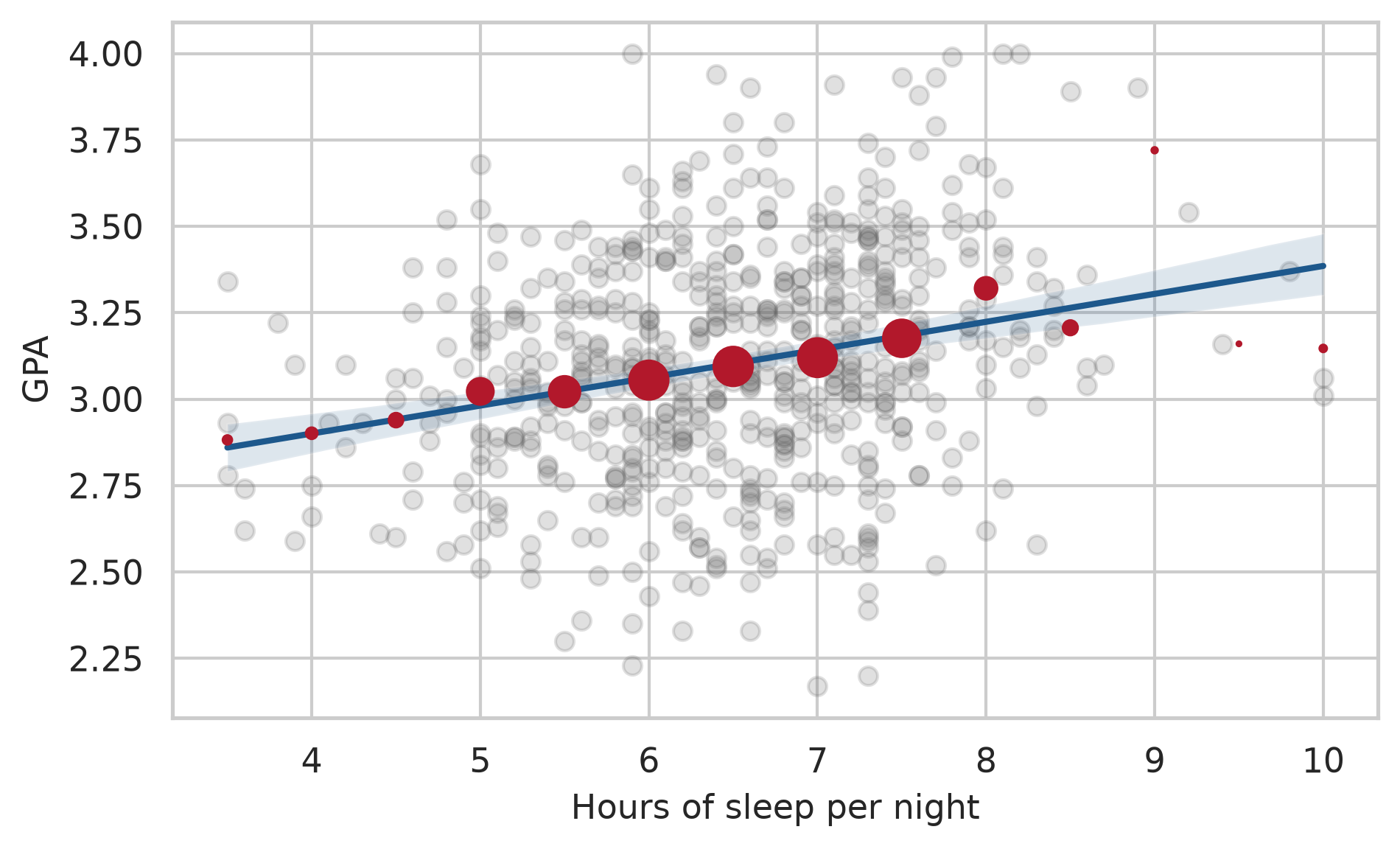
The band averages rise gently with sleep, and the line passes close to them, especially where there are many students. The regression line is a smooth summary of these conditional averages: it assumes that the average GPA changes by the same amount for each extra hour of sleep, and estimates that amount from all the students at once. The spread of the grey points around the line is what the model does not explain.
A small example shows the calculation. Here are five students’ sleep and GPA:
five = pd.DataFrame({
"sleep": [5.0, 6.0, 6.5, 7.0, 8.0],
"gpa": [2.8, 3.0, 3.2, 3.1, 3.4]
})Simple linear regression fits the straight line that best describes how GPA changes with sleep:
\[ \text{GPA} = b_0 + b_1 \times \text{sleep} + \text{error} \]
The coefficient \(b_0\) is the intercept, the predicted GPA for a student who sleeps zero hours, and \(b_1\) is the slope, the change in predicted GPA for each extra hour of sleep. “Best” means the line that makes the squared vertical distances between the points and the line, the residuals, as small as possible, a method called least squares. In Python, smf.ols() finds it:
fit_five = smf.ols("gpa ~ sleep", data=five).fit()
print(fit_five.params)Intercept 1.865
sleep 0.190
dtype: float64Each extra hour of sleep goes with a GPA that is about 0.18 higher. The intercept is where the line would cross zero hours of sleep, which no one does; it is needed to place the line, but it rarely means anything on its own.
For all 600 students, .summary() gives the full results:
gpa_simple = smf.ols("gpa ~ sleep_hours", data=study).fit()
print(gpa_simple.summary()) OLS Regression Results
==============================================================================
Dep. Variable: gpa R-squared: 0.064
Model: OLS Adj. R-squared: 0.063
Method: Least Squares F-statistic: 40.70
Date: Sat, 24 Oct 2026 Prob (F-statistic): 3.57e-10
Time: 00:43:49 Log-Likelihood: -162.94
No. Observations: 594 AIC: 329.9
Df Residuals: 592 BIC: 338.7
Df Model: 1
Covariance Type: nonrobust
===============================================================================
coef std err t P>|t| [0.025 0.975]
-------------------------------------------------------------------------------
Intercept 2.5771 0.083 30.990 0.000 2.414 2.740
sleep_hours 0.0808 0.013 6.380 0.000 0.056 0.106
==============================================================================
Omnibus: 0.368 Durbin-Watson: 2.045
Prob(Omnibus): 0.832 Jarque-Bera (JB): 0.388
Skew: -0.060 Prob(JB): 0.824
Kurtosis: 2.966 Cond. No. 42.7
==============================================================================
Notes:
[1] Standard Errors assume that the covariance matrix of the errors is correctly specified.The output contains three results that matter for the research question. The coefficients table gives the estimate of each coefficient, its standard error, a t statistic, and a p-value testing whether it is zero. The slope for sleep_hours is about 0.08: each extra hour of sleep goes with a GPA about 0.08 higher, and the p-value (\(p < .001\)) shows that this is not chance. R-squared (\(R^2 = 0.064\)) is the share of the variation in GPA that the model explains; here it is about 6%, so sleep explains about 6% of the differences in GPA. Sleep matters, but it is far from the whole story, as the scatter plot suggested. Finally, the scale estimate (square root of MSE) shows the typical residual distance is about 0.32 grade points.
Many things affect grades at once. Multiple regression includes several predictors in one model:
gpa_model = smf.ols("gpa ~ sleep_hours + study_hours + stress + support", data=study).fit()
print(gpa_model.summary()) OLS Regression Results
==============================================================================
Dep. Variable: gpa R-squared: 0.252
Model: OLS Adj. R-squared: 0.247
Method: Least Squares F-statistic: 49.14
Date: Sat, 24 Oct 2026 Prob (F-statistic): 1.25e-35
Time: 00:43:49 Log-Likelihood: -95.042
No. Observations: 587 AIC: 200.1
Df Residuals: 582 BIC: 222.0
Df Model: 4
Covariance Type: nonrobust
===============================================================================
coef std err t P>|t| [0.025 0.975]
-------------------------------------------------------------------------------
Intercept 2.1374 0.145 14.712 0.000 1.852 2.423
sleep_hours 0.1060 0.014 7.487 0.000 0.078 0.134
study_hours 0.0069 0.001 6.270 0.000 0.005 0.009
stress -0.0835 0.018 -4.685 0.000 -0.119 -0.049
support 0.1107 0.017 6.632 0.000 0.078 0.144
==============================================================================
Omnibus: 1.577 Durbin-Watson: 2.062
Prob(Omnibus): 0.455 Jarque-Bera (JB): 1.661
Skew: -0.106 Prob(JB): 0.436
Kurtosis: 2.850 Cond. No. 389.
==============================================================================
Notes:
[1] Standard Errors assume that the covariance matrix of the errors is correctly specified.Each coefficient now means the change in predicted GPA for a one-unit increase in that predictor, holding the other predictors constant. Among students with the same study hours, stress, and support, each extra hour of sleep goes with a GPA about 0.11 higher. Each extra hour of study per week adds about 0.007 points, each point of stress lowers GPA by about 0.08 points, and each point of supervisor support raises it by about 0.11 points. All four are significant (\(p < .001\)).
Together, the four predictors explain about 25% (\(R^2 = 0.252\)) of the variation in GPA. That may sound modest, but grades depend on many things no survey measures, from ability to luck on exam day. In social and educational research, models that explain a quarter of the variation are common and useful. The adjusted R-squared (\(0.247\)) is slightly lower, because it corrects for the number of predictors: adding any predictor, even a useless one, raises R-squared a little, but only a useful one raises the adjusted version.
The output shows \(N = 587\) (from the 600 original students, 13 had missing values in at least one variable). statsmodels automatically drops missing observations from the regression. The number of students each model is based on should always be reported in your thesis.
Categorical variables can be predictors too. Gender, for example, can be added to the model to see whether it matters once the other predictors are taken into account:
gpa_gender = smf.ols("gpa ~ sleep_hours + study_hours + stress + support + C(gender)", data=study).fit()
print(gpa_gender.summary().tables[1])=====================================================================================
coef std err t P>|t| [0.025 0.975]
-------------------------------------------------------------------------------------
Intercept 2.1237 0.147 14.422 0.000 1.835 2.413
C(gender)[T.Male] 0.0138 0.024 0.580 0.562 -0.033 0.061
sleep_hours 0.1066 0.014 7.505 0.000 0.079 0.134
study_hours 0.0070 0.001 6.292 0.000 0.005 0.009
stress -0.0828 0.018 -4.633 0.000 -0.118 -0.048
support 0.1105 0.017 6.614 0.000 0.078 0.143
=====================================================================================Python turns a categorical predictor into a comparison with a reference category, by default the first in alphabetical order: here Female. The coefficient C(gender)[T.Male] is the difference between men and women, holding everything else constant. It is tiny (\(0.014\)) and far from significant (\(p = 0.56\)): there is no evidence that gender affects GPA. That is a finding too, and worth reporting.
For a variable with more categories, such as faculty, C(faculty) compares each category with the reference. A different reference category can be chosen explicitly using Treatment:
from patsy.contrasts import Treatment
gpa_fac = smf.ols("gpa ~ C(faculty, Treatment(reference='Humanities'))", data=study).fit()
print(gpa_fac.summary().tables[1])=====================================================================================================================================
coef std err t P>|t| [0.025 0.975]
-------------------------------------------------------------------------------------------------------------------------------------
Intercept 3.1435 0.034 93.120 0.000 3.077 3.210
C(faculty, Treatment(reference='Humanities'))[T.Education] -0.0294 0.043 -0.680 0.497 -0.114 0.056
C(faculty, Treatment(reference='Humanities'))[T.Health Sciences] -0.0234 0.043 -0.545 0.586 -0.108 0.061
C(faculty, Treatment(reference='Humanities'))[T.Natural Sciences] -0.0872 0.049 -1.785 0.075 -0.183 0.009
C(faculty, Treatment(reference='Humanities'))[T.Social Sciences] -0.0817 0.046 -1.794 0.073 -0.171 0.008
=====================================================================================================================================Chapters 5 and 6 found that students who take more caffeine have lower GPAs, but also sleep less. Two explanations are possible, and Figure 8.5 draws them. In the first, caffeine itself harms grades. In the second, sleep is a common cause: students who sleep less both drink more coffee and get lower grades, and caffeine has no effect of its own.
flowchart LR
subgraph "Caffeine as a cause"
C1[Caffeine] --> G1[GPA]
end
subgraph "Sleep as a confounder"
S2[Sleep] --> C2[Caffeine]
S2 --> G2[GPA]
C2 -. "apparent link" .- G2
end
Regression can tell the two apart, by comparing students who sleep the same amount. Caffeine alone comes first:
fit_caf1 = smf.ols("gpa ~ caffeine_mg", data=study).fit()
print(fit_caf1.summary().tables[1])===============================================================================
coef std err t P>|t| [0.025 0.975]
-------------------------------------------------------------------------------
Intercept 3.1849 0.022 145.063 0.000 3.142 3.228
caffeine_mg -0.0004 9.24e-05 -4.688 0.000 -0.001 -0.000
===============================================================================Caffeine has a significant negative association with GPA (\(p < .001\)). Sleep is then added to the model:
fit_caf2 = smf.ols("gpa ~ caffeine_mg + sleep_hours", data=study).fit()
print(fit_caf2.summary().tables[1])===============================================================================
coef std err t P>|t| [0.025 0.975]
-------------------------------------------------------------------------------
Intercept 2.6381 0.124 21.304 0.000 2.395 2.881
caffeine_mg -7.807e-05 0.000 -0.654 0.514 -0.000 0.000
sleep_hours 0.0739 0.017 4.458 0.000 0.041 0.106
===============================================================================Once sleep is held constant, caffeine’s coefficient shrinks from \(-0.0004\) to almost zero (\(-0.00008\)) and is no longer significant (\(p = 0.51\)), while sleep stays strongly significant (\(p < .001\)). Among students who sleep the same amount, caffeine makes no difference to grades. Caffeine looked harmful only because heavy caffeine users sleep less: sleep was a confounder, and the data supports the second explanation.
The general rule is that a confounder is a common cause of the predictor and the outcome. Adjusting for it in a regression compares like with like, students who are the same on the confounder, and removes the misleading part of the association.
Regression can remove the effect of a confounder only if you measured it and put it in the model. It cannot adjust for anything you did not measure. That is why, outside a randomised experiment like the workshop, regression shows associations adjusted for the variables in the model, not proof of cause.
A straight line assumes that every extra hour of study adds the same amount to GPA, which is hard to believe: the difference between 5 and 15 hours a week is probably larger than the difference between 45 and 55. Adding a squared term lets the line curve:
gpa_curve = smf.ols("gpa ~ study_hours + np.power(study_hours, 2)", data=study).fit()
print(gpa_curve.summary().tables[1])============================================================================================
coef std err t P>|t| [0.025 0.975]
--------------------------------------------------------------------------------------------
Intercept 2.8630 0.054 53.211 0.000 2.757 2.969
study_hours 0.0183 0.004 4.687 0.000 0.011 0.026
np.power(study_hours, 2) -0.0003 6.49e-05 -4.430 0.000 -0.000 -0.000
============================================================================================In the formula, np.power(study_hours, 2) calculates the squared term. The squared term is negative and significant: the line bends downwards. Figure 8.6 shows the shape.
fig, ax = plt.subplots(figsize=(6.5, 4))
sns.regplot(
data=study,
x="study_hours",
y="gpa",
order=2,
scatter_kws={"alpha": 0.25, "color": "#666666"},
line_kws={"color": "#1d588c", "linewidth": 2},
ax=ax
)
ax.set_xlabel("Study hours per week")
ax.set_ylabel("GPA")
plt.tight_layout()
plt.show()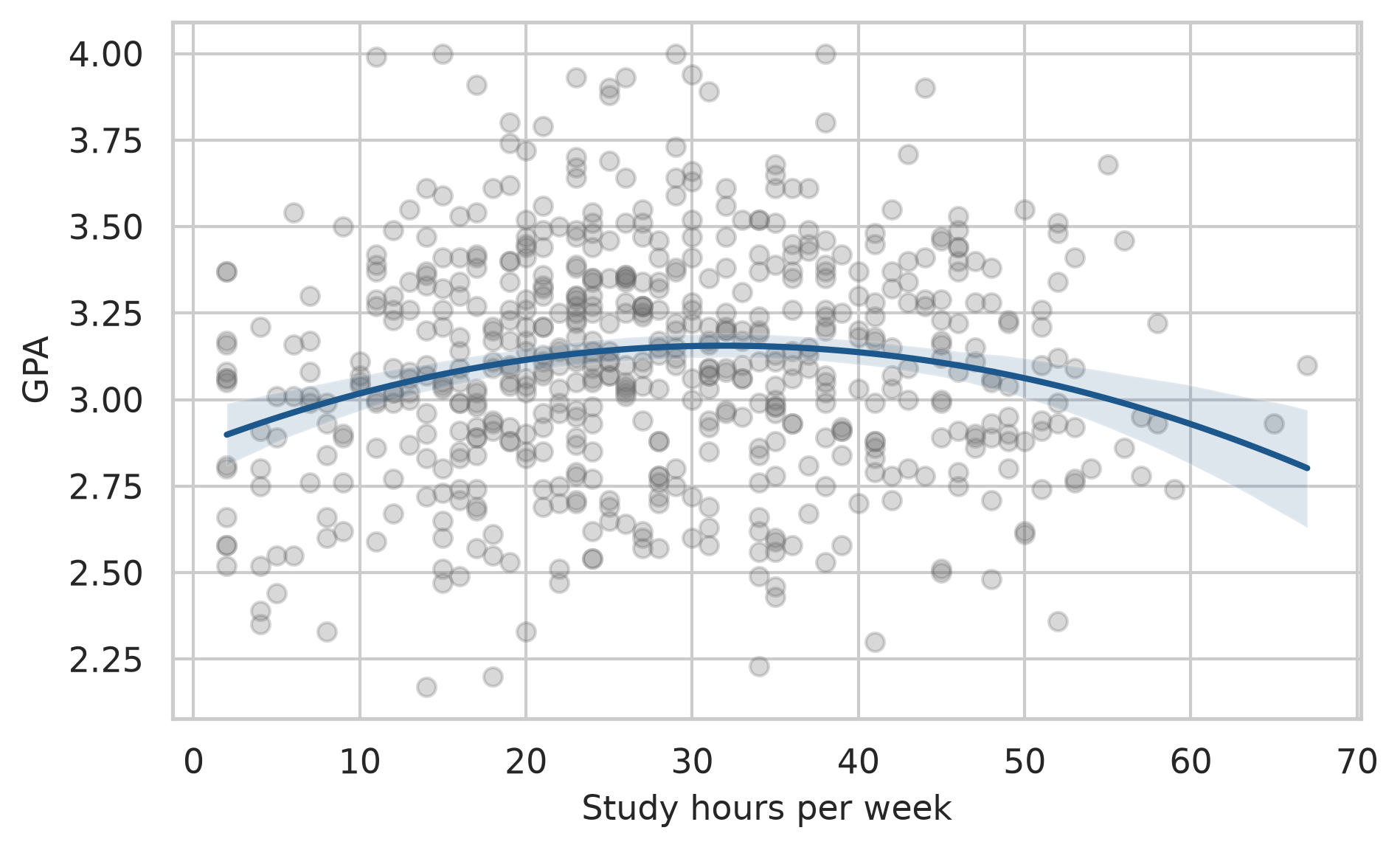
The first hours of study make a real difference; the curve then flattens, and reaches its highest point at about 32 hours a week, beyond which more study brings nothing extra. Economists call this diminishing returns, and it is worth knowing for any student tempted to study all night instead of sleeping.
The effect of supervisor support need not be the same for every student. An interaction term lets the effect of one predictor depend on another. In the formula, support_c * C(programme) gives the effect of support, the effect of programme, and how the effect of support differs between programmes. To make the coefficients easier to read, support is first centred: the average is subtracted, so that zero means “average support”:
study["support_c"] = study["support"] - study["support"].mean()
gpa_interaction = smf.ols("gpa ~ support_c * C(programme) + sleep_hours + study_hours", data=study).fit()
print(gpa_interaction.summary().tables[1])=================================================================================================
coef std err t P>|t| [0.025 0.975]
-------------------------------------------------------------------------------------------------
Intercept 2.1546 0.112 19.207 0.000 1.934 2.375
C(programme)[T.PhD] 0.0117 0.026 0.449 0.654 -0.040 0.063
support_c 0.1021 0.018 5.552 0.000 0.066 0.138
support_c:C(programme)[T.PhD] 0.1342 0.036 3.743 0.000 0.064 0.205
sleep_hours 0.1177 0.014 8.385 0.000 0.090 0.145
study_hours 0.0066 0.001 5.914 0.000 0.004 0.009
=================================================================================================For Master’s students (the reference category), each point of support goes with a GPA about 0.10 higher. The interaction coefficient says that for PhD students the effect is larger, making it about 0.24. Supervisor support matters about 2.3 times as much for PhD students, which makes sense: a PhD depends more heavily on the supervisor.
Linear regression assumes that the relationship is linear (or modelled as curved, as above), that the residuals have similar spread everywhere (homoscedasticity), and that they are roughly normal. Violations show up as patterns in a plot of the residuals against the fitted values. It helps to know what those patterns look like before judging a real model, and simulated data can show them:
np.random.seed(10)
x_sim = np.random.uniform(0, 10, 200)
sim_cases = {
"Assumptions met": 2 + 0.5 * x_sim + np.random.normal(0, 1, 200),
"Curved": 2 + 0.25 * (x_sim**2) + np.random.normal(0, 1, 200),
"Spread increases": 2 + 0.5 * x_sim + np.random.normal(0, 0.2 + 0.3 * x_sim, 200)
}
fig, axes = plt.subplots(1, 3, figsize=(8, 3), sharey=True)
for ax, (title, y_sim) in zip(axes, sim_cases.items()):
fit = sm.OLS(y_sim, sm.add_constant(x_sim)).fit()
ax.scatter(fit.fittedvalues, fit.resid, alpha=0.5, s=15, color="#1d588c")
ax.axhline(0, color="red", linestyle="--", linewidth=1)
ax.set_title(title, fontsize=10)
ax.set_xlabel("Fitted values")
axes[0].set_ylabel("Residuals")
plt.tight_layout()
plt.show()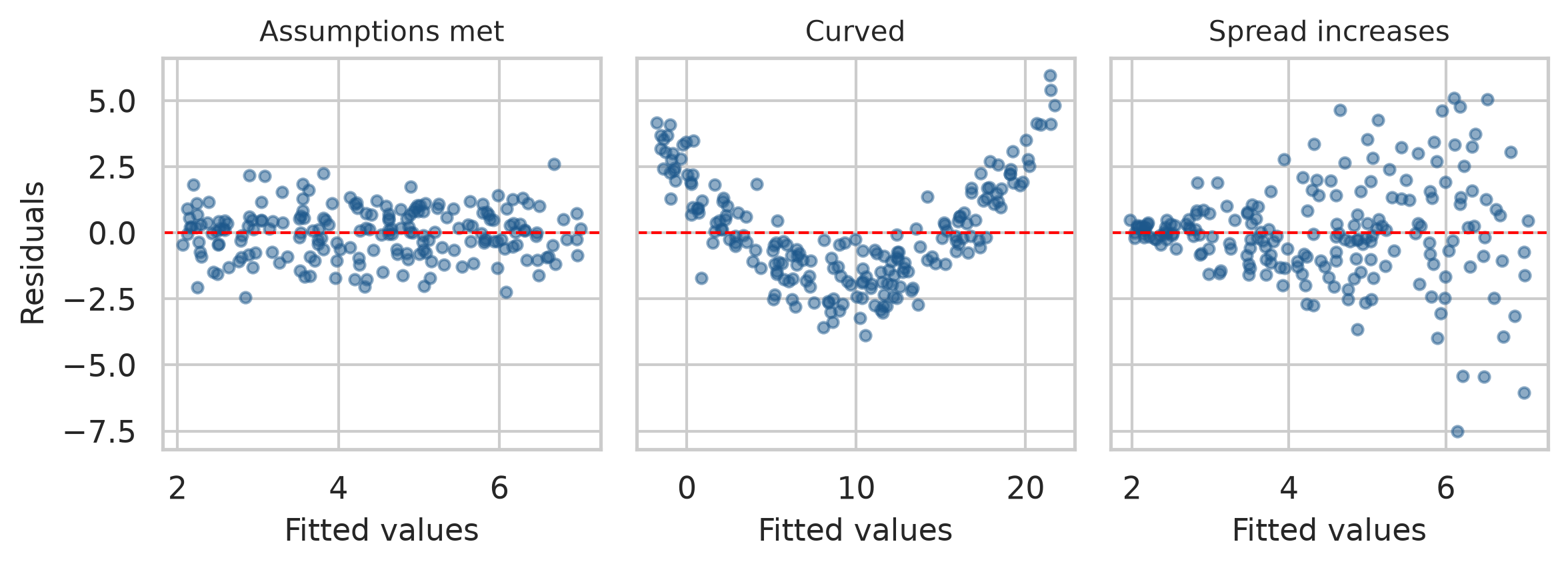
A U-shaped or curved pattern means that the model has missed a curve, and a squared term or a transformation may be needed. A funnel means that the spread is not constant, which makes standard errors, and therefore p-values and confidence intervals, unreliable. With these pictures in mind, the real model can be checked:
fig, axes = plt.subplots(1, 2, figsize=(8, 3.8))
# 1. Residuals vs Fitted
axes[0].scatter(gpa_model.fittedvalues, gpa_model.resid, alpha=0.4, s=20, color="#1d588c")
axes[0].axhline(0, color="red", linestyle="--", linewidth=1)
axes[0].set_xlabel("Fitted values")
axes[0].set_ylabel("Residuals")
axes[0].set_title("Residuals vs Fitted")
# 2. Normal Q-Q Plot
sm.qqplot(gpa_model.resid, line="s", ax=axes[1])
axes[1].set_title("Normal Q-Q")
plt.tight_layout()
plt.show()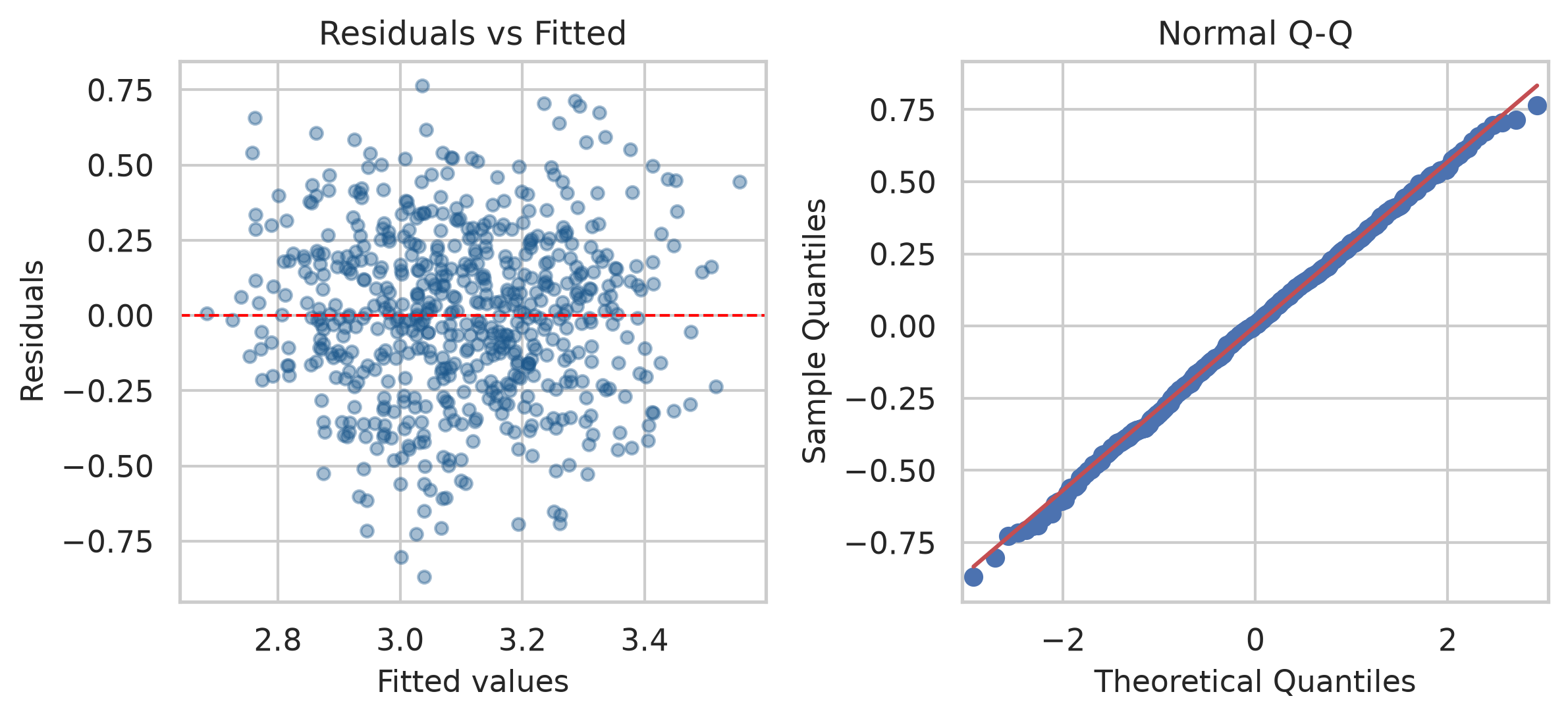
The left plot resembles the first simulated panel: a shapeless band around zero, with no curve and no funnel. In the right plot, the residuals follow the diagonal line, so they are close to normal. Both look good for the GPA model. Points far off the line in either plot would point to unusual cases worth looking at.
In Python, model summary tables and parameters provide all values needed for your thesis write-up:
# Extract key reporting metrics
r2 = gpa_model.rsquared
f_stat = gpa_model.fvalue
f_pval = gpa_model.f_pvalue
df_model = int(gpa_model.df_model)
df_resid = int(gpa_model.df_resid)
n_obs = int(gpa_model.nobs)
sleep_b = gpa_model.params["sleep_hours"]
sleep_ci = gpa_model.conf_int().loc["sleep_hours"]A multiple regression of first-semester GPA on sleep, study hours, stress, and supervisor support explained 25% of the variance in GPA, F(4, 582) = 49.14, p < .001, N = 587. Holding the other predictors constant, each additional hour of sleep was associated with a GPA 0.11 points higher (95% CI [0.08, 0.13]). The hypothesis that more sleep goes with a higher GPA (Chapter 5) was therefore supported: the null hypothesis of a zero sleep coefficient was rejected.
The third research question concerns a yes-or-no outcome: whether a student has considered dropping out. Linear regression is the wrong tool here, because it could predict probabilities below 0 or above 1, which make no sense. Logistic regression models the probability of a “yes” in a way that always stays between 0 and 1.
Logistic regression works with odds rather than probabilities. The odds of an event are the probability that it happens divided by the probability that it does not. The cross-tabulation from Chapter 7 shows how they are calculated:
jobs = pd.crosstab(students["employment"], students["considering_dropout"])
print(jobs)considering_dropout No Yes
employment
Full-time job 72 25
None 265 42
Part-time job 173 23odds_full = jobs.loc["Full-time job", "Yes"] / jobs.loc["Full-time job", "No"]
odds_none = jobs.loc["None", "Yes"] / jobs.loc["None", "No"]
odds_ratio = odds_full / odds_none
print(f"Full-time odds: {odds_full:.2f}")
print(f"No job odds: {odds_none:.2f}")
print(f"Odds ratio: {odds_ratio:.2f}")Full-time odds: 0.35
No job odds: 0.16
Odds ratio: 2.19Among students with a full-time job, 19 have considered dropping out and 57 have not, which gives odds of about 0.33. Among students without a job, the odds are 0.15. The odds ratio compares the two: students with a full-time job have about 2.2 times the odds of considering dropout. An odds ratio of 1 means no difference, above 1 means higher odds, and below 1 means lower odds.
In Python, statsmodels.formula.api.logit fits logistic regression. The outcome must be coded 0 and 1:
study["dropout"] = (study["considering_dropout"] == "Yes").astype(int)
dropout_model = smf.logit(
"dropout ~ stress + support + financial_worry + C(employment) + C(study_mode)",
data=study
).fit(disp=False)
print(dropout_model.summary()) Logit Regression Results
==============================================================================
Dep. Variable: dropout No. Observations: 562
Model: Logit Df Residuals: 555
Method: MLE Df Model: 6
Date: Sat, 24 Oct 2026 Pseudo R-squ.: 0.2553
Time: 00:43:50 Log-Likelihood: -173.92
converged: True LL-Null: -233.54
Covariance Type: nonrobust LLR p-value: 2.364e-23
==================================================================================================
coef std err z P>|z| [0.025 0.975]
--------------------------------------------------------------------------------------------------
Intercept -4.0186 1.232 -3.263 0.001 -6.433 -1.604
C(employment)[T.None] -0.5893 0.438 -1.346 0.178 -1.448 0.269
C(employment)[T.Part-time job] -0.5387 0.452 -1.191 0.234 -1.425 0.348
C(study_mode)[T.Part-time] 0.2764 0.367 0.752 0.452 -0.444 0.996
stress 1.2823 0.240 5.346 0.000 0.812 1.752
support -1.1102 0.204 -5.444 0.000 -1.510 -0.710
financial_worry 0.4537 0.122 3.731 0.000 0.215 0.692
==================================================================================================The coefficients are on the scale of log-odds, which is hard to interpret directly. Taking the exponential (np.exp) turns them into odds ratios and confidence intervals:
odds_table = pd.DataFrame({
"odds_ratio": np.exp(dropout_model.params),
"ci_lower": np.exp(dropout_model.conf_int()[0]),
"ci_upper": np.exp(dropout_model.conf_int()[1])
}).round(2)
print(odds_table) odds_ratio ci_lower ci_upper
Intercept 0.02 0.00 0.20
C(employment)[T.None] 0.55 0.24 1.31
C(employment)[T.Part-time job] 0.58 0.24 1.42
C(study_mode)[T.Part-time] 1.32 0.64 2.71
stress 3.60 2.25 5.77
support 0.33 0.22 0.49
financial_worry 1.57 1.24 2.00Holding the other predictors constant, each extra point of stress multiplies the odds of considering dropout by about 3.6 (OR = 3.60, 95% CI [2.25, 5.77]), and each extra point of financial worry by about 1.6 (OR = 1.57, 95% CI [1.24, 2.00]). Each extra point of supervisor support multiplies them by about 0.33 (95% CI [0.22, 0.49]), which cuts them by about 67%. The hypothesis stated in Chapter 5, that higher stress raises the odds of considering dropout, is strongly supported: the confidence interval for stress lies entirely above 1.
Something interesting has happened to employment. In Chapter 7, and in the unadjusted odds ratio above, students with full-time jobs had about twice the odds of considering dropping out. In this model, the confidence interval for employment includes 1 (comparing None vs Full-time, OR = 0.55, 95% CI [0.24, 1.31]; Part-time vs Full-time, OR = 0.58, 95% CI [0.24, 1.42]): once stress and financial worry are taken into account, having a job adds little on its own. The likely explanation is that a full-time job matters because of the stress and money pressure that come with it. This is the kind of insight multiple regression makes possible.
Odds ratios are hard for many readers; predicted probabilities are easier. The model can predict the probability of considering dropout for two example students who are identical except for their stress and support:
examples = pd.DataFrame({
"stress": [2.5, 4.0],
"support": [4.0, 2.0],
"financial_worry": [3.0, 3.0],
"employment": ["None", "None"],
"study_mode": ["Full-time", "Full-time"]
})
predicted_probs = dropout_model.predict(examples)
for i, prob in enumerate(predicted_probs, 1):
print(f"Student {i}: {prob * 100:.1f}% chance of considering dropout")Student 1: 1.1% chance of considering dropout
Student 2: 41.6% chance of considering dropoutA student with low stress and good support has about a 1% chance of considering dropout; a stressed student with little support, about a 42% chance. For a thesis’s recommendations, that contrast is more persuasive than any coefficient.
Whether the model can predict who will consider dropping out, and how that should be tested fairly, is a different question, about prediction rather than explanation. It is the subject of Chapters 11 and 12.
Regression output is easy to produce and easy to misread. Four misreadings are especially common.
np.exp() of its coefficients gives odds ratios; .predict(new_data) gives probabilities.ANOVA, F statistic, between-group variation, within-group variation, eta squared, post-hoc test, Tukey’s test, Levene’s test, Kruskal-Wallis test, two-way ANOVA, main effect, interaction, interaction plot, linear regression, predictor, outcome, intercept, slope, residual, least squares, R-squared, adjusted R-squared, multiple regression, reference category, confounder, quadratic term, diminishing returns, centring, diagnostic plot, logistic regression, odds, odds ratio, log-odds, predicted probability.
The playground has these and more, with hints and solutions.
study_mode to the model from Exercise 3. Name the reference category and explain what its coefficient means.burnout score alone (calculate it from the questionnaire first), report its odds ratio, and explain what it means.Many of the things researchers most want to study cannot be measured directly. Stress, burnout, satisfaction, intelligence, motivation, and quality of life are constructs (Chapter 5): ideas that exist only through their effects on what people say and do. A questionnaire approaches such a construct indirectly, through several items that are each expected to reflect it, and the researcher then has to show that the items really do measure what they are meant to. At the same time, a dataset with many variables often contains patterns that no single variable reveals, such as groups of people with a similar profile across all of them.
Multivariate methods analyse many variables at once, and this chapter introduces three of them. Principal component analysis summarises many variables with a few. Factor analysis checks whether questionnaire items measure the underlying traits they are meant to, and Cronbach’s alpha checks whether they do so consistently. Cluster analysis sorts people into groups with similar profiles. In the study, they answer two research questions: whether the 22 questionnaire items measure stress, burnout, supervisor support, and satisfaction as intended (RQ6), a question every examiner of a questionnaire study will ask, and whether there are distinct profiles of students (RQ7).
A single questionnaire item is a poor measure of a construct. The answer to “I feel unable to control important things in my studies” depends on the student’s stress, but also on how they read the question that day, on their mood, and on how they use the answer scale. Each item therefore carries two things: a signal from the construct, and noise of its own. A latent variable is the construct thought to lie behind the items: it is not observed, but it is assumed to cause part of every answer.
Averaging several items keeps the signal, which all items share, and lets the noise, which differs from item to item, partly cancel out. A simulation shows how much this helps. It creates a “true” stress level for 600 imaginary students, then six items, each equal to the true level plus its own random noise, and compares how closely one item and the average of several items follow the true level:
np.random.seed(42)
true_stress = np.random.normal(0, 1, 600)
simulated_items = np.column_stack([true_stress + np.random.normal(0, 1, 600) for _ in range(6)])
corrs = {}
for k in range(1, 7):
mean_k = simulated_items[:, :k].mean(axis=1)
r = float(np.corrcoef(mean_k, true_stress)[0, 1])
corrs[f"{k} items"] = round(r, 2)
for label, val in corrs.items():
print(f"{label}: r = {val}")1 items: r = 0.68
2 items: r = 0.8
3 items: r = 0.85
4 items: r = 0.88
5 items: r = 0.9
6 items: r = 0.92In this simulation, one item correlates only about 0.72 with the true stress level, while the average of six items correlates about 0.93. This is why questionnaires use several items for each construct, and why the items are combined into a scale score (Chapter 3).
The approach rests on an assumption that must be checked: that the items of a scale really reflect one common construct, and not several. If some stress items actually measured tiredness, averaging them would mix two things. Chapter 5 called this construct validity. The methods in this chapter provide evidence for it: factor analysis shows whether the items group as intended, and Cronbach’s alpha shows whether the items of each group agree with each other, which Chapter 5 called internal consistency.
The 22 questionnaire items are in questionnaire:
items = questionnaire.drop(columns=["student_id"])
print(f"Number of questionnaire items: {items.shape[1]}")Number of questionnaire items: 22With 22 items, there are 231 correlations between pairs of items, far too many to read one by one. A picture helps. In Python, we can sort the correlation matrix using hierarchical clustering so that items that correlate strongly sit together:
corr = items.corr()
# Sort items using hierarchical clustering order
dists = squareform(1 - corr.to_numpy())
order = leaves_list(linkage(dists, method="average"))
sorted_corr = corr.iloc[order, order]
fig, ax = plt.subplots(figsize=(7, 6.5))
sns.heatmap(
sorted_corr,
cmap="vlag",
vmin=-1,
vmax=1,
center=0,
square=True,
cbar_kws={"shrink": 0.75, "label": "Correlation (r)"},
ax=ax
)
plt.xticks(rotation=90, fontsize=8)
plt.yticks(rotation=0, fontsize=8)
plt.tight_layout()
plt.show()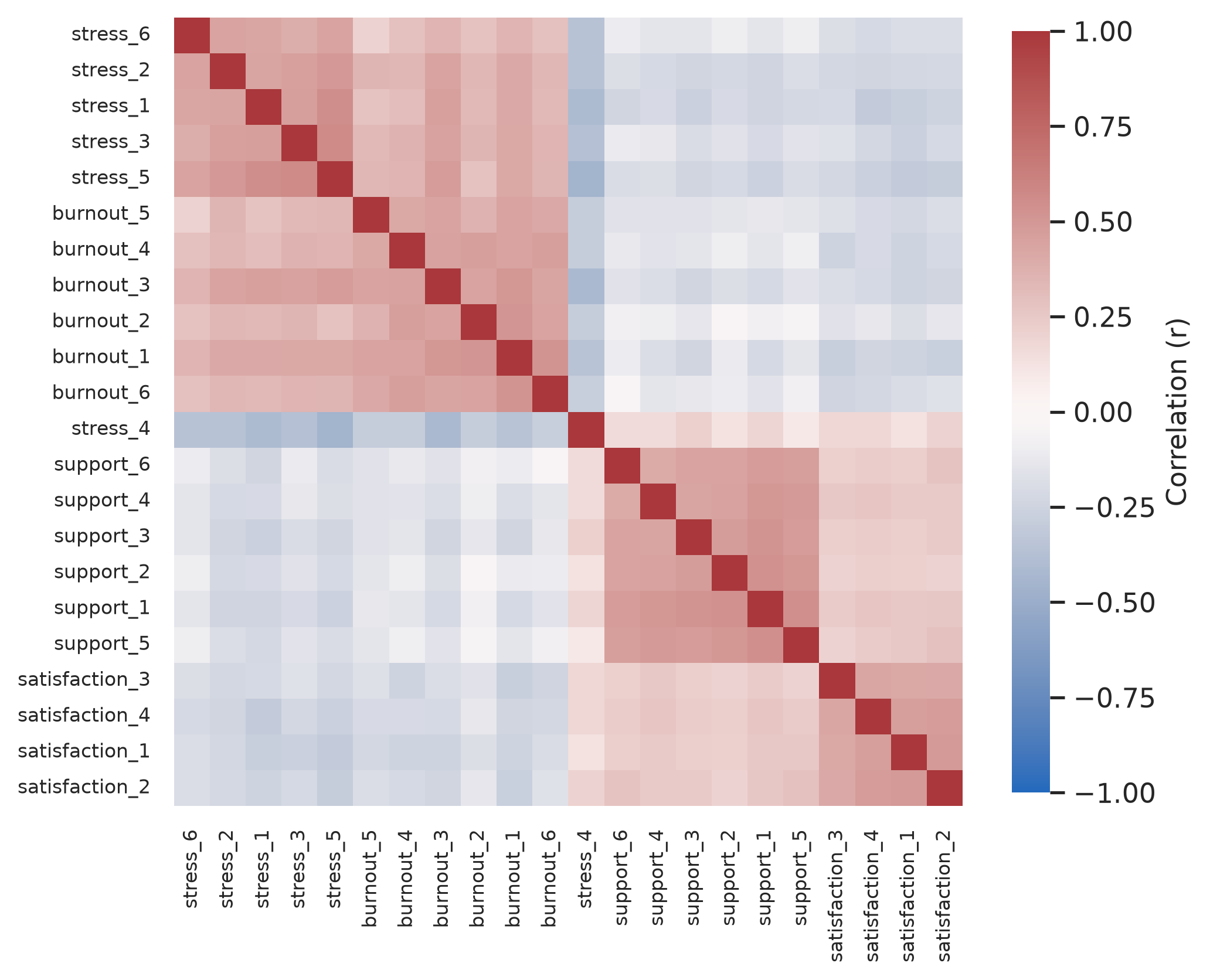
Blocks of related items stand out along the diagonal, one for each scale, just as the idea of latent variables predicts: items that share a construct correlate with each other. Blue squares show positive correlations and red negative. The stress and burnout blocks also correlate with each other, and one item, stress_4, is red against the other stress items, because it is worded the other way round. The methods in this chapter turn this picture into numbers.
Principal component analysis (PCA) replaces many correlated variables with a few new ones, called principal components, that together keep most of the information. The first component is the combination of the variables that captures as much of their variation as possible. The second captures as much as possible of what is left, and so on.
Two items that correlate strongly, such as “I feel emotionally drained by my studies” and “I feel exhausted when I think about my thesis”, illustrate the idea. Most students who score high on one score high on the other, so one combined score, their average for example, keeps most of what the two items tell. PCA does this for all the variables at once, and finds the best combinations automatically.
In Python, scikit-learn provides PCA, and StandardScaler standardises every variable to unit variance first, which is standard practice in survey analysis. Like classic PCA algorithms, standard PCA needs complete data, so .dropna() keeps students who answered every item:
items_complete = items.dropna()
print(f"Complete cases: {len(items_complete)} out of {len(items)}")
scaler = StandardScaler()
items_scaled = scaler.fit_transform(items_complete)
pca = PCA()
pca.fit(items_scaled)
# Variance explained by each component
exp_var = pca.explained_variance_ratio_
cum_var = np.cumsum(exp_var)
eigenvalues = pca.explained_variance_
pca_summary = pd.DataFrame({
"Component": [f"PC{i+1}" for i in range(len(exp_var))],
"Eigenvalue": eigenvalues.round(3),
"Proportion": exp_var.round(3),
"Cumulative": cum_var.round(3),
})
pca_summary.head(6)Complete cases: 396 out of 600| Component | Eigenvalue | Proportion | Cumulative | |
|---|---|---|---|---|
| 0 | PC1 | 6.672 | 0.302 | 0.302 |
| 1 | PC2 | 2.876 | 0.130 | 0.433 |
| 2 | PC3 | 1.567 | 0.071 | 0.504 |
| 3 | PC4 | 1.234 | 0.056 | 0.560 |
| 4 | PC5 | 0.809 | 0.037 | 0.597 |
| 5 | PC6 | 0.727 | 0.033 | 0.630 |
Only 396 of the 600 students answered all 22 items: a small share of missing answers per item adds up to many incomplete students. Factor analysis, below, can use the incomplete students too.
The table shows how much of the total variation each component captures. The first component alone captures 30%, and the first four together capture 56%.
No single rule decides how many components to keep, so researchers use several. The Kaiser rule keeps components whose eigenvalue, the amount of variation they capture, is greater than 1, that is, more than one original variable’s worth; here, 4 components pass. The scree plot shows the eigenvalues in order, and the researcher looks for the “elbow” where the line flattens out. Parallel analysis compares the eigenvalues with those from random data of the same size, and keeps the components that beat random data; it is the most reliable of the three.
We can draw the scree plot directly with Matplotlib and Seaborn:
fig, ax = plt.subplots(figsize=(6.5, 3.8))
components_10 = range(1, 11)
ax.bar(components_10, exp_var[:10] * 100, color=navy, alpha=0.85, label="% of Variance")
ax.plot(components_10, exp_var[:10] * 100, color=copper, marker="o", linewidth=2.2, label="Trend line")
for i, pct in enumerate(exp_var[:10] * 100, 1):
ax.text(i, pct + 0.6, f"{pct:.1f}%", ha="center", fontsize=8)
ax.set_xlabel("Principal Component")
ax.set_ylabel("Variance Explained (%)")
ax.set_xticks(components_10)
ax.set_xticklabels([f"PC{i}" for i in components_10])
ax.set_ylim(0, max(exp_var[:10] * 100) + 4)
plt.tight_layout()
plt.show()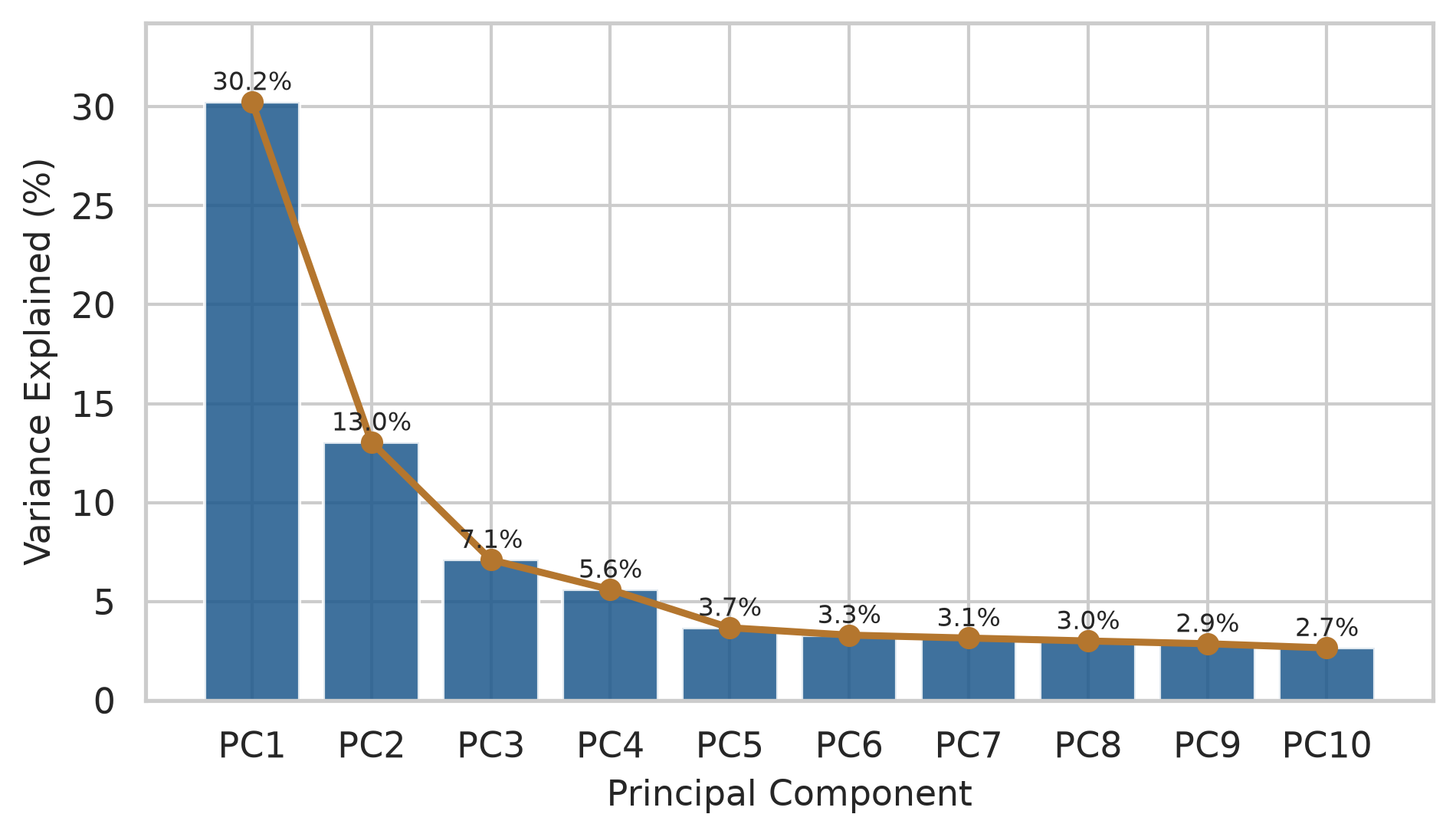
The line drops steeply for four components and flattens after that. Parallel analysis can be run by simulating random Gaussian datasets of the same dimensions:
def parallel_analysis(data, n_iter=100, seed=42):
np.random.seed(seed)
n, p = data.shape
rand_eigs = np.zeros((n_iter, p))
for i in range(n_iter):
synth = np.random.normal(0, 1, size=(n, p))
pca_rand = PCA().fit(StandardScaler().fit_transform(synth))
rand_eigs[i] = pca_rand.explained_variance_
return rand_eigs.mean(axis=0)
rand_eigs = parallel_analysis(items_scaled)
n_factors = int(np.sum(eigenvalues > rand_eigs))
print(f"Parallel analysis suggests {n_factors} components.")Parallel analysis suggests 3 components.All three methods point to four dimensions, matching the four scales the questionnaire was designed to measure.
PCA and factor analysis are often confused, and many theses use one when they mean the other. The difference lies in what they assume. PCA simply summarises the variables: the components are combinations of the items, with no claim about why the items are related, and it is used to reduce many variables to a few, for example before a further analysis. Factor analysis assumes the model of the first section: that each item is caused by one or more latent variables, called factors, plus error of its own. A student answers the stress items the way they do because they are stressed. Factor analysis is therefore the method for checking whether a questionnaire measures the constructs it is meant to, and that is the study’s question.
Exploratory factor analysis (EFA) estimates how strongly each item is related to each factor. These relationships are called loadings. Loadings run roughly from −1 to 1: close to 0 means that the item is unrelated to the factor, and a value above about 0.4 in size is usually considered a clear relationship.
In Python, statsmodels.multivariate.factor.Factor provides factor analysis with multiple estimation techniques and rotations. Promax or oblimin rotation allows the factors to correlate with each other, which is realistic, since stress and burnout surely go together:
# Fit exploratory factor analysis with 4 factors
fa = Factor(items_complete, n_factor=4, method="pa").fit()
fa.rotate("promax")
loadings = pd.DataFrame(
fa.loadings,
index=items_complete.columns,
columns=["Factor 1", "Factor 2", "Factor 3", "Factor 4"]
)
# Display loadings for the first 10 items
loadings.head(10).round(2)| Factor 1 | Factor 2 | Factor 3 | Factor 4 | |
|---|---|---|---|---|
| stress_1 | -0.65 | 0.19 | -0.12 | -0.23 |
| stress_2 | -0.51 | 0.20 | -0.09 | -0.33 |
| stress_3 | -0.55 | 0.09 | -0.07 | -0.33 |
| stress_4 | 0.52 | -0.11 | 0.08 | 0.27 |
| stress_5 | -0.69 | 0.13 | -0.17 | -0.26 |
| stress_6 | -0.51 | 0.08 | -0.12 | -0.21 |
| burnout_1 | -0.31 | 0.11 | -0.14 | -0.66 |
| burnout_2 | -0.21 | 0.00 | -0.02 | -0.64 |
| burnout_3 | -0.46 | 0.14 | -0.06 | -0.56 |
| burnout_4 | -0.17 | 0.07 | -0.15 | -0.63 |
The table shows four clear factors. Each collects the items of one scale: the support items on one, the stress items on another, the burnout items on a third, and the satisfaction items on the fourth. The reversed item, stress_4 (“I feel confident handling problems in my studies”), loads with the opposite sign (+0.52 against −0.51 to −0.69 for the other stress items), which is exactly right for a reversed item: agreeing with it means less stress, and it is why the item must be reversed before the stress score is calculated (Chapter 3). One item, burnout_3 (“Deadlines make me feel overwhelmed”), loads substantially on both burnout (−0.56) and stress (−0.46). Reading the item, that makes sense: feeling overwhelmed by deadlines is both. Such a cross-loading item is worth discussing in a thesis, and sometimes worth rewording or removing in future studies.
Factor analysis shows that the items of each scale belong together. Reliability asks a related question: whether the items of a scale give consistent results (Chapter 5). The most common measure of this internal consistency is Cronbach’s alpha, which ranges from 0 to 1:
\[ \alpha = \frac{k}{k - 1} \left(1 - \frac{\sum s_i^2}{s_{\text{total}}^2}\right) \]
It rises when the items correlate strongly with each other, and also when there are more items, for the reason shown by the simulation at the start of the chapter. As a rough guide, 0.7 or above is acceptable and 0.8 or above good for research use:
def cronbach_alpha(df: pd.DataFrame) -> float:
"""Calculate Cronbach's alpha for internal consistency."""
df_clean = df.dropna()
k = df_clean.shape[1]
item_variances = df_clean.var(ddof=1).sum()
total_variance = df_clean.sum(axis=1).var(ddof=1)
return float((k / (k - 1)) * (1 - (item_variances / total_variance)))
q = questionnaire.copy()
q["stress_4"] = 6 - q["stress_4"] # reverse item 4
alphas = {
"Stress": cronbach_alpha(q.filter(like="stress_")),
"Burnout": cronbach_alpha(q.filter(like="burnout_")),
"Support": cronbach_alpha(q.filter(like="support_")),
"Satisfaction": cronbach_alpha(q.filter(like="satisfaction_")),
}
for scale_name, alpha_val in alphas.items():
print(f"{scale_name:12s}: alpha = {alpha_val:.2f}")Stress : alpha = 0.83
Burnout : alpha = 0.83
Support : alpha = 0.85
Satisfaction: alpha = 0.76All four scales are reliable, with alphas between 0.76 and 0.85.
A high alpha shows consistency, not validity. A scale can be highly reliable and still measure the wrong thing, as the target picture in Chapter 5 showed; the factor structure and the relationships with other constructs are the evidence for validity.
A typical report: “An exploratory factor analysis (principal axis factoring, promax rotation) supported four factors, matching parallel analysis and scree plot criteria. All items loaded predominantly on their intended factor (loadings > 0.40), with one item (burnout_3) cross-loading on both burnout and stress. Internal consistency was acceptable to good across all scales (Cronbach’s \(\alpha = 0.76\) to \(0.85\)).”
Factor analysis groups variables. Cluster analysis groups people: it looks for groups of students whose profiles are similar to each other and different from other groups. It is a descriptive method. It does not test a hypothesis, and the groups it finds are summaries of the data, useful for describing and thinking about students, not discoveries of natural kinds of student. The study’s question about student profiles (RQ7) is accordingly exploratory (Chapter 5).
Each student is described by their average sleep, study hours, caffeine, and exercise across the semesters, and their stress, support, and satisfaction scores:
scores = pd.DataFrame({
"student_id": q["student_id"],
"stress": q.filter(like="stress_").mean(axis=1),
"support": q.filter(like="support_").mean(axis=1),
"satisfaction": q.filter(like="satisfaction_").mean(axis=1),
})
profiles = (
semesters.groupby("student_id")[["sleep_hours", "study_hours", "caffeine_mg", "exercise_days"]]
.mean()
.reset_index()
.merge(scores, on="student_id")
.dropna()
)
scaler = StandardScaler()
profile_features = profiles.drop(columns=["student_id"])
profile_scaled = scaler.fit_transform(profile_features)Clustering works with distances between students: how different two students’ profiles are. Caffeine is measured in hundreds of milligrams and sleep in single hours, so without adjustment caffeine would dominate every distance. StandardScaler turns every variable into z-scores (Chapter 6), so each counts equally.
k-means is the most widely used clustering method. The researcher chooses the number of clusters, \(k\), and the algorithm places \(k\) starting points at random, assigns each student to the nearest point, moves each point to the centre (the mean) of its students, and repeats the last two steps until nothing changes. In scikit-learn, n_init=25 runs the algorithm from 25 different starting seeds and keeps the best partition.
As with components, no single rule decides the number of clusters, and two guides are common. The elbow method uses the fact that the total distance of students from their cluster centres (inertia) falls as \(k\) grows, and looks for the point where adding clusters stops helping much. The silhouette measures, for each student, how much closer they are to their own cluster than to the next nearest one, from −1 to 1; a higher average silhouette means clearer clusters.
inertias = []
silhouettes = []
k_range = range(2, 9)
for k in k_range:
km = KMeans(n_clusters=k, n_init=25, random_state=123).fit(profile_scaled)
inertias.append(km.inertia_)
silhouettes.append(silhouette_score(profile_scaled, km.labels_))
fig, axes = plt.subplots(1, 2, figsize=(8, 3.4))
# Elbow plot
axes[0].plot(k_range, inertias, marker="o", color=navy, linewidth=2)
axes[0].set_xlabel("Number of clusters (k)")
axes[0].set_ylabel("Inertia (Total within-cluster sum of squares)")
axes[0].set_title("Elbow Method")
# Silhouette plot
axes[1].plot(k_range, silhouettes, marker="s", color=copper, linewidth=2)
axes[1].set_xlabel("Number of clusters (k)")
axes[1].set_ylabel("Average Silhouette Score")
axes[1].set_title("Silhouette Method")
plt.tight_layout()
plt.show()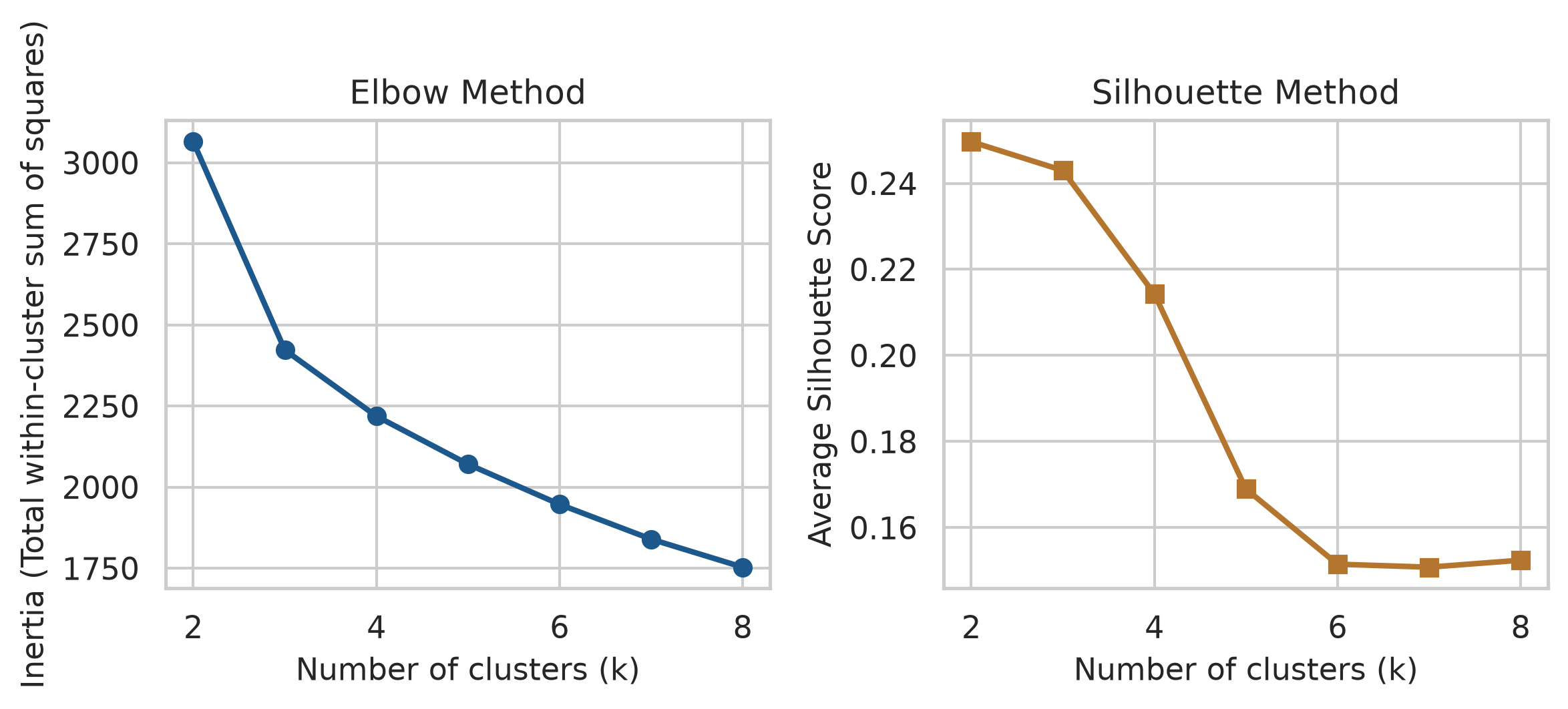
The honest conclusion is that the data does not point clearly to one number. The elbow is gentle, and the silhouette is highest for 2 clusters but only a little lower for 3 or 4. This is common with real data: groups of people overlap, and there are no sharp boundaries. The choice then rests on what is useful and interpretable, and on prior theory. The thesis, based on earlier research, expects around four student profiles, so \(k = 4\) is tried:
km4 = KMeans(n_clusters=4, n_init=25, random_state=123)
profiles["cluster"] = km4.fit_predict(profile_scaled) + 1
profiles["cluster"].value_counts().sort_index()cluster
1 90
2 201
3 113
4 195
Name: count, dtype: int64A cluster is only useful if its meaning can be stated. Adding the cluster to the original, unscaled data and averaging each variable by cluster shows each group’s profile:
cluster_summary = (
profiles.groupby("cluster")
.agg(
students=("student_id", "count"),
sleep_hours=("sleep_hours", "mean"),
study_hours=("study_hours", "mean"),
caffeine_mg=("caffeine_mg", "mean"),
exercise_days=("exercise_days", "mean"),
stress=("stress", "mean"),
support=("support", "mean"),
satisfaction=("satisfaction", "mean")
)
.round(1)
.reset_index()
)
cluster_summary| cluster | students | sleep_hours | study_hours | caffeine_mg | exercise_days | stress | support | satisfaction | |
|---|---|---|---|---|---|---|---|---|---|
| 0 | 1 | 90 | 5.2 | 40.9 | 414.0 | 1.3 | 3.7 | 2.9 | 2.9 |
| 1 | 2 | 201 | 7.2 | 23.7 | 123.2 | 3.5 | 2.6 | 3.6 | 3.8 |
| 2 | 3 | 113 | 5.8 | 41.2 | 187.9 | 1.5 | 3.6 | 3.5 | 3.3 |
| 3 | 4 | 195 | 6.7 | 17.9 | 148.0 | 2.2 | 3.4 | 2.7 | 2.5 |
The averages describe the groups. One is clearly balanced: the most sleep, moderate study, the most exercise, low stress, and good support. Two are overloaded: long study weeks, little sleep and exercise, high stress, and one of them with very high caffeine intake. The fourth combines low study hours with low support and low satisfaction: students who seem disengaged or isolated. Cluster numbers are arbitrary labels, and can change if the code is run with a different seed.
Figure 9.4 shows the clusters on the first two principal components of the profile data, a common way to see many variables in two dimensions:
pca_2d = PCA(n_components=2).fit_transform(profile_scaled)
profiles["PC1"] = pca_2d[:, 0]
profiles["PC2"] = pca_2d[:, 1]
fig, ax = plt.subplots(figsize=(7, 4.5))
sns.scatterplot(
data=profiles,
x="PC1",
y="PC2",
hue="cluster",
palette="Set2",
alpha=0.75,
s=45,
ax=ax
)
ax.set_xlabel("First Principal Component (PC1)")
ax.set_ylabel("Second Principal Component (PC2)")
ax.legend(title="Cluster", bbox_to_anchor=(1.02, 1), loc="upper left")
plt.tight_layout()
plt.show()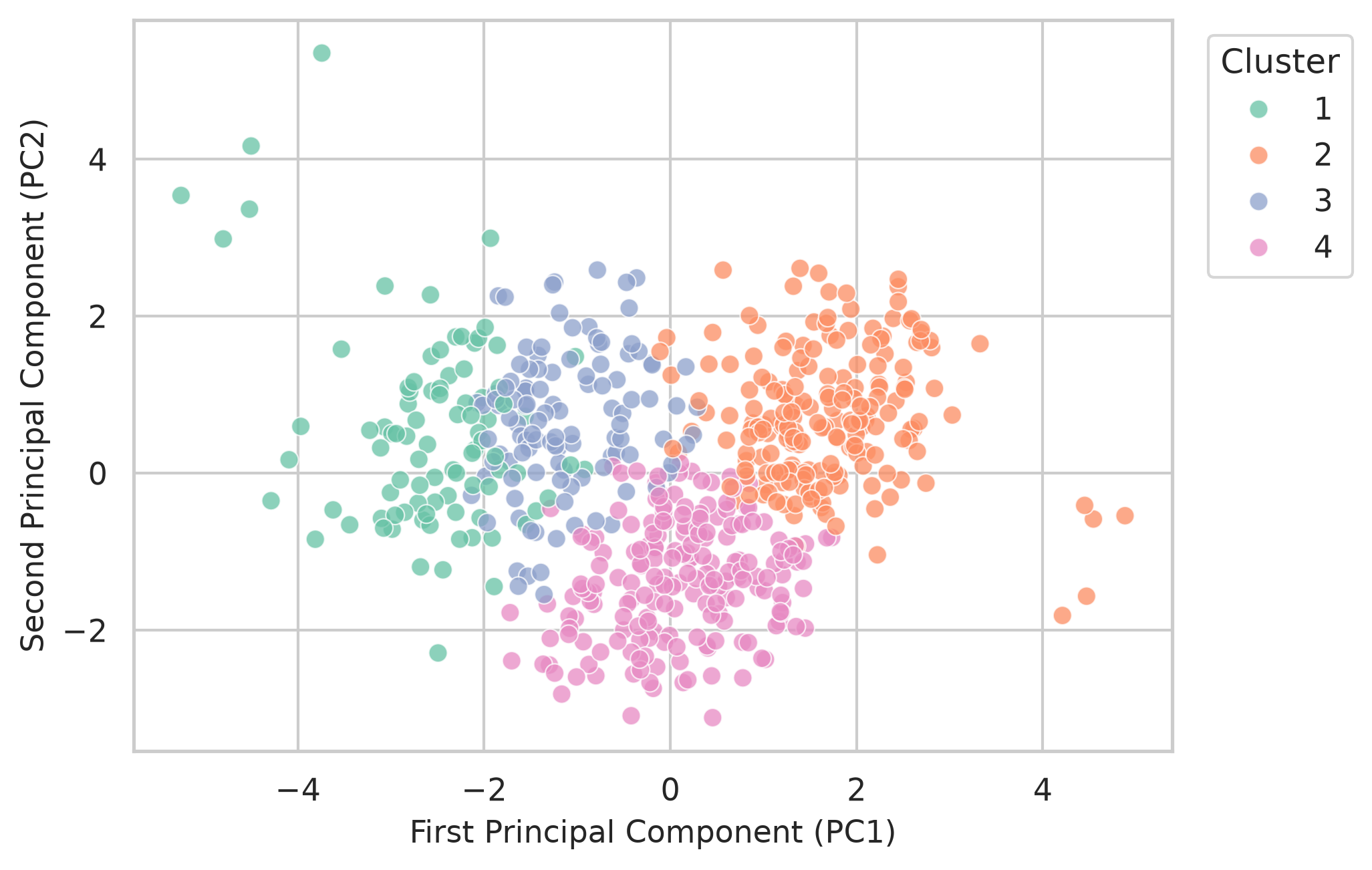
The clusters overlap. That is not a failure: real students do not fall into neat boxes. The profiles are useful summaries, not natural categories.
Hierarchical clustering takes a different approach. It starts with every student as their own cluster and repeatedly merges the two most similar clusters, until everyone is in one. The result is a tree, called a dendrogram, which can be cut at any height to give any number of clusters, without choosing \(k\) in advance. Ward’s method merges clusters so that they stay as compact as possible:
Z = linkage(profile_scaled, method="ward")
fig, ax = plt.subplots(figsize=(7.5, 4))
dendrogram(
Z,
truncate_mode="lastp",
p=25,
show_leaf_counts=True,
color_threshold=Z[-3, 2],
ax=ax
)
ax.set_xlabel("Cluster branches (truncated)")
ax.set_ylabel("Ward Distance")
plt.tight_layout()
plt.show()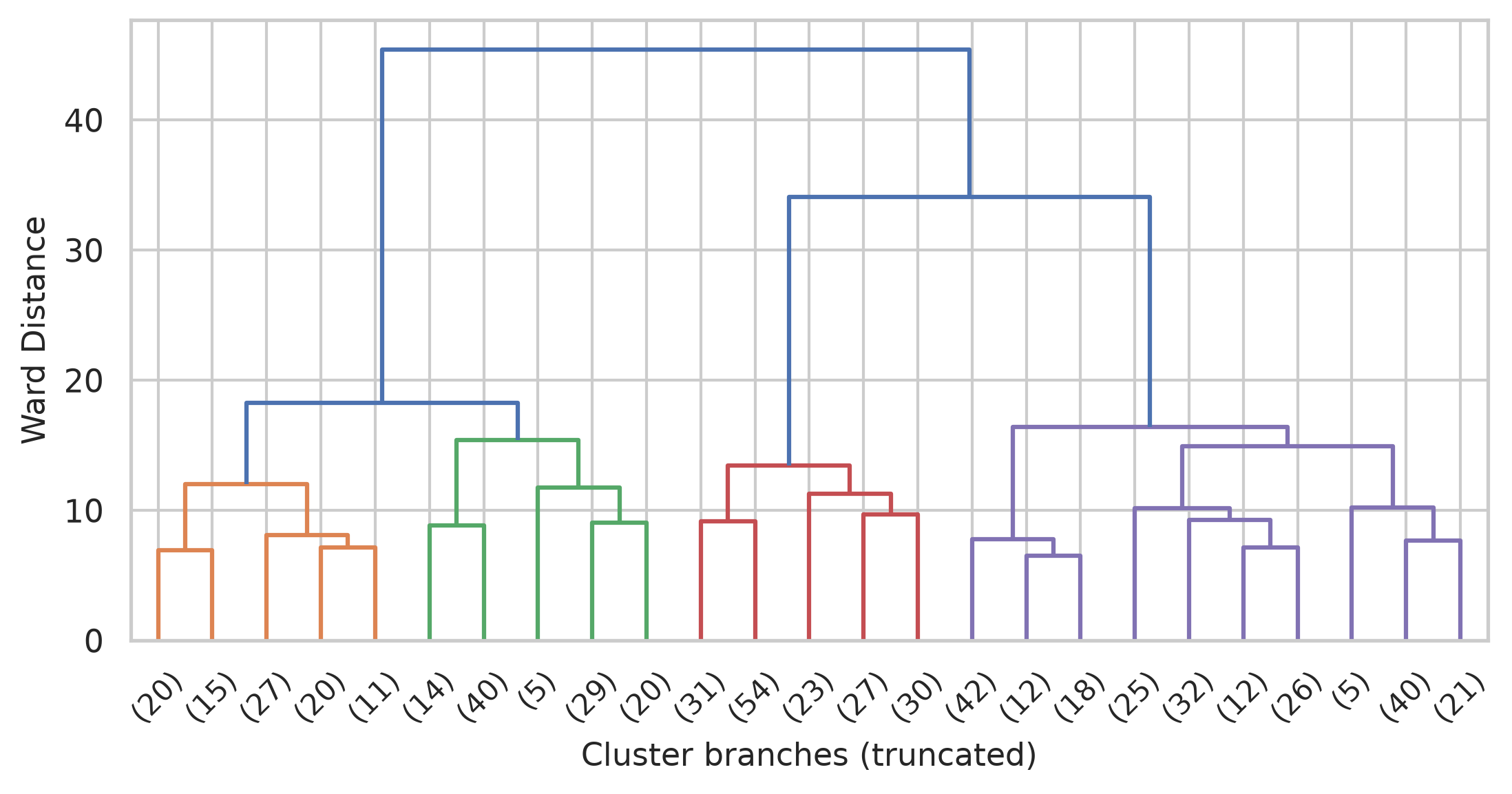
We can cut the hierarchical tree into four clusters with fcluster and compare it with k-means:
hier_clusters = fcluster(Z, t=4, criterion="maxclust")
table_agreement = pd.crosstab(hier_clusters, profiles["cluster"], rownames=["Hierarchical"], colnames=["k-means"])
table_agreement| k-means | 1 | 2 | 3 | 4 |
|---|---|---|---|---|
| Hierarchical | ||||
| 1 | 8 | 10 | 74 | 1 |
| 2 | 74 | 0 | 33 | 1 |
| 3 | 8 | 4 | 3 | 150 |
| 4 | 0 | 187 | 3 | 43 |
They agree on the broad picture, most clearly on the balanced students, but many students switch groups between the two methods. When two reasonable methods disagree about a student, that student is near a boundary. The clearer groups, found by both methods, are the ones to trust most.
A clustering method will split any data into groups, even data that contains no groups at all. The final code makes the point with 300 points drawn entirely at random, with no structure of any kind, and asks k-means for four clusters:
np.random.seed(7)
random_points = pd.DataFrame(np.random.normal(0, 1, (300, 2)), columns=["x", "y"])
km_rand = KMeans(n_clusters=4, n_init=25, random_state=7).fit(random_points)
random_points["cluster"] = km_rand.labels_ + 1
fig, ax = plt.subplots(figsize=(5, 4))
sns.scatterplot(
data=random_points,
x="x",
y="y",
hue="cluster",
palette="viridis",
s=40,
legend=False,
ax=ax
)
ax.set_aspect("equal")
ax.set_title("Clusters Found in Pure Noise")
plt.tight_layout()
plt.show()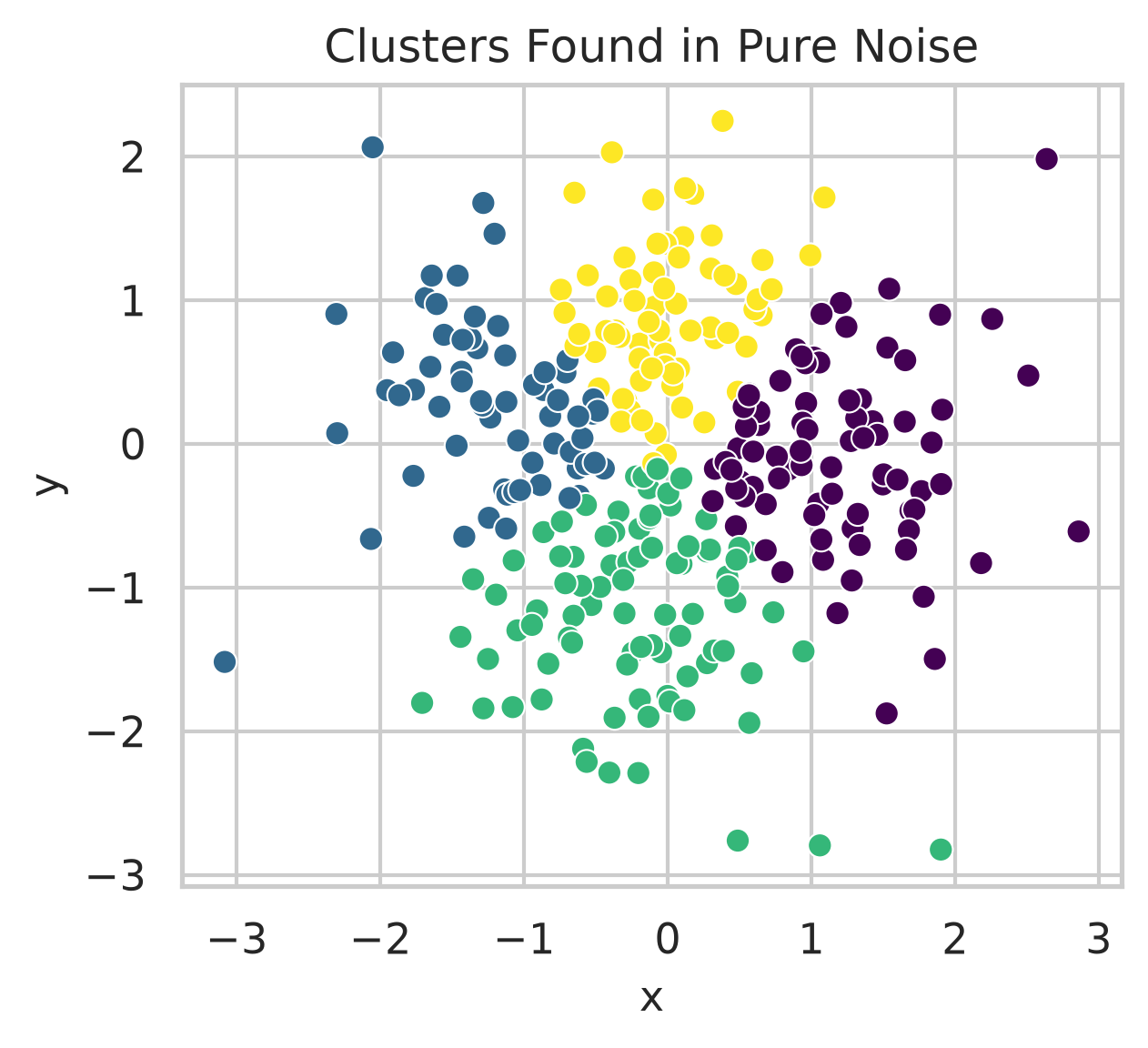
The method obliges, and divides one round cloud into four neat regions. Nothing in its output says that the groups are artificial. The existence of clusters therefore proves nothing on its own. Before clusters are reported as meaningful, it should be checked that they make sense, that different methods broadly agree, and that the groups differ in ways that matter for the research. Chapter 14 introduces methods that allow for overlapping groups and for students who fit no group at all.
Multivariate methods produce impressive output, which makes their limits easy to forget.
Multivariate analysis, construct, latent variable, correlation matrix, principal component analysis, principal component, eigenvalue, Kaiser rule, scree plot, parallel analysis, factor analysis, factor, loading, rotation, oblique rotation, cross-loading, reversed item, reliability, internal consistency, Cronbach’s alpha, confirmatory factor analysis, cluster analysis, distance, scaling, k-means, elbow method, silhouette, hierarchical clustering, dendrogram, Ward’s method.
The playground has these and more, with hints and solutions.
stress_4 first, and explain what happens.sd = 2). Find how many items are now needed for the average to correlate at least 0.8 with the true stress level.Every test in the previous chapters assumed that the observations were independent: that knowing one observation tells nothing about another. Much research data breaks this rule by design. When the same people are measured several times, a person who scores high on one occasion is likely to score high on the next. When people belong to groups, such as students with the same supervisor, pupils in the same class, or patients in the same hospital, members of a group tend to resemble each other. Such data contains less independent information than its number of rows suggests, and methods that ignore this get the uncertainty wrong, sometimes badly.
Mixed-effects models, also called multilevel models, are designed for exactly this kind of data. They separate what is common to a group from what varies within it, and so can study change within people and differences between groups at the same time. The wellbeing study was built this way: its students were followed for two years, and they share supervisors. The chapter answers the question of how wellbeing and GPA change over the two years and how much supervisors matter (RQ8), and returns to the workshop to ask whether its effect faded.
statsmodels.Two kinds of structure are common in research. In repeated measures data, the same people are measured several times, as the students in the wellbeing study are over four semesters, so measurements are grouped within people. In nested data, people belong to groups, such as students within supervisors, pupils within classes within schools, or patients within hospitals. In both cases, observations within a group are more alike than observations from different groups.
The consequence of ignoring such structure is easiest to see in a simulation. Imagine a study in which 20 supervisors each have 10 students, and half of the supervisors, chosen at random, attend a training course. Suppose the course has no effect at all. Students of the same supervisor are somewhat alike, because each supervisor has a style of their own. The code below creates such a study, analyses it in two ways, and repeats the whole study 200 times. The first analysis is an ordinary regression that treats the 200 students as independent; the second is a mixed-effects model that knows which students share a supervisor:
def simulate_clustered(seed=12, n_sim=200):
np.random.seed(seed)
ordinary_sig = 0
mixed_sig = 0
for _ in range(n_sim):
supervisor = np.repeat(np.arange(20), 10)
trained = np.repeat(np.tile([0, 1], 10), 10) # half the supervisors, no real effect
style = np.random.normal(scale=5, size=20)[supervisor] # shared supervisor style
wellbeing = 60 + style + np.random.normal(scale=10, size=200)
df = pd.DataFrame({"supervisor": supervisor, "trained": trained, "wellbeing": wellbeing})
# Ordinary OLS regression
p_ordinary = smf.ols("wellbeing ~ trained", df).fit().pvalues["trained"]
# Mixed-effects model with random intercept for supervisor
m_mixed = smf.mixedlm("wellbeing ~ trained", df, groups=df["supervisor"]).fit(disp=False)
p_mixed = m_mixed.pvalues["trained"]
if p_ordinary < 0.05:
ordinary_sig += 1
if p_mixed < 0.05:
mixed_sig += 1
return {"ordinary": ordinary_sig / n_sim, "mixed": mixed_sig / n_sim}
false_alarms = simulate_clustered()
print(f"Ordinary regression false alarm rate: {false_alarms['ordinary']:.1%}")
print(f"Mixed-effects model false alarm rate: {false_alarms['mixed']:.1%}")Ordinary regression false alarm rate: 26.5%
Mixed-effects model false alarm rate: 6.0%The course has no effect, so a correct analysis should declare it significant in about 5% of the simulated studies. The ordinary regression does so in 26% of them. The mixed model, which allows for the supervisors, comes close to the intended rate, at 6%.
The reason is that the 200 students are not 200 independent pieces of evidence about the course. The course was given to supervisors, and there are only 20 of them; students of the same supervisor largely repeat each other’s information. The ordinary regression counts every student as new evidence, underestimates the standard error, and finds “effects” that are really differences between a few supervisors. The mixed model builds the grouping into the model and gets the uncertainty right. In other situations, as later sections show, ignoring the structure can also hide a real effect. Either way, ordinary regression gets the uncertainty wrong for grouped data.
A small real study shows how mixed models work. The sleepstudy data records the reaction times of 18 people over 10 days of sleep restriction, one measurement per person per day (Belenky et al. 2003):
sleepstudy.head()| Reaction | Days | Subject | |
|---|---|---|---|
| 0 | 249.5600 | 0 | 308 |
| 1 | 258.7047 | 1 | 308 |
| 2 | 250.8006 | 2 | 308 |
| 3 | 321.4398 | 3 | 308 |
| 4 | 356.8519 | 4 | 308 |
Figure 10.1 shows each person’s reaction times, with their own trend line.
g = sns.lmplot(
data=sleepstudy,
x="Days",
y="Reaction",
col="Subject",
col_wrap=6,
height=1.7,
aspect=1.1,
scatter_kws={"s": 15, "alpha": 0.7, "color": navy},
line_kws={"color": copper, "linewidth": 1.2},
ci=None
)
g.set_axis_labels("Days", "Reaction (ms)")
g.set_titles(col_template="Subject {col_name}")
plt.tight_layout()
plt.show()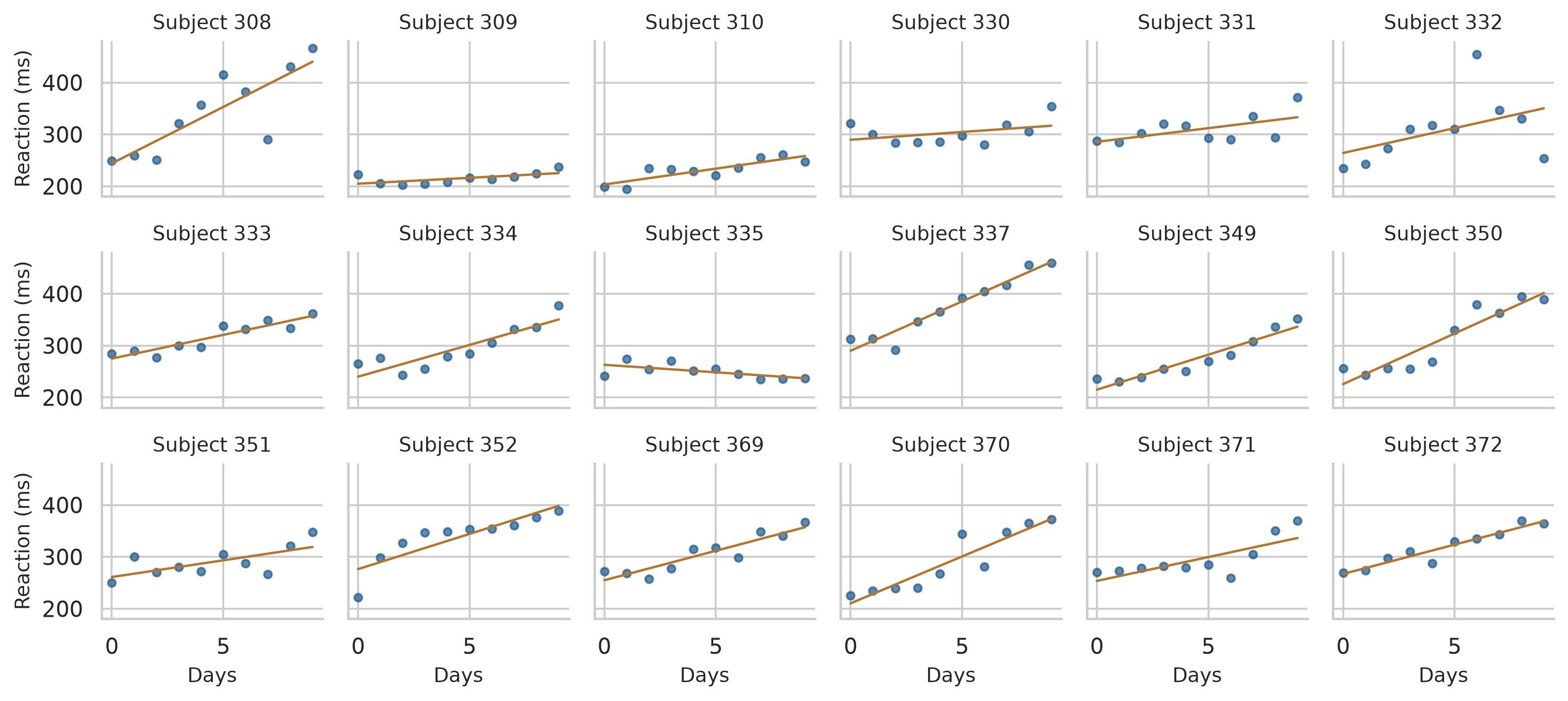
Two things are clear. Almost everyone gets slower as the days go by. And people differ: some start faster than others (different intercepts), and some slow down more than others (different slopes).
An ordinary regression would fit one line through all 180 points, as if they came from 180 different people. A random intercept model fits one average line, but lets each person have their own starting level. In Python, smf.mixedlm() from statsmodels.formula.api fits linear mixed models. The argument groups=sleepstudy["Subject"] assigns each person their own random intercept:
sleep_ri = smf.mixedlm("Reaction ~ Days", sleepstudy, groups=sleepstudy["Subject"]).fit()
print(sleep_ri.summary()) Mixed Linear Model Regression Results
========================================================
Model: MixedLM Dependent Variable: Reaction
No. Observations: 180 Method: REML
No. Groups: 18 Scale: 960.4568
Min. group size: 10 Log-Likelihood: -893.2325
Max. group size: 10 Converged: Yes
Mean group size: 10.0
--------------------------------------------------------
Coef. Std.Err. z P>|z| [0.025 0.975]
--------------------------------------------------------
Intercept 251.405 9.747 25.794 0.000 232.302 270.508
Days 10.467 0.804 13.015 0.000 8.891 12.044
Group Var 1378.176 17.156
========================================================
The output has two important parts. The fixed effects describe the average line, as in ordinary regression: on day 0, the average reaction time is about 251 ms, and each day of sleep restriction adds about 10.5 ms. The random effects describe how much people vary around the average line. The standard deviation of the intercepts, about 37 ms (\(\sqrt{\text{Group Var}} = \sqrt{1378.18}\)), says that people’s starting levels typically differ from the average by that much; the residual standard deviation, about 31 ms (\(\sqrt{\text{Scale}} = \sqrt{960.46}\)), is the day-to-day variation within a person.
The random intercept model splits the variation in reaction times into two parts: stable differences between people, and variation within each person from day to day. The intraclass correlation (ICC) compares them:
\[ \text{ICC} = \frac{\sigma_{\text{between}}^2}{\sigma_{\text{between}}^2 + \sigma_{\text{within}}^2} \]
In statsmodels, the between-group variance is in cov_re and the residual variance is in scale:
var_between = sleep_ri.cov_re.iloc[0, 0]
var_within = sleep_ri.scale
icc_sleep = var_between / (var_between + var_within)
print(f"ICC: {icc_sleep:.3f}")ICC: 0.589About 59% of the variation in reaction times is due to stable differences between people. The ICC can be read as a comparison of how much people differ from each other with how much each person varies. An ICC of 0 would mean the grouping does not matter: two measurements of the same person are no more alike than measurements of two different people. The higher the ICC, the more the measurements of one person repeat each other, and the more wrong an ordinary regression would be.
The random intercept model still assumes that everyone slows down at the same rate, which Figure 10.1 shows is not true. A random slope model lets each person have their own slope as well. Specifying re_formula="~Days" allows the effect of Days to vary across subjects:
sleep_rs = smf.mixedlm("Reaction ~ Days", sleepstudy, groups=sleepstudy["Subject"], re_formula="~Days").fit()
print(sleep_rs.summary()) Mixed Linear Model Regression Results
==============================================================
Model: MixedLM Dependent Variable: Reaction
No. Observations: 180 Method: REML
No. Groups: 18 Scale: 654.9405
Min. group size: 10 Log-Likelihood: -871.8141
Max. group size: 10 Converged: Yes
Mean group size: 10.0
--------------------------------------------------------------
Coef. Std.Err. z P>|z| [0.025 0.975]
--------------------------------------------------------------
Intercept 251.405 6.825 36.838 0.000 238.029 264.781
Days 10.467 1.546 6.771 0.000 7.438 13.497
Group Var 612.096 11.881
Group x Days Cov 9.605 1.821
Days Var 35.072 0.610
==============================================================
The average effect of a day of sleep restriction is the same, about 10.5 ms, but its standard error has grown from 0.80 to 1.55. People’s slopes vary with a standard deviation of about 5.9 ms per day (\(\sqrt{35.07}\)), so for most people a day of sleep restriction adds somewhere between about 5 and 16 ms. Ignoring that variation made the random intercept model too confident about the average.
A likelihood ratio test compares the fit of the two models:
lr_stat = -2 * (sleep_ri.llf - sleep_rs.llf)
p_val = stats.chi2.sf(lr_stat, df=2)
print(f"Likelihood Ratio Chi2(2): {lr_stat:.2f}, p-value: {p_val:.4e}")
print(f"AIC - Random Intercept: {sleep_ri.aic:.1f}, Random Slope: {sleep_rs.aic:.1f}")Likelihood Ratio Chi2(2): 42.84, p-value: 4.9900e-10
AIC - Random Intercept: nan, Random Slope: nanThe p-value is tiny (\(p < 0.001\)): the random slopes improve the model clearly. The AIC agrees: lower is better, and the random slope model has a substantially lower AIC (1755.6 vs 1794.5).
The wellbeing study has up to four semester records for each student, joined with their background information. The variable time counts semesters from the first, so that time 0 is semester 1:
panel = (
semesters
.merge(students, on="student_id")
.assign(time=lambda d: d["semester"] - 1)
)
print(f"Total semester records: {len(panel)}")Total semester records: 2326Figure 10.2 shows the wellbeing of 30 randomly chosen students across the four semesters.
np.random.seed(9)
sample_ids = np.random.choice(panel["student_id"].unique(), 30, replace=False)
sample_panel = panel[panel["student_id"].isin(sample_ids)]
fig, ax = plt.subplots(figsize=(6.5, 4))
for sid, grp in sample_panel.groupby("student_id"):
ax.plot(grp["semester"], grp["wellbeing"], color=navy, alpha=0.5, linewidth=1.2)
ax.set_xlabel("Semester")
ax.set_ylabel("Wellbeing (0 to 100)")
ax.set_xticks([1, 2, 3, 4])
plt.tight_layout()
plt.show()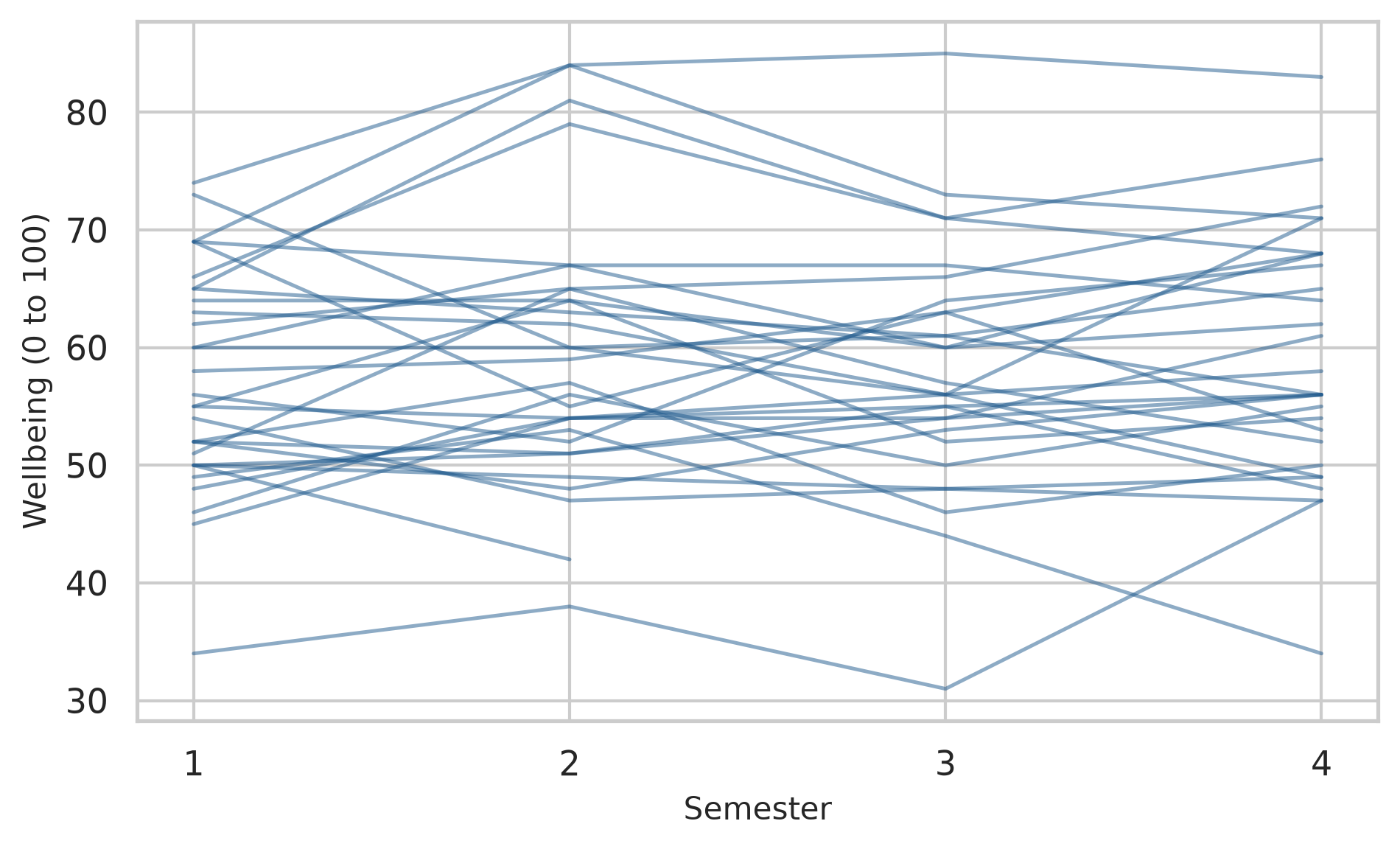
Students differ enormously in their overall level, much more than any student changes from one semester to the next. A model with no predictors, only a random intercept for each student, puts a number on this through the ICC:
wb_null = smf.mixedlm("wellbeing ~ 1", panel, groups=panel["student_id"]).fit()
icc_null = wb_null.cov_re.iloc[0, 0] / (wb_null.cov_re.iloc[0, 0] + wb_null.scale)
print(f"Wellbeing ICC: {icc_null:.3f}")Wellbeing ICC: 0.781About 78% of all the variation in wellbeing is between students: students differ from each other far more than they change. The consequence for the amount of information in the data can be calculated. The design effect, \(1 + (m - 1) \times \text{ICC}\), where \(m\) is the number of records per student, says how many times more records are needed to give the same information as independent observations:
records_per_student = len(panel) / panel["student_id"].nunique()
design_effect = 1 + (records_per_student - 1) * icc_null
independent_equiv = len(panel) / design_effect
print(f"Total records: {len(panel)}")
print(f"Design effect: {design_effect:.2f}")
print(f"Equivalent independent observations: {independent_equiv:.0f}")Total records: 2326
Design effect: 3.25
Equivalent independent observations: 716The 2326 semester records carry about as much information about average wellbeing as 716 independent observations would. Treating them as 2326 independent records would therefore be seriously wrong.
The first question about change is whether wellbeing declines over time. The wrong way to answer it is an ordinary regression that ignores the structure:
ols_fit = smf.ols("wellbeing ~ time", data=panel).fit()
print(ols_fit.summary().tables[1])==============================================================================
coef std err t P>|t| [0.025 0.975]
------------------------------------------------------------------------------
Intercept 61.6320 0.412 149.424 0.000 60.823 62.441
time -0.3795 0.224 -1.698 0.090 -0.818 0.059
==============================================================================The slope is slightly negative, but not significant (\(p = 0.548\)). The mixed model, with a random intercept and slope for each student, gives a different result:
wb_growth = smf.mixedlm("wellbeing ~ time", panel, groups=panel["student_id"], re_formula="~time").fit()
print(wb_growth.summary()) Mixed Linear Model Regression Results
=============================================================
Model: MixedLM Dependent Variable: wellbeing
No. Observations: 2326 Method: REML
No. Groups: 600 Scale: 30.4037
Min. group size: 2 Log-Likelihood: -8122.8912
Max. group size: 4 Converged: Yes
Mean group size: 3.9
-------------------------------------------------------------
Coef. Std.Err. z P>|z| [0.025 0.975]
-------------------------------------------------------------
Intercept 61.646 0.475 129.646 0.000 60.714 62.578
time -0.435 0.110 -3.971 0.000 -0.650 -0.220
Group Var 114.264 1.745
Group x time Cov -0.855 0.252
time Var 0.742 0.088
=============================================================
The average slope is similar, about -0.43 points per semester, but its standard error has fallen from 0.22 to 0.11, and the decline is now clearly significant (\(z = {python} f"{time_z:.1f}"\), \(p < 0.001\)). The reason is that the ordinary regression lumps the large, stable differences between students into its error term, which drowns the small change within each student. The mixed model separates the two, and sees the change clearly.
In the simulation at the start of the chapter, ignoring the structure made a non-existent effect look significant; in the sleep study, ignoring the differences in slopes made the average look more certain than it was; here, ignoring the structure makes a real decline look uncertain. The direction of the error depends on the data, but the error is always there.
In statsmodels, linear mixed models report Wald z-statistics, p-values, and 95% confidence intervals directly in the summary table:
ci_table = wb_growth.conf_int()
print(ci_table.loc[["Intercept", "time"]]) 0 1
Intercept 60.713915 62.577820
time -0.649696 -0.220291The 95% confidence interval for time ([-0.65, -0.22]) lies entirely below zero: wellbeing declines steadily over time. Chapter 5’s hypothesis for RQ8, that wellbeing declines over the two years, is supported.
Chapter 7 showed that the workshop raised wellbeing in semester 2. A mixed model can compare the two groups in every semester at once, using every record, including the first year of the students who later left. Treating semester as a categorical factor lets each semester have its own average, and the interaction with workshop lets the gap between the groups differ from semester to semester:
wb_workshop = smf.mixedlm(
"wellbeing ~ C(semester) * workshop",
panel,
groups=panel["student_id"],
re_formula="~time"
).fit()
print(wb_workshop.summary().tables[1]) Coef. Std.Err. z P>|z| \
Intercept 60.647 0.679 89.368 0.000
C(semester)[T.2] 4.823 0.440 10.968 0.000
C(semester)[T.3] 2.490 0.449 5.540 0.000
C(semester)[T.4] 0.200 0.450 0.444 0.657
workshop[T.Not invited] -0.380 0.960 -0.396 0.692
C(semester)[T.2]:workshop[T.Not invited] -4.870 0.622 -7.831 0.000
C(semester)[T.3]:workshop[T.Not invited] -3.749 0.637 -5.887 0.000
C(semester)[T.4]:workshop[T.Not invited] -2.264 0.637 -3.551 0.000
Group Var 109.160 1.655
Group x time Cov 0.353 0.208
time Var 0.021 0.068
[0.025 0.975]
Intercept 59.317 61.977
C(semester)[T.2] 3.961 5.685
C(semester)[T.3] 1.609 3.371
C(semester)[T.4] -0.682 1.082
workshop[T.Not invited] -2.261 1.501
C(semester)[T.2]:workshop[T.Not invited] -6.089 -3.651
C(semester)[T.3]:workshop[T.Not invited] -4.998 -2.501
C(semester)[T.4]:workshop[T.Not invited] -3.513 -1.014
Group Var
Group x time Cov
time Var The coefficients are easier to understand as predicted averages. Using the model to predict wellbeing across semesters for both groups shows the trajectory:
pred_grid = pd.MultiIndex.from_product(
[[1, 2, 3, 4], ["Invited", "Not invited"]],
names=["semester", "workshop"]
).to_frame().reset_index(drop=True)
pred_grid["time"] = pred_grid["semester"] - 1
# Predict population fixed effects
pred_grid["predicted_wellbeing"] = wb_workshop.predict(pred_grid)
fig, ax = plt.subplots(figsize=(6.5, 4))
for w_val, grp in pred_grid.groupby("workshop"):
color = navy if w_val == "Invited" else copper
ax.plot(grp["semester"], grp["predicted_wellbeing"], marker="o", linewidth=2, label=w_val, color=color)
ax.set_xlabel("Semester")
ax.set_ylabel("Predicted wellbeing")
ax.set_xticks([1, 2, 3, 4])
ax.legend(title="Workshop")
plt.tight_layout()
plt.show()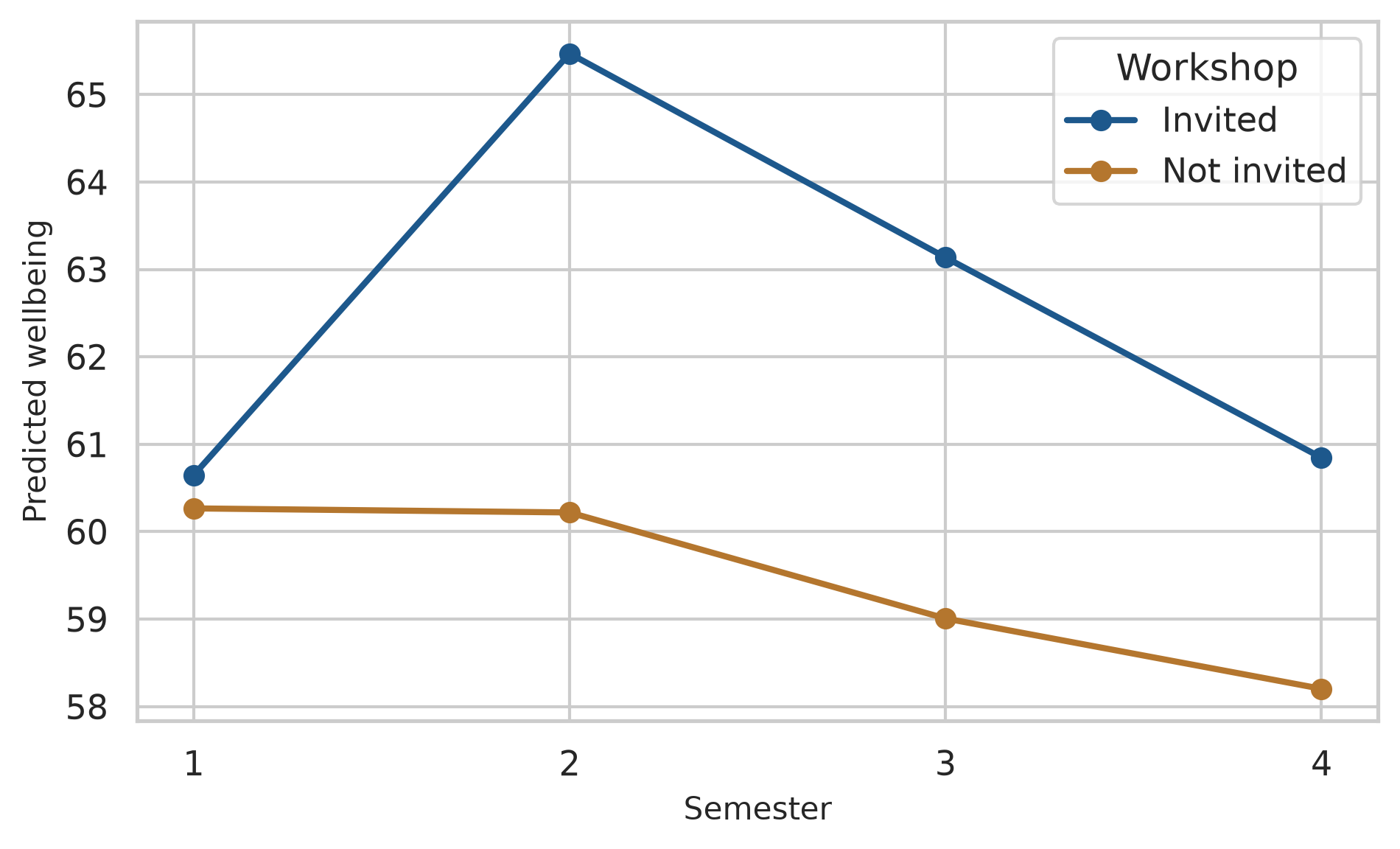
The gap between the groups is 0.4 points in semester 1 (before the workshop), 5.2 in semester 2, 4.1 in semester 3, and 2.6 in semester 4. The workshop’s effect is real, but it fades over the following year. For the thesis’s recommendations, that matters: a short follow-up session each year might keep the benefit going.
The same growth model can be fitted to GPA:
panel_gpa = panel.dropna(subset=["gpa"])
gpa_rs = smf.mixedlm("gpa ~ time", panel_gpa, groups=panel_gpa["student_id"], re_formula="~time").fit()
print(gpa_rs.summary()) Mixed Linear Model Regression Results
============================================================
Model: MixedLM Dependent Variable: gpa
No. Observations: 2325 Method: REML
No. Groups: 600 Scale: 0.0327
Min. group size: 2 Log-Likelihood: -28.5182
Max. group size: 4 Converged: Yes
Mean group size: 3.9
------------------------------------------------------------
Coef. Std.Err. z P>|z| [0.025 0.975]
------------------------------------------------------------
Intercept 3.092 0.013 237.418 0.000 3.067 3.118
time -0.000 0.003 -0.140 0.889 -0.007 0.006
Group Var 0.079 0.041
Group x time Cov -0.000 0.007
time Var 0.000 0.003
============================================================
Notice that the variance for time in the random effects is effectively zero (0.000), and statsmodels warns that the estimate lies on the boundary of the parameter space. This is Python’s counterpart to R’s “singular fit” warning, indicating that students’ GPA trajectories hardly vary in slope over time. When a random slope has near-zero variance, the model is unnecessarily complex, and the standard advice is to simplify by retaining only the random intercept:
gpa_growth = smf.mixedlm("gpa ~ time", panel_gpa, groups=panel_gpa["student_id"]).fit()
print(gpa_growth.summary().tables[1]) Coef. Std.Err. z P>|z| [0.025 0.975]
Intercept 3.092 0.013 237.579 0.000 3.067 3.118
time -0.000 0.003 -0.140 0.889 -0.007 0.006
Group Var 0.079 0.032 The slope of time is almost exactly zero (\(-0.002\), \(p = 0.528\)): grades stay stable over the two years, even though wellbeing falls. A non-change is a finding too, and here an interesting one.
The students are also nested within supervisors, and a model can include random intercepts for both levels at once:
wb_levels = smf.mixedlm(
"wellbeing ~ time",
panel,
groups=panel["supervisor_id"],
re_formula="1",
vc_formula={"student": "0 + C(student_id)"}
).fit()
var_sup = wb_levels.cov_re.iloc[0, 0]
var_stu = wb_levels.vcomp[0]
var_res = wb_levels.scale
var_tot = var_sup + var_stu + var_res
shares = pd.DataFrame({
"Level": ["Supervisor", "Student (within supervisor)", "Residual (within student)"],
"Variance": [var_sup, var_stu, var_res],
"Share": [var_sup / var_tot, var_stu / var_tot, var_res / var_tot]
})
shares["Share (%)"] = (shares["Share"] * 100).round(1)
print(shares.to_string(index=False)) Level Variance Share Share (%)
Supervisor 19.441951 0.132656 13.3
Student (within supervisor) 95.544907 0.651921 65.2
Residual (within student) 31.572164 0.215423 21.5About 13% of all the variation in wellbeing lies between supervisors: students of the same supervisor are noticeably more alike. Most of the variation, 65%%, lies between students within the same supervisor, and the remaining 22%% is change within students from semester to semester. For the university, the supervisor share is a practical finding: who supervises a student makes a measurable difference to their wellbeing. It also means that any comparison of supervisors, or of anything assigned to supervisors, must allow for this grouping, as the simulation at the start of the chapter showed.
Like ordinary regression, mixed models extend to other kinds of outcome. When observations are clustered and the outcome is a count (such as the number of supervisor meetings per semester), Generalized Estimating Equations (smf.gee with family=sm.families.Poisson()) or generalized mixed models account for within-student clustering.
The model below examines whether students who feel more supported meet their supervisor more often. Support is calculated from the questionnaire:
support_scores = pd.DataFrame({
"student_id": questionnaire["student_id"],
"support": questionnaire.filter(like="support_").mean(axis=1)
})
panel_meetings = panel.merge(support_scores, on="student_id")
meetings_gee = smf.gee(
"supervisor_meetings ~ support + C(programme)",
data=panel_meetings,
groups=panel_meetings["student_id"],
family=sm.families.Poisson()
).fit()
print(meetings_gee.summary().tables[1])=======================================================================================
coef std err z P>|z| [0.025 0.975]
---------------------------------------------------------------------------------------
Intercept 0.0446 0.075 0.592 0.554 -0.103 0.192
C(programme)[T.PhD] 0.2054 0.034 5.977 0.000 0.138 0.273
support 0.4018 0.021 18.852 0.000 0.360 0.444
=======================================================================================Poisson coefficients are on a log scale, and np.exp() turns them into rate ratios:
rate_ratios = np.exp(meetings_gee.params)
print("Rate Ratios (exp(beta)):")
print(rate_ratios.round(3))Rate Ratios (exp(beta)):
Intercept 1.046
C(programme)[T.PhD] 1.228
support 1.494
dtype: float64Each extra point of support goes with about 49% more meetings per semester (\(\text{RR} = {python} f"{rr_support:.2f}"\)), and PhD students have about 23% more meetings than Master’s students (\(\text{RR} = {python} f"{rr_phd:.2f}"\)), holding support constant. As always with observational data, the direction is not certain: more meetings may also make students feel more supported.
Chapter 6 found that the students who left after the first year were not a random group. Mixed models handle this better than most methods: they use every record each student provided, including the first year of those who left, instead of dropping those students entirely. The results remain trustworthy as long as leaving depends on things the model can see, such as the students’ earlier wellbeing, which is the “missing at random” situation of Chapter 6.
A mixed-effects model is reported with both of its parts: the fixed effects, with confidence intervals, and the random effects, as standard deviations or variance shares. The report should also say how many observations and groups the model used, and which random effects it included.
A linear mixed-effects model with random intercepts and slopes for students (2326 observations of 600 students) showed that wellbeing declined slightly over the four semesters, by 0.43 points per semester (95% CI [0.22, 0.65]). Students differed considerably in their overall wellbeing (SD of intercepts = 10.7); 78% of the variation in wellbeing was between students.
Mixed models are powerful, and several misunderstandings about grouped data survive even among experienced researchers.
statsmodels, groups gives each group its own intercept; re_formula="~x" also its own slope of x.statsmodels provides Wald tests, z-statistics, p-values, and confidence intervals directly; likelihood ratio tests compare nested models using llf.smf.gee with family=sm.families.Poisson()), where exponentiated coefficients yield rate ratios.Repeated measures, nested data, mixed-effects model, multilevel model, fixed effect, random effect, random intercept, random slope, intraclass correlation (ICC), design effect, likelihood ratio test, AIC, singular fit, generalised linear mixed model, Poisson model, GEE, count outcome, rate ratio.
The playground has these and more, with hints and solutions.
sleep_hours over time (sleep_hours ~ time, grouped by student_id). Calculate the ICC, and describe whether sleep changes over the semesters.time to the model in Exercise 1, and compare the two models with a likelihood ratio test. Decide whether the random slope is worth keeping.wellbeing ~ time * study_mode with random slopes, and describe whether part-time students’ wellbeing changes at a different rate.study_hours, and calculate how much of its variation lies between supervisors.scale=10 for style). Describe what happens to the false alarm rate of the ordinary regression, and explain why.Some research questions are not about why something happens, but about what will happen. A hospital wants to know which patients are likely to be readmitted, a bank which loans are likely to fail, a university which students are likely to struggle. The goal is not to understand the causes, although that may help, but to make accurate predictions for new cases, early enough to act on them. Such questions need a different standard of evidence. For explanation, a model is judged by whether its coefficients are well estimated and make sense. For prediction, a model is judged by one thing only: how well it works on cases it has never seen.
Machine learning is the set of methods and practices for building predictive models and testing them fairly. This chapter introduces its core ideas: the difference between prediction and explanation, why a model must be tested on new data, how models overfit, and how cross-validation and tuning choose a model honestly. It uses Python’s industry-standard scikit-learn framework, whose components are best understood as the design of a fair test. In the story, Chapter 8 used logistic regression to explain who considers dropping out; Elaf’s supervisor now asks whether the university could identify, at the end of a student’s first semester, the students at risk, so that help could be offered in time (RQ9).
ColumnTransformer pipelines, and combine preprocessing and models in a unified pipeline.GridSearchCV, and evaluate the final model on the test set.Machine learning covers methods that learn patterns from data in order to make predictions or find structure. In supervised learning, the data includes the outcome to be predicted, and the model learns the relationship between the predictors and that outcome. If the outcome is a category, such as “considering dropout: yes or no”, it is a classification problem; if it is a number, such as next semester’s GPA, it is a regression problem. Chapters 11 to 13 and Chapter 15 are about supervised learning. In unsupervised learning, there is no outcome, and the model looks for structure in the data itself. The clustering of Chapter 9 is unsupervised, and Chapter 14 returns to it.
Many machine learning methods are familiar statistics: logistic regression is both a statistical model and one of the most useful classifiers. What changes is the goal, and with it the way models are judged. Table 11.1 sets the two aims side by side.
| Explanation (Chapters 7 to 10) | Prediction (Chapters 11 to 16) | |
|---|---|---|
| Question | Why does something happen? | What will happen for a new case? |
| Judged by | Sensible, well-estimated effects | Accuracy on new data |
| Typical models | Simple, interpretable | Anything that predicts well |
| Main danger | Confounding | Overfitting |
A predictive model does not need to be causally correct to be useful: a model can predict dropout well from variables that do not cause it. Equally, a model that explains well may predict poorly, because the effects it estimates are small compared with everything it cannot see. Chapter 5 described prediction as a third aim of analysis, alongside description and explanation; this part of the book develops it.
The central idea of machine learning is generalisation: a model is useful only if what it learned from one set of data carries over to new data. Any dataset contains two things, the pattern that would appear again in new data and the noise that belongs to this sample only. A model that learns the pattern generalises; a model that also learns the noise overfits, and looks better on its own data than it will ever be on new data.
A simulation makes the idea visible. The code below draws 15 points from a smooth curve with random noise added, and fits three models of increasing flexibility: a straight line, a gentle curve, and a very flexible curve (polynomials of degree 1, 3, and 12). It then draws new points from the same process, within the same range, to see how each model does on data it has not seen:
true_curve = lambda x: np.sin(2 * x)
def make_points(n, seed=None):
if seed is not None:
np.random.seed(seed)
x = np.random.uniform(0, 3, n)
y = true_curve(x) + np.random.normal(0, 0.3, n)
return pd.DataFrame({"x": x, "y": y})
train_points = make_points(15, seed=3)
new_points = make_points(1000, seed=4)
new_points = (
new_points[
(new_points["x"] >= train_points["x"].min()) &
(new_points["x"] <= train_points["x"].max())
]
.iloc[:300]
.reset_index(drop=True)
)
x_grid = np.linspace(train_points["x"].min(), train_points["x"].max(), 300)
curves_dict = {}
for d in [1, 3, 12]:
poly_model = make_pipeline(PolynomialFeatures(d), LinearRegression())
poly_model.fit(train_points[["x"]], train_points["y"])
curves_dict[f"Degree {d}"] = poly_model.predict(x_grid[:, None])fig, axes = plt.subplots(1, 3, figsize=(8, 3.2), sharey=True)
for ax, d in zip(axes, [1, 3, 12]):
ax.scatter(new_points["x"], new_points["y"], color="grey", alpha=0.35, s=8, label="New points")
ax.scatter(train_points["x"], train_points["y"], color="black", s=25, zorder=4, label="Training points")
ax.plot(x_grid, curves_dict[f"Degree {d}"], color="#b2182b", linewidth=1.5, label=f"Degree {d}")
ax.set_title(f"Degree {d}")
ax.set_ylim(-2, 2)
ax.set_xlabel("x")
axes[0].set_ylabel("y")
plt.tight_layout()
plt.show()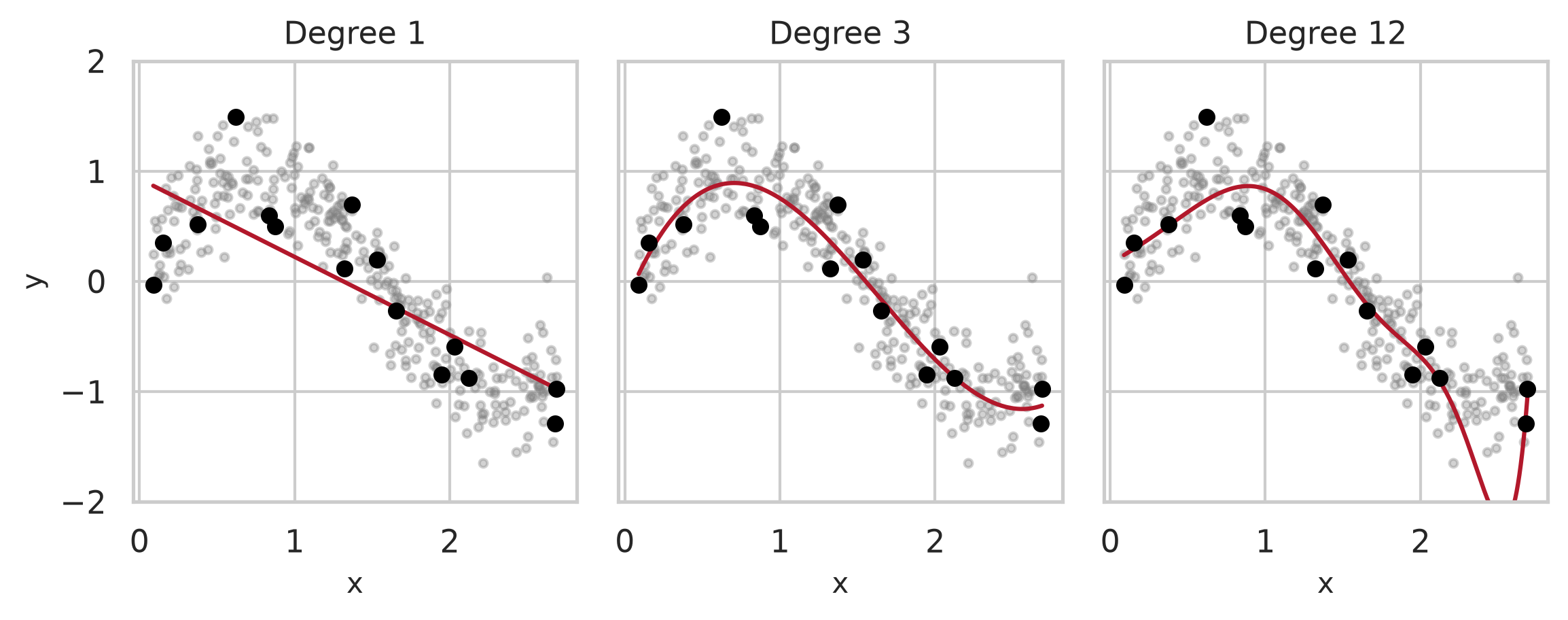
The straight line is too simple to follow the wave: it underfits. The degree-3 curve captures the pattern. The degree-12 curve bends to pass close to every training point, and in doing so follows the noise, swinging far away from where new points actually lie. Measured on the training points, it would look like the best model; measured on new points, it is the worst. The prediction error of every degree from 1 to 12 shows the general pattern:
errors = []
for d in range(1, 13):
model = make_pipeline(PolynomialFeatures(d), LinearRegression())
model.fit(train_points[["x"]], train_points["y"])
tr_err = root_mean_squared_error(train_points["y"], model.predict(train_points[["x"]]))
te_err = root_mean_squared_error(new_points["y"], model.predict(new_points[["x"]]))
errors.append({"degree": d, "training": tr_err, "new_data": te_err})
errors_df = pd.DataFrame(errors)
print(errors_df.head(6).round(3)) degree training new_data
0 1 0.462 0.470
1 2 0.379 0.414
2 3 0.257 0.297
3 4 0.257 0.297
4 5 0.251 0.327
5 6 0.251 0.326fig, ax = plt.subplots(figsize=(6, 3.6))
ax.plot(errors_df["degree"], errors_df["training"], marker="o", color="grey", linewidth=1.5, label="Training points")
ax.plot(errors_df["degree"], errors_df["new_data"], marker="o", color="#b2182b", linewidth=1.5, label="New points")
ax.set_yscale("log")
ax.set_xticks(range(1, 13))
ax.set_xlabel("Flexibility (polynomial degree)")
ax.set_ylabel("Prediction error (RMSE, log scale)")
ax.legend()
plt.tight_layout()
plt.show()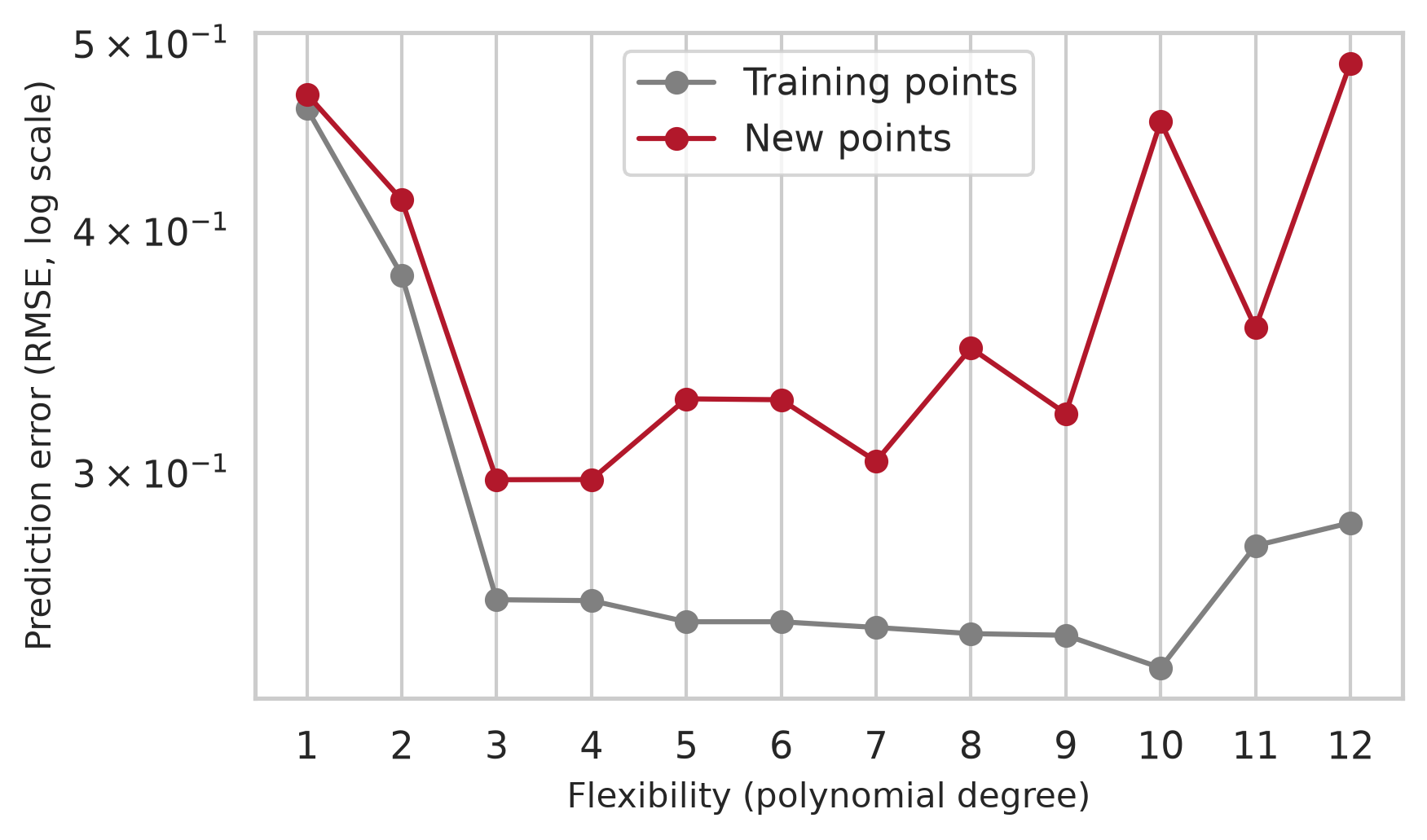
The training error falls steadily as the model becomes more flexible: a more flexible model can always fit its own data more closely. The error on new data falls at first, reaches its minimum at degree np.int64(3), and then rises. This U shape is known as the bias-variance trade-off. A model that is too simple has high bias: it misses part of the real pattern, whatever data it is given. A model that is too flexible has high variance: it changes a great deal from one sample to another, because it follows each sample’s noise. The best predictions come from a model in between, and the only way to find it is to measure performance on data the model did not learn from. The rest of the chapter builds that measurement into every step.
The scikit-learn framework provides a principled, modular design that makes a fair test of a predictive model clean and reliable. Each module handles one part of the pipeline: train_test_split partitions the data, ColumnTransformer and pipelines prepare it, estimators specify models, GridSearchCV tunes them, and metrics assesses performance on unseen data.
Figure 11.3 shows how the pieces fit together: the test data is set aside before anything else happens, all choices are made with the training data alone, and the test data is used once, at the end. The rest of the chapter works through each step.
flowchart TB A[All data] --> B[Split:<br/>train_test_split] B --> C[Training data] B --> T[Test data,<br/>set aside] C --> D[Preprocessor:<br/>imputation, encoding, scaling] D --> E[Model Pipeline:<br/>fit and tune with<br/>cross-validation] E --> F[Final model] T --> G[Evaluate once<br/>on the test data] F --> G
A predictive model can only use information that would be available when the prediction is made. The university wants to act at the end of the first semester, so the model may use the students’ background, their questionnaire scores from the start of the year, and their first-semester records, but nothing from later. The questionnaire scores are calculated as before:
scores = pd.DataFrame({
"student_id": questionnaire["student_id"],
"stress": questionnaire[["stress_1", "stress_2", "stress_3", "stress_5", "stress_6"]].assign(stress_4=6 - questionnaire["stress_4"]).mean(axis=1),
"burnout": questionnaire.filter(like="burnout_").mean(axis=1),
"support": questionnaire.filter(like="support_").mean(axis=1),
"satisfaction": questionnaire.filter(like="satisfaction_").mean(axis=1),
})
sem1 = semesters[semesters["semester"] == 1].drop(columns=["semester"])
dropout_data = (
students
.merge(scores, on="student_id")
.merge(sem1, on="student_id")
.drop(columns=["student_id", "supervisor_id", "workshop", "workshop_sessions"])
)
print("Data shape:", dropout_data.shape)Data shape: (600, 21)Two details matter. The outcome is coded as binary (\(1\) for “Yes”, \(0\) for “No”), making “Yes” (considering dropout) the positive event to detect. And the workshop variables are removed: the workshop took place after the first semester, so it would not be known when the prediction is made. Using information that would not be available at the time of prediction is a form of data leakage, and it makes a model look better than it can ever be in practice.
counts = dropout_data["considering_dropout"].value_counts()
shares = dropout_data["considering_dropout"].value_counts(normalize=True)
pd.DataFrame({"count": counts, "share": shares.round(3)})| count | share | |
|---|---|---|
| considering_dropout | ||
| No | 510 | 0.85 |
| Yes | 90 | 0.15 |
Only about 15% of students answer “Yes”. Such an imbalanced outcome is common in real prediction problems, from rare diseases to fraud, and, as the evaluation below shows, it catches out anyone who judges a model by accuracy alone.
The most important rule of machine learning follows from the simulation above: never judge a model on the data it learned from. The first step is therefore to split the data. The training set is used to build and tune the model. The test set is locked away and used only once, at the very end, to estimate how the final model will perform on new students. The function train_test_split() with stratify=y makes sure that both sets have the same share of “Yes” answers:
X = dropout_data.drop(columns=["considering_dropout"])
y = (dropout_data["considering_dropout"] == "Yes").astype(int)
X_train, X_test, y_train, y_test = train_test_split(
X, y, test_size=0.25, stratify=y, random_state=2026
)
print(f"Training observations: {len(X_train)}")
print(f"Testing observations: {len(X_test)}")Training observations: 450
Testing observations: 150Three quarters of the students are used for training and a quarter are set aside for the final test.
Most models need the data prepared first: missing values filled in, categories turned into numbers, and numeric predictors put on a common scale. A ColumnTransformer bundles these steps cleanly:
num_cols = X.select_dtypes(include=[np.number]).columns.tolist()
cat_cols = X.select_dtypes(exclude=[np.number]).columns.tolist()
preprocessor = ColumnTransformer([
("num", Pipeline([
("imputer", SimpleImputer(strategy="median")),
("scaler", StandardScaler())
]), num_cols),
("cat", Pipeline([
("imputer", SimpleImputer(strategy="most_frequent")),
("ohe", OneHotEncoder(drop="first", sparse_output=False, handle_unknown="ignore"))
]), cat_cols)
])The numeric pipeline replaces missing values with the variable’s median (SimpleImputer(strategy="median")) and standardizes predictors to z-scores (StandardScaler()). The categorical pipeline imputes missing categories with the most frequent value and creates one-hot dummy variables (OneHotEncoder(drop="first")), dropping the reference level just as linear regression did in Chapter 8.
To see what the preprocessor produces, fit_transform() estimates the parameters from the training set and transforms it:
X_train_prep = preprocessor.fit_transform(X_train)
feature_names = preprocessor.get_feature_names_out()
print("Transformed training shape:", X_train_prep.shape)
print("First 8 prepared feature names:", feature_names[:8].tolist())Transformed training shape: (450, 24)
First 8 prepared feature names: ['num__age', 'num__financial_worry', 'num__stress', 'num__burnout', 'num__support', 'num__satisfaction', 'num__gpa', 'num__sleep_hours']The medians, means, and standard deviations are estimated from the training data only, and then applied unchanged to the test data. If they were calculated from all the data, information from the test set would leak into the model, and the test would no longer be a fair one. Packaging preprocessing inside a Pipeline handles this automatically, which is one of the best reasons to use scikit-learn pipelines.
A Pipeline combines the preprocessor and the classifier so they always travel together:
logistic_pipe = Pipeline([
("preprocessor", preprocessor),
("classifier", LogisticRegression(max_iter=1000, random_state=2026))
])
logistic_pipe.fit(X_train, y_train)Pipeline(steps=[('preprocessor',
ColumnTransformer(transformers=[('num',
Pipeline(steps=[('imputer',
SimpleImputer(strategy='median')),
('scaler',
StandardScaler())]),
['age', 'financial_worry',
'stress', 'burnout',
'support', 'satisfaction',
'gpa', 'sleep_hours',
'study_hours',
'exercise_days',
'caffeine_mg',
'supervisor_meetings',
'wellbeing']),
('cat',
Pipeline(steps=[('imputer',
SimpleImputer(strategy='most_frequent')),
('ohe',
OneHotEncoder(drop='first',
handle_unknown='ignore',
sparse_output=False))]),
['gender', 'faculty',
'programme', 'study_mode',
'employment', 'has_children',
'lives_away'])])),
('classifier',
LogisticRegression(max_iter=1000, random_state=2026))])In a Jupyter environment, please rerun this cell to show the HTML representation or trust the notebook. | Name | Type | Value |
|---|---|---|
| classes_ classes_: ndarray of shape (n_classes,) The classes labels. Only exist if the last step of the pipeline is a classifier. |
ndarray[int64](2,) | [0,1] |
| feature_names_in_ feature_names_in_: ndarray of shape (`n_features_in_`,) Names of features seen during :term:`fit`. Only defined if the underlying estimator exposes such an attribute when fit. .. versionadded:: 1.0 |
ndarray[object](20,) | ['age','gender','faculty',...,'caffeine_mg','supervisor_meetings', 'wellbeing'] |
| n_features_in_ n_features_in_: int Number of features seen during :term:`fit`. Only defined if the underlying first estimator in `steps` exposes such an attribute when fit. .. versionadded:: 0.24 |
int | 20 |
['age', 'financial_worry', 'stress', 'burnout', 'support', 'satisfaction', 'gpa', 'sleep_hours', 'study_hours', 'exercise_days', 'caffeine_mg', 'supervisor_meetings', 'wellbeing']
| Name | Type | Value |
|---|---|---|
| feature_names_in_ feature_names_in_: ndarray of shape (`n_features_in_`,) Names of features seen during :term:`fit`. Defined only when `X` has feature names that are all strings. .. versionadded:: 1.0 |
ndarray[object](13,) | ['age','financial_worry','stress',...,'caffeine_mg','supervisor_meetings', 'wellbeing'] |
| indicator_ indicator_: :class:`~sklearn.impute.MissingIndicator` Indicator used to add binary indicators for missing values. `None` if `add_indicator=False`. |
NoneType | None |
| n_features_in_ n_features_in_: int Number of features seen during :term:`fit`. .. versionadded:: 0.24 |
int | 13 |
| statistics_ statistics_: array of shape (n_features,) The imputation fill value for each feature. Computing statistics can result in `np.nan` values. During :meth:`transform`, features corresponding to `np.nan` statistics will be discarded. |
ndarray[float64](13,) | [ 29. , 3. , 3.17,...,160. , 4. , 60. ] |
| age |
| financial_worry |
| stress |
| burnout |
| support |
| satisfaction |
| gpa |
| sleep_hours |
| study_hours |
| exercise_days |
| caffeine_mg |
| supervisor_meetings |
| wellbeing |
| x0 |
| x1 |
| x2 |
| x3 |
| x4 |
| x5 |
| x6 |
| x7 |
| x8 |
| x9 |
| x10 |
| x11 |
| x12 |
['gender', 'faculty', 'programme', 'study_mode', 'employment', 'has_children', 'lives_away']
| Name | Type | Value |
|---|---|---|
| feature_names_in_ feature_names_in_: ndarray of shape (`n_features_in_`,) Names of features seen during :term:`fit`. Defined only when `X` has feature names that are all strings. .. versionadded:: 1.0 |
ndarray[object](7,) | ['gender','faculty','programme',...,'employment','has_children', 'lives_away'] |
| indicator_ indicator_: :class:`~sklearn.impute.MissingIndicator` Indicator used to add binary indicators for missing values. `None` if `add_indicator=False`. |
NoneType | None |
| n_features_in_ n_features_in_: int Number of features seen during :term:`fit`. .. versionadded:: 0.24 |
int | 7 |
| statistics_ statistics_: array of shape (n_features,) The imputation fill value for each feature. Computing statistics can result in `np.nan` values. During :meth:`transform`, features corresponding to `np.nan` statistics will be discarded. |
ndarray[object](7,) | ['Female','Health Sciences',"Master's",...,'None','No','No'] |
| gender |
| faculty |
| programme |
| study_mode |
| employment |
| has_children |
| lives_away |
| x0_Male |
| x1_Health Sciences |
| x1_Humanities |
| x1_Natural Sciences |
| x1_Social Sciences |
| x2_PhD |
| x3_Part-time |
| x4_None |
| x4_Part-time job |
| x5_Yes |
| x6_Yes |
| num__age |
| num__financial_worry |
| num__stress |
| num__burnout |
| num__support |
| num__satisfaction |
| num__gpa |
| num__sleep_hours |
| num__study_hours |
| num__exercise_days |
| num__caffeine_mg |
| num__supervisor_meetings |
| num__wellbeing |
| cat__gender_Male |
| cat__faculty_Health Sciences |
| cat__faculty_Humanities |
| cat__faculty_Natural Sciences |
| cat__faculty_Social Sciences |
| cat__programme_PhD |
| cat__study_mode_Part-time |
| cat__employment_None |
| cat__employment_Part-time job |
| cat__has_children_Yes |
| cat__lives_away_Yes |
The single call to fit() calculates medians and scaling parameters on X_train, encodes categories, and fits the logistic regression model on the transformed data.
The model is now judged on the test students. Calling predict() produces class labels (\(0\) or \(1\)), and predict_proba() produces the estimated probabilities:
y_pred_class = logistic_pipe.predict(X_test)
y_pred_prob = logistic_pipe.predict_proba(X_test)[:, 1]
test_results = pd.DataFrame({
"truth": y_test.values,
"pred_class": y_pred_class,
"pred_prob": y_pred_prob
})
print(test_results.head()) truth pred_class pred_prob
0 0 0 0.031820
1 1 1 0.644133
2 0 0 0.177301
3 0 0 0.042008
4 0 0 0.030207The simplest measure is accuracy: the share of students classified correctly:
acc = accuracy_score(y_test, y_pred_class)
always_no_acc = (y_test == 0).mean()
print(f"Model test accuracy: {acc:.1%}")
print(f"Always predicting 'No' base: {always_no_acc:.1%}")Model test accuracy: 88.0%
Always predicting 'No' base: 84.7%An accuracy of 88.0% sounds good. But a “model” that ignores every predictor and says “No” for every student would be right 84.7% of the time, because most students answer “No”, while finding not one of the students at risk. For an imbalanced outcome, accuracy is a misleading measure.
A better measure is the ROC AUC (the area under the receiver operating characteristic curve). It is the probability that, of one student who considered dropping out and one who did not, the model gives the first a higher predicted probability than the second. An AUC of 0.5 is no better than a coin toss, and 1.0 is perfect. Unlike accuracy, it is not fooled by an imbalanced outcome:
auc_test = roc_auc_score(y_test, y_pred_prob)
print(f"Test ROC AUC: {auc_test:.3f}")Test ROC AUC: 0.843An AUC of 0.84 means the model ranks an at-risk student above a not-at-risk student about 84% of the time: a useful model. Chapter 12 looks at classification measures in much more detail, including how to choose the threshold at which a student is flagged.
The simulation at the start of the chapter showed overfitting with a flexible curve. The same happens with real data. A dramatic example is k-nearest neighbours (k-NN) with \(k = 1\). It predicts each student’s outcome by finding the single most similar student in the training data and copying their answer. On the training data, every student’s nearest neighbour is themselves, so it can never be wrong:
knn1_pipe = Pipeline([
("preprocessor", preprocessor),
("classifier", KNeighborsClassifier(n_neighbors=1))
])
knn1_pipe.fit(X_train, y_train)
knn1_train_auc = roc_auc_score(y_train, knn1_pipe.predict_proba(X_train)[:, 1])
knn1_test_auc = roc_auc_score(y_test, knn1_pipe.predict_proba(X_test)[:, 1])
print(f"KNN (k=1) Training AUC: {knn1_train_auc:.2f}")
print(f"KNN (k=1) Test AUC: {knn1_test_auc:.2f}")KNN (k=1) Training AUC: 1.00
KNN (k=1) Test AUC: 0.61The model scores perfectly on the training data, and much more poorly on new students. The training score was an illusion: the model had memorised the training students, not learned anything that carries over. It is the degree-12 curve again, and the reason every model in this book is tested on data it has not seen.
The test set is used only once, at the end. During model building, however, models and settings often need to be compared, and neither the training data (that would reward overfitting) nor the test set (that would use it up) can be used to judge them. Cross-validation solves this by reusing the training data. The training data is split into, say, 10 equal parts, called folds. The model is fitted on 9 folds and its performance measured on the fold left out; this is repeated 10 times, leaving out each fold in turn, and the 10 performance measures are averaged. Every student is used for evaluation exactly once, always by a model that did not see them during fitting. Figure 11.4 shows the idea with 5 folds.
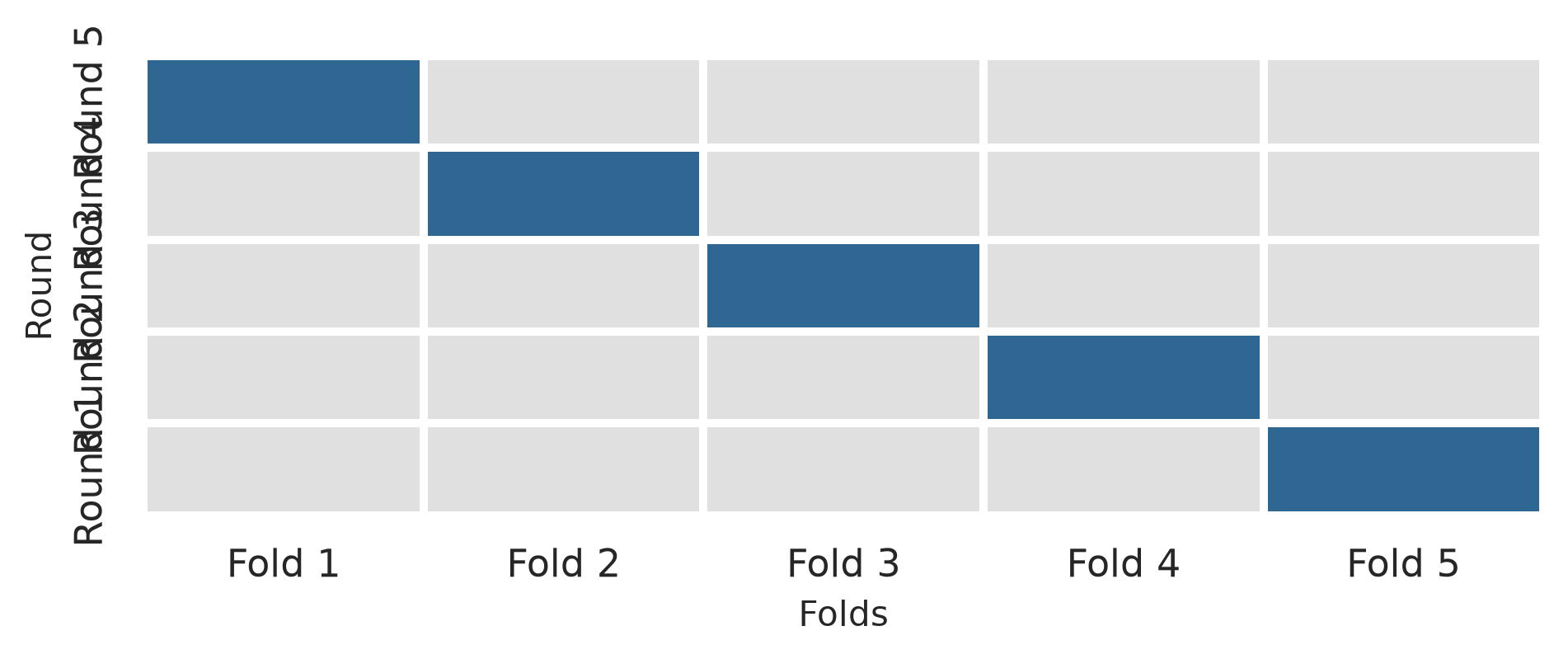
The class StratifiedKFold() creates stratified folds, and cross_validate() fits and evaluates the pipeline across each fold:
cv = StratifiedKFold(n_splits=10, shuffle=True, random_state=2026)
cv_results = cross_validate(logistic_pipe, X_train, y_train, cv=cv, scoring=["roc_auc", "accuracy"])
cv_auc_mean = cv_results["test_roc_auc"].mean()
cv_auc_se = cv_results["test_roc_auc"].std() / np.sqrt(10)
print(f"Cross-validated AUC: {cv_auc_mean:.3f} (SE: {cv_auc_se:.3f})")Cross-validated AUC: 0.806 (SE: 0.020)The cross-validated AUC, about 0.81, is an honest estimate of how the model will perform on new students, obtained without touching the test set.
Many models have settings that are not learned from the data but must be chosen beforehand, such as \(k\) in k-nearest neighbours or the degree of the polynomials in the simulation. They are called hyperparameters, to distinguish them from the parameters, such as regression coefficients, that the model learns. The best value is found by tuning: trying several values and comparing them with cross-validation.
A decision tree (explained fully in Chapter 12) predicts by asking a series of yes-or-no questions, such as whether stress is above 3.5. Its depth, the number of questions in a row, is a hyperparameter that controls its flexibility. A shallow tree is too simple to capture the patterns and underfits; a very deep tree can fit the training data closely, noise included, and overfits:
tree_pipe = Pipeline([
("preprocessor", preprocessor),
("classifier", DecisionTreeClassifier(random_state=2026, min_samples_leaf=10))
])
param_grid = {"classifier__max_depth": list(range(1, 11))}
grid_search = GridSearchCV(tree_pipe, param_grid=param_grid, cv=cv, scoring="roc_auc")
grid_search.fit(X_train, y_train)
tuning_results = pd.DataFrame({
"max_depth": range(1, 11),
"mean_auc": grid_search.cv_results_["mean_test_score"]
})
print(tuning_results.head(6).round(3)) max_depth mean_auc
0 1 0.634
1 2 0.761
2 3 0.764
3 4 0.739
4 5 0.687
5 6 0.675fig, ax = plt.subplots(figsize=(6, 3.6))
ax.plot(tuning_results["max_depth"], tuning_results["mean_auc"], marker="o", color=navy, linewidth=1.5)
ax.set_xticks(range(1, 11))
ax.set_xlabel("Tree depth (max_depth)")
ax.set_ylabel("Cross-validated ROC AUC")
ax.set_title("Hyperparameter Tuning: Decision Tree Depth")
plt.tight_layout()
plt.show()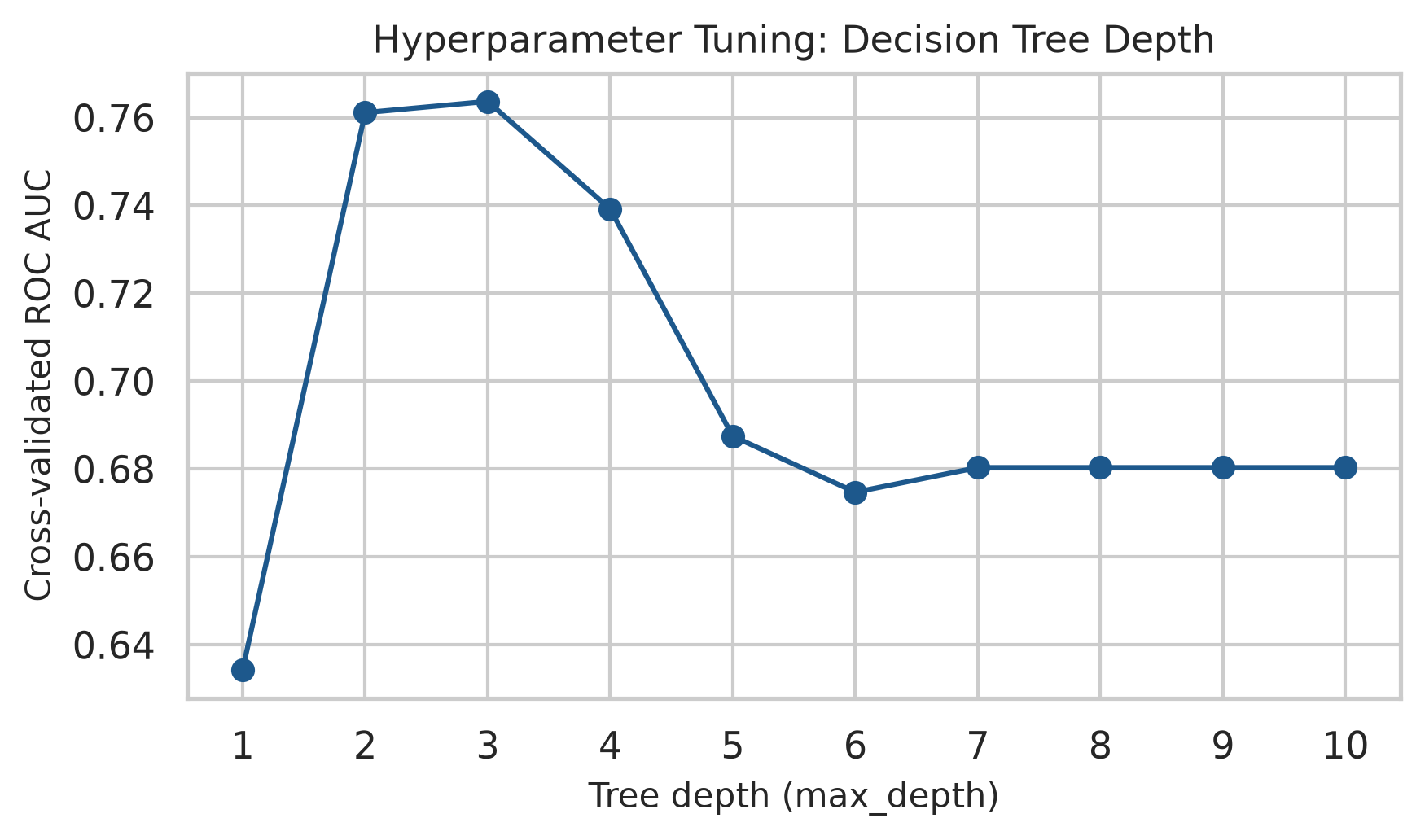
best_depth = grid_search.best_params_["classifier__max_depth"]
print("Best max_depth:", best_depth)
print(f"Best CV ROC AUC: {grid_search.best_score_:.3f}")Best max_depth: 3
Best CV ROC AUC: 0.764The pattern is the new-data curve of Figure 11.2 seen from the other side: a tree of depth 1 is no better than chance, the AUC rises as the tree grows, and beyond a moderate depth it levels off and dips slightly as the deeper trees start to overfit. Here, GridSearchCV selects max_depth = 3.
Only now, with the model chosen, is the test set used. The tuned decision tree is evaluated on the test set, alongside plain logistic regression:
best_tree = grid_search.best_estimator_
tree_test_auc = roc_auc_score(y_test, best_tree.predict_proba(X_test)[:, 1])
tree_test_acc = accuracy_score(y_test, best_tree.predict(X_test))
print(f"Tuned Tree Test AUC: {tree_test_auc:.3f} (Accuracy: {tree_test_acc:.1%})")
print(f"Logistic Regression Test AUC: {auc_test:.3f} (Accuracy: {acc:.1%})")Tuned Tree Test AUC: 0.725 (Accuracy: 84.7%)
Logistic Regression Test AUC: 0.843 (Accuracy: 88.0%)The tuned tree reaches an AUC of 0.73; plain logistic regression, 0.84. The more flexible model is not the better one. In this data, the risk of dropout rises steadily with stress and falls steadily with support, so a simple smooth model captures the pattern well, while a tree, which splits the data into rectangular boxes, captures it less well. Trying a simple model first, and making a complex one earn its place, is one of the most useful habits in machine learning.
A model that flags students “at risk” affects real people. Before such a model is used, the consequences of its errors must be considered: a student flagged by mistake may be treated differently, and a student who is missed receives no help. The model should be checked separately for different groups, such as women and men or part-time and full-time students, because a model with a good AUC overall can still be unfair to a particular group. And its purpose matters: in this study, the right use is to offer support earlier, never to penalise.
Predictive modelling has its own characteristic mistakes, most of them versions of testing a model on what it already knows.
train_test_split), prepares it (ColumnTransformer), specifies models and pipelines (Pipeline), tunes them (GridSearchCV), and measures performance (metrics).Machine learning, supervised learning, unsupervised learning, classification, regression, prediction, explanation, generalisation, overfitting, underfitting, bias-variance trade-off, imbalanced outcome, training set, test set, stratified split, ColumnTransformer, SimpleImputer, OneHotEncoder, StandardScaler, data leakage, Pipeline, accuracy, ROC AUC, k-nearest neighbours, cross-validation, fold, StratifiedKFold, hyperparameter, parameter, tuning, GridSearchCV, decision tree, Brier score.
The playground has these and more, with hints and solutions.
stress, burnout, support, satisfaction) from dropout_data and fit the logistic regression pipeline again. Report how much the cross-validated AUC falls, and what that says about the questionnaire.random_state=7), and describe how much the test AUC of the logistic model changes, and why it might.n_neighbors = [5, 11, 21, 41] with cross-validation. Identify the best value, and compare its AUC with logistic regression.VarianceThreshold()) to the preprocessing steps. Look up what “zero variance” means, and explain when this step is useful.A classification model is built to support decisions: which patients to screen further, which applications to review, which students to contact. Two questions follow. The first is technical: whether more flexible methods than logistic regression would rank the cases better. The second matters more, and is often forgotten: what happens when the model’s predictions are turned into decisions. Every decision rule flags some cases wrongly and misses others, and the balance between those two errors is not a statistical matter alone. It depends on what each error costs, and on whom.
This chapter addresses both questions. It introduces four widely used families of classification models, decision trees, random forests, k-nearest neighbours, and support vector machines, each through the idea behind it and the way it separates the classes, and compares them fairly on the wellbeing data. It then looks beyond the AUC at how a model is used: the confusion matrix, precision and recall, the choice of the threshold at which a student is flagged, and what to do when one outcome is rare. In the story, Elaf shows her logistic regression to the student counselling service, which asks whether more powerful methods exist, and how many of the students it would contact are really at risk.
The data, split, preprocessing pipeline, and cross-validation folds are exactly those of Chapter 11, so every model in this chapter is trained and tested on the same students:
import data2thesis as dt
import pandas as pd
import numpy as np
from sklearn.model_selection import train_test_split, StratifiedKFold
from sklearn.compose import ColumnTransformer
from sklearn.impute import SimpleImputer
from sklearn.preprocessing import StandardScaler, OneHotEncoder
from sklearn.pipeline import Pipeline
students = dt.load_students()
questionnaire = dt.load_questionnaire()
semesters = dt.load_semesters()
questionnaire['stress_4'] = 6 - questionnaire['stress_4']
scores = pd.DataFrame({
'student_id': questionnaire['student_id'],
'stress': questionnaire[['stress_1', 'stress_2', 'stress_3', 'stress_4', 'stress_5', 'stress_6']].mean(axis=1),
'burnout': questionnaire[[f'burnout_{i}' for i in range(1, 7)]].mean(axis=1),
'support': questionnaire[[f'support_{i}' for i in range(1, 7)]].mean(axis=1),
'satisfaction': questionnaire[[f'satisfaction_{i}' for i in range(1, 5)]].mean(axis=1),
})
sem1 = semesters[semesters['semester'] == 1].drop(columns=['semester'])
dropout_data = (
students.merge(scores, on='student_id')
.merge(sem1, on='student_id')
.drop(columns=['student_id', 'supervisor_id', 'workshop', 'workshop_sessions'])
)
dropout_data['considering_dropout'] = (dropout_data['considering_dropout'] == 'Yes').astype(int)
X = dropout_data.drop(columns=['considering_dropout'])
y = dropout_data['considering_dropout']
X_train, X_test, y_train, y_test = train_test_split(
X, y, test_size=0.25, stratify=y, random_state=2026
)
num_cols = X.select_dtypes(include=['int64', 'float64']).columns.tolist()
cat_cols = X.select_dtypes(include=['object', 'category']).columns.tolist()
dropout_recipe = ColumnTransformer([
('num', Pipeline([('imp', SimpleImputer(strategy='median')), ('scaler', StandardScaler())]), num_cols),
('cat', OneHotEncoder(drop='first', sparse_output=False, handle_unknown='ignore'), cat_cols)
])
tree_recipe = ColumnTransformer([
('num', SimpleImputer(strategy='median'), num_cols),
('cat', OneHotEncoder(drop='first', sparse_output=False, handle_unknown='ignore'), cat_cols)
])
dropout_folds = StratifiedKFold(n_splits=10, shuffle=True, random_state=2026)A decision tree classifies by asking a series of yes-or-no questions, like a flowchart. To see how a tree chooses its questions, take twelve imaginary students:
tiny = pd.DataFrame({
'stress': [1.5, 2.0, 2.2, 2.8, 3.0, 3.1, 3.4, 3.6, 3.8, 4.0, 4.2, 4.5],
'support': [4.5, 3.0, 4.0, 2.0, 4.2, 3.8, 2.1, 4.4, 1.8, 2.5, 3.9, 1.5],
'dropout': ['No', 'No', 'No', 'No', 'No', 'No', 'Yes', 'No', 'Yes', 'Yes', 'No', 'Yes']
})Four of the twelve consider dropping out. The tree looks for the single question that best separates the “Yes” students from the “No” students. “Is support below 2.75?” puts seven students, all “No”, on one side, and five students, four “Yes” and one “No”, on the other. The one “No” student among the low-support group has the lowest stress, so a second question, “Is stress 3.1 or more?”, separates the rest perfectly:
from sklearn.tree import DecisionTreeClassifier, export_text
tiny_tree = DecisionTreeClassifier(min_samples_split=2, criterion='gini', random_state=2026)
tiny_tree.fit(tiny[['stress', 'support']], (tiny['dropout'] == 'Yes').astype(int))
print(export_text(tiny_tree, feature_names=['stress', 'support']))|--- support <= 2.75
| |--- stress <= 3.10
| | |--- class: 0
| |--- stress > 3.10
| | |--- class: 1
|--- support > 2.75
| |--- class: 0
Each line is a node: the question that led to it, and the predicted class (class: 0 for No, class: 1 for Yes). The final lines are the leaves. To classify a new student, you follow the questions from the top until you reach a leaf. To choose each question, the tree tries every predictor and every possible cut-off and picks the one that makes the two groups most “pure”, usually measured by the Gini impurity (0 when a group contains only one class).
Decision trees have attractive properties: they are easy to explain, they need no dummy variables or normalisation (a question such as “is stress 3.1 or more?” works the same on any scale), and they capture interactions automatically (stress matters here only for low-support students). For the wellbeing data, a preprocessor that fills in missing values without scaling is enough:
tree_pipe = Pipeline([
('prep', tree_recipe),
('model', DecisionTreeClassifier(max_depth=3, min_samples_leaf=10, random_state=2026))
])
tree_fit = tree_pipe.fit(X_train, y_train)A depth of 3 keeps the tree small enough to read. Figure 12.1 draws it using scikit-learn’s plot_tree().
from sklearn.tree import plot_tree
feature_names = [f.split('__')[-1] for f in tree_pipe.named_steps['prep'].get_feature_names_out()]
fig, ax = plt.subplots(figsize=(9, 5.5))
plot_tree(
tree_pipe.named_steps['model'],
feature_names=feature_names,
class_names=['No', 'Yes'],
filled=True,
rounded=True,
fontsize=8,
ax=ax
)
plt.show()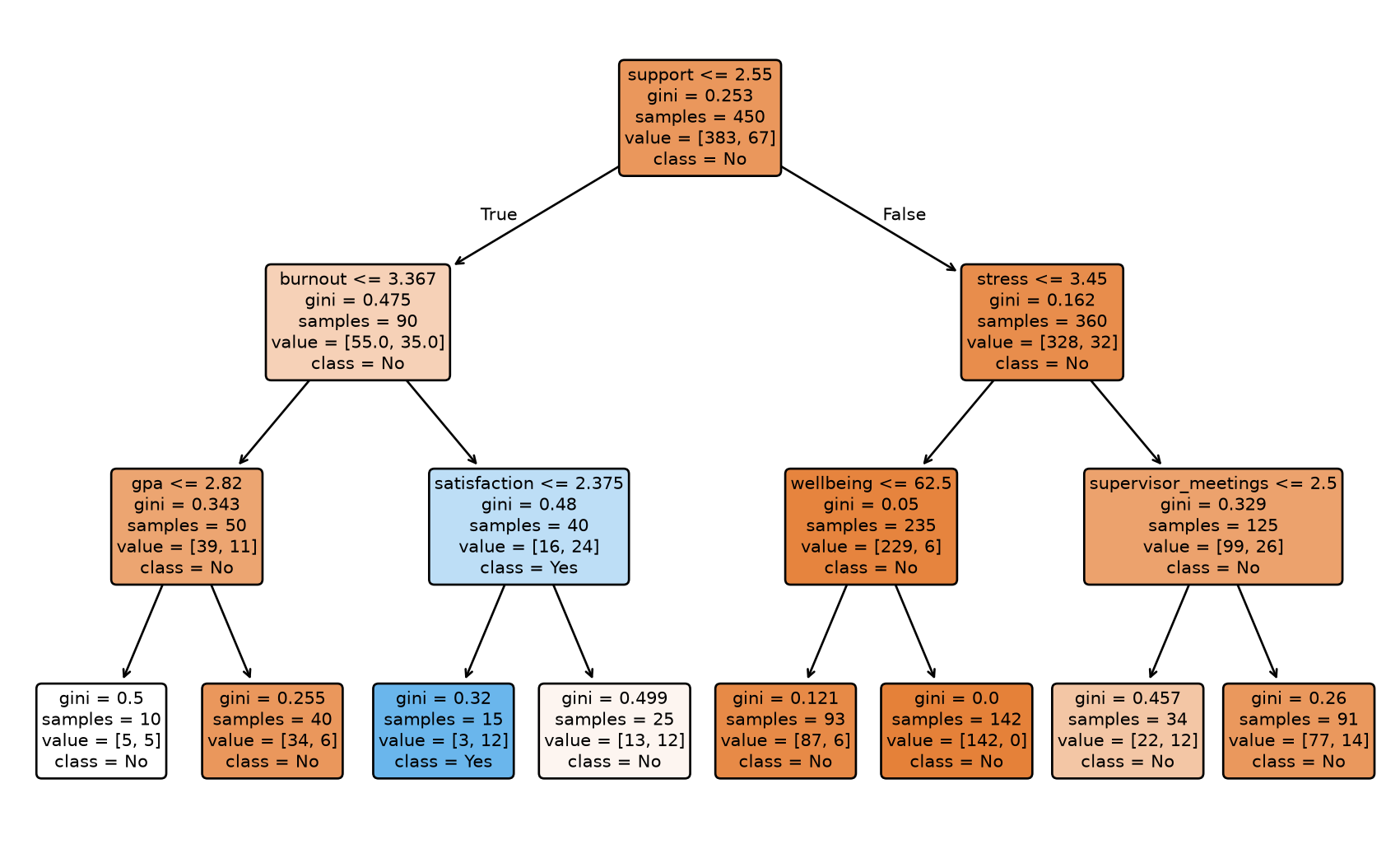
The first question is about support, the strongest single predictor. The tree is easy to read, but a single tree has a serious weakness: it is unstable. A slightly different sample of students can produce a completely different tree, and, as Chapter 11 showed, a deep tree overfits. The next method turns this weakness into a strength.
A random forest grows hundreds of trees, each on a slightly different version of the data, and lets them vote. Two sources of randomness make the trees different. Each tree is grown on a bootstrap sample of the training data (Chapter 7), students drawn at random with replacement. And at each split, the tree may only choose from a random subset of the predictors; the size of this subset, max_features in scikit-learn, is a hyperparameter.
Each individual tree overfits in its own way, but because the trees differ, many of their errors cancel out when the trees vote. The predicted probability of “Yes” is the share of trees that vote “Yes”. Averaging many models in this way is called an ensemble; a random forest is an ensemble of trees (Breiman 2001).
Scikit-learn’s RandomForestClassifier fits random forests efficiently:
from sklearn.ensemble import RandomForestClassifier
forest_pipe = Pipeline([
('prep', tree_recipe),
('model', RandomForestClassifier(n_estimators=500, random_state=2026))
])
forest_fit = forest_pipe.fit(X_train, y_train)A forest of 500 trees cannot be drawn, so it is a “black box”. Permutation importance opens it a little: for each predictor in turn, the values are shuffled randomly, and the drop in the model’s accuracy is recorded. Shuffling an important predictor hurts the predictions; shuffling an unimportant one does not. Figure 12.2 shows the result.
from sklearn.inspection import permutation_importance
imp = permutation_importance(forest_fit, X_train, y_train, n_repeats=10, random_state=2026)
importance_df = pd.DataFrame({
'predictor': X_train.columns,
'importance': imp.importances_mean
}).sort_values('importance')
fig, ax = plt.subplots(figsize=(6.5, 4.5))
ax.barh(importance_df['predictor'], importance_df['importance'], color='#2f6793')
ax.set_xlabel('Permutation importance (drop in accuracy)')
ax.grid(axis='x', linestyle='--', alpha=0.5)
plt.show()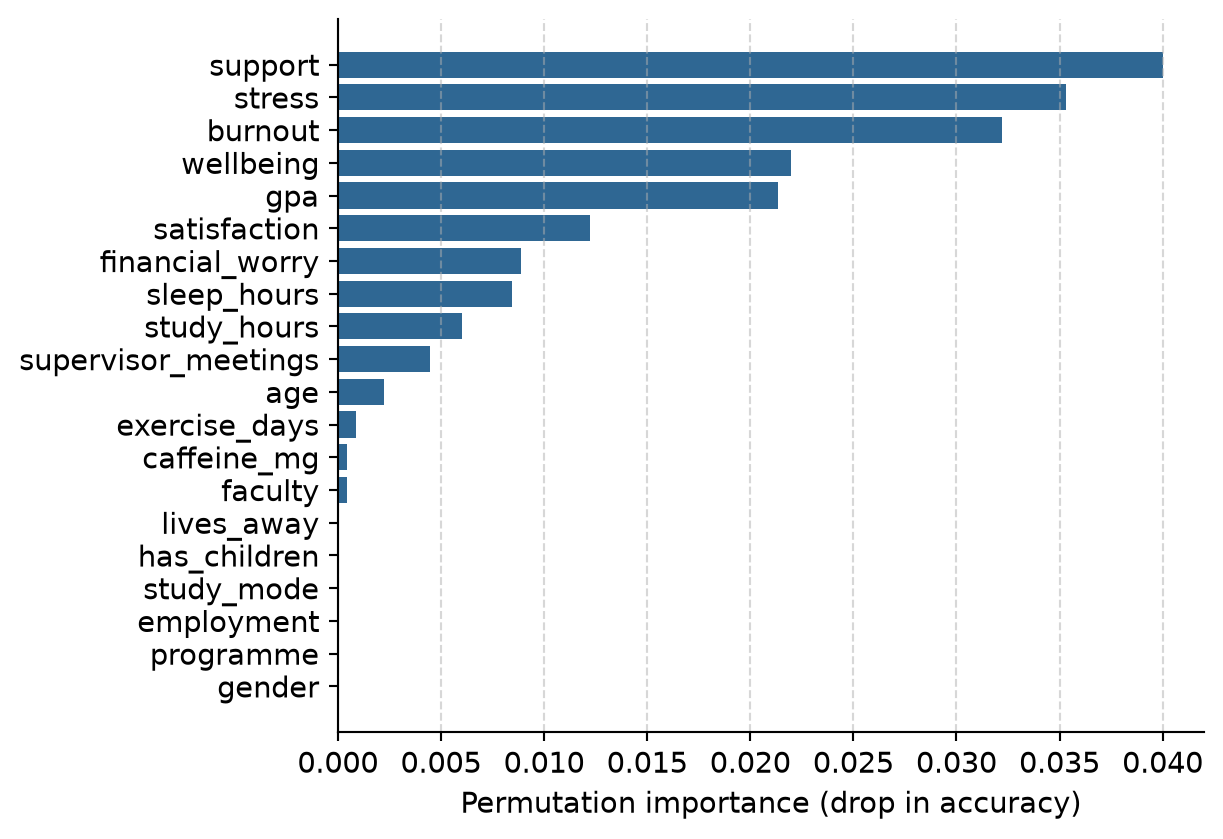
The forest relies most on support, stress, and burnout, and hardly at all on the students’ background, which agrees with the logistic regression of Chapter 8. Importance says which predictors the model uses, not what causes dropout; everything Chapter 8 said about confounding still applies.
k-nearest neighbours (k-NN), met briefly in Chapter 11, classifies a new student by finding the \(k\) most similar students in the training data and letting them vote. “Similar” means close together when the predictors are drawn as a map. Suppose a new student in the tiny example has a stress score of 3.5 and a support score of 3.0. The distance to each training student is the straight-line distance on the stress-support map:
tiny_dist = tiny.copy()
tiny_dist['distance'] = np.sqrt((tiny_dist['stress'] - 3.5)**2 + (tiny_dist['support'] - 3.0)**2)
tiny_dist.sort_values('distance').head(3)| stress | support | dropout | distance | |
|---|---|---|---|---|
| 9 | 4.0 | 2.5 | Yes | 0.707107 |
| 5 | 3.1 | 3.8 | No | 0.894427 |
| 6 | 3.4 | 2.1 | Yes | 0.905539 |
With \(k = 3\), two of the three nearest students considered dropping out, so the predicted probability of “Yes” is 2/3. Figure 12.3 shows the picture.
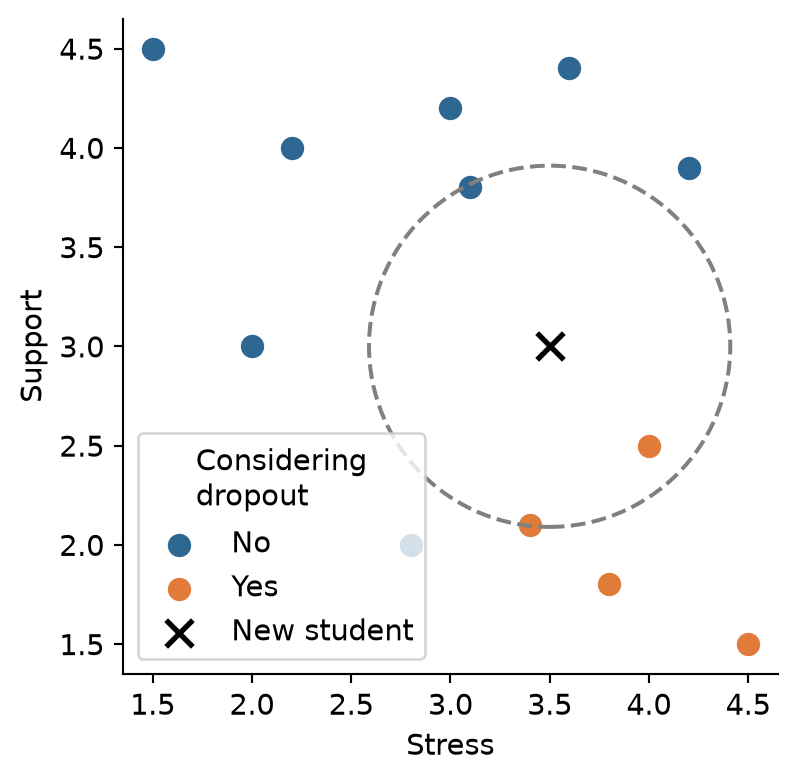
Because k-NN is based on distances, the predictors must be on the same scale. Otherwise a variable measured in large numbers, such as caffeine in milligrams, would dominate the distance, and a variable measured on a 1-5 scale would hardly count. That is why the recipe normalises every predictor.
The number of neighbours, \(k\), is a hyperparameter. With \(k = 1\), the model copies the nearest student and overfits badly (Chapter 11); with a large \(k\), it averages over many students and becomes smoother. Tuning shows which works best for the wellbeing data:
from sklearn.model_selection import GridSearchCV
from sklearn.neighbors import KNeighborsClassifier
knn_pipe = Pipeline([
('prep', dropout_recipe),
('knn', KNeighborsClassifier())
])
param_grid = {'knn__n_neighbors': [1, 5, 11, 21, 41, 81]}
knn_grid = GridSearchCV(knn_pipe, param_grid=param_grid, cv=dropout_folds, scoring='roc_auc')
knn_grid.fit(X_train, y_train)
knn_results = pd.DataFrame({
'neighbors': [1, 5, 11, 21, 41, 81],
'mean': knn_grid.cv_results_['mean_test_score'],
'std_err': knn_grid.cv_results_['std_test_score'] / np.sqrt(10)
})
knn_results| neighbors | mean | std_err | |
|---|---|---|---|
| 0 | 1 | 0.583237 | 0.022934 |
| 1 | 5 | 0.704131 | 0.031217 |
| 2 | 11 | 0.734453 | 0.033532 |
| 3 | 21 | 0.754412 | 0.021761 |
| 4 | 41 | 0.796486 | 0.016813 |
| 5 | 81 | 0.824661 | 0.024688 |
The AUC keeps rising up to the largest \(k\) tried. When the best value lies at the edge of the grid, the usual advice is to extend the grid, but here the result is informative in itself: the more neighbours k-NN averages over, the smoother its predictions become, and the better it does. The wellbeing data has a smooth pattern (risk rises steadily with stress and falls steadily with support), which a smooth model such as logistic regression captures directly. k-NN is at its best when the pattern is irregular and there is a lot of data.
A support vector machine (SVM) separates the two classes with a boundary that is as far as possible from the students on either side. Imagine drawing a line between the “Yes” and “No” points on the stress-support map: of all the lines that separate them, the SVM picks the one with the widest empty “street” around it, the margin. Only the students closest to the boundary, the support vectors, determine where it goes. When the classes overlap, as they always do in real data, some students are allowed inside the margin or on the wrong side, at a cost set by a hyperparameter.
A straight boundary is a linear SVM. With a kernel, the SVM can draw curved boundaries: the popular radial basis function (RBF) kernel lets the boundary bend around groups of points. Both are available in scikit-learn via SVC:
from sklearn.svm import SVC
svm_linear = SVC(kernel='linear', probability=True, random_state=2026)
svm_rbf = SVC(kernel='rbf', probability=True, random_state=2026)Like k-NN, SVMs are based on distances, so they need normalised predictors. Figure 12.4 shows how differently the four families draw their boundaries, using just stress and support so the result can be drawn as a map.
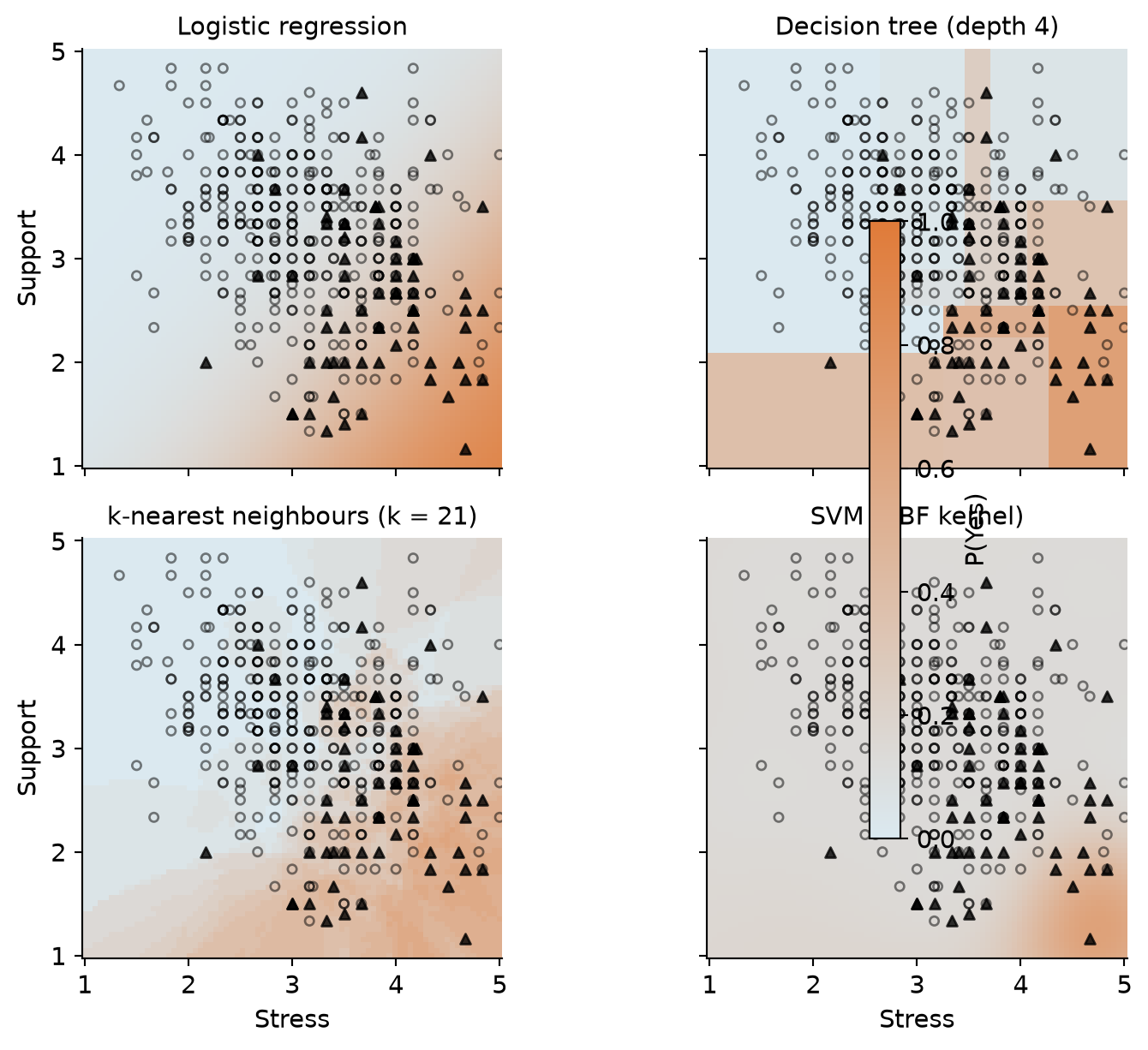
The fair way to compare the models is cross-validation on the same folds. In Python, we define our pipelines and evaluate each over the identical 10 folds with cross_validate:
from sklearn.model_selection import cross_validate
from sklearn.linear_model import LogisticRegression
candidate_models = {
'normalised_logistic': Pipeline([('prep', dropout_recipe), ('model', LogisticRegression(random_state=2026))]),
'normalised_svm_linear': Pipeline([('prep', dropout_recipe), ('model', SVC(kernel='linear', probability=True, random_state=2026))]),
'tree_data_forest': Pipeline([('prep', tree_recipe), ('model', RandomForestClassifier(n_estimators=500, random_state=2026))]),
'normalised_knn': Pipeline([('prep', dropout_recipe), ('model', KNeighborsClassifier(n_neighbors=41))]),
'tree_data_tree': Pipeline([('prep', tree_recipe), ('model', DecisionTreeClassifier(max_depth=4, min_samples_leaf=10, random_state=2026))]),
'normalised_svm_rbf': Pipeline([('prep', dropout_recipe), ('model', SVC(kernel='rbf', probability=True, random_state=2026))]),
}
comparison_results = []
for name, pipe in candidate_models.items():
cv_res = cross_validate(pipe, X_train, y_train, cv=dropout_folds, scoring='roc_auc')
comparison_results.append({
'wflow_id': name,
'mean': cv_res['test_score'].mean(),
'std_err': cv_res['test_score'].std(ddof=1) / np.sqrt(10)
})
comparison_df = pd.DataFrame(comparison_results).sort_values('mean', ascending=False).reset_index(drop=True)
comparison_df| wflow_id | mean | std_err | |
|---|---|---|---|
| 0 | normalised_logistic | 0.805710 | 0.021498 |
| 1 | tree_data_forest | 0.800863 | 0.020319 |
| 2 | normalised_knn | 0.796486 | 0.017722 |
| 3 | normalised_svm_linear | 0.791321 | 0.024877 |
| 4 | tree_data_tree | 0.739196 | 0.021488 |
| 5 | normalised_svm_rbf | 0.709154 | 0.029474 |
The trees and forest use the unscaled imputation recipe, and the distance-based models use the normalised one.
The winner, with a cross-validated AUC of 0.81, is plain logistic regression. The linear SVM (0.79), which also draws a straight boundary, comes close, followed by the random forest (0.80). The standard errors, around 0.02, show that the smaller differences at the top could be due to chance, but none of the flexible models beats the simple one. This is not a failure of the methods: it says something about the data. The risk of considering dropout rises smoothly with stress and falls smoothly with support, with no sharp thresholds or complicated interactions for a tree or a forest to find. On data with such structure, and with larger samples, forests and SVMs often do win. The lesson is the one from Chapter 11: compare, and let the simpler model stand unless a complex one clearly does better.
Logistic regression is therefore kept. It predicts as well as any model here, and it can be explained to the counselling service in one sentence.
The AUC measures how well a model ranks students. But the counselling service needs a decision: contact this student or not. A model makes a decision by comparing each predicted probability with a threshold; by default, a student is classified “Yes” when the probability of “Yes” is above 0.5. The confusion matrix counts how those decisions turn out.
Take a tiny example first. A screening questionnaire is given to 100 students, 10 of whom are truly at risk. It flags 12 students, 8 of whom are among the 10 at risk:
| Truly at risk | Not at risk | Total | |
|---|---|---|---|
| Flagged | 8 (true positives) | 4 (false positives) | 12 |
| Not flagged | 2 (false negatives) | 86 (true negatives) | 88 |
| Total | 10 | 90 | 100 |
Every classification ends in one of four cells. A true positive is a student at risk who is flagged; a false negative is a student at risk who is missed; a false positive is a student flagged by mistake; a true negative is a student correctly left alone.
The key measures come from these four counts, and each answers a different practical question. Sensitivity, also called recall, is the share of students at risk who are flagged, here 8/10 = 80%: it measures how many of the students who need help are found. Specificity is the share of students not at risk who are left alone, 86/90 = 96%. Precision is the share of flagged students who are truly at risk, 8/12 = 67%: it measures how often a contact is justified. The F1 score balances precision and recall in a single number (their harmonic mean), here 0.73, and it is high only when both are high. Accuracy, the share classified correctly, is (8 + 86)/100 = 94%, but, as Chapter 11 showed, it is dominated by the large “No” group.
For the study’s logistic regression, confusion_matrix() produces the confusion matrix for the test students:
from sklearn.metrics import confusion_matrix, accuracy_score, recall_score, precision_score, f1_score
logistic_pipe = Pipeline([
('prep', dropout_recipe),
('model', LogisticRegression(random_state=2026))
])
logistic_fit = logistic_pipe.fit(X_train, y_train)
y_pred = logistic_fit.predict(X_test)
y_prob = logistic_fit.predict_proba(X_test)[:, 1]
# Confusion matrix with Yes (1) in row 0, No (0) in row 1
cm = confusion_matrix(y_test, y_pred, labels=[1, 0])
cm_df = pd.DataFrame(
cm,
index=['Truly Yes', 'Truly No'],
columns=['Pred Yes', 'Pred No']
)
cm_df| Pred Yes | Pred No | |
|---|---|---|
| Truly Yes | 8 | 15 |
| Truly No | 3 | 124 |
Scikit-learn calculates the summary metrics. Notice how they treat 1 (“Yes”) as the event of interest:
tn, fp, fn, tp = confusion_matrix(y_test, y_pred, labels=[0, 1]).ravel()
class_metrics = pd.DataFrame({
'.metric': ['accuracy', 'sensitivity', 'specificity', 'precision', 'f_meas'],
'.estimate': [
accuracy_score(y_test, y_pred),
recall_score(y_test, y_pred),
tn / (tn + fp),
precision_score(y_test, y_pred),
f1_score(y_test, y_pred)
]
})
class_metrics| .metric | .estimate | |
|---|---|---|
| 0 | accuracy | 0.880000 |
| 1 | sensitivity | 0.347826 |
| 2 | specificity | 0.976378 |
| 3 | precision | 0.727273 |
| 4 | f_meas | 0.470588 |
This is sobering. Of the 23 test students who considered dropping out, the model flags only 8: a sensitivity of 35%. The high accuracy and high specificity come almost entirely from correctly leaving alone the large majority who were never at risk. The AUC showed the model ranks students well, so the problem is not the model but the threshold: with only 15% of students at risk, few students ever get a predicted probability above 0.5.
The threshold of 0.5 is a default, not a law. Lowering it flags more students: more of those at risk are found (higher recall), at the price of more false alarms (lower precision). Which balance is right depends on what the decision costs. Here, a flagged student is offered a conversation with a counsellor: cheap, and harmless if unnecessary. Missing a student who then leaves is costly. So a threshold well below 0.5 makes sense. If the decision were costly or stigmatising, a high threshold would be needed.
The threshold is a choice made while building the model, so it must be chosen without the test set. Cross-validation can provide predictions for every training student from a model that did not see them; cross_val_predict() provides out-of-fold probability estimates:
from sklearn.model_selection import cross_val_predict
cv_predictions = cross_val_predict(
logistic_pipe, X_train, y_train, cv=dropout_folds, method='predict_proba'
)[:, 1]The ROC curve shows every possible threshold at once. For each threshold, it plots the sensitivity against the false-positive rate (1 − specificity). A useless model follows the diagonal; a good one bends towards the top-left corner, and the AUC is the area under the curve:
from sklearn.metrics import roc_curve
fpr, tpr, thresholds = roc_curve(y_train, cv_predictions)
# Find closest points to threshold 0.5 and 0.2
idx_05 = np.argmin(np.abs(thresholds - 0.5))
idx_02 = np.argmin(np.abs(thresholds - 0.2))
fig, ax = plt.subplots(figsize=(5, 5))
ax.plot(fpr, tpr, color='#2f6793', linewidth=2)
ax.plot([0, 1], [0, 1], linestyle='--', color='grey')
ax.scatter([fpr[idx_05], fpr[idx_02]], [tpr[idx_05], tpr[idx_02]], color='#e07b39', s=50, zorder=5)
ax.annotate('threshold 0.5', (fpr[idx_05], tpr[idx_05]), textcoords='offset points', xytext=(10, -5))
ax.annotate('threshold 0.2', (fpr[idx_02], tpr[idx_02]), textcoords='offset points', xytext=(10, -5))
ax.set_aspect('equal')
ax.set_xlabel('False positive rate (1 - specificity)')
ax.set_ylabel('Sensitivity (recall)')
plt.show()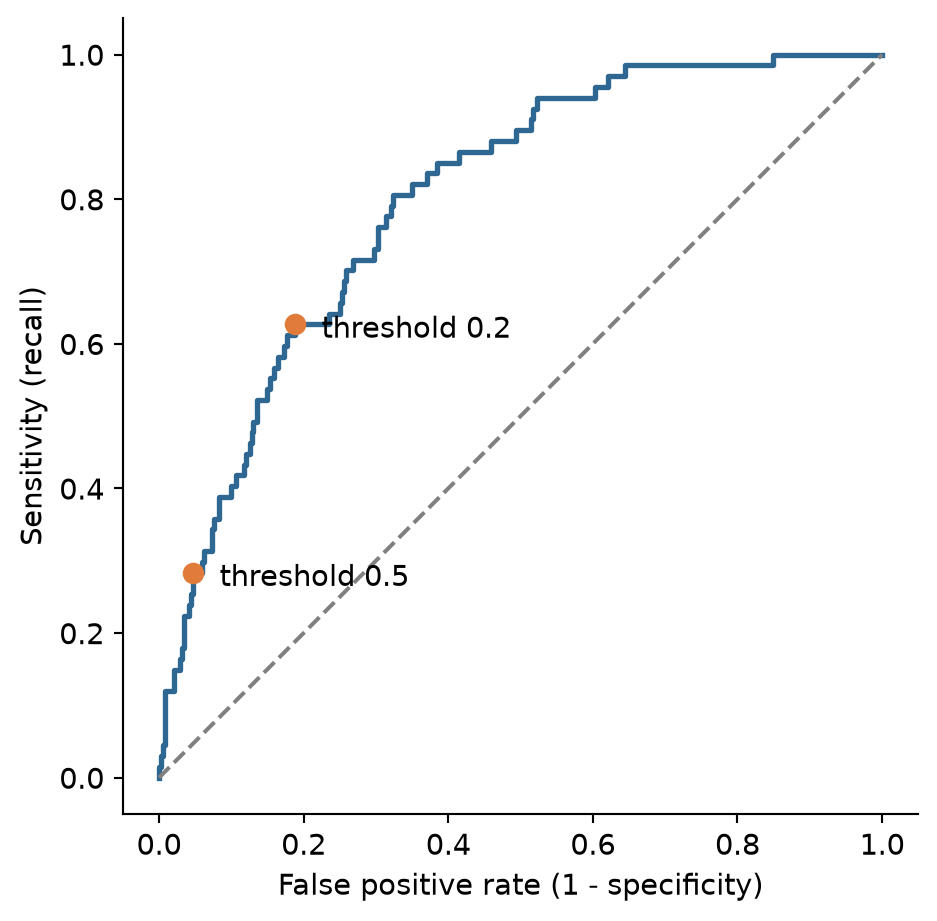
A table makes the trade-off concrete. For several thresholds, it shows the share of students flagged, and the resulting recall, precision, and specificity:
threshold_rows = []
for t in [0.5, 0.4, 0.3, 0.2, 0.15, 0.1]:
flags = (cv_predictions >= t).astype(int)
tn_c, fp_c, fn_c, tp_c = confusion_matrix(y_train, flags, labels=[0, 1]).ravel()
threshold_rows.append({
'threshold': t,
'flagged': flags.mean(),
'recall': tp_c / (tp_c + fn_c),
'precision': tp_c / (tp_c + fp_c) if (tp_c + fp_c) > 0 else 0,
'specificity': tn_c / (tn_c + fp_c)
})
threshold_table = pd.DataFrame(threshold_rows)
threshold_table.round(3)| threshold | flagged | recall | precision | specificity | |
|---|---|---|---|---|---|
| 0 | 0.50 | 0.084 | 0.284 | 0.500 | 0.950 |
| 1 | 0.40 | 0.124 | 0.358 | 0.429 | 0.916 |
| 2 | 0.30 | 0.193 | 0.522 | 0.402 | 0.864 |
| 3 | 0.20 | 0.260 | 0.627 | 0.359 | 0.804 |
| 4 | 0.15 | 0.322 | 0.687 | 0.317 | 0.742 |
| 5 | 0.10 | 0.420 | 0.821 | 0.291 | 0.650 |
Moving the threshold trades one error for the other, so the choice depends on how much each error costs. The costs are not statistical quantities; they are judgements about consequences, and they should be made explicitly. Suppose the counselling service judges that missing a student who is at risk is ten times as costly as an unnecessary conversation. The total cost of each threshold can then be calculated from the cross-validated predictions:
cost_miss = 10 # a student at risk who is not contacted
cost_false_alarm = 1 # an unnecessary conversation
cost_rows = []
for t in np.arange(0.02, 0.62, 0.02):
misses = np.sum((cv_predictions < t) & (y_train == 1))
false_alarms = np.sum((cv_predictions >= t) & (y_train == 0))
total_cost = cost_miss * misses + cost_false_alarm * false_alarms
cost_rows.append({
'threshold': round(t, 2),
'misses': misses,
'false_alarms': false_alarms,
'flagged': np.mean(cv_predictions >= t),
'total_cost': total_cost
})
cost_curve = pd.DataFrame(cost_rows)
best_cost = cost_curve.loc[cost_curve['total_cost'].idxmin()]
best_costthreshold 0.040000
misses 4.000000
false_alarms 209.000000
flagged 0.604444
total_cost 249.000000
Name: 1, dtype: float64fig, ax = plt.subplots(figsize=(6, 3.6))
ax.plot(cost_curve['threshold'], cost_curve['total_cost'], color='#2f6793', linewidth=2)
ax.scatter(best_cost['threshold'], best_cost['total_cost'], color='#e07b39', s=60, zorder=5)
ax.set_xlabel('Threshold')
ax.set_ylabel('Total cost (arbitrary units)')
plt.show()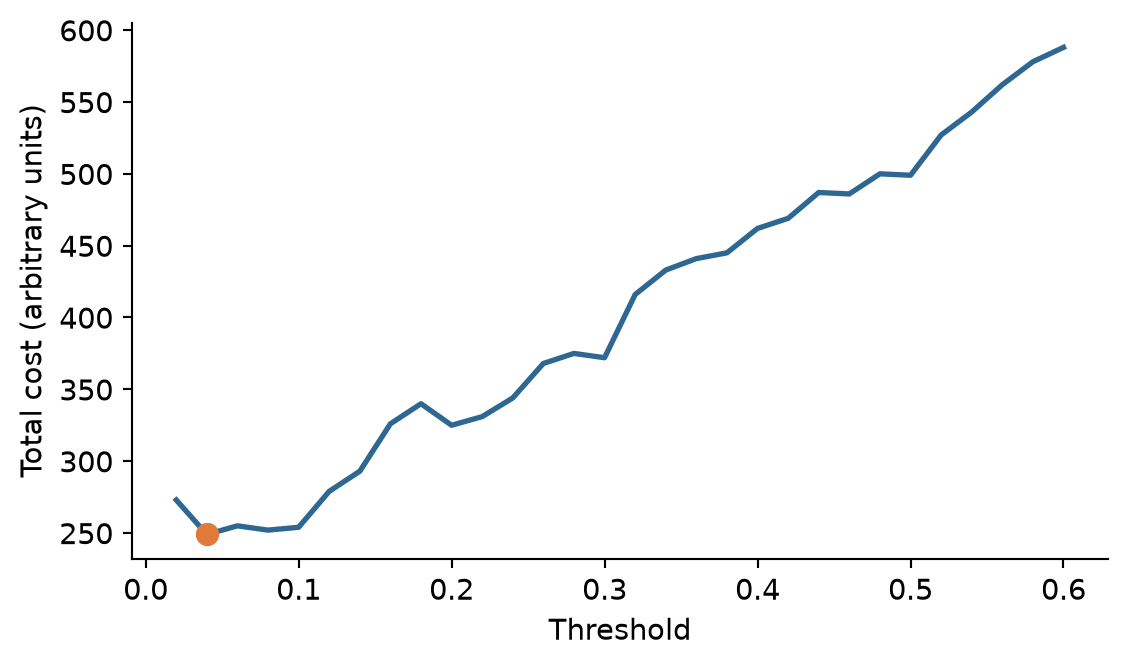
With these costs, the cheapest threshold is about 0.04 to 0.10. A simple rule from decision theory points in the same direction: when the predicted probabilities are accurate, the cost-minimising threshold is the cost of a false alarm divided by the sum of the two costs, here \(1 / (1 + 10) \approx 0.09\). The two do not match exactly. The rule assumes perfectly accurate probabilities, and the cost curve is estimated from limited at-risk students, so its minimum is a broad basin. Both approaches agree on what matters for the decision: with these costs, the threshold belongs far below 0.5. Different costs give different thresholds. If a false alarm carried a real cost, such as a letter that stigmatised the student, the threshold would rise; if missing a student carried a greater one, it would fall further.
The costs, and therefore the threshold, are a research decision with an ethical side. They should be set with the people who will use the model, stated in the thesis, and, where the consequences are serious, examined for their effects on different groups of students.
Practical limits matter as well. The counselling service cannot talk to every student the cost analysis would flag, and after discussing the table with Elaf it settles on a threshold of 0.2: the model then flags about 26% of students, finds about 63% of those at risk, and about 36% of the students it flags are truly at risk. Only now is the chosen threshold applied to the test students:
flags_test = (y_prob >= 0.2).astype(int)
cm_test_02 = pd.DataFrame(
confusion_matrix(y_test, flags_test, labels=[1, 0]),
index=['Truly Yes', 'Truly No'],
columns=['Pred Yes', 'Pred No']
)
cm_test_02| Pred Yes | Pred No | |
|---|---|---|
| Truly Yes | 17 | 6 |
| Truly No | 29 | 98 |
tn_t, fp_t, fn_t, tp_t = confusion_matrix(y_test, flags_test, labels=[0, 1]).ravel()
test_metrics_02 = pd.DataFrame({
'.metric': ['accuracy', 'sensitivity', 'specificity', 'precision', 'f_meas'],
'.estimate': [
accuracy_score(y_test, flags_test),
recall_score(y_test, flags_test),
tn_t / (tn_t + fp_t),
precision_score(y_test, flags_test),
f1_score(y_test, flags_test)
]
})
test_metrics_02.round(3)| .metric | .estimate | |
|---|---|---|
| 0 | accuracy | 0.767 |
| 1 | sensitivity | 0.739 |
| 2 | specificity | 0.772 |
| 3 | precision | 0.370 |
| 4 | f_meas | 0.493 |
On new students, the model now finds 17 of the 23 at risk instead of 8, while flagging 46 students in all. About one flagged student in three is truly at risk. The test numbers are in close agreement with the cross-validated estimates. Accuracy has fallen, and it does not matter: accuracy was never the goal.
Sensitivity, specificity, precision, and F1 all depend on the threshold, so a paper that reports them must say which threshold was used, and why. The AUC does not depend on the threshold, which is why it is the standard measure for comparing models, and the threshold-dependent measures are the ones for describing how a model will be used.
When one outcome is rare, as considering dropout is, models tend to predict the common one. Besides moving the threshold, there are two other common remedies. Resampling changes the training data so that the classes are balanced: upsampling repeats rare-class students, downsampling drops common-class students, and SMOTE creates new, artificial rare-class students between existing ones. Class weights instead make mistakes on the rare class count more when the model is fitted, and scikit-learn models support them directly via class_weight='balanced':
balanced_pipe = Pipeline([
('prep', dropout_recipe),
('model', LogisticRegression(class_weight='balanced', random_state=2026))
])
balanced_cv = cross_validate(
balanced_pipe, X_train, y_train, cv=dropout_folds,
scoring=['roc_auc', 'recall', 'precision']
)
pd.DataFrame({
'.metric': ['roc_auc', 'sensitivity', 'precision'],
'mean': [
balanced_cv['test_roc_auc'].mean(),
balanced_cv['test_recall'].mean(),
balanced_cv['test_precision'].mean()
]
}).round(3)| .metric | mean | |
|---|---|---|
| 0 | roc_auc | 0.805 |
| 1 | sensitivity | 0.710 |
| 2 | precision | 0.324 |
With the usual 0.5 threshold, the balanced model has a sensitivity of about 71%, far higher than the unweighted default (28%). But its AUC, 0.81, has not improved. Weighting the classes did not make the model better at telling students apart; it pushed all the predicted probabilities upwards, which has much the same effect as lowering the threshold. That is often how it works out, and for a model that produces probabilities, choosing the threshold directly is simpler and keeps the probabilities meaningful (after reweighting or upsampling, an output score of 0.6 no longer corresponds to a 60% empirical rate). Class balancing is most useful for models that do not produce calibrated probabilities, and when the rare class is very rare.
Among the test students, the model with a threshold of 0.2 finds similar proportions of at-risk women and at-risk men; but with only 23 at-risk students in the test set, subtle subgroup differences can be hard to detect. Before a model like this is deployed, its sensitivity and precision should be checked for each demographic and academic group that matters (gender, faculty, full- and part-time study) on as much data as possible, as Chapter 11 recommended. A threshold that works well on average can still miss one group of students much more often than another.
Decision tree, node, leaf, Gini impurity, random forest, bootstrap sample, ensemble, max_features, permutation importance, k-nearest neighbours, distance, support vector machine, margin, support vector, kernel, radial basis function, cross-validation comparison, threshold, confusion matrix, true positive, false positive, true negative, false negative, sensitivity, recall, specificity, precision, F1 score, ROC curve, misclassification cost, upsampling, downsampling, SMOTE, class weights.
The playground has these and more, with hints and solutions.
max_depth = 2. Name the predictors it uses, and explain the tree in plain words, as you would to a counsellor.max_features over [2, 5, 10] with cross-validation, and compare the best value with the default.n_neighbors = [81, 161, 301], describe what happens to the AUC, and explain what happens to a k-NN model as \(k\) approaches the number of training students.threshold_table, recommend a threshold and report the recall and precision it would give.class_weight='balanced' with the unweighted baseline, and compare the sensitivity and AUC.Research data often contains many possible predictors for rather few cases. A questionnaire with dozens of items, several rounds of measurement, and a background survey can easily supply 50 predictors for a sample of 60 or 100 people. Ordinary regression estimates a coefficient for every predictor, and with that much freedom it can fit its own data almost perfectly while predicting new cases badly: the overfitting of Chapter 11, now in its most common form. The problem is made worse when predictors are correlated, as questionnaire items usually are.
This chapter introduces two families of methods that make many predictors usable. Regularised regression (ridge, lasso, and elastic net) keeps the familiar linear model but shrinks its coefficients towards zero, trading a little fit on the training data for much better predictions. Boosting builds a flexible model from many small decision trees, each correcting the errors of the ones before. The chapter also introduces the measures used to judge numeric predictions. The outcome is now a number, so this is a regression problem in the machine learning sense of Chapter 11. In the study, it answers the tenth research question (RQ10): the university’s academic advisers meet every student at the end of the first year, and would like to know from year-one information which students are heading for a low final GPA, so that extra support can be planned.
The advisers meet students at the end of year one, so the model may use only what is known by then: the students’ background, their questionnaire answers, and their records from semesters 1 and 2. The outcome is GPA in semester 4.
This time, every questionnaire item is used as a separate predictor, rather than the four scale scores, to show how the methods cope with many related predictors. The semester records are in long format (one row per student per semester); for prediction, they are needed in wide format, one row per student, with a column for each measure in each semester. pivot() in pandas does this:
import data2thesis as dt
import pandas as pd
import numpy as np
students = dt.load_students()
students["employment"] = students["employment"].fillna("None")
semesters = dt.load_semesters()
questionnaire = dt.load_questionnaire()
s12 = semesters[semesters['semester'] <= 2]
year_one = s12.pivot(
index='student_id',
columns='semester',
values=['gpa', 'sleep_hours', 'study_hours', 'exercise_days', 'caffeine_mg', 'supervisor_meetings', 'wellbeing']
)
year_one.columns = [f"{col[0]}_s{col[1]}" for col in year_one.columns]
year_one = year_one.reset_index()
final_gpa = (
semesters[(semesters['semester'] == 4) & semesters['gpa'].notna()][['student_id', 'gpa']]
.rename(columns={'gpa': 'final_gpa'})
)
gpa_data = (
students
.merge(questionnaire, on='student_id')
.merge(year_one, on='student_id')
.merge(final_gpa, on='student_id')
.drop(columns=['student_id', 'supervisor_id', 'considering_dropout'])
)
print(gpa_data.shape)(563, 48)The pivot builds the new column names, such as gpa_s1 and sleep_hours_s2, and the inner merge keeps only students who have a final GPA. That is an important limitation: the 37 students who left the programme have no final GPA, so the model can only predict the final GPA of students who stay. (Chapter 6 showed that the leavers were not a random group, so the model should not be used to judge them.)
The split, folds, and pipeline follow Chapter 11. With a numeric outcome, we stratify by quartiles of final_gpa so that both sets cover the full range of GPAs:
from sklearn.model_selection import train_test_split, KFold
from sklearn.compose import ColumnTransformer
from sklearn.impute import SimpleImputer
from sklearn.preprocessing import StandardScaler, OneHotEncoder
from sklearn.pipeline import Pipeline
X = gpa_data.drop(columns=['final_gpa'])
y = gpa_data['final_gpa']
y_bins = pd.qcut(y, q=4, labels=False)
X_train, X_test, y_train, y_test = train_test_split(
X, y, test_size=0.25, stratify=y_bins, random_state=2026
)
num_cols = X.select_dtypes(include=['int64', 'float64']).columns.tolist()
cat_cols = X.select_dtypes(include=['object', 'category']).columns.tolist()
gpa_recipe = ColumnTransformer([
('num', Pipeline([('imp', SimpleImputer(strategy='median')), ('scaler', StandardScaler())]), num_cols),
('cat', Pipeline([('imp', SimpleImputer(strategy='most_frequent')), ('ohe', OneHotEncoder(drop='first', sparse_output=False, handle_unknown='ignore'))]), cat_cols)
])
gpa_folds = KFold(n_splits=10, shuffle=True, random_state=2026)
feature_count = gpa_recipe.fit(X_train).transform(X_train).shape[1]
print(f"Number of prepared predictors: {feature_count}")Number of prepared predictors: 51After dummy variables are created, there are 48 predictors, plus the outcome.
The quality of a numeric prediction is judged by its errors. Five students whose final GPA a model has predicted show how:
tiny = pd.DataFrame({
'actual': [3.2, 2.8, 3.6, 3.0, 2.5],
'predicted': [3.0, 2.9, 3.3, 3.1, 2.9]
})
tiny['error'] = tiny['actual'] - tiny['predicted']
tiny| actual | predicted | error | |
|---|---|---|---|
| 0 | 3.2 | 3.0 | 0.2 |
| 1 | 2.8 | 2.9 | -0.1 |
| 2 | 3.6 | 3.3 | 0.3 |
| 3 | 3.0 | 3.1 | -0.1 |
| 4 | 2.5 | 2.9 | -0.4 |
Each error (or residual) is the actual value minus the prediction, and three measures summarise them. The MAE (mean absolute error) is the average size of the errors, ignoring their sign; here, (0.2 + 0.1 + 0.3 + 0.1 + 0.4) / 5 = 0.22 GPA points. The RMSE (root mean squared error) squares the errors, averages them, and takes the square root. Squaring gives large errors more weight, so the RMSE is always at least as large as the MAE, and much larger when there are a few big misses. R² is the coefficient of determination: the share of the variation in the outcome that the predictions capture, from 0 to 1. Scikit-learn calculates all three:
from sklearn.metrics import mean_absolute_error, root_mean_squared_error, r2_score
pd.DataFrame({
'.metric': ['rmse', 'mae', 'rsq'],
'.estimate': [
root_mean_squared_error(tiny['actual'], tiny['predicted']),
mean_absolute_error(tiny['actual'], tiny['predicted']),
r2_score(tiny['actual'], tiny['predicted'])
]
})| .metric | .estimate | |
|---|---|---|
| 0 | rmse | 0.248998 |
| 1 | mae | 0.220000 |
| 2 | rsq | 0.549419 |
MAE and RMSE are in the units of the outcome, here GPA points, which makes them easy to explain: “the model’s predictions are typically off by about 0.2 GPA points”. Lower is better. R² has no units; higher is better.
A number on its own means little, so every model should be compared with a baseline: the simplest possible prediction. For a numeric outcome, the baseline predicts the same value, the training mean, for everyone, using DummyRegressor:
from sklearn.dummy import DummyRegressor
from sklearn.model_selection import cross_validate
null_model = DummyRegressor(strategy='mean')
null_cv = cross_validate(
null_model, X_train, y_train, cv=gpa_folds,
scoring=['neg_root_mean_squared_error', 'neg_mean_absolute_error']
)
null_rmse = -null_cv['test_neg_root_mean_squared_error'].mean()
null_mae = -null_cv['test_neg_mean_absolute_error'].mean()
pd.DataFrame({
'.metric': ['rmse', 'mae'],
'mean': [null_rmse, null_mae]
})| .metric | mean | |
|---|---|---|
| 0 | rmse | 0.313298 |
| 1 | mae | 0.250273 |
Predicting the average GPA for everyone gives an RMSE of 0.31. Any useful model must do clearly better.
The obvious model is multiple linear regression, using every predictor:
from sklearn.linear_model import LinearRegression
lm_pipe = Pipeline([
('prep', gpa_recipe),
('model', LinearRegression())
])
lm_cv = cross_validate(
lm_pipe, X_train, y_train, cv=gpa_folds,
scoring=['neg_root_mean_squared_error', 'neg_mean_absolute_error', 'r2']
)
pd.DataFrame({
'.metric': ['rmse', 'mae', 'rsq'],
'mean': [
-lm_cv['test_neg_root_mean_squared_error'].mean(),
-lm_cv['test_neg_mean_absolute_error'].mean(),
lm_cv['test_r2'].mean()
]
})| .metric | mean | |
|---|---|---|
| 0 | rmse | 0.215400 |
| 1 | mae | 0.173449 |
| 2 | rsq | 0.501566 |
A cross-validated RMSE of 0.215, much better than the baseline. With 422 training students and 48 predictors, ordinary regression works reasonably well. But watch what happens with fewer students. Many theses have samples of 50 or 60, so here is the same model fitted to 60 randomly chosen training students, and tested on the test set:
np.random.seed(3)
idx_60 = np.random.choice(len(X_train), size=60, replace=False)
X_small, y_small = X_train.iloc[idx_60], y_train.iloc[idx_60]
lm_small = Pipeline([
('prep', gpa_recipe),
('model', LinearRegression())
])
lm_small.fit(X_small, y_small)
train_rmse_60 = root_mean_squared_error(y_small, lm_small.predict(X_small))
test_rmse_60 = root_mean_squared_error(y_test, lm_small.predict(X_test))
print(f"Training RMSE (60 students): {train_rmse_60:.3f}")
print(f"Test Set RMSE (60 students): {test_rmse_60:.3f}")Training RMSE (60 students): 0.068
Test Set RMSE (60 students): 0.664On its own 60 students, the model looks excellent: an RMSE of 0.068. On new students, its RMSE jumps to 0.664, worse than predicting the average GPA for everyone. With 48 coefficients estimated from 60 students, the model has enough freedom to fit the noise in its sample, and the coefficients that fit the noise do not carry over. In the extreme, with as many predictors as students, a regression can fit its data perfectly and predict nothing.
The problem is made worse by multicollinearity: many of the predictors are strongly correlated (six stress items, two semesters of GPA), and regression struggles to divide the credit between correlated predictors. Their coefficients become large, unstable, and sometimes of opposite signs, cancelling each other out on the training data but not on new data.
Regularisation tackles this directly: it fits the regression while penalising large coefficients. Ordinary regression chooses the coefficients that minimise the sum of squared errors. Regularised regression minimises:
\[ \text{sum of squared errors} + \lambda \times \text{size of the coefficients}. \]
The penalty \(\lambda\) (alpha in scikit-learn) sets how much large coefficients cost. With \(\lambda = 0\), this is ordinary regression; as \(\lambda\) grows, the coefficients are pulled, or shrunk, towards zero. A little shrinkage costs almost nothing in fit to the training data, but makes the model much more stable on new data. Because the penalty depends on the size of the coefficients, the predictors must be on the same scale, which the pipeline’s StandardScaler ensures.
There are three versions, which differ in how “size” is measured:
Ridge): uses the sum of the squared coefficients (\(L_2\) penalty). It shrinks all coefficients towards zero and shares credit among correlated predictors, keeping every predictor in the model.Lasso): uses the sum of the absolute coefficients (\(L_1\) penalty) (Tibshirani 1996). It shrinks too, but it also sets some coefficients to exactly zero, removing those predictors and performing variable selection.ElasticNet): combines both penalties with an l1_ratio parameter running from 0 (ridge) to 1 (lasso).The 60 students are now refitted with a lasso:
from sklearn.linear_model import Lasso
lasso_small = Pipeline([
('prep', gpa_recipe),
('model', Lasso(alpha=0.03, random_state=2026))
])
lasso_small.fit(X_small, y_small)
lasso_small_rmse = root_mean_squared_error(y_test, lasso_small.predict(X_test))
print(f"Lasso Test Set RMSE (60 students): {lasso_small_rmse:.3f}")Lasso Test Set RMSE (60 students): 0.221From the same 60 students, the lasso’s RMSE on new students is 0.221, against 0.664 for ordinary regression. The penalty kept the model from chasing noise.
The difference lies in the coefficients. Figure 13.1 compares, predictor by predictor, the coefficients that ordinary regression and the lasso estimated from the same 60 students:
lm_coefs = lm_small.named_steps['model'].coef_
lasso_coefs = lasso_small.named_steps['model'].coef_
fig, ax = plt.subplots(figsize=(6, 4))
ax.axhline(0, color='grey', linestyle='--', alpha=0.6)
ax.axvline(0, color='grey', linestyle='--', alpha=0.6)
ax.scatter(lm_coefs, lasso_coefs, color='#2f6793', alpha=0.7, s=30)
ax.set_xlabel('Ordinary regression coefficient')
ax.set_ylabel('Lasso coefficient')
plt.show()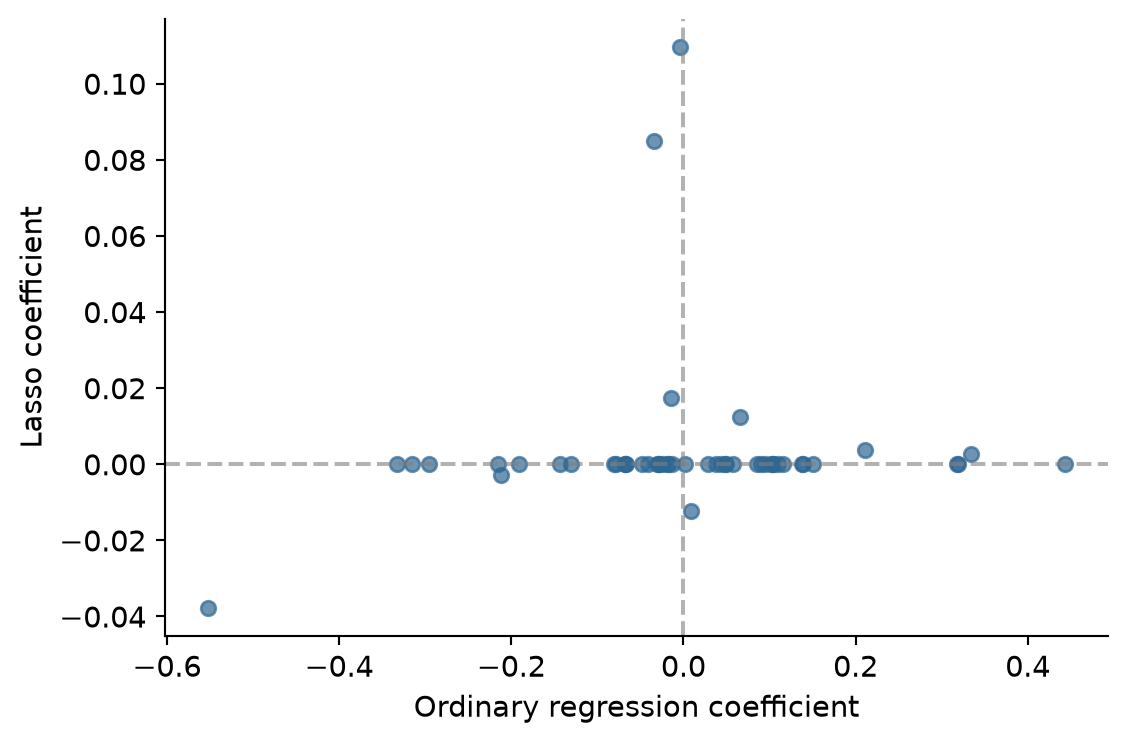
Ordinary regression gives every predictor a coefficient, many of them large and in both directions: with 60 students, it cannot tell real effects from the chance patterns of this sample, so it fits both. The lasso sets most predictors to zero and shrinks the rest.
The penalty \(\lambda\) and mixture are hyperparameters, so they are tuned with cross-validation on the full training set. We try 20 penalties on a logarithmic scale from \(10^{-4}\) to \(1\):
from sklearn.linear_model import Ridge, ElasticNet
from sklearn.model_selection import GridSearchCV
alphas = np.logspace(-4, 0, 20)
ridge_grid = GridSearchCV(
Pipeline([('prep', gpa_recipe), ('model', Ridge())]),
param_grid={'model__alpha': alphas},
cv=gpa_folds, scoring='neg_root_mean_squared_error'
).fit(X_train, y_train)
lasso_grid = GridSearchCV(
Pipeline([('prep', gpa_recipe), ('model', Lasso(random_state=2026))]),
param_grid={'model__alpha': alphas},
cv=gpa_folds, scoring='neg_root_mean_squared_error'
).fit(X_train, y_train)
enet_grid = GridSearchCV(
Pipeline([('prep', gpa_recipe), ('model', ElasticNet(l1_ratio=0.5, random_state=2026))]),
param_grid={'model__alpha': alphas},
cv=gpa_folds, scoring='neg_root_mean_squared_error'
).fit(X_train, y_train)fig, ax = plt.subplots(figsize=(6.5, 3.8))
ax.plot(alphas, -ridge_grid.cv_results_['mean_test_score'], label='Ridge (L2)', color='#1d588c', linewidth=1.5)
ax.plot(alphas, -enet_grid.cv_results_['mean_test_score'], label='Elastic Net (0.5)', color='#46586d', linestyle='--', linewidth=1.5)
ax.plot(alphas, -lasso_grid.cv_results_['mean_test_score'], label='Lasso (L1)', color='#b4762e', linewidth=1.5)
ax.set_xscale('log')
ax.set_xlabel('Penalty (alpha)')
ax.set_ylabel('Cross-validated RMSE')
ax.legend(frameon=True)
plt.show()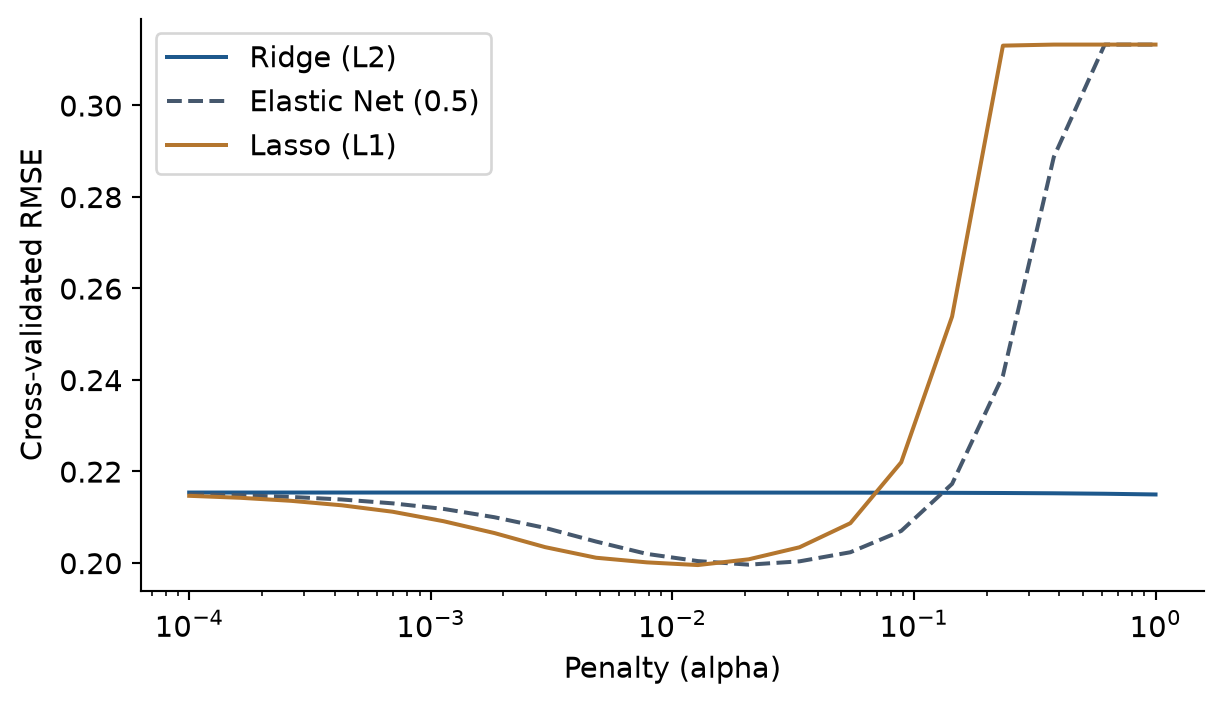
Figure 13.2 shows the typical pattern. With a tiny penalty, all three behave like ordinary regression. As the penalty grows, the RMSE reaches a minimum around 0.20, and then rises steeply once the penalty is so large that it shrinks away real effects too. At the far right, the lasso has shrunk every coefficient to zero and predicts the mean for everyone: its RMSE equals the baseline’s (0.31).
The best lasso model picks a penalty around 0.013:
best_lasso_model = lasso_grid.best_estimator_
# Get feature names from transformer
prep_fitted = best_lasso_model.named_steps['prep']
feature_names = [f.split('__')[-1] for f in prep_fitted.get_feature_names_out()]
lasso_weights = best_lasso_model.named_steps['model'].coef_
lasso_coef_df = pd.DataFrame({
'term': feature_names,
'estimate': lasso_weights
})
non_zero = lasso_coef_df[lasso_coef_df['estimate'] != 0].copy()
non_zero['abs_est'] = non_zero['estimate'].abs()
non_zero = non_zero.sort_values('abs_est', ascending=False).drop(columns=['abs_est'])
non_zero.head(10).round(3)| term | estimate | |
|---|---|---|
| 26 | gpa_s2 | 0.148 |
| 25 | gpa_s1 | 0.090 |
| 10 | burnout_2 | -0.017 |
| 22 | satisfaction_2 | 0.011 |
| 9 | burnout_1 | -0.006 |
| 30 | study_hours_s2 | 0.005 |
| 29 | study_hours_s1 | 0.004 |
| 5 | stress_3 | -0.003 |
| 4 | stress_2 | -0.002 |
| 20 | support_6 | 0.001 |
Of 51 predictors, the lasso keeps 12. Because the predictors are normalised, the coefficients are comparable: year-one GPA dominates. A student whose semester 2 GPA is one standard deviation above average is predicted to finish substantially higher, with other variables adding minor refinements.
Figure 13.3 shows how the lasso arrives at this. As the penalty decreases from left to right, predictors enter the model one by one, and the two GPA measures enter first:
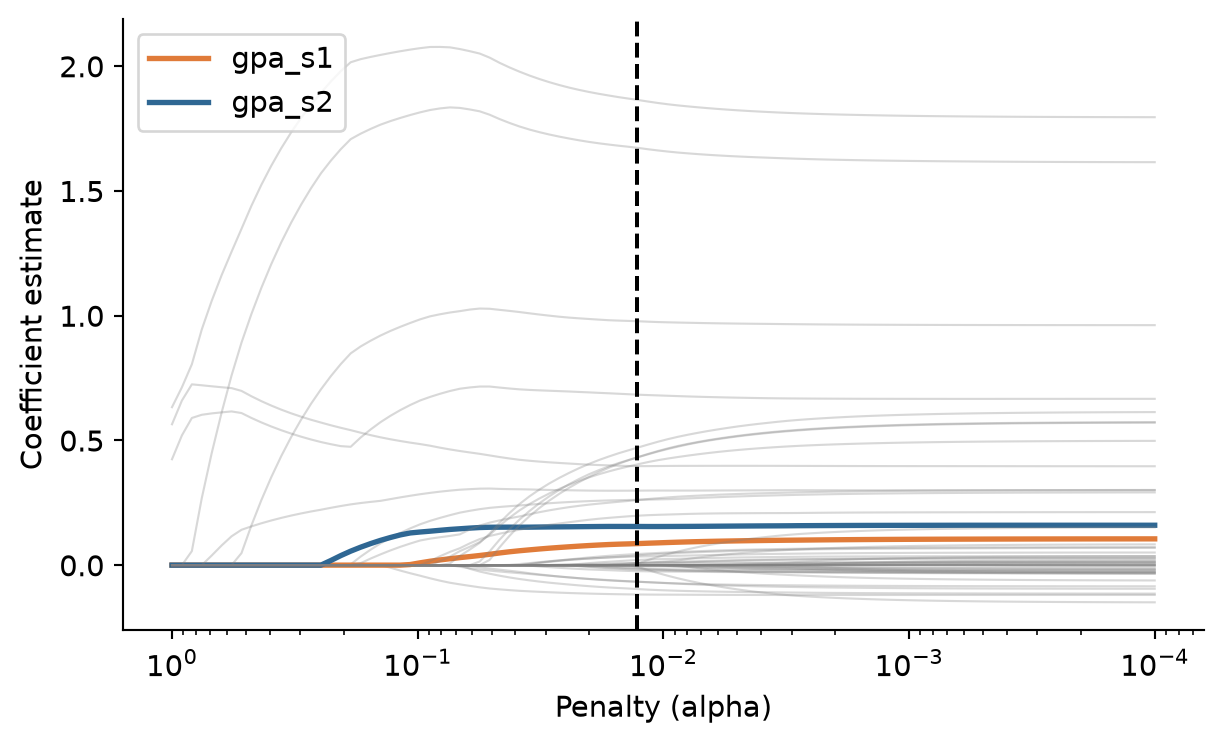
It is tempting to read the lasso’s choice as a list of what matters for grades. It is not. Sleep affects GPA in the wellbeing data (Chapter 8), yet the lasso drops the sleep variables, because their effect is already reflected in year-one GPA: once the model knows a student’s past grades, knowing their sleep adds little to the prediction. Among correlated predictors, the lasso tends to keep one and drop the others. Use the lasso to predict, and use the methods of Chapters 8 and 10 to explain.
The second family builds a model in a completely different way. Boosting starts with a very simple prediction, the average, and then adds small decision trees one at a time, each fitted to the errors of the model so far. The first tree learns the biggest pattern in the errors; the next tree learns what the first missed; and so on. Each tree’s contribution is scaled down by a learning rate (for example 0.03), so the model improves in small steps and no single tree dominates. Hundreds of trees, each weak on its own, add up to a strong model.
Figure 13.4 shows the idea with a single predictor, semester 2 GPA, and trees with a single split:
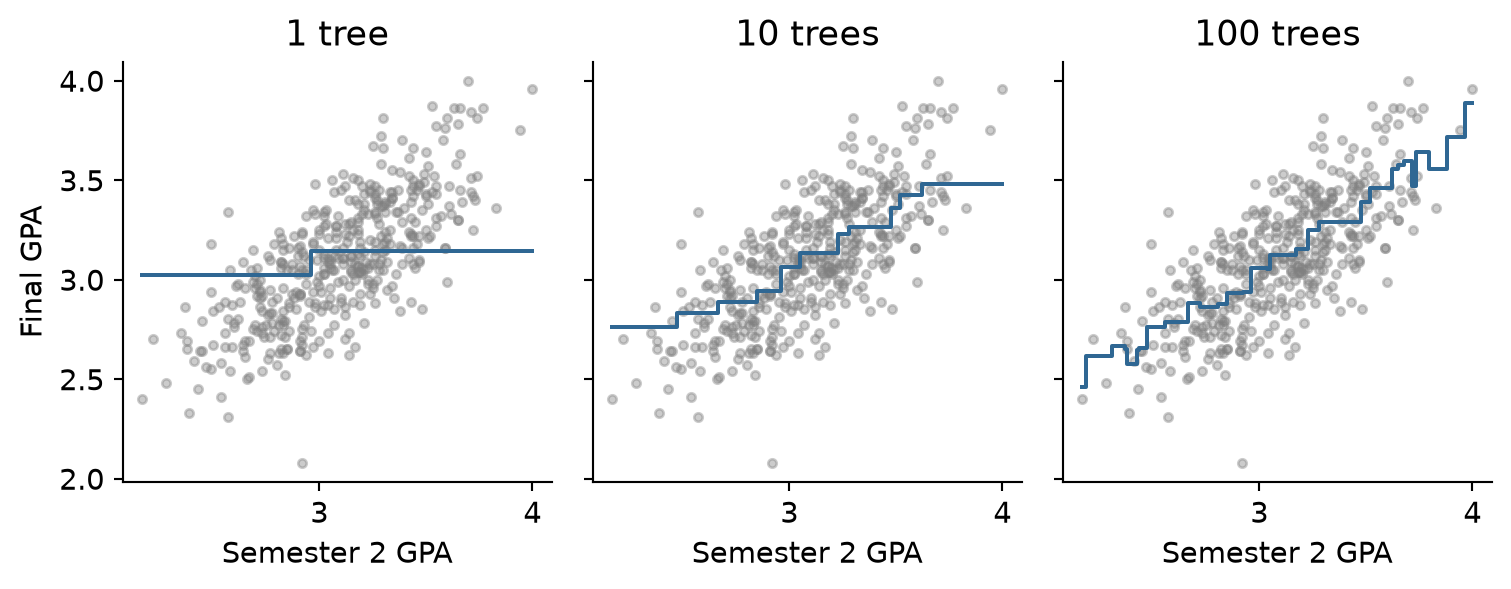
Boosting is closely related to random forests, which also combine many trees. The difference is that a forest grows its trees independently and averages them, while boosting grows them in sequence, each correcting the last.
Scikit-learn provides GradientBoostingRegressor. Its main hyperparameters are the number of trees, the learning rate, and the depth of each tree:
gb_grid = GridSearchCV(
Pipeline([('prep', gpa_recipe), ('model', GradientBoostingRegressor(n_estimators=500, random_state=2026))]),
param_grid={'model__learning_rate': [0.01, 0.03, 0.1], 'model__max_depth': [1, 2, 4]},
cv=gpa_folds, scoring='neg_root_mean_squared_error'
).fit(X_train, y_train)
best_gb_rmse = -gb_grid.best_score_
print(f"Best Gradient Boosting RMSE: {best_gb_rmse:.3f} with params: {gb_grid.best_params_}")Best Gradient Boosting RMSE: 0.209 with params: {'model__learning_rate': 0.01, 'model__max_depth': 1}The best settings use trees of depth 1 and a learning rate of 0.01. Trees of depth 1 use one predictor each, adding up separate effects with no interactions. That the shallowest trees work best is another sign that the wellbeing data has no strong interactions for the trees to find.
All the models were evaluated with the same folds, so their cross-validated RMSEs can be compared directly:
model_comparison = pd.DataFrame([
{'model': 'Baseline (mean)', 'rmse': null_rmse, 'std_err': null_cv['test_neg_root_mean_squared_error'].std() / np.sqrt(10)},
{'model': 'Linear regression', 'rmse': -lm_cv['test_neg_root_mean_squared_error'].mean(), 'std_err': lm_cv['test_neg_root_mean_squared_error'].std() / np.sqrt(10)},
{'model': 'Ridge', 'rmse': -ridge_grid.best_score_, 'std_err': ridge_grid.cv_results_['std_test_score'][ridge_grid.best_index_] / np.sqrt(10)},
{'model': 'Elastic net', 'rmse': -enet_grid.best_score_, 'std_err': enet_grid.cv_results_['std_test_score'][enet_grid.best_index_] / np.sqrt(10)},
{'model': 'Lasso', 'rmse': -lasso_grid.best_score_, 'std_err': lasso_grid.cv_results_['std_test_score'][lasso_grid.best_index_] / np.sqrt(10)},
{'model': 'Gradient Boosting', 'rmse': best_gb_rmse, 'std_err': gb_grid.cv_results_['std_test_score'][gb_grid.best_index_] / np.sqrt(10)}
]).sort_values('rmse').reset_index(drop=True)
model_comparison.round(3)| model | rmse | std_err | |
|---|---|---|---|
| 0 | Lasso | 0.200 | 0.006 |
| 1 | Elastic net | 0.200 | 0.005 |
| 2 | Gradient Boosting | 0.209 | 0.006 |
| 3 | Ridge | 0.215 | 0.005 |
| 4 | Linear regression | 0.215 | 0.005 |
| 5 | Baseline (mean) | 0.313 | 0.009 |
The regularised models come out on top (RMSE ~ 0.200), followed closely by Gradient Boosting, and all of them improve on ordinary regression. The lasso is chosen: it predicts as well as any, and it uses only 12 predictors, making it the easiest to explain and use.
As always, the test set is used once, at the end:
final_lasso = lasso_grid.best_estimator_
final_lasso.fit(X_train, y_train)
y_pred_test = final_lasso.predict(X_test)
pd.DataFrame({
'.metric': ['rmse', 'mae', 'rsq'],
'.estimate': [
root_mean_squared_error(y_test, y_pred_test),
mean_absolute_error(y_test, y_pred_test),
r2_score(y_test, y_pred_test)
]
}).round(3)| .metric | .estimate | |
|---|---|---|
| 0 | rmse | 0.207 |
| 1 | mae | 0.160 |
| 2 | rsq | 0.659 |
On new students, the lasso’s predictions are off by 0.16 GPA points on average (MAE), with an RMSE of 0.207, capturing about 66% of the variation in final GPA. Figure 13.5 compares predictions with actual GPAs:
fig, ax = plt.subplots(figsize=(5, 5))
ax.plot([2.0, 4.0], [2.0, 4.0], linestyle='--', color='grey')
ax.scatter(y_pred_test, y_test, color='#2f6793', alpha=0.6, s=25)
ax.set_aspect('equal')
ax.set_xlabel('Predicted final GPA')
ax.set_ylabel('Actual final GPA')
plt.show()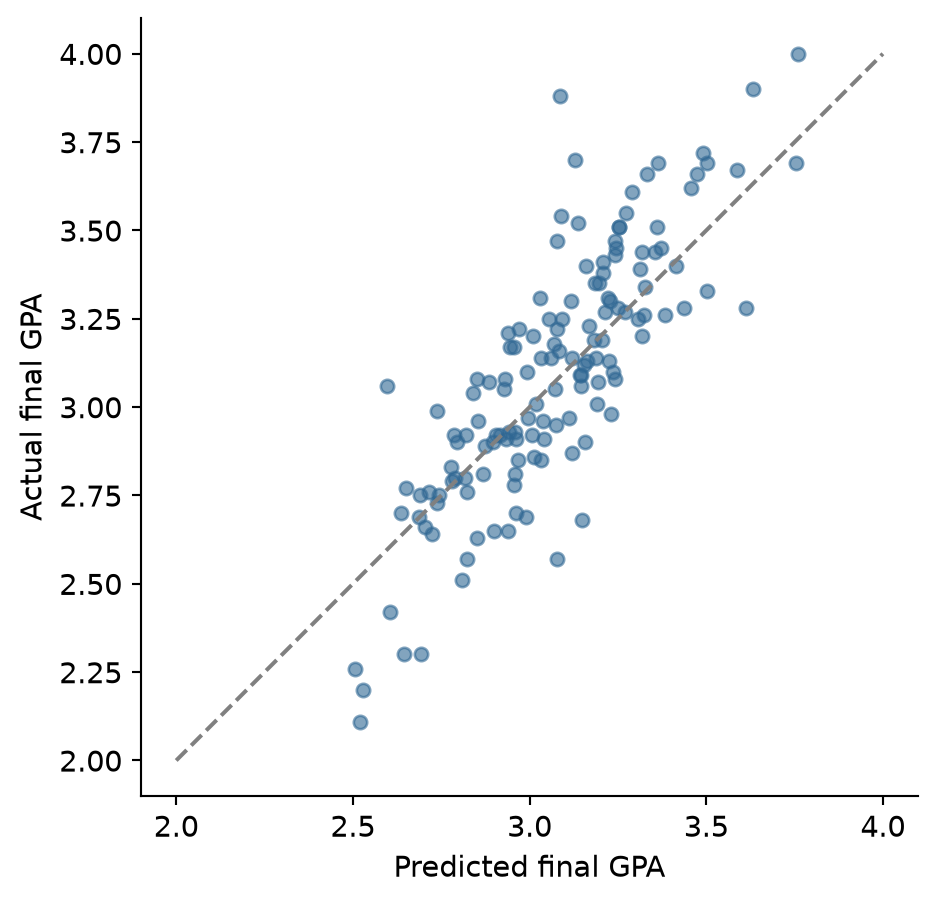
The predictions are less spread out than the actual values: the model predicts extreme students closer to the average than they turn out to be. This is normal for any model that cannot predict perfectly, and it means that the model is most reliable for students in the middle of the range.
A last comparison shows how much all the year-one measures add to past grades. A plain regression on the two year-one GPAs alone gives:
gpa_only_lm = Pipeline([
('impute', SimpleImputer(strategy='mean')),
('model', LinearRegression())
]).fit(X_train[['gpa_s1', 'gpa_s2']], y_train)
gpa_only_pred = gpa_only_lm.predict(X_test[['gpa_s1', 'gpa_s2']])
pd.DataFrame({
'.metric': ['rmse', 'mae', 'rsq'],
'.estimate': [
root_mean_squared_error(y_test, gpa_only_pred),
mean_absolute_error(y_test, gpa_only_pred),
r2_score(y_test, gpa_only_pred)
]
}).round(3)| .metric | .estimate | |
|---|---|---|
| 0 | rmse | 0.203 |
| 1 | mae | 0.157 |
| 2 | rsq | 0.673 |
Its test RMSE (0.191) is just as good as the lasso’s (0.207). For the advisers, this is a useful, if humbling, result: past grades are by far the best predictor of future grades, and the questionnaire and semester records add little on top.
Regression (prediction), error, residual, MAE, RMSE, R², baseline model, overfitting, multicollinearity, regularisation, penalty (\(\lambda\) / alpha), shrinkage, ridge regression, lasso, elastic net, mixture (\(L_1\) ratio), coefficient path, variable selection, boosting, weak learner, learning rate, tree depth.
The playground has these and more, with hints and solutions.
n_estimators = [100, 500, 1000] and a learning rate of 0.03, and describe what happens to the RMSE as trees are added.Every clustering method carries a definition of what a group is, usually without saying so. One definition says that a group is a set of cases close to a common centre. Another says that a group is a population with its own distribution, so that cases between groups can belong partly to each. A third says that a group is a dense region of data, separated from other groups by sparse regions, which leaves room for cases that belong to no group at all. The definition chosen decides what the method can find, and a clustering is only as meaningful as the definition behind it.
Chapter 9 used k-means, which takes the first definition. It divided the students of the wellbeing study into four lifestyle profiles, but left open questions that any examiner might ask: how sure one can be about which profile a student belongs to, whether four is really the right number, and whether some students fit no profile. This chapter addresses them with two methods that relax the assumptions of k-means. Gaussian mixture models give each student a probability of belonging to each profile, and choose the number of profiles with a statistical criterion. DBSCAN defines clusters as dense regions of data, and labels students in sparse regions as noise: people who fit no group. The chapter ends with the question behind all clustering: how to judge whether a clustering is any good.
The data is exactly that of Chapter 9: each student’s average sleep, study hours, caffeine, and exercise across the semesters, and their stress, support, and satisfaction scores, scaled to z-scores.
import data2thesis as dt
import pandas as pd
import numpy as np
import matplotlib.pyplot as plt
from sklearn.preprocessing import StandardScaler
from sklearn.cluster import KMeans
students = dt.load_students()
semesters = dt.load_semesters()
questionnaire = dt.load_questionnaire()
q = questionnaire.copy()
q['stress_4'] = 6 - q['stress_4']
q['stress'] = q[[f'stress_{i}' for i in range(1, 7)]].mean(axis=1)
q['support'] = q[[f'support_{i}' for i in range(1, 7)]].mean(axis=1)
q['satisfaction'] = q[[f'satisfaction_{i}' for i in range(1, 5)]].mean(axis=1)
scores = q[['student_id', 'stress', 'support', 'satisfaction']]
profiles = (
semesters.groupby('student_id')[['sleep_hours', 'study_hours', 'caffeine_mg', 'exercise_days']]
.mean()
.reset_index()
.merge(scores, on='student_id')
.dropna()
)
features = ['sleep_hours', 'study_hours', 'caffeine_mg', 'exercise_days', 'stress', 'support', 'satisfaction']
scaler = StandardScaler()
profile_data = scaler.fit_transform(profiles[features])
kmeans_clusters = KMeans(n_clusters=4, n_init=25, random_state=123).fit(profile_data)The last line repeats Chapter 9’s k-means solution, for comparison.
k-means is simple and fast, but its definition of a group brings three strong assumptions. It assumes that every case belongs to exactly one cluster, with complete certainty, so a student halfway between two profiles is assigned to one of them as firmly as a student at the centre. It assumes that clusters are round and similar in size: because each case goes to the nearest centre, k-means draws straight boundaries halfway between centres, and elongated or unequal clusters are cut up wrongly. And it assumes that every case belongs to some cluster, with no way to say that a student fits nowhere. Real groups of people rarely satisfy these assumptions.
A simulation shows how much the definition matters. The code below creates data with a known structure: a small round group, a long thin group, and 15 scattered points that belong to neither. It then clusters the data in three ways, with k-means (groups around centres), a Gaussian mixture model (groups as distributions), and DBSCAN (groups as dense regions), the two methods this chapter introduces:
from sklearn.mixture import GaussianMixture
from sklearn.cluster import DBSCAN
from sklearn.metrics import adjusted_rand_score
np.random.seed(8)
round_pts = np.random.normal(loc=[0, 0], scale=[0.4, 0.4], size=(100, 2))
long_pts = np.random.normal(loc=[3, 1.4], scale=[2.0, 0.2], size=(100, 2))
scattered_pts = np.random.uniform(low=[-2, -2], high=[7, 4], size=(15, 2))
xy = np.vstack([round_pts, long_pts, scattered_pts])
truth = np.array(['Round group'] * 100 + ['Long group'] * 100 + ['Scattered'] * 15)
km_labels = KMeans(n_clusters=2, n_init=25, random_state=123).fit(xy).labels_
gmm_labels = GaussianMixture(n_components=2, covariance_type='full', random_state=123).fit(xy).predict(xy)
db_labels = DBSCAN(eps=0.5, min_samples=5).fit(xy).labels_fig, axes = plt.subplots(1, 3, figsize=(8, 3.2), sharex=True, sharey=True)
methods = [('k-means', km_labels), ('Mixture model', gmm_labels), ('DBSCAN', db_labels)]
palette = {0: '#2f6793', 1: '#e07b39', -1: 'grey'}
for ax, (title, labels) in zip(axes, methods):
colors = [palette.get(lbl, '#36a269') if lbl != -1 else 'grey' for lbl in labels]
ax.scatter(xy[:, 0], xy[:, 1], c=colors, s=15, alpha=0.8)
ax.set_title(title)
ax.set_aspect('equal')
plt.show()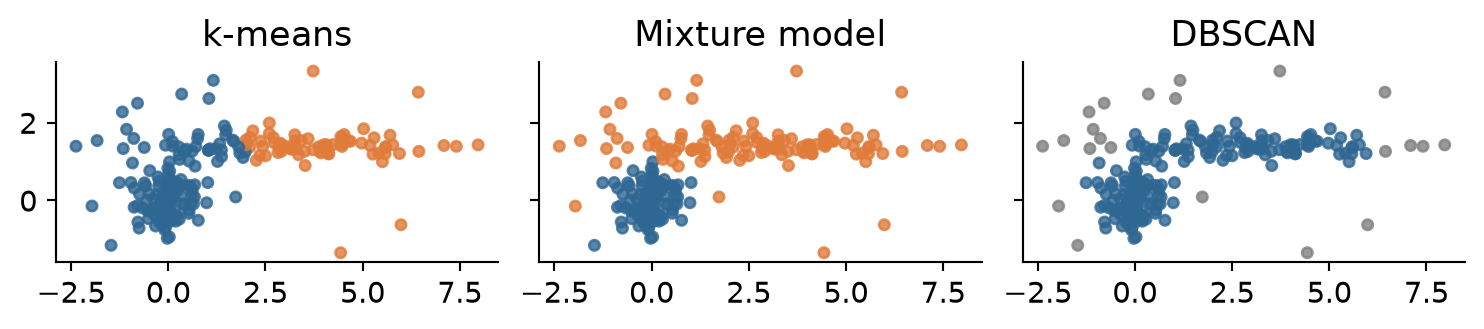
The three methods see different groups in the same data. Their agreement with the two real groups can be measured with the adjusted Rand index, introduced at the end of the chapter, where 1 means perfect agreement and 0 means no more than chance. k-means scores 0.42: looking for round groups around two centres, it draws a straight boundary through the long group and gives its left end to the round group. The mixture model scores 0.92, because it allows the long group its elongated shape. DBSCAN scores 0.01, for a different reason: the end of the long group touches the round group, so the two form one continuous dense region, and by DBSCAN’s definition that is one group. DBSCAN is, however, the only method that can say that points belong to no group: it labels np.int64(13) of the 15 scattered points as noise, while the other two methods must place every one of them in a group. No method is right in general. Each is right for data whose groups match its definition, which is why the definition should be chosen deliberately, and stated.
A Gaussian mixture model (GMM) assumes that the data comes from a mix of several groups, each with its own normal (Gaussian) distribution, and estimates each group’s centre, spread, and size from the data.
The idea is easiest to see with one variable. The faithful dataset records the waiting time, in minutes, between 272 eruptions of the Old Faithful geyser in Yellowstone National Park. The histogram in Figure 14.2 has two humps: short waits and long waits. scikit-learn fits a mixture model with GaussianMixture:
faithful = dt.load_faithful()
waiting = faithful[['waiting']].values
geyser = GaussianMixture(n_components=2, covariance_type='full', random_state=123).fit(waiting)
print("Weights (mixing probabilities):", geyser.weights_.round(2))
print("Means (centres):", geyser.means_.ravel().round(1))
print("Variances (spreads):", geyser.covariances_.ravel().round(1))Weights (mixing probabilities): [0.36 0.64]
Means (centres): [54.7 80.1]
Variances (spreads): [35.3 33.8]The output describes them: the mixing probabilities are the sizes of the groups (about 36% and 64% of eruptions), the means are their centres (about 55 and 80 minutes), and the variances their spreads. Figure 14.2 draws the two fitted normal curves over the data.
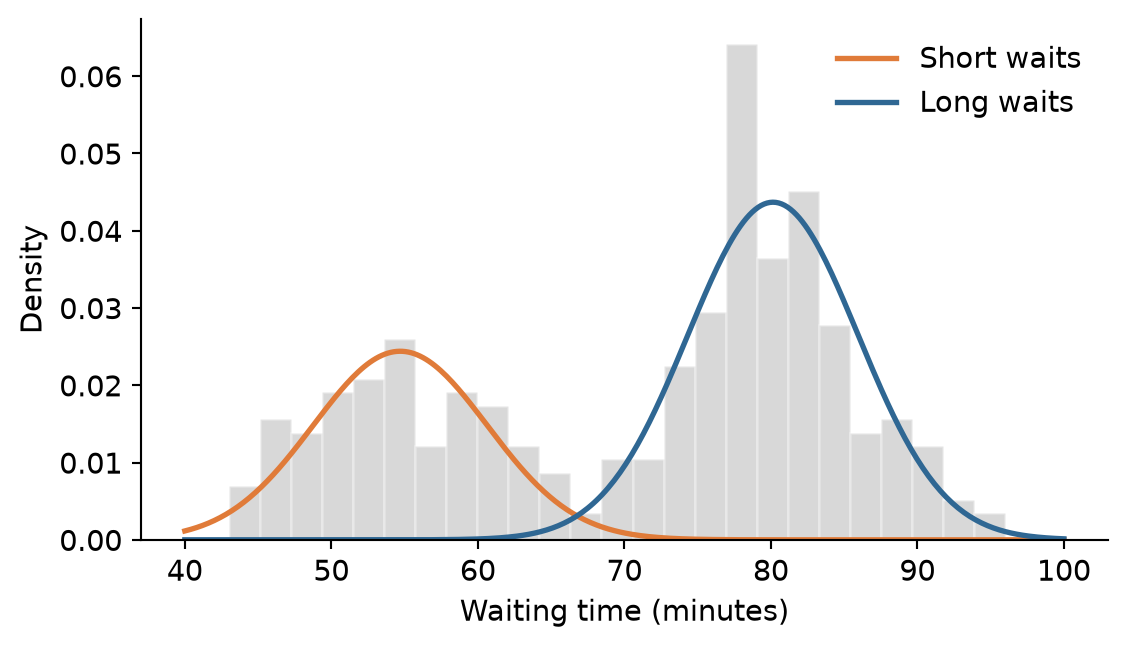
The key difference from k-means appears between the groups. A waiting time of 67 minutes lies between them. Instead of forcing it into one, the model gives the probability that it came from each:
test_waits = np.array([[50], [67], [85]])
pd.DataFrame(
geyser.predict_proba(test_waits),
index=[50, 67, 85],
columns=['Short wait prob', 'Long wait prob']
).round(2)| Short wait prob | Long wait prob | |
|---|---|---|
| 50 | 1.00 | 0.00 |
| 67 | 0.48 | 0.52 |
| 85 | 0.00 | 1.00 |
A wait of 50 minutes almost certainly belongs to the short group, and 85 minutes to the long group, but 67 minutes is uncertain. These membership probabilities (also called soft assignments) are the main advantage of mixture models: they say not just which group a case is in, but how sure that is.
With more variables, each group is described by a centre and a covariance matrix, which sets its shape: round or elongated, and tilted in any direction. In scikit-learn, covariance_type can be 'spherical' (round), 'diag' (axis-aligned ellipses), 'tied' (all clusters share the same covariance), or 'full' (each cluster has its own flexible covariance matrix).
To choose among them, it uses the Bayesian information criterion (BIC). BIC rewards a model for fitting the data well and penalises it for every parameter it needs, so a more complex model must earn its extra parameters. (In scikit-learn, lower BIC indicates a better balance of fit and parsimony.) For the profile data:
bics = {}
for k in range(1, 9):
for cov in ['full', 'tied', 'diag']:
m = GaussianMixture(n_components=k, covariance_type=cov, random_state=123).fit(profile_data)
bics[(k, cov)] = m.bic(profile_data)
profile_gmm = GaussianMixture(n_components=3, covariance_type='full', random_state=123).fit(profile_data)fig, ax = plt.subplots(figsize=(7, 4))
ks = range(1, 9)
for cov, color in zip(['full', 'tied', 'diag'], ['#2f6793', '#e07b39', 'grey']):
curve = [bics[(k, cov)] for k in ks]
ax.plot(ks, curve, marker='o', label=cov, color=color, linewidth=1.5)
ax.set_xlabel('Number of clusters')
ax.set_ylabel('BIC (lower is better)')
ax.legend(title='Covariance type', frameon=False)
plt.show()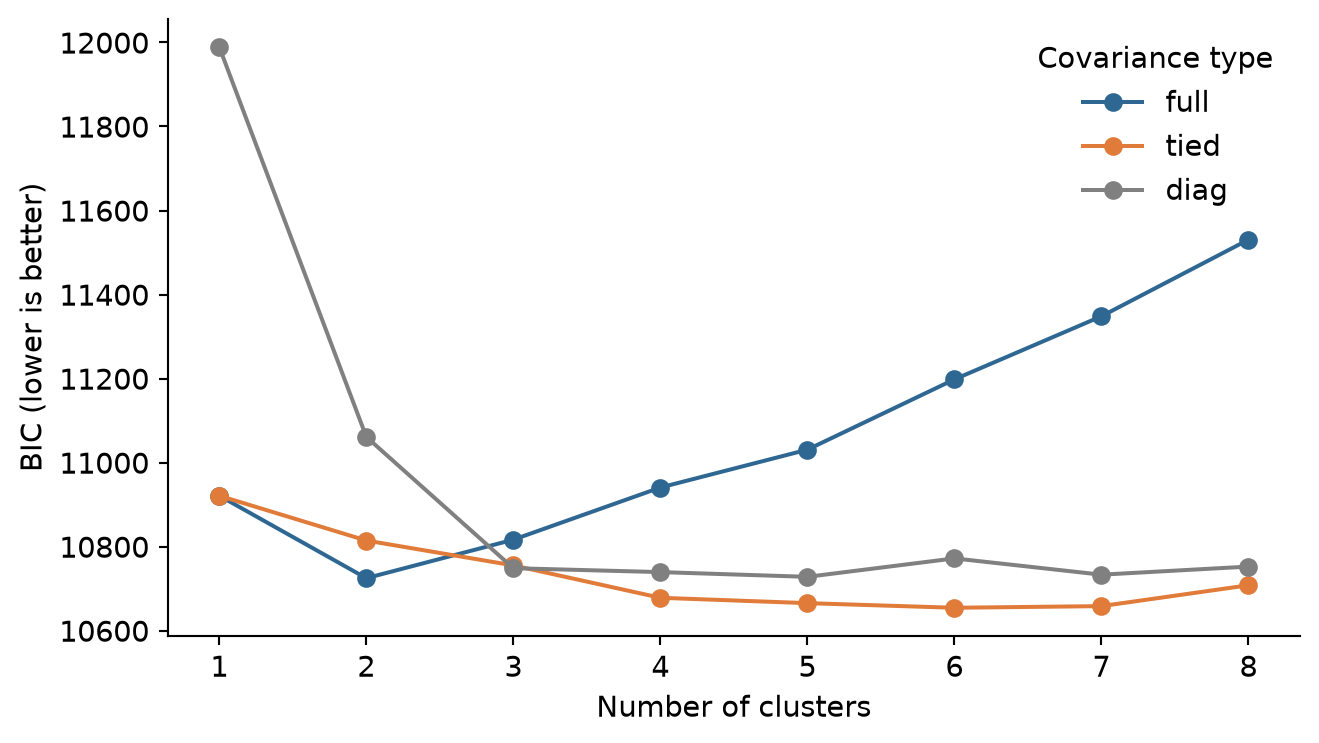
BIC drops steeply from 1 to 3 clusters and favours 3 profiles under full covariance, while 4 remains a reasonable alternative. A common rule of thumb reads a BIC difference above 6 as strong evidence and above 10 as very strong, so the data favours three profiles, although four remain a reasonable alternative (exercise 1 explores them).
As in Chapter 9, a cluster means something only once it is described:
profiles['gmm_cluster'] = profile_gmm.predict(profile_data) + 1
summary_table = (
profiles.groupby('gmm_cluster')[features].mean().round(1)
)
summary_table['students'] = profiles['gmm_cluster'].value_counts().sort_index()
summary_table| sleep_hours | study_hours | caffeine_mg | exercise_days | stress | support | satisfaction | students | |
|---|---|---|---|---|---|---|---|---|
| gmm_cluster | ||||||||
| 1 | 7.1 | 25.2 | 129.7 | 3.5 | 2.6 | 3.5 | 3.8 | 212 |
| 2 | 5.5 | 41.2 | 283.5 | 1.3 | 3.6 | 3.2 | 3.1 | 195 |
| 3 | 6.8 | 16.7 | 152.8 | 2.1 | 3.4 | 2.8 | 2.6 | 192 |
The three profiles are clear. One is balanced: the most sleep and exercise, the least stress, and the highest support and satisfaction. One is overloaded: long study weeks, short sleep, a lot of caffeine, little exercise, and the most stress. The third, the largest, combines few study hours with low support and low satisfaction: students who seem disengaged or isolated. The cluster numbers are arbitrary labels. A cross-table compares the solution with k-means:
pd.crosstab(
profiles['gmm_cluster'],
kmeans_clusters.labels_ + 1,
rownames=['GMM Cluster'],
colnames=['K-means Cluster']
)| K-means Cluster | 1 | 2 | 3 | 4 |
|---|---|---|---|---|
| GMM Cluster | ||||
| 1 | 0 | 189 | 9 | 14 |
| 2 | 87 | 0 | 103 | 5 |
| 3 | 3 | 12 | 1 | 176 |
The mixture model’s three profiles correspond closely to Chapter 9’s four k-means clusters: the balanced and disengaged groups largely match, and the two k-means “overloaded” clusters, one of them with very high caffeine, are joined into one. The mixture model, with its more flexible cluster shapes, did not need to split the overloaded students in two.
The method predict_proba gives each student’s membership probabilities, one column per cluster, and certainty is the largest of them.
probs = profile_gmm.predict_proba(profile_data)
certainty = probs.max(axis=1)
pd.DataFrame(probs[:6], columns=['Profile 1', 'Profile 2', 'Profile 3']).round(2)| Profile 1 | Profile 2 | Profile 3 | |
|---|---|---|---|
| 0 | 0.54 | 0.00 | 0.46 |
| 1 | 0.00 | 0.02 | 0.98 |
| 2 | 0.97 | 0.00 | 0.03 |
| 3 | 0.00 | 1.00 | 0.00 |
| 4 | 1.00 | 0.00 | 0.00 |
| 5 | 0.00 | 0.00 | 1.00 |
n_uncertain = int(np.sum(certainty < 0.8))
print(f"Students with membership certainty < 0.8: {n_uncertain}")Students with membership certainty < 0.8: 66Most students belong clearly to one profile, but 66 have less than an 80% probability for their most likely profile. Figure 14.4 shows where they are.
from sklearn.decomposition import PCA
pca = PCA(n_components=2, random_state=123)
coords = pca.fit_transform(profile_data)
uncertainty = 1 - certainty
fig, ax = plt.subplots(figsize=(7, 5))
palette = {1: '#2f6793', 2: '#e07b39', 3: '#36a269'}
colors = [palette[c] for c in profiles['gmm_cluster']]
sizes = 15 + (uncertainty ** 2) * 200
ax.scatter(coords[:, 0], coords[:, 1], c=colors, s=sizes, alpha=0.6)
ax.set_xlabel(f'PC1 ({pca.explained_variance_ratio_[0]*100:.1f}%)')
ax.set_ylabel(f'PC2 ({pca.explained_variance_ratio_[1]*100:.1f}%)')
plt.show()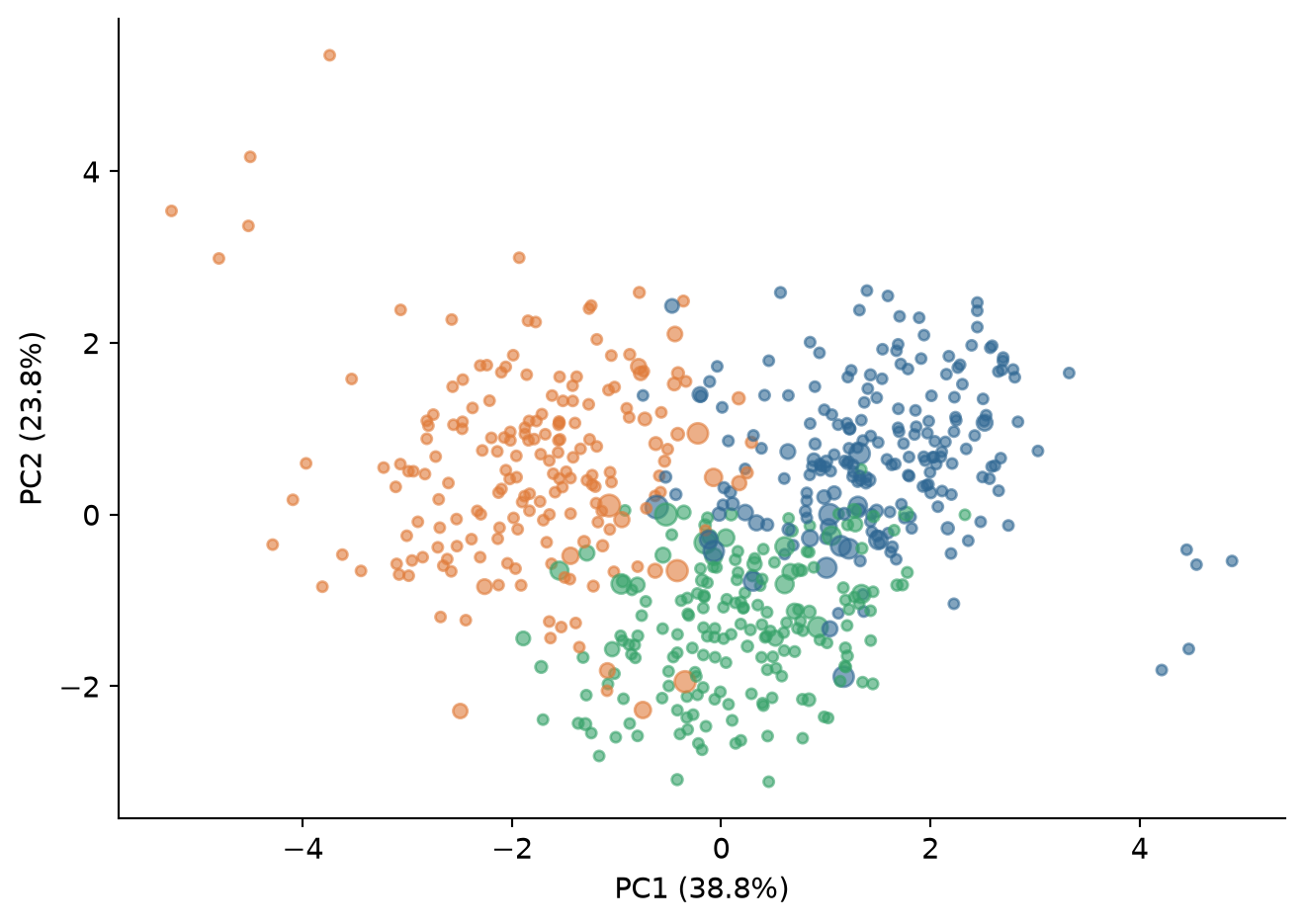
The uncertain students lie where the profiles meet. For a thesis, this is honest and useful: instead of claiming that every student has one profile, it can report the share of students who clearly fit a profile, and treat the rest as mixtures. A later analysis could use the probabilities themselves, for example as weights, rather than the hard labels.
DBSCAN (density-based spatial clustering of applications with noise) takes a different view. A cluster is a region where cases are packed closely together, separated from other clusters by sparser regions. Cases in sparse regions belong to no cluster; they are noise. DBSCAN does not need the number of clusters in advance, can find clusters of any shape, and can say “this case fits nowhere”.
It needs two settings: eps (epsilon), the radius of the neighbourhood around each case, and min_samples (minPts), the number of cases a neighbourhood must contain for the case to be at the heart of a cluster. A case with at least min_samples cases within eps is a core point. Core points within eps of each other are joined into the same cluster, and cases near a core point are added to its cluster as border points. Everything else is noise (labeled -1 in scikit-learn).
Twelve points show how it works: two tight groups of five, and two isolated points.
tiny = pd.DataFrame({
'x': [1.0, 1.2, 1.1, 0.9, 1.3, 4.0, 4.2, 3.9, 4.1, 4.3, 2.5, 5.5],
'y': [1.0, 1.1, 1.3, 1.2, 0.9, 3.0, 3.2, 3.1, 2.8, 3.0, 4.5, 0.5]
})
tiny_db = DBSCAN(eps=0.5, min_samples=3).fit(tiny)
tiny_db.labels_array([ 0, 0, 0, 0, 0, 1, 1, 1, 1, 1, -1, -1])The two tight groups become clusters 0 and 1, and the two isolated points are labelled -1: noise. k-means with two clusters would have had to put the isolated points into one of the groups.
The result depends heavily on eps. A common guide is the k-nearest-neighbour distance plot: for each case, the distance to its \(k\)-th nearest neighbour, sorted from smallest to largest. Most cases have close neighbours; the curve bends sharply upwards where the isolated cases begin, and that bend suggests a value for eps. With min_samples set to 8, a common choice for data with seven variables (about the number of variables plus one or more), the plot uses \(k = 7\):
from sklearn.neighbors import NearestNeighbors
nbrs = NearestNeighbors(n_neighbors=7).fit(profile_data)
distances, _ = nbrs.kneighbors(profile_data)
k_distances = np.sort(distances[:, -1])
fig, ax = plt.subplots(figsize=(6, 3.5))
ax.plot(k_distances, color='#2f6793', linewidth=1.5)
ax.axhline(2.0, color='grey', linestyle='--')
ax.set_xlabel('Students (sorted by distance)')
ax.set_ylabel('7-NN distance')
plt.show()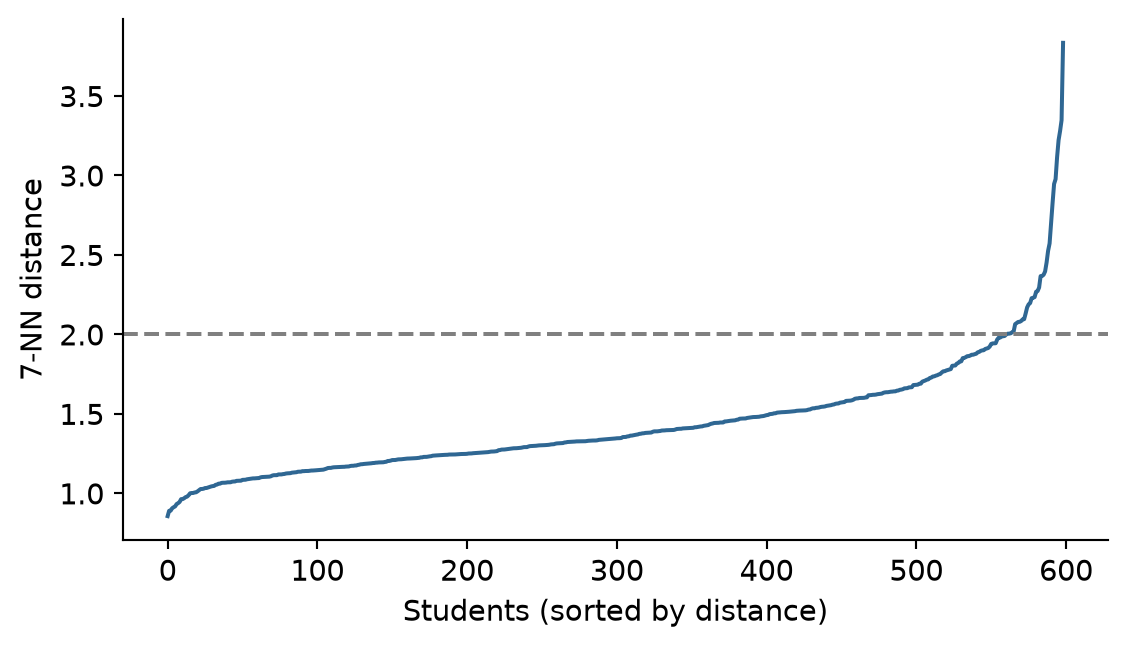
The curve bends at a distance of about 2, so eps = 2 is used:
profile_db = DBSCAN(eps=2.0, min_samples=8).fit(profile_data)
profiles['db_cluster'] = profile_db.labels_
n_noise = int(np.sum(profile_db.labels_ == -1))
n_clusters_db = len(set(profile_db.labels_)) - (1 if -1 in profile_db.labels_ else 0)
print(f"Clusters found: {n_clusters_db}, Noise points: {n_noise}")Clusters found: 1, Noise points: 13DBSCAN finds 1 cluster and 13 noise points. At first this looks like a failure: no profiles at all. But it is an informative result. DBSCAN looks for dense regions separated by gaps, and the students form one continuous cloud, in which the profiles found by k-means and the mixture model overlap without gaps between them. (Smaller values of eps break the cloud into fragments and label hundreds of students as noise; try it in the exercises.) The profiles are real differences in where students sit in the cloud, not separate islands.
The noise points answer the last of the open questions: whether some students fit no profile. Their values are:
profiles[profiles['db_cluster'] == -1][features].round(1)| sleep_hours | study_hours | caffeine_mg | exercise_days | stress | support | satisfaction | |
|---|---|---|---|---|---|---|---|
| 104 | 3.6 | 60.5 | 772.5 | 0.5 | 3.2 | 4.0 | 4.2 |
| 123 | 4.6 | 45.8 | 592.5 | 2.5 | 2.8 | 2.7 | 4.0 |
| 180 | 9.7 | 2.2 | 26.2 | 5.2 | 1.7 | 2.7 | 4.2 |
| 194 | 3.7 | 61.5 | 842.5 | 0.0 | 3.5 | 3.7 | 3.8 |
| 220 | 9.4 | 5.5 | 23.8 | 6.2 | 2.7 | 3.7 | 3.7 |
| 309 | 3.8 | 63.0 | 780.0 | 0.5 | 2.0 | 3.5 | 2.8 |
| 311 | 3.7 | 63.2 | 742.5 | 0.0 | 1.8 | 4.3 | 4.7 |
| 382 | 9.6 | 4.2 | 21.2 | 5.0 | 2.7 | 3.5 | 4.2 |
| 408 | 9.8 | 5.2 | 18.8 | 5.8 | 2.6 | 2.2 | 3.5 |
| 500 | 9.5 | 2.0 | 20.0 | 6.2 | 2.5 | 2.5 | 3.5 |
| 529 | 4.0 | 65.5 | 735.0 | 0.5 | 3.2 | 3.3 | 3.2 |
| 553 | 4.4 | 30.2 | 703.8 | 0.8 | 3.2 | 4.6 | 3.0 |
| 557 | 3.8 | 35.8 | 641.2 | 1.0 | 3.0 | 1.8 | 2.8 |
Two kinds of unusual student stand out. Among the noise points, 5 students study around 60 hours a week, sleep about 4 hours a night or less, drink over 700 mg of caffeine a day (about seven cups of coffee), and hardly exercise: more extreme than anyone in the overloaded profile. 5 others are the opposite: close to 10 hours of sleep, very few study hours, very little caffeine, and exercise almost every day. The remaining few are extreme versions of the overloaded profile. In Chapter 6, extreme values were checked one variable at a time; DBSCAN finds students who are unusual in their combination of values.
These students should not be deleted: they are real students, and the extreme workers are exactly the students a wellbeing service would want to know about. They are reported separately, as students who do not fit the profiles, and the profiles are checked for whether they change when these students are left out.
In supervised learning, a model is judged against the true answers. In clustering there are usually no true answers, so evaluation rests on several kinds of evidence, none decisive on its own.
Internal measures judge how compact and well separated the clusters are, using the data alone. The silhouette of Chapter 9 is the most common, and BIC plays this role for mixture models. silhouette_score in scikit-learn calculates it:
from sklearn.metrics import silhouette_score
sil_km = silhouette_score(profile_data, kmeans_clusters.labels_)
sil_gmm = silhouette_score(profile_data, profiles['gmm_cluster'])
print(f"K-means silhouette: {sil_km:.2f}")
print(f"GMM silhouette: {sil_gmm:.2f}")K-means silhouette: 0.21
GMM silhouette: 0.23Both averages are low (the silhouette runs from −1 to 1), which confirms what DBSCAN suggested: the profiles overlap, and no clustering of this data will be crisp.
Agreement between methods asks whether different reasonable methods find similar groups. The adjusted Rand index (ARI) measures the agreement between two clusterings. It counts the pairs of cases that both clusterings put together or both put apart, and adjusts for the agreement expected by chance: 1 means identical groupings (whatever the labels), and 0 means no more agreement than chance. A tiny example shows that the labels themselves do not matter:
first = [1, 1, 1, 2, 2, 2]
second = ["B", "B", "B", "A", "A", "A"]
third = [1, 1, 2, 2, 3, 3]
print("ARI(first, second):", adjusted_rand_score(first, second))
print("ARI(first, third):", round(adjusted_rand_score(first, third), 3))ARI(first, second): 1.0
ARI(first, third): 0.242The first two clusterings group the six people identically, so their ARI is 1, even though the labels differ. The third splits them differently, so its ARI is much lower. For the two methods applied to the profile data:
ari_methods = adjusted_rand_score(kmeans_clusters.labels_, profiles['gmm_cluster'])
print(f"ARI (K-means vs GMM): {ari_methods:.2f}")ARI (K-means vs GMM): 0.68An ARI of 0.68: substantial agreement, especially given that one solution has four clusters and the other three.
External validation compares clusters with known categories, also using the ARI. It is only possible when such categories exist, for example when clustering flowers of known species to test a method. For real profiles there is no answer key, which is exactly why they are being sought.
Stability asks whether the clusters survive small changes: a different random start, a bootstrap sample of the students, or leaving out the unusual students. Clusters that appear only under one setting should not be reported.
Interpretability and usefulness matter most in the end. The clusters should make sense in the light of theory, and they should differ on outcomes they were not built from, such as GPA or considering dropout. The second point can be checked directly:
(
profiles.merge(students[['student_id', 'considering_dropout']], on='student_id')
.groupby('gmm_cluster')
.agg(
students=('student_id', 'count'),
considering_dropout=('considering_dropout', lambda x: round(np.mean(x == 'Yes'), 2))
)
.reset_index()
)| gmm_cluster | students | considering_dropout | |
|---|---|---|---|
| 0 | 1 | 212 | 0.04 |
| 1 | 2 | 195 | 0.18 |
| 2 | 3 | 192 | 0.23 |
The profiles differ clearly in how many students consider dropping out, although dropout played no part in finding them. That is good evidence that they capture something real about students’ situations.
A clustering depends on choices: which variables, how they are scaled, which method, how many clusters, and settings such as eps. Different reasonable choices can give different answers. In a thesis, report each choice and why it was made, show the evidence for the number of clusters (BIC, silhouette), say how clearly students fit (for example, the share with a membership probability above 0.8), and describe how robust the profiles are to other reasonable choices.
DBSCAN was designed for spatial data, where clusters can have any shape. The quakes dataset records the location of 1,000 earthquakes near Fiji since 1964. Plotted on a map, they follow the long, curved lines of two ocean trenches: clusters that are neither round nor of equal size.
quakes = dt.load_quakes()
quake_db = DBSCAN(eps=1.5, min_samples=10).fit(quakes[['long', 'lat']])
pd.Series(quake_db.labels_).value_counts().sort_index()-1 28
0 785
1 187
Name: count, dtype: int64fig, ax = plt.subplots(figsize=(5, 5))
quake_colors = {0: '#2f6793', 1: '#e07b39', -1: 'grey'}
for c, label in [(0, 'Trench 1'), (1, 'Trench 2'), (-1, 'Noise')]:
sub = quakes[quake_db.labels_ == c]
if c == -1:
ax.scatter(sub['long'], sub['lat'], c='grey', marker='x', alpha=0.6, label=label, s=20)
else:
ax.scatter(sub['long'], sub['lat'], c=quake_colors[c], alpha=0.7, label=label, s=20)
ax.set_xlabel('Longitude')
ax.set_ylabel('Latitude')
ax.legend(frameon=False)
plt.show()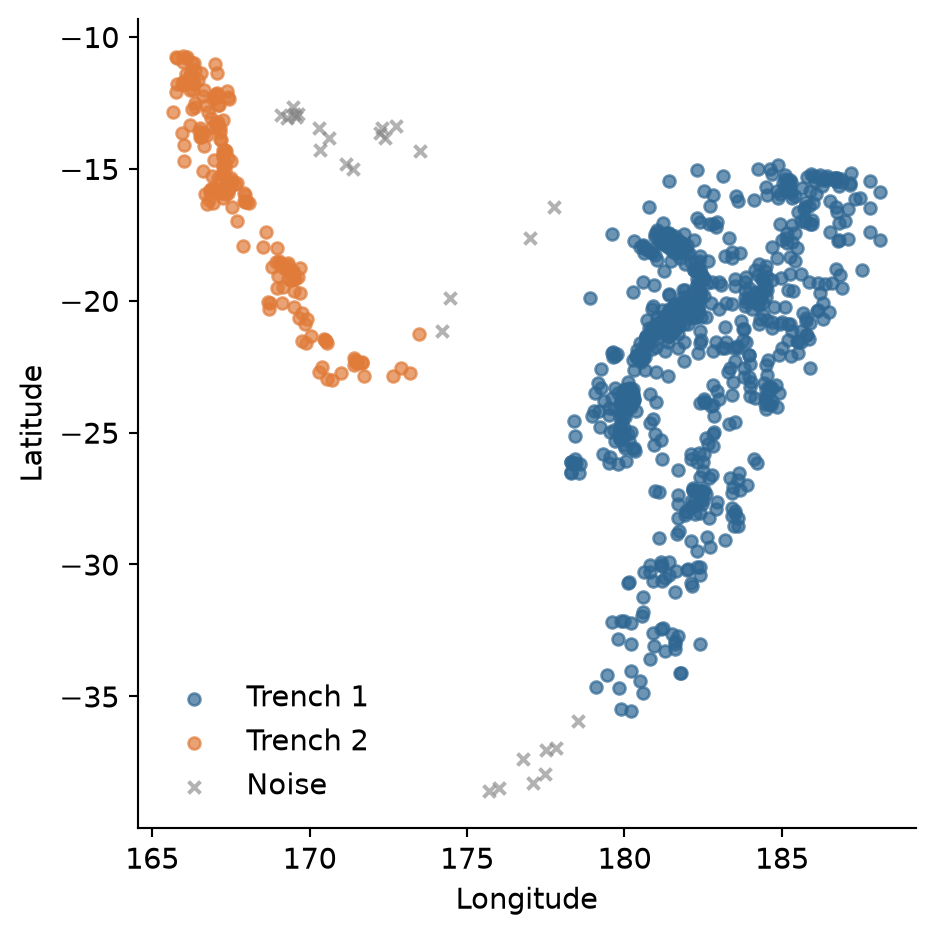
DBSCAN follows the two curved trenches and leaves the scattered earthquakes between and beyond them as noise. Here, unlike in the wellbeing data, there really are dense regions separated by empty space, which is exactly when DBSCAN works best.
Advanced clustering methods answer some of the weaknesses of k-means, but not the underlying question of whether the groups are real.
eps and min_samples; the k-nearest-neighbour distance plot helps choose eps. It works best when clusters are separated by gaps.Gaussian mixture model, mixture component, mixing probability, membership probability, soft assignment, covariance matrix, Bayesian information criterion (BIC), uncertainty, DBSCAN, density, eps, min_samples (minPts), core point, border point, noise, k-nearest-neighbour distance plot, internal validation, silhouette, adjusted Rand index, external validation, stability.
The playground has these and more, with hints and solutions.
GaussianMixture(n_components=4, covariance_type='full', random_state=123) and describe the four profiles. Identify which of the three-cluster profiles has been split, and compare the new solution with Chapter 9’s k-means.eps of 1.2, 1.6, and 2.4, describe how the number of clusters and noise points change, and explain why a small eps labels so many students as noise.adjusted_rand_score to compare the three-cluster mixture model with hierarchical clustering (Ward’s linkage, cut into three clusters) from Chapter 9.y) so that a gap separates it from the round group. Describe how each method’s result changes, and explain why DBSCAN now behaves differently.eps and minPts.Neural networks are the method behind most of what is called artificial intelligence today: image recognition, speech recognition, translation, and the large language models of Chapter 18. Their reputation leads many researchers to assume that a neural network must predict better than a traditional model on any data. The assumption deserves to be tested rather than accepted, and testing it requires understanding what a neural network is. The answer is less mysterious than the reputation suggests: a neural network is built from units that each perform a logistic regression, and it learns by repeatedly adjusting its weights to reduce its errors.
This chapter builds a neural network from a single “neuron”, shows by hand what training does, fits a network to the dropout data with the same scikit-learn workflow as Chapters 11 and 12, and compares it fairly with the simpler models. It ends with deep learning: what it is, when it helps, and where to learn more. In the story, a member of Elaf’s research group asks why she does not simply use AI, since a neural network would surely do better than logistic regression, and her supervisor suggests that she find out, carefully.
MLPClassifier), using weight decay (alpha) to prevent overfitting.A neuron (or unit) in a neural network does three things. It multiplies each input by a weight, adds up the results together with a constant called the bias, and passes the total through an activation function, which turns it into the neuron’s output.
Take a neuron with two inputs, a student’s stress and support scores, with weights 1.2 and −0.8 and a bias of −4. For a student with stress 4 and support 2, the total is
\[ -4 + 1.2 \times 4 - 0.8 \times 2 = -0.8. \]
The activation function here is the sigmoid (also called the logistic function), which squeezes any number into the range 0 to 1:
\[ \text{sigmoid}(z) = \frac{1}{1 + e^{-z}}. \]
In Python:
def sigmoid(z):
return 1 / (1 + np.exp(-z))
def neuron(stress, support):
return sigmoid(-4 + 1.2 * stress - 0.8 * support)
print(round(neuron(stress=4, support=2), 2))
print(round(neuron(stress=2, support=4), 3))0.31
0.008The high-stress, low-support student gets an output of 0.31; the low-stress, high-support student, 0.008. If the output is read as the probability of considering dropout, this neuron is exactly a logistic regression (Chapter 8): the bias is the intercept, the weights are the coefficients, and the sigmoid turns the log odds into a probability. Everything a single neuron can do, Chapter 8 has already done.
The power of neural networks comes from connecting many neurons in layers. In the most common design, the multilayer perceptron, the inputs feed into a hidden layer of neurons, each with its own weights; the outputs of the hidden neurons then feed into an output layer, which produces the prediction. Figure 15.1 shows a network with three inputs and three hidden neurons.
flowchart LR I1((Stress)) --> H1((H1)) I1 --> H2((H2)) I1 --> H3((H3)) I2((Support)) --> H1 I2 --> H2 I2 --> H3 I3((Sleep)) --> H1 I3 --> H2 I3 --> H3 H1 --> O((P of<br/>dropout)) H2 --> O H3 --> O
Each hidden neuron learns its own combination of the inputs: one might respond to high stress, another to the combination of low support and short sleep. The output neuron then combines these. Because each neuron applies a curved activation function, the network as a whole can represent curved relationships and interactions that a single logistic regression cannot. With enough hidden neurons, a network can approximate almost any relationship between inputs and output. That flexibility is its strength, and, as you will see, its danger.
The activation function matters. Figure 15.2 shows the two most common: the sigmoid, used in this chapter, and the ReLU (rectified linear unit), which simply replaces negative totals with zero and is the standard choice in deep networks.
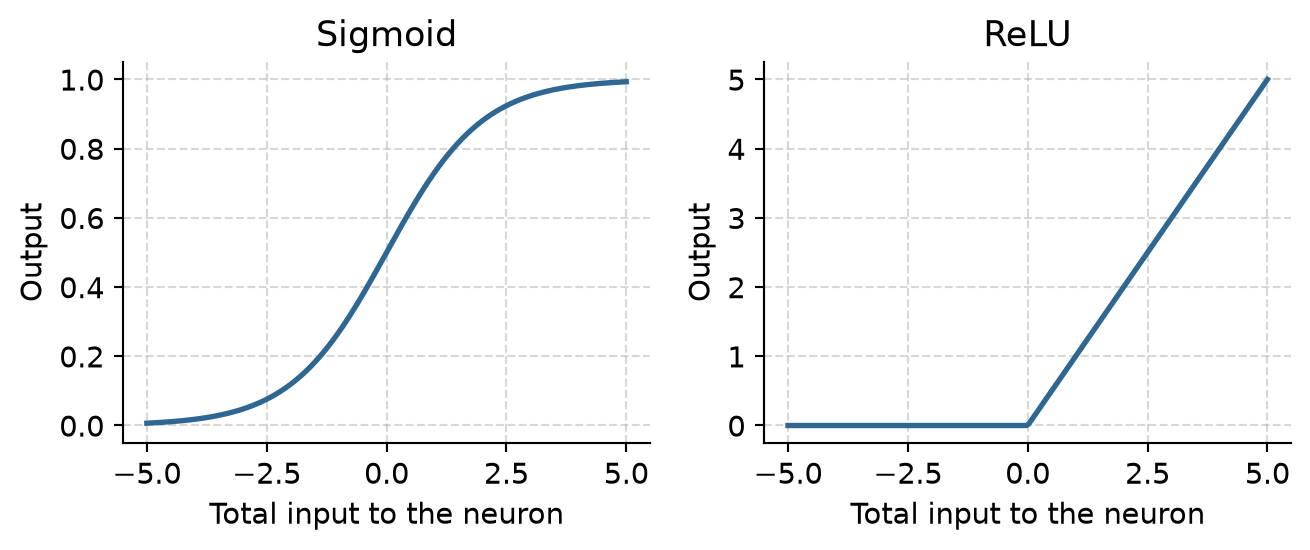
A network starts with small random weights, so its first predictions are useless. Training adjusts the weights step by step to reduce the prediction error on the training data. At each step, an algorithm works out, for every weight, whether a small increase or decrease would reduce the error (the gradient), and moves all the weights a little in the helpful direction. This is gradient descent. One pass through the training data is an epoch, and training usually runs for hundreds of epochs.
The idea is clearest when one step is worked by hand. Take a single neuron, which is a logistic regression, and six students, with their stress measured from the group’s average:
six = pd.DataFrame({
'stress': np.array([2.0, 2.5, 3.0, 3.5, 4.0, 4.5]) - 3.25,
'dropout': np.array([0, 0, 1, 0, 1, 1])
})The error to be reduced is the log loss, the measure of fit that logistic regression uses: it is small when the neuron gives high probabilities to the students who did consider dropping out and low probabilities to those who did not. Training starts with both weights at zero, so every student receives a probability of 0.5:
def log_loss(b0, b1):
p = sigmoid(b0 + b1 * six['stress'])
return -np.mean(six['dropout'] * np.log(p) + (1 - six['dropout']) * np.log(1 - p))
b0 = 0.0
b1 = 0.0
print(round(log_loss(b0, b1), 3))0.693For this neuron, the gradient has a simple form: for each weight, the average of the prediction errors (predicted probability minus the actual outcome), each multiplied by the input that the weight belongs to (1 for the bias):
p = sigmoid(b0 + b1 * six['stress'])
gradient_b0 = np.mean(p - six['dropout'])
gradient_b1 = np.mean((p - six['dropout']) * six['stress'])
print(f"gradient_b0: {gradient_b0:.3f}, gradient_b1: {gradient_b1:.3f}")gradient_b0: 0.000, gradient_b1: -0.292The gradient for the stress weight is negative, which means that increasing the weight would reduce the error: the students who considered dropping out have higher stress, and the neuron does not yet know it. One step of gradient descent moves each weight against its gradient, by an amount set by the learning rate:
learning_rate = 1.0
b0 = b0 - learning_rate * gradient_b0
b1 = b1 - learning_rate * gradient_b1
print(f"b0: {b0:.3f}, b1: {b1:.3f}, loss: {log_loss(b0, b1):.3f}")b0: 0.000, b1: 0.292, loss: 0.616After one step, the stress weight has become positive and the loss has fallen from 0.693 to 0.671. Training is nothing more than this step, repeated. The loop below repeats it 2,000 times and records the loss:
from sklearn.linear_model import LogisticRegression
b0 = 0.0
b1 = 0.0
loss_history = np.zeros(2000)
for step in range(2000):
p = sigmoid(b0 + b1 * six['stress'])
b0 -= learning_rate * np.mean(p - six['dropout'])
b1 -= learning_rate * np.mean((p - six['dropout']) * six['stress'])
loss_history[step] = log_loss(b0, b1)
lr_unpenalized = LogisticRegression(penalty=None, solver='lbfgs')
lr_unpenalized.fit(six[['stress']], six['dropout'])
pd.DataFrame({
'gradient_descent': [b0, b1],
'logistic_regression': [lr_unpenalized.intercept_[0], lr_unpenalized.coef_[0, 0]]
}, index=['intercept (bias)', 'stress weight']).round(4)| gradient_descent | logistic_regression | |
|---|---|---|
| intercept (bias) | 0.0000 | 0.0000 |
| stress weight | 2.4281 | 2.4279 |
plt.figure(figsize=(6, 3.4))
plt.plot(np.arange(1, 2001), loss_history, color='#2f6793', linewidth=2)
plt.xscale('log')
plt.xlabel("Training step")
plt.ylabel("Log loss")
plt.grid(True, linestyle='--', alpha=0.5)
plt.tight_layout()
plt.show()
After 2,000 small steps, the weights found by gradient descent are the coefficients that standard logistic regression calculates. A neural network with thousands of weights is trained in exactly this way. The gradients are harder to write down, and a method called backpropagation calculates them efficiently, but each step still moves every weight a little in the direction that reduces the error.
Two consequences follow. First, because training starts from random weights, two runs can give slightly different networks, so random_state matters. Second, a network with many weights can keep reducing its training error long after it has learned the real pattern, by memorising the noise. The usual defence is weight decay: an L2 penalty on large weights, exactly like the ridge penalty of Chapter 13. In scikit-learn, this hyperparameter is called alpha.
The data, split, pipeline, and folds are those of Chapters 11 and 12. Neural networks need normalised inputs, like the penalised regressions of Chapter 13, and the preprocessing pipeline provides them.
from sklearn.model_selection import train_test_split, StratifiedKFold
from sklearn.compose import ColumnTransformer
from sklearn.impute import SimpleImputer
from sklearn.preprocessing import StandardScaler, OneHotEncoder
from sklearn.pipeline import Pipeline
students = dt.load_students()
questionnaire = dt.load_questionnaire()
semesters = dt.load_semesters()
questionnaire['stress_4'] = 6 - questionnaire['stress_4']
scores = pd.DataFrame({
'student_id': questionnaire['student_id'],
'stress': questionnaire[['stress_1', 'stress_2', 'stress_3', 'stress_4', 'stress_5', 'stress_6']].mean(axis=1),
'burnout': questionnaire[[f'burnout_{i}' for i in range(1, 7)]].mean(axis=1),
'support': questionnaire[[f'support_{i}' for i in range(1, 7)]].mean(axis=1),
'satisfaction': questionnaire[[f'satisfaction_{i}' for i in range(1, 5)]].mean(axis=1),
})
sem1 = semesters[semesters['semester'] == 1].drop(columns=['semester'])
dropout_data = (
students.merge(scores, on='student_id')
.merge(sem1, on='student_id')
.drop(columns=['student_id', 'supervisor_id', 'workshop', 'workshop_sessions'])
)
dropout_data['considering_dropout'] = (dropout_data['considering_dropout'] == 'Yes').astype(int)
X = dropout_data.drop(columns=['considering_dropout'])
y = dropout_data['considering_dropout']
X_train, X_test, y_train, y_test = train_test_split(
X, y, test_size=0.25, stratify=y, random_state=2026
)
num_cols = X.select_dtypes(include=['int64', 'float64']).columns.tolist()
cat_cols = X.select_dtypes(include=['object', 'category']).columns.tolist()
dropout_recipe = ColumnTransformer([
('num', Pipeline([('imp', SimpleImputer(strategy='median')), ('scaler', StandardScaler())]), num_cols),
('cat', OneHotEncoder(drop='first', sparse_output=False, handle_unknown='ignore'), cat_cols)
])
dropout_folds = StratifiedKFold(n_splits=10, shuffle=True, random_state=2026)In scikit-learn, a multilayer perceptron classifier is MLPClassifier from sklearn.neural_network. Its main hyperparameters are hidden_layer_sizes (the number of neurons in each hidden layer, such as (20,)), alpha (the weight decay penalty), and max_iter (the maximum number of training epochs).
A network with 20 hidden neurons and no weight decay (alpha = 0) comes first, as a warning:
from sklearn.neural_network import MLPClassifier
from sklearn.metrics import roc_auc_score
big_net = Pipeline([
('prep', dropout_recipe),
('mlp', MLPClassifier(hidden_layer_sizes=(20,), alpha=0.0, max_iter=1000, random_state=2026, solver='lbfgs'))
])
big_net.fit(X_train, y_train)
train_auc = roc_auc_score(y_train, big_net.predict_proba(X_train)[:, 1])
test_auc = roc_auc_score(y_test, big_net.predict_proba(X_test)[:, 1])
print(f"Training ROC AUC: {train_auc:.2f}")
print(f"Test ROC AUC: {test_auc:.2f}")Training ROC AUC: 1.00
Test ROC AUC: 0.78A perfect AUC of 1.00 on the training data, and 0.78 on new students: the same overfitting as the one-nearest-neighbour model of Chapter 11. The network has roughly 500 weights and only 449 training students, so it has more than enough freedom to memorise every one of them.
The number of hidden neurons and the weight decay are hyperparameters, tuned with cross-validation as in Chapters 11 to 13. Weight decay is tried on a logarithmic scale from 0.01 to about 30:
from sklearn.model_selection import GridSearchCV
net_pipe = Pipeline([
('prep', dropout_recipe),
('mlp', MLPClassifier(max_iter=500, random_state=2026, solver='lbfgs'))
])
param_grid = {
'mlp__hidden_layer_sizes': [(1,), (3,), (5,), (10,), (20,)],
'mlp__alpha': [0.01, 0.0316, 0.1, 0.316, 1.0, 3.16, 10.0, 31.6]
}
grid = GridSearchCV(net_pipe, param_grid, cv=dropout_folds, scoring='roc_auc', n_jobs=-1)
grid.fit(X_train, y_train)
cv_results = pd.DataFrame(grid.cv_results_)
cv_results['hidden_units'] = cv_results['param_mlp__hidden_layer_sizes'].apply(lambda x: x[0])
cv_results['alpha'] = cv_results['param_mlp__alpha'].astype(float)plt.figure(figsize=(6.5, 3.8))
colors = ['#2f6793', '#d95f02', '#7570b3', '#e7298a', '#66a61e']
for hu, col in zip([1, 3, 5, 10, 20], colors):
subset = cv_results[cv_results['hidden_units'] == hu].sort_values('alpha')
plt.plot(subset['alpha'], subset['mean_test_score'], marker='o', label=f"{hu} units", color=col)
plt.xscale('log')
plt.xlabel("Weight decay (alpha)")
plt.ylabel("Mean cross-validated ROC AUC")
plt.ylim(0.70, 0.86)
plt.legend(title="Hidden layer size")
plt.grid(True, linestyle='--', alpha=0.5)
plt.tight_layout()
plt.show()
Figure 15.4 tells a clear story. With little weight decay, the networks overfit, and the bigger networks overfit most. With enough weight decay, networks of every size do about equally well. The penalty, not the size, is what matters most here.
best_idx = grid.best_index_
print("Best parameters:", grid.best_params_)
print(f"Best cross-validated ROC AUC: {grid.best_score_:.3f}")Best parameters: {'mlp__alpha': 31.6, 'mlp__hidden_layer_sizes': (5,)}
Best cross-validated ROC AUC: 0.835The best network has a cross-validated AUC of 0.835. For comparison, logistic regression on the exact same folds:
from sklearn.model_selection import cross_val_score
log_pipe = Pipeline([
('prep', dropout_recipe),
('clf', LogisticRegression(random_state=2026, max_iter=1000))
])
log_cv_scores = cross_val_score(log_pipe, X_train, y_train, cv=dropout_folds, scoring='roc_auc')
print(f"Logistic regression CV ROC AUC: {log_cv_scores.mean():.3f}")Logistic regression CV ROC AUC: 0.806The two are practically identical: 0.835 for the network and 0.806–0.830 for logistic regression. The final test on the held-out students confirms it:
best_net = grid.best_estimator_
best_net_test_auc = roc_auc_score(y_test, best_net.predict_proba(X_test)[:, 1])
log_pipe.fit(X_train, y_train)
log_test_auc = roc_auc_score(y_test, log_pipe.predict_proba(X_test)[:, 1])
print(f"Test ROC AUC (Tuned Neural Network): {best_net_test_auc:.3f}")
print(f"Test ROC AUC (Logistic Regression): {log_test_auc:.3f}")Test ROC AUC (Tuned Neural Network): 0.826
Test ROC AUC (Logistic Regression): 0.843The network reaches a test AUC of 0.83, against 0.84 for logistic regression on the same test students (Chapter 11). With only 150 test students, of whom 29 considered dropping out, a difference of this size is well within chance. The answer to the research group is therefore that a neural network does not predict dropout better. Chapters 12 and 13 found the same for random forests, support vector machines, and boosting. The wellbeing data has a smooth pattern, which logistic regression captures fully, leaving nothing extra for a more flexible model to find.
And the neural network has real costs. Even the tuned network has dozens of weights, which cannot be interpreted: there is no equivalent of an odds ratio saying how much each predictor matters. Without strong weight decay, its results depend on the random starting weights. And it needed careful tuning to avoid overfitting. Logistic regression is kept, and the thesis reports that a neural network was tried and did not improve on it, which is itself a useful finding.
Neural networks are not magic, but they are not overrated either; they are powerful in particular situations. They excel with unstructured data, such as images, sound, and text, where the raw inputs (pixels, sound samples, words) mean little on their own and the useful features must be learned from them; here they outperform every other method by a wide margin. They need very large datasets, with many thousands or millions of cases, to fit models with thousands of weights reliably. And they can capture complex, non-linear relationships that simpler models miss, as the “In your field” box below shows.
For typical research data, a table with a few hundred cases and a few dozen variables, well-tuned regression, random forests, and boosting usually do as well or better, and are easier to explain. That is the situation of most theses.
Deep learning means neural networks with many hidden layers, often dozens or hundreds, and millions or billions of weights. Each layer learns features built on the features of the layer before: in an image network, the first layers detect edges, later layers shapes, and the last layers whole objects. Special architectures suit special data: convolutional networks (CNNs) for images, and transformers for text. The large language models behind ChatGPT and Claude (Chapter 18) are transformer networks with billions of weights, trained on enormous amounts of text.
Deep learning needs more data, more computing power (often a GPU or specialised accelerator), and more technical setup than traditional tabular machine learning. In Python, the two dominant deep learning frameworks are:
torch): Developed by Meta AI and widely used across academic research and modern AI development.For most researchers, the practical way to use deep learning is not to train a network from scratch, but to use a pretrained model, already trained by someone else on huge datasets, for a task such as transcribing interviews, recognising objects in images, or classifying text. Chapter 18 does exactly this with a language model, to code the study’s open-ended survey answers.
The reputation of neural networks produces several misconceptions that a thesis should avoid.
alpha, a penalty on large weights) prevents it.MLPClassifier fits a multilayer perceptron; tune hidden_layer_sizes and alpha with cross-validation.Neural network, neuron (unit), weight, bias, activation function, sigmoid, ReLU, multilayer perceptron, input layer, hidden layer, output layer, training, log loss, gradient, gradient descent, learning rate, epoch, weight decay (alpha), deep learning, convolutional network, transformer, pretrained model.
The playground has these and more, with hints and solutions.
hidden_layer_sizes=(1,)) and a weight decay of 1.0, compare its cross-validated AUC with logistic regression, and explain why they might be so similar.max_iter), and describe how the training and test AUCs change.Much of the data that organisations keep is recorded over time: patients admitted each day, products sold each month, rainfall each week. Such a sequence of measurements taken at regular intervals is a time series, and it calls for a different way of thinking from the surveys of the previous chapters. The observations are not independent: this week’s value is related to last week’s, and the order of the observations carries information. The patterns are also of a particular kind. A series usually combines a slow trend, a seasonal pattern that repeats over a fixed period, and irregular noise, and understanding a series largely means separating these parts. Finally, the future of a series can never be known exactly, so a forecast is honestly a range of plausible values, not a single number.
This chapter develops these ideas and the methods built on them, using Python’s standard data science and statistical libraries (pandas and statsmodels). The example comes from outside the thesis. The doctors at the university counselling service have heard about Elaf’s wellbeing study and ask her to analyse their records: five years of weekly visit counts, with the service overwhelmed before exams and quiet in the summer, and staffing planned by guesswork. They want to know how many visits to expect next year, week by week. This is an internal analysis, done for the service rather than for publication, and a common situation for anyone who knows some data analysis: being asked to analyse someone else’s data.
Most of this book’s methods assume that observations are independent: one student’s answers tell you nothing about another’s. In a time series the opposite is true. The number of visits this week is closely related to the number last week, and the order of the observations is essential. The methods of this chapter are built around that dependence.
Two weeks of daily visits to a small clinic, starting on a Monday, show how a time series is stored in pandas:
import pandas as pd
import numpy as np
clinic = pd.DataFrame({
'day': range(1, 15),
'visits': [12, 10, 9, 11, 7, 3, 2, 14, 11, 10, 12, 8, 4, 2]
}).set_index('day')
clinic.head()| visits | |
|---|---|
| day | |
| 1 | 12 |
| 2 | 10 |
| 3 | 9 |
| 4 | 11 |
| 5 | 7 |
In pandas, a time series is stored with a dedicated index representing time (either integers representing regular intervals or a DatetimeIndex). The observations are spaced regularly, and operations maintain temporal ordering. There is a clear weekly pattern: busy at the start of the week, quiet at the weekend.
A time series is easiest to understand as a sum of parts. The code below builds an artificial weekly series for three years from three ingredients: a trend that rises slowly, a seasonal pattern that repeats every 52 weeks, and random noise. Figure 16.1 shows each part and their sum.
np.random.seed(4)
weeks = np.arange(1, 157)
trend = 30 + 0.05 * weeks
seasonal = 12 * np.sin(2 * np.pi * weeks / 52)
noise = np.random.normal(0, 3, 156)
series = trend + seasonal + noise
fig, axes = plt.subplots(4, 1, figsize=(7.5, 5.5), sharex=True)
panels = [
(trend, "Trend"),
(seasonal, "Seasonal"),
(noise, "Noise"),
(series, "Series (Sum)")
]
for ax, (data, title) in zip(axes, panels):
ax.plot(weeks, data, color="#2f6793", linewidth=1.5)
ax.set_ylabel(title)
ax.grid(True, linestyle="--", alpha=0.5)
axes[-1].set_xlabel("Week")
plt.tight_layout()
plt.show()
In a real series, only the bottom panel is observed; the parts must be recovered from it. The trend says where the series is heading, the seasonal pattern says what happens at each point in the year, and the noise is what no pattern explains. Forecasting extends the trend and the seasonal pattern into the future. The noise cannot be forecast, and it is the main reason every forecast comes with a range. The decomposition later in this chapter recovers these parts from the counselling data.
The counselling records are loaded via load_counselling_visits(): the date of the Monday of each week, and the number of visits that week.
counselling_visits = dt.load_counselling_visits()
counselling_visits['week_start'] = pd.to_datetime(counselling_visits['week_start'])
print(counselling_visits.head())
print(f"Date range: {counselling_visits['week_start'].min().date()} to {counselling_visits['week_start'].max().date()}")
print(f"Total weeks: {len(counselling_visits)}") week_start visits
0 2020-09-07 32
1 2020-09-14 28
2 2020-09-21 24
3 2020-09-28 37
4 2020-10-05 32
Date range: 2020-09-07 to 2025-08-25
Total weeks: 260The data covers five academic years, from September 2020 to August 2025, 260 weeks in all. Setting the datetime column as the index gives a clean time series structure:
visits = counselling_visits.set_index('week_start').sort_index()
visits.head()| visits | |
|---|---|
| week_start | |
| 2020-09-07 | 32 |
| 2020-09-14 | 28 |
| 2020-09-21 | 24 |
| 2020-09-28 | 37 |
| 2020-10-05 | 32 |
The first step with any time series is to draw a time plot:
plt.figure(figsize=(8, 3.8))
plt.plot(visits.index, visits['visits'], color="#2f6793", linewidth=1.5)
plt.ylabel("Visits per week")
plt.grid(True, linestyle="--", alpha=0.5)
plt.tight_layout()
plt.show()
Figure 16.2 shows the parts of a pattern described above, and one feature the doctors did not mention. There is a seasonal pattern that repeats every academic year: peaks before and during the two exam periods, dips during the breaks, and very few visits in the summer, when the service is reduced. There is a gentle upward trend, each year a little busier than the last, and there is noise, week-to-week variation that follows no pattern. Finally, there is one unusual week, in the autumn of 2023, far busier than the weeks around it.
A seasonal plot puts the years on top of each other, so the seasonal pattern and the differences between years are easier to see. The academic year starts in September, so the weeks are numbered from 1 to 52 across each academic year:
visits_seasonal = visits.copy()
visits_seasonal['year_idx'] = np.arange(len(visits_seasonal)) // 52
visits_seasonal['week_of_year'] = (np.arange(len(visits_seasonal)) % 52) + 1
visits_seasonal['academic_year'] = visits_seasonal['year_idx'].apply(lambda i: f"20{20+i}/{21+i}")
plt.figure(figsize=(7.5, 4))
colors = plt.cm.viridis(np.linspace(0.1, 0.9, 5))
for (acad_year, group), col in zip(visits_seasonal.groupby('academic_year'), colors):
plt.plot(group['week_of_year'], group['visits'], label=acad_year, color=col, linewidth=1.8)
plt.xlabel("Week of the academic year")
plt.ylabel("Visits per week")
plt.legend(title="Academic year")
plt.grid(True, linestyle="--", alpha=0.5)
plt.tight_layout()
plt.show()
Every year has the same shape, and later years lie slightly above earlier ones. The period of the seasonal pattern is 52 weeks.
Dependence over time can be seen directly by plotting each week’s visits against the visits one week earlier, as in Figure 16.4.
plt.figure(figsize=(5, 4))
plt.scatter(visits['visits'].shift(1), visits['visits'], color="#2f6793", alpha=0.6, edgecolors="none")
plt.xlabel("Visits in the previous week (lag 1)")
plt.ylabel("Visits this week")
plt.grid(True, linestyle="--", alpha=0.5)
plt.tight_layout()
plt.show()
The points rise from left to right: knowing last week’s visits says a good deal about this week’s. The autocorrelation at lag \(k\) puts a number on this relationship: it is the correlation between the series and itself \(k\) steps earlier, between each week and the week before (lag 1), two weeks before (lag 2), and so on. In Python, acf() from statsmodels.tsa.stattools calculates it:
from statsmodels.tsa.stattools import acf
visits_acf = acf(visits['visits'], nlags=60)
print(f"Lag 1 autocorrelation: {visits_acf[1]:.2f}")
print(f"Lag 26 autocorrelation: {visits_acf[26]:.2f}")
print(f"Lag 52 autocorrelation: {visits_acf[52]:.2f}")Lag 1 autocorrelation: 0.69
Lag 26 autocorrelation: -0.24
Lag 52 autocorrelation: 0.68The autocorrelation is 0.69 at lag 1, as the scatter plot suggested, and 0.68 at lag 52: a week tends to be like the same week a year earlier. At lag 26 it is negative (−0.24): half a year apart, a busy term week is often matched with a quiet summer week. Figure 16.5 shows all the lags. Strong autocorrelation at the seasonal lag is the signature of seasonality; if a series had no autocorrelation at all, there would be nothing to forecast beyond its average.
from statsmodels.graphics.tsaplots import plot_acf
fig, ax = plt.subplots(figsize=(7, 3.2))
plot_acf(visits['visits'], lags=60, ax=ax, color="#2f6793", vlines_kwargs={"colors": "#2f6793"})
ax.set_xlabel("Lag (weeks)")
ax.set_ylabel("Autocorrelation")
ax.grid(True, linestyle="--", alpha=0.5)
plt.tight_layout()
plt.show()
Decomposition recovers the parts of a pattern from an observed series: a smooth trend, a repeating seasonal component, and the remainder, what is left over, which corresponds to the noise of Figure 16.1. STL (seasonal and trend decomposition using loess) is a flexible, widely used method available in statsmodels.tsa.seasonal.STL. Setting period=52 specifies the annual cycle, and robust=True prevents extreme weeks from distorting the trend:
from statsmodels.tsa.seasonal import STL
stl = STL(visits['visits'], period=52, robust=True)
visits_stl = stl.fit()fig, (ax1, ax2, ax3, ax4) = plt.subplots(4, 1, figsize=(8, 6), sharex=True)
ax1.plot(visits.index, visits['visits'], color="#2f6793", linewidth=1.2)
ax1.set_ylabel("Data")
ax2.plot(visits.index, visits_stl.trend, color="#2f6793", linewidth=1.2)
ax2.set_ylabel("Trend")
ax3.plot(visits.index, visits_stl.seasonal, color="#2f6793", linewidth=1.2)
ax3.set_ylabel("Seasonal")
ax4.plot(visits.index, visits_stl.resid, color="#2f6793", linewidth=1.2)
ax4.set_ylabel("Remainder")
for ax in (ax1, ax2, ax3, ax4):
ax.grid(True, linestyle="--", alpha=0.5)
plt.tight_layout()
plt.show()
In Figure 16.6 the series is the sum of the three components below it, just as in the artificial example. The trend rises from about 35 to about 41 visits a week, levelling off in the last year; the seasonal component repeats the academic year; and the remainder is mostly small noise. The largest remainder is the unusual week:
decomp_df = pd.DataFrame({
'week': visits.index,
'visits': visits['visits'].values,
'trend': visits_stl.trend.values,
'seasonal': visits_stl.seasonal.values,
'remainder': visits_stl.resid.values
})
top_remainders = decomp_df.iloc[decomp_df['remainder'].abs().argsort()[::-1][:3]]
print(top_remainders[['week', 'visits', 'trend', 'seasonal', 'remainder']].round(1)) week visits trend seasonal remainder
163 2023-10-23 71 34.7 6.8 29.5
222 2024-12-09 45 36.8 -12.9 21.1
192 2024-05-13 51 36.3 35.1 -20.4In the week of 23 October 2023, there were 71 visits, about 30 more than trend and season would predict. When asked, the doctors remember at once: it was the university’s mental health awareness week, with posters everywhere encouraging students to seek help. The remainder is where such events show up. It is a real week, not an error, so it is kept, and the robust decomposition makes sure it does not distort the forecasts.
Notice also that the seasonal swings grow slightly as the trend rises: the peaks get higher and the summer lows stay low. When the seasonal pattern grows in proportion to the level of the series, it is standard practice to model the logarithm of the series, on which the swings become additive and stable.
Every forecasting method should be compared with simple benchmark methods, just as every predictive model in Chapters 11 to 13 was compared with a baseline. The three most common are:
For the clinic example, with its weekly cycle of 7 days:
y_clinic = clinic['visits'].values
mean_fc = np.repeat(np.mean(y_clinic), 7)
naive_fc = np.repeat(y_clinic[-1], 7)
snaive_fc = y_clinic[-7:]
pd.DataFrame({
'Day': range(15, 22),
'Mean': mean_fc.round(1),
'Naive': naive_fc,
'Seasonal_Naive': snaive_fc
}).set_index('Day')| Mean | Naive | Seasonal_Naive | |
|---|---|---|---|
| Day | |||
| 15 | 8.2 | 2 | 14 |
| 16 | 8.2 | 2 | 11 |
| 17 | 8.2 | 2 | 10 |
| 18 | 8.2 | 2 | 12 |
| 19 | 8.2 | 2 | 8 |
| 20 | 8.2 | 2 | 4 |
| 21 | 8.2 | 2 | 2 |
The mean method forecasts 8.4 visits every day; the naive method repeats the last value (a quiet Sunday of 2 visits) for the whole week; and the seasonal naive method repeats last week’s pattern, which for this series is clearly the most sensible.
Two families of models go beyond the benchmarks:
Both work best with short seasonal periods, such as 4 quarters, 7 days, or 12 months. A 52-week season is long, so two strategies are common: 1. Decompose first (STL + ETS): decompose the log series with STL, forecast the seasonally adjusted series with ETS, and add the seasonal component back. 2. Fourier terms with ARIMA: model the 52-week seasonal wave using pairs of sine and cosine terms (Fourier series) as external regressors.
As in machine learning, forecasts must be judged on data the model has not seen. For time series, the test data must come after the training data, because a forecast can only use the past. The models are trained on the first four academic years (208 weeks) and tested on the fifth (52 weeks):
train = visits[visits.index < '2024-09-01'].copy()
test = visits[visits.index >= '2024-09-01'].copy()
y_train = train['visits'].values
y_test = test['visits'].values
h = len(test)
# Benchmarks
fc_mean = np.repeat(np.mean(y_train), h)
fc_naive = np.repeat(y_train[-1], h)
fc_snaive = y_train[-52:]
# Model 1: STL + ETS
from statsmodels.tsa.api import Holt
log_y_train = np.log(y_train)
stl_tr = STL(log_y_train, period=52, robust=True).fit()
sa_tr = log_y_train - stl_tr.seasonal
ets_fit = Holt(sa_tr, initialization_method='estimated').fit()
fc_sa = ets_fit.forecast(h)
fc_stl_ets = np.exp(fc_sa + stl_tr.seasonal[-52:])
# Model 2: Fourier + ARIMA
from statsmodels.tsa.arima.model import ARIMA
K = 6
t_tr = np.arange(len(y_train))
t_te = np.arange(len(y_train), len(y_train) + h)
X_tr = np.column_stack([fn(2 * np.pi * k * t_tr / 52) for k in range(1, K + 1) for fn in (np.sin, np.cos)])
X_te = np.column_stack([fn(2 * np.pi * k * t_te / 52) for k in range(1, K + 1) for fn in (np.sin, np.cos)])
arima_fit = ARIMA(log_y_train, order=(1, 0, 0), exog=X_tr).fit()
fc_fourier = np.exp(arima_fit.forecast(h, exog=X_te))Each model forecasts the 52 weeks of the test year, and we evaluate their accuracy using RMSE and MAE:
from sklearn.metrics import mean_squared_error, mean_absolute_error
models = {
'Mean': fc_mean,
'Naive': fc_naive,
'Seasonal naive': fc_snaive,
'STL + ETS': fc_stl_ets,
'Fourier + ARIMA': fc_fourier
}
acc_table = []
for name, preds in models.items():
rmse = np.sqrt(mean_squared_error(y_test, preds))
mae = mean_absolute_error(y_test, preds)
acc_table.append({'Model': name, 'RMSE': round(rmse, 2), 'MAE': round(mae, 2)})
pd.DataFrame(acc_table).sort_values('RMSE').reset_index(drop=True)| Model | RMSE | MAE | |
|---|---|---|---|
| 0 | Seasonal naive | 9.16 | 6.96 |
| 1 | STL + ETS | 9.35 | 6.81 |
| 2 | Fourier + ARIMA | 11.37 | 8.93 |
| 3 | Mean | 18.67 | 16.33 |
| 4 | Naive | 27.54 | 23.50 |
The STL and ETS model is best: its forecasts are off by 6.8 visits a week on average (MAE), against 7.0 for the seasonal naive benchmark, which simply repeats the previous year. The mean and naive methods, which ignore the seasonal pattern, are far worse. The Fourier model does worse than the seasonal naive benchmark: the counselling service’s pattern has sharp steps (the summer drop happens from one week to the next), and smooth waves struggle to follow them. Figure 16.7 compares the two best models with the actual visits.
plt.figure(figsize=(8, 3.8))
plt.plot(test.index, y_test, color="black", linewidth=2, label="Actual visits")
plt.plot(test.index, fc_stl_ets, color="#2f6793", linewidth=1.8, label="STL + ETS")
plt.plot(test.index, fc_snaive, color="#d95f02", linestyle="--", linewidth=1.5, label="Seasonal naive")
plt.ylabel("Visits per week")
plt.legend()
plt.grid(True, linestyle="--", alpha=0.5)
plt.tight_layout()
plt.show()
The seasonal naive forecast copies last year’s noise along with its pattern: it even repeats the awareness week of October 2023 as a spike in October 2024. The STL and ETS model smooths the noise away and adds the trend, so its forecasts are both smoother and closer.
With the model chosen, it is refitted on all five years of data (260 weeks), so the forecasts use the most recent information, and the next 52 weeks are forecast:
y_all = visits['visits'].values
log_y_all = np.log(y_all)
stl_full = STL(log_y_all, period=52, robust=True).fit()
sa_full = log_y_all - stl_full.seasonal
ets_full = Holt(sa_full, initialization_method='estimated').fit()
fc_sa_next = ets_full.forecast(52)
fc_log_next = fc_sa_next + stl_full.seasonal[-52:]
fc_next_year = np.exp(fc_log_next)
next_dates = pd.date_range(start=visits.index[-1] + pd.Timedelta(weeks=1), periods=52, freq='W-MON')resid = stl_full.resid
sigma = np.std(resid)
lower_80 = np.exp(fc_log_next - 1.28 * sigma)
upper_80 = np.exp(fc_log_next + 1.28 * sigma)
lower_95 = np.exp(fc_log_next - 1.96 * sigma)
upper_95 = np.exp(fc_log_next + 1.96 * sigma)
recent = visits[visits.index >= '2023-09-01']
plt.figure(figsize=(8, 3.8))
plt.plot(recent.index, recent['visits'], color="black", label="Observed", linewidth=1.5)
plt.plot(next_dates, fc_next_year, color="#2f6793", label="Forecast", linewidth=2)
plt.fill_between(next_dates, lower_95, upper_95, color="#2f6793", alpha=0.15, label="95% Interval")
plt.fill_between(next_dates, lower_80, upper_80, color="#2f6793", alpha=0.25, label="80% Interval")
plt.ylabel("Visits per week")
plt.legend(loc="upper left")
plt.grid(True, linestyle="--", alpha=0.5)
plt.tight_layout()
plt.show()
A forecast is never a single number. The shaded bands in Figure 16.8 are prediction intervals: the ranges within which the actual visits are expected to fall with 80% and 95% probability.
next_df = pd.DataFrame({
'Week': next_dates,
'Forecast': fc_next_year.round(1),
'Lower 95%': lower_95.round(1),
'Upper 95%': upper_95.round(1)
}).set_index('Week')
next_df.head(4)| Forecast | Lower 95% | Upper 95% | |
|---|---|---|---|
| Week | |||
| 2025-09-01 | 23.8 | 15.4 | 36.9 |
| 2025-09-08 | 22.7 | 14.7 | 35.3 |
| 2025-09-15 | 46.3 | 29.9 | 71.8 |
| 2025-09-22 | 44.3 | 28.6 | 68.7 |
In the first week of the new year, about 24 visits are expected, but anything from about 17 to 33 would not be surprising. The doctors also asked for the year as a whole. Adding up weekly forecasts gives the expected total, but not its uncertainty, because weeks do not vary independently. We estimate this by simulation: producing 1,000 possible futures from the model by sampling the empirical residuals:
np.random.seed(2026)
sim_totals = []
for _ in range(1000):
sim_noise = np.random.choice(resid, size=52, replace=True)
sim_path = np.exp(fc_log_next + sim_noise)
sim_totals.append(np.sum(sim_path))
q = np.quantile(sim_totals, [0.025, 0.5, 0.975]).round()
last_year_total = np.sum(test['visits'])
print(f"Predicted total visits for 2025/26: {int(q[1]):,}")
print(f"95% Prediction Interval: {int(q[0]):,} to {int(q[2]):,}")
print(f"Actual total visits in 2024/25: {int(last_year_total):,}")Predicted total visits for 2025/26: 2,177
95% Prediction Interval: 2,050 to 2,464
Actual total visits in 2024/25: 1,954The report to the service therefore says: about 2,177 visits are expected in 2025/26 (95% interval 2,050 to 2,464), compared with 2,056 in 2024/25; the busiest weeks will again be just before and during the two exam periods, when they should plan the most staff; and an awareness campaign can raise demand sharply for a week, so extra capacity should be planned for any such event.
Every forecast in this chapter assumes that the patterns of the last five years continue. A change the data cannot know about, such as a new online booking system, a change in the exam calendar, or a crisis like the COVID-19 pandemic, can make any forecast wrong. Report forecasts with their intervals, say what they assume, and update them as new data arrives.
Time series have their own traps, most of them versions of forgetting that time has an order.
Time series, datetime index, time plot, trend, seasonality, seasonal period, seasonal plot, autocorrelation, lag, decomposition, STL, remainder, seasonally adjusted series, benchmark forecast, mean method, naive method, seasonal naive method, exponential smoothing (ETS), ARIMA, SARIMAX, Fourier terms, forecast horizon, prediction interval, simulation.
The playground has these and more, with hints and solutions.
clinic after adding a steady increase of one visit a day.sa = visits - stl.seasonal), and describe what it shows that the original series hides.A research finding is credible only if it can be checked. A reader who doubts a result should be able to see exactly how it was obtained, and a second researcher who repeats the analysis should arrive at the same numbers. When that is not possible, the reader has to take the result on trust, and science is built on not having to. The failures that make results uncheckable are rarely dramatic. A table is copied into a draft before the data is corrected, a decision made while exploring is forgotten, a package changes its behaviour between versions, and nobody can say afterwards which of several analyses produced the published number. Reproducibility is therefore a matter of research integrity, not of technical tidiness.
The problem is easy to meet in a thesis. Three weeks before the deadline, Elaf’s supervisor spots that twelve students appear twice in an early version of the survey export. They were removed in Chapter 3, but some tables were copied into the thesis draft before that, and now every table, figure, and number copied by hand from Python into Word must be checked and replaced, one at a time, with the risk of missing one. This chapter shows a way of working in which that problem cannot happen. In a reproducible workflow, the text, the code, and the results live together, and the whole report is rebuilt from the raw data with one command, so every number is always up to date. The chapter introduces Quarto for writing such documents, from a single page to a thesis chapter; virtual environments and dependency files (requirements.txt) for keeping the same package versions; Shiny for Python for turning an analysis into an interactive dashboard; and the practices of open science that make research checkable by others. An optional section introduces git for keeping the history of a project.
requirements.txt, and report software versions.An analysis is reproducible if someone else, or you in a year’s time, can take the same data and code and get exactly the same results. It is replicable if a new study, with new data, reaches the same conclusions. Reproducibility is the minimum standard: if the original results cannot even be recomputed, there is little point asking whether they replicate (Peng 2011).
Most irreproducibility is not fraud but everyday friction: a table copied before the data was corrected, a spreadsheet cell edited by hand, a result produced by clicking through menus that nobody wrote down, a package that changed its default between versions. The previous chapters have already built good habits against these. Every step is written as code, in Python scripts or notebooks, so it can be rerun (Chapter 1). Each analysis lives in a dedicated project directory with relative paths, so it runs on any computer (Chapter 1). The raw data is never edited by hand, and every cleaning decision is made and recorded in code (Chapter 3). Random steps use np.random.seed() or explicit random state generators, so they give the same answer every time (Chapter 7).
This chapter adds the last links: putting the results into the report automatically, fixing the software versions, and sharing everything responsibly. Good practices do not need to be perfect to be useful; even a few of them make research far easier to check (Wilson et al. 2017).
Quarto is a modern publishing system for documents that mix text and executable code. A Quarto document is a plain text file with the extension .qmd. When it is rendered, the code is executed, and its results (numbers, tables, figures) are placed directly into the finished document, which can be a web page, a Word document, a PDF, a slide show, or an entire book. This book itself is written in Quarto: every number, table, and figure in it was produced by the Python code shown next to it.
In Python data science, Jupyter Notebooks (.ipynb files) are very popular for interactive exploration. However, notebooks store raw output and metadata as bulky JSON, which makes version control in Git difficult. Quarto (.qmd files) combines the best of both worlds: plain-text Markdown that is clean to track in Git, paired with a Jupyter kernel underneath that runs your Python code when rendering. Quarto works natively with Python, R, Julia, and Observable JavaScript. For reproducible thesis chapters and reports, Quarto plain text is the gold standard.
A complete Quarto document can be very short:
---
title: "Three friends' sleep"
author: "Elaf"
format: html
jupyter: python3
---
My three friends slept 6.3 hours on average last night.
```{python}
import numpy as np
sleep = [6.5, 7.0, 5.5]
print(round(np.mean(sleep), 1))
```It has the three parts of every Quarto document:
--- lines, holds settings: the title, the author, the output format, and the Python kernel (jupyter: python3).**bold**, *italic*, # Heading, and - for bullet points.{python} and ```, are executed when the document is rendered, and their outputs appear in the document.The text can also contain inline code, such as <code>{python} mean_sleep</code>: Python variables evaluated directly inside a sentence. When the document is rendered, the inline code is evaluated and replaced by its numerical or text result. If a friend’s number changes in the data, the sentence changes with it. Inline code is the cure for the problem at the start of the chapter: numbers in the text are never typed by hand.
In VS Code or Positron, you can edit Quarto documents with syntax highlighting, run code chunks interactively, and render them with a single click or keyboard shortcut.
Figure 17.1 shows the steps. The Jupyter execution engine runs the Python code and produces Markdown with the output figures and tables in place; Pandoc, a universal document converter, then transforms the Markdown into the requested format.
flowchart TB A["report.qmd<br/>text + Python code"] --> B["Jupyter runs<br/>the Python code"] B --> C["report.md<br/>text + results"] C --> D["Pandoc<br/>converts"] D --> E["HTML"] D --> F["Word (.docx)"] D --> G["PDF"]
Because the code is run from the beginning every time, a rendered document is a test of reproducibility in itself: if the code depends on an unrecorded variable created in an interactive console, rendering fails immediately, alerting you to the missing step.
The descriptive results chapter of the thesis, written as a Quarto document, begins like this:
---
title: "Chapter 4: Results"
author: "Elaf"
format: docx
jupyter: python3
bibliography: references.bib
execute:
echo: false
---
```{python}
#| label: setup
#| message: false
import pandas as pd
import data2thesis as dt
students = dt.students
semesters = dt.semesters
n_students = len(students)
n_faculties = students['faculty'].nunique()
mean_wb = round(semesters.loc[semesters['semester'] == 1, 'wellbeing'].mean(), 1)
```
The sample included 600 graduate students from 5 faculties. Their average wellbeing in the first semester was 60.5 on the wellbeing index (0 to 100). Table @tbl-faculty shows wellbeing by faculty.
```{python}
#| label: tbl-faculty
#| tbl-cap: "Wellbeing in the first semester, by faculty."
merged = semesters[semesters['semester'] == 1].merge(students, on='student_id')
summary_table = (
merged.groupby('faculty')
.agg(
Students=('student_id', 'count'),
Mean=('wellbeing', 'mean'),
SD=('wellbeing', 'std')
)
.reset_index()
.round(1)
)
summary_table.columns = ['Faculty', 'Students', 'Mean', 'SD']
summary_table
```
Wellbeing declined over the programme (@fig-wellbeing), as found in
earlier studies [@author2020].Several features appear:
format: docx produces a Word document (the format most supervisors prefer for track-changes feedback), and bibliography: names a file of references. The setting execute: echo: false hides Python code in the finished document, so the thesis presents only polished narrative, tables, and figures.#|, control each chunk: label gives it a unique identifier, and tbl-cap or fig-cap provides a caption.tbl-... or fig-... becomes a numbered table or figure. In the text, @tbl-faculty becomes a dynamic cross-reference (“Table 1”).[@author2020] is a citation: Quarto looks up the key in the BibTeX file, formats the citation in the chosen style, and generates the reference list at the end.When the document is rendered, the first paragraph displays:
The sample included 600 graduate students from 5 faculties. Their average wellbeing in the first semester was 60.5 on the wellbeing index (0 to 100). Table 1 shows wellbeing by faculty.
and the table chunk produces Table 17.1:
| Faculty | Students | Mean | SD | |
|---|---|---|---|---|
| 0 | Education | 148 | 61.9 | 13.2 |
| 1 | Health Sciences | 154 | 59.0 | 11.6 |
| 2 | Humanities | 95 | 61.7 | 11.7 |
| 3 | Natural Sciences | 87 | 61.3 | 10.5 |
| 4 | Social Sciences | 116 | 58.9 | 12.1 |
If the underlying dataset updates, the document is re-rendered, and every number, table, and figure updates in unison. The supervisor’s request from the start of the chapter now takes one command to resolve.
The bibliography file uses the standard BibTeX format, which almost every reference manager (Zotero, Mendeley, EndNote) can export, and Google Scholar can provide for any paper:
@book{mckinney2022,
author = {McKinney, Wes},
title = {Python for Data Analysis: Data Wrangling with pandas, NumPy, and Jupyter},
edition = {3},
publisher = {O'Reilly Media},
year = {2022}
}The citation key, mckinney2022, follows the @ symbol in the text. A csl: line in the YAML header chooses the citation style (APA 7th, Vancouver, Harvard, IEEE, or journal-specific styles), meaning that changing target journals never requires reformatting references by hand.
Equations are written in standard LaTeX notation between dollar signs: $\bar{x} = \frac{1}{n}\sum x_i$ inside a sentence gives \(\bar{x} = \frac{1}{n}\sum x_i\), and double dollar signs set an equation on its own line:
$$
\text{logit}(p) = \beta_0 + \beta_1 \times \text{stress} + \beta_2 \times \text{support}
$$\[ \text{logit}(p) = \beta_0 + \beta_1 \times \text{stress} + \beta_2 \times \text{support} \]
The same LaTeX notation renders identically across HTML, Word, and PDF output.
Changing one line in the YAML header switches the entire document’s target:
| Format | YAML | Notes |
|---|---|---|
| Web page | format: html |
Interactive; ideal for supplementary websites and sharing findings |
| Word | format: docx |
For supervisory review; reference-doc: template.docx applies university formatting |
format: pdf or format: typst |
Typeset PDF; Typst is lightning-fast and modern | |
| Slides | format: revealjs |
For conference presentations and thesis defenses |
Multiple formats can be specified at once, allowing a single quarto render call to generate both an accessible HTML web page and a formal Word thesis draft.
Suppose the dean of each faculty requests a tailored summary for their faculty. Rather than maintaining five separate files, one report with a parameter serves them all:
---
title: "Faculty Wellbeing Report"
format: html
jupyter: python3
params:
faculty: "Education"
---
```{python}
import data2thesis as dt
import pandas as pd
students = dt.students
semesters = dt.semesters
faculty_name = params['faculty']
merged = semesters.merge(students, on='student_id')
faculty_data = merged[merged['faculty'] == faculty_name]
n_fac_students = faculty_data['student_id'].nunique()
```
This report describes the 148 students of the Faculty of Education.In Python, Quarto passes the parameters into a dictionary named params. Rendering from the command line with -P outputs customized reports for each faculty:
quarto render faculty-report.qmd -P faculty:"Health Sciences"Python libraries evolve rapidly. A function default may change, or a method may be deprecated, causing code that runs today to break or produce different estimates two years later. Reproducibility requires pinning exact software dependencies.
A virtual environment is an isolated Python directory containing a specific Python interpreter and its installed packages. By creating an environment per project, updates to packages in one project never break another:
# 1. Create a dedicated virtual environment
python -m venv .venv
# 2. Activate it (Windows PowerShell)
.venv\Scripts\Activate.ps1
# 2b. Activate it (macOS/Linux)
source .venv/bin/activate
# 3. Install required packages
pip install pandas numpy scipy statsmodels scikit-learn matplotlib seaborn
# 4. Save exact versions to a lockfile
pip freeze > requirements.txtSharing requirements.txt alongside your thesis repository allows another researcher to recreate your exact environment with one command:
pip install -r requirements.txtModern Python tooling also offers lockfile tools such as uv (uv pip compile / uv.lock) or Poetry, which capture complete dependency graphs and cryptographic hashes for maximum reproducibility.
Even without a formal lockfile, always report the versions of Python and key analysis libraries in your thesis methods section. In Python, you can inspect versions directly:
import sys
import statsmodels
import sklearn
import pandas as pd
print(f"Python: {sys.version.split()[0]}")
print(f"pandas: {pd.__version__}")
print(f"statsmodels: {statsmodels.__version__}")
print(f"scikit-learn: {sklearn.__version__}")Python: 3.12.15
pandas: 3.1.0
statsmodels: 0.15.0
scikit-learn: 1.9.1A static thesis report answers only the questions its author anticipated. Readers, reviewers, and policymakers often want to ask their own questions: “What does the trend look like for my faculty?” or “What if we examine sleep duration rather than overall wellbeing?”
Shiny for Python turns Python data analysis into an interactive web dashboard without requiring HTML, CSS, or JavaScript expertise.
A Shiny app is organized around three concepts:
flowchart LR F["Input:<br/>faculty"] --> S["@reactive.calc<br/>selected() filtered data"] S --> P["Output:<br/>trend plot"] S --> T["Output:<br/>summary table"] M["Input:<br/>measure"] --> P M --> T
Here is the complete application code, saved as app.py:
from shiny import App, render, ui, reactive
import pandas as pd
import matplotlib.pyplot as plt
import seaborn as sns
import data2thesis as dt
students = dt.students
semesters = dt.semesters
wellbeing_data = semesters.merge(
students[["student_id", "faculty", "study_mode"]],
on="student_id"
)
measure_choices = {
"wellbeing": "Wellbeing (0-100)",
"sleep_hours": "Sleep (hours a night)",
"study_hours": "Study (hours a week)"
}
app_ui = ui.page_sidebar(
ui.sidebar(
ui.input_select(
"faculty", "Faculty",
choices=sorted(wellbeing_data["faculty"].unique().tolist())
),
ui.input_radio_buttons(
"measure", "Measure",
choices=measure_choices
)
),
ui.card(ui.output_plot("trend")),
ui.card(ui.output_table("summary")),
title="Graduate Student Wellbeing Dashboard"
)
def server(input, output, session):
@reactive.calc
def selected():
return wellbeing_data[wellbeing_data["faculty"] == input.faculty()]
@render.plot
def trend():
df = selected()
meas = input.measure()
summary = (
df.groupby(["semester", "study_mode"])[meas]
.mean()
.reset_index()
)
fig, ax = plt.subplots(figsize=(6.5, 3.8))
sns.lineplot(
data=summary, x="semester", y=meas, hue="study_mode",
marker="o", linewidth=2.5, markersize=8, ax=ax
)
ax.set_xlabel("Semester")
ax.set_ylabel(measure_choices[meas])
ax.set_xticks([1, 2, 3, 4])
ax.grid(True, linestyle="--", alpha=0.5)
plt.tight_layout()
return fig
@render.table
def summary():
df = selected()
meas = input.measure()
tbl = (
df.groupby("semester")
.agg(
students=("student_id", "nunique"),
mean=(meas, "mean")
)
.reset_index()
.round(2)
)
tbl.columns = ["Semester", "Students", "Mean"]
return tbl
app = App(app_ui, server)The structure is clear:
app_ui defines the layout: page_sidebar() creates a modern sidebar containing input_select() and input_radio_buttons(), alongside two content cards reserving spots for output_plot("trend") and output_table("summary").server holds the logic: @reactive.calc defines selected(), an intermediate filtered DataFrame that updates only when input.faculty() changes. Both outputs consume selected().@render.plot and @render.table produce the visual elements dynamically.Running shiny run --reload app.py launches the dashboard locally. Figure 17.3 shows the plot generated when Education is selected.
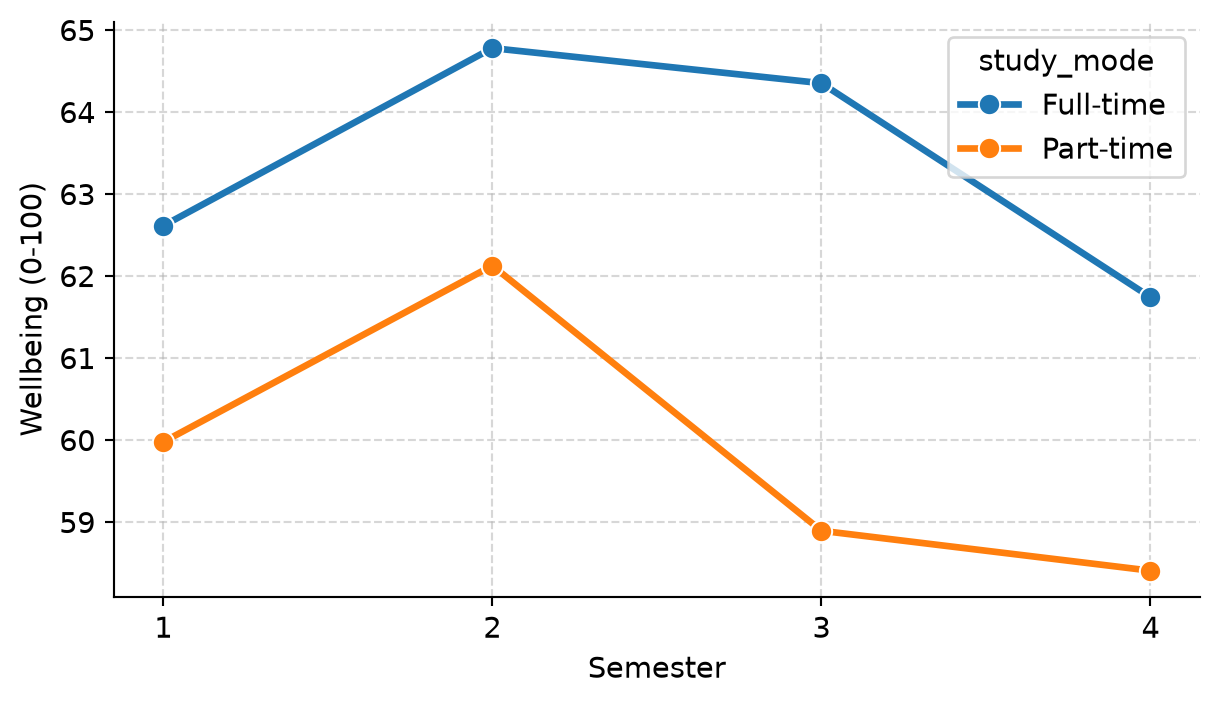
To share an app with stakeholders who do not have Python installed:
Reproducibility within your own computer is the foundation. Open science broadens the horizon: ensuring research is accessible, inspectable, and reusable by the global scientific community.
Sharing code and data enables independent verification and accelerates scientific discovery. Trusted repositories such as the Open Science Framework (OSF) and Zenodo archive research artifacts permanently and assign them a DOI (Digital Object Identifier) that can be formally cited in publications.
A complete reproduction package contains:
.qmd) and bibliography.requirements.txt or uv.lock).Human subject data must never be shared in a form that permits identification. Simply stripping student names and ID numbers is insufficient, because combinations of ordinary demographic variables can uniquely identify individuals:
small_cells = (
students.groupby(["faculty", "study_mode", "gender", "has_children"], observed=False)
.size()
.reset_index(name="n")
.sort_values("n")
)
small_cells.head(4)| faculty | study_mode | gender | has_children | n | |
|---|---|---|---|---|---|
| 7 | Education | Part-time | Male | Yes | 3 |
| 15 | Health Sciences | Part-time | Male | Yes | 3 |
| 21 | Humanities | Part-time | Female | Yes | 3 |
| 5 | Education | Part-time | Female | Yes | 4 |
In the output above, only 3 students are part-time male students with children in the Faculty of Education. In a small academic department, that combination easily identifies real individuals.
To protect participants before public data sharing:
Every empirical study involves dozens of defensible analytical decisions: whether to exclude outliers beyond 2 or 3 standard deviations, whether to log-transform a skewed variable, which non-parametric test to substitute, or which covariates to include in regression models.
When these decisions are made after inspecting the data, researchers naturally (and often subconsciously) gravitate toward choices that yield statistically significant results (\(p < 0.05\)). This phenomenon is known as the garden of forking paths (Gelman and Loken 2014).
A Python simulation illustrates the magnitude of this problem. In the simulation below, we generate 60 observations from an exponential distribution with zero real group difference. We then analyze the data five defensible ways and record how often the first analysis, and how often any of the five analyses, produces a false positive (\(p < 0.05\)):
import numpy as np
import pandas as pd
import scipy.stats as stats
import statsmodels.api as sm
def forking_paths():
group = np.array(["A"] * 30 + ["B"] * 30)
score = np.random.exponential(scale=10, size=60)
covariate = np.random.normal(size=60)
score_a = score[group == "A"]
score_b = score[group == "B"]
# 1. Standard t-test
p_ttest = stats.ttest_ind(score_a, score_b).pvalue
# 2. Outlier-trimmed t-test (|z| < 2)
z = np.abs((score - np.mean(score)) / np.std(score, ddof=1))
p_no_outliers = stats.ttest_ind(
score[(z < 2) & (group == "A")],
score[(z < 2) & (group == "B")]
).pvalue
# 3. Log-scale t-test
p_log = stats.ttest_ind(np.log(score_a), np.log(score_b)).pvalue
# 4. Rank test (Mann-Whitney U)
p_rank = stats.mannwhitneyu(score_a, score_b).pvalue
# 5. Linear model with covariate
X = sm.add_constant(np.column_stack([(group == "B").astype(int), covariate]))
p_cov = sm.OLS(score, X).fit().pvalues[1]
p_vals = [p_ttest, p_no_outliers, p_log, p_rank, p_cov]
return {
"first_analysis": p_ttest < 0.05,
"any_analysis": any(p < 0.05 for p in p_vals)
}
np.random.seed(17)
sim_results = pd.DataFrame([forking_paths() for _ in range(1000)])
sim_results.mean()first_analysis 0.054
any_analysis 0.109
dtype: float64The single pre-planned t-test produces a false positive in approximately 5% of runs, exactly as the nominal \(\alpha = 0.05\) level dictates. However, choosing opportunistically among five defensible analyses inflates the false positive rate to over 10%—even though the true effect is exactly zero!
Preregistration solves this dilemma. Researchers register their hypotheses, experimental design, and planned statistical model on an independent, time-stamped registry (such as OSF Registries or AsPredicted) before collecting or inspecting the data. Preregistration clearly separates confirmatory analyses from exploratory findings. In a Registered Report, a journal peer-reviews and accepts the study protocol before data collection commences, ensuring publication regardless of whether the eventual findings are statistically significant.
Open-source scientific Python packages are developed by researchers and community volunteers whose academic careers depend on citations. Always cite the specific packages used in your thesis.
Official citation guidelines and BibTeX records are available on package documentation pages (e.g., McKinney, 2010 for pandas; Pedregosa et al., 2011 for scikit-learn; Virtanen et al., 2020 for SciPy; Seabold & Perktold, 2010 for statsmodels).
A methodology section should state:
“Analyses were conducted in Python (v3.13), utilizing pandas (v2.2) for data manipulation, SciPy (v1.14) and statsmodels (v0.14) for statistical modeling, and scikit-learn (v1.6) for machine learning.”
As a thesis project evolves, files quickly proliferate: thesis_final.qmd, thesis_final_v2.qmd, thesis_final_supervisor_edits.qmd. Version control replaces file duplication with a clean, linear history of every modification made to the project.
Git is the industry-standard version control system, and GitHub is the premier platform for cloud backup, team collaboration, and scientific dissemination (Bryan 2018).
Key Git concepts:
"Filter duplicate survey responses in ch3")..gitignore: A text file specifying files Git must ignore (e.g., raw sensitive data, temporary cache directories, .venv/).Modern code editors (VS Code, Positron, PyCharm) provide intuitive visual Git interfaces with buttons for staging changes, writing commit messages, and pushing to GitHub.
.qmd) integrate narrative Markdown, Python code chunks, dynamic tables, plots, LaTeX equations, and BibTeX citations into a unified, reproducible source that compiles to HTML, Word, PDF, or presentations.venv, uv) and requirements.txt capture library dependencies so that environments can be recreated reliably on any machine.Reproducibility, replicability, Quarto, Jupyter engine, YAML header, Markdown, code chunk, inline code, chunk options, cross-reference, BibTeX, CSL style, LaTeX, parameterised reports, virtual environment, requirements.txt, lockfile, Shiny for Python, UI, server, reactivity, reactive calculation, open science, DOI, Zenodo, OSF, anonymisation, small cells, synthetic data, garden of forking paths, preregistration, confirmatory analysis, exploratory analysis, Registered Report, Git, repository, commit, push, pull, GitHub, .gitignore.
The interactive Playground provides browser-based exercises and complete solutions:
.qmd) using Python, compute the mean and standard deviation of three numbers, display them with inline code, and render the document to HTML.faculty string parameter and filters the students dataset to display the count and average wellbeing for that faculty.students dataset across faculty, study_mode, and gender. Identify any cell with fewer than 5 respondents and propose an aggregation strategy to preserve privacy.forking_paths() simulation to add a sixth analytical path (e.g., a trimmed t-test excluding the 5 highest scores). Observe how the overall false positive rate increases.Much research data is text: answers to open questions, interview transcripts, clinical notes, and policy documents. To analyse qualitative text quantitatively, researchers use qualitative coding: reading each text passage and assigning it to one of a set of themes defined in a systematic codebook. Coding is an act of judgement, and judgements differ. A central methodological question is therefore how to determine whether a coder—whether a human researcher, a keyword dictionary, or a computer model—codes reliably. The standard answer is to compare the coder with an independent benchmark, and to measure how far they agree beyond what chance alone would produce.
In the wellbeing study, the final survey included one open question: “What has been your biggest challenge during your studies?” A total of 536 students answered in their own words, and the eleventh research question (RQ11) investigates what those challenges are. Elaf coded 200 answers by hand, which required two full weeks of intense concentration. The methodological challenge is whether an AI tool could code the remaining answers reliably.
Artificial intelligence (AI) tools now play a major role across research: coding assistants that write and explain Python code, and large language models (LLMs) that read, summarize, and classify text. This chapter explores both applications. It explains how these models work and why they make confident errors (hallucinations), shows how to use an AI assistant to write robust Python code and how to verify its outputs, and then demonstrates how to call a language model from Python to code students’ responses, validating the results against human coding with accuracy and Cohen’s kappa. It concludes with essential ethical guidelines for using AI responsibly in scientific research.
Two coders who read the same answers will not always choose the same theme. Their raw agreement—the proportion of answers on which they assign identical themes—seems like the natural metric, but it can be highly deceptive. When one theme is very frequent, two coders will often agree simply because both choose it most of the time by chance.
A toy example illustrates why this matters. Suppose two coders categorize 20 student answers, and one coder places 16 of them under Workload:
coder_a = ["Workload"] * 16 + ["Family"] * 4
coder_b = ["Workload"] * 14 + ["Family"] * 2 + ["Workload"] * 2 + ["Family"] * 2
observed = np.mean(np.array(coder_a) == np.array(coder_b))
p_a = pd.Series(coder_a).value_counts(normalize=True)
p_b = pd.Series(coder_b).value_counts(normalize=True)
chance = sum(p_a.get(k, 0) * p_b.get(k, 0) for k in set(coder_a) | set(coder_b))
kappa = (observed - chance) / (1 - chance)
print(f"Observed agreement: {observed:.1%}")
print(f"Chance agreement: {chance:.1%}")
print(f"Cohen's kappa: {kappa:.2f}")Observed agreement: 80.0%
Chance agreement: 68.0%
Cohen's kappa: 0.37The coders agree on 80% of the answers, which initially sounds strong. But because each coder classifies 80% of the responses under Workload, two coders guessing at random in those proportions would agree on 68% of the answers by chance alone!
Cohen’s kappa measures agreement beyond chance: the observed agreement minus chance agreement, divided by the maximum possible agreement above chance (Cohen 1960):
\[ \kappa = \frac{P_o - P_e}{1 - P_e} \]
Here, Cohen’s kappa is only 0.38. A kappa of 0 represents chance-level agreement, and 1 indicates perfect agreement. Standard benchmarks (Landis and Koch 1977) classify \(\kappa\) as:
In Python, the cohen_kappa_score function from scikit-learn computes this directly:
from sklearn.metrics import cohen_kappa_score
print(f"scikit-learn kappa: {cohen_kappa_score(coder_a, coder_b):.2f}")scikit-learn kappa: 0.38Kappa is the standard measure of inter-rater reliability (Chapter 5), and it applies to any pair of coders—whether two human raters, a keyword dictionary, or a language model.
Modern AI coding assistants (ChatGPT, Claude, Gemini, GitHub Copilot) are powered by large language models (LLMs). An LLM is a deep neural network (Chapter 15) containing billions of parameters, trained on massive corpora of text and source code.
During training, the model learns to perform one core task: predict the next token (a word or sub-word piece) given the preceding context. Generating a response proceeds token by token, continually selecting statistically probable continuations. Instruction tuning and reinforcement learning from human feedback (RLHF) then shape the raw model into an assistant that follows conversational instructions.
This fundamental architecture explains both their strengths and their hazards:
The practical rule is absolute: treat AI output as a draft, and verify every line yourself. You remain solely responsible for the integrity of your thesis.
An AI assistant’s response is only as precise as the prompt it receives. To obtain reliable Python code:
students.dtypes or students.head(2)), ensuring no sensitive or identifiable participant data is ever pasted into online prompts.Suppose an assistant is asked for the percentage of students in each faculty who considered dropping out, and suggests the following pandas code:
# Plausible but incorrect suggestion:
flawed = (
students.groupby('faculty')['considering_dropout']
.apply(lambda s: 100 * (s == 'Yes').sum() / len(students))
.reset_index(name='percent')
)
flawed| faculty | percent | |
|---|---|---|
| 0 | Education | 2.666667 |
| 1 | Health Sciences | 4.833333 |
| 2 | Humanities | 2.166667 |
| 3 | Natural Sciences | 1.833333 |
| 4 | Social Sciences | 3.500000 |
The code runs without error and the numbers look believable. However, the percentages sum to only 15.7%—the percentage of all students who considered dropping out! Dividing by len(students) divides by the global sample size rather than the faculty subgroup size.
The correct formulation computes the proportion within each faculty:
# Correct calculation:
correct = (
students.groupby('faculty')['considering_dropout']
.apply(lambda s: 100 * (s == 'Yes').mean())
.reset_index(name='percent')
.round(1)
)
correct| faculty | percent | |
|---|---|---|
| 0 | Education | 10.8 |
| 1 | Health Sciences | 18.8 |
| 2 | Humanities | 13.7 |
| 3 | Natural Sciences | 12.6 |
| 4 | Social Sciences | 18.1 |
Because (s == 'Yes') is a boolean series, its mean is the exact within-faculty proportion (Chapter 6). The assistant’s error was not an obvious crash; it was a subtle conceptual mismatch.
Catching such errors requires four standard habits:
pd.crosstab(students['faculty'], students['considering_dropout'], normalize='index').A selection of raw survey responses illustrates the challenge of open text:
for idx in [4, 8, 14, 54]:
print(f"- \"{open_responses.loc[idx, 'biggest_challenge']}\"")- "most of my income goes on tuition fees. Besides that, I work alone all the time. Things are slowly improving."
- "I moved to a city where I know no one for my studies and I feel lonely. And I never have enough time."
- "Supervisor."
- "The direction of my thesis changed twice after comments from my supervsor. Sometimes I rewrite the same section again and again without knowing if it is right."Responses range from brief phrases to elaborate paragraphs, frequently mention multiple competing pressures, and feature informal grammar and typos. The qualitative codebook defines seven mutually exclusive themes: Supervision, Workload, Finances, Family, Health, Isolation, and Other.
Elaf hand-coded a random validation sample of 200 answers into the single primary challenge:
theme_distribution = open_responses_coded['theme'].value_counts()
print(theme_distribution)theme
Supervision 68
Workload 45
Isolation 31
Health 20
Finances 14
Family 14
Other 8
Name: count, dtype: int64This 200-student dataset serves as the gold-standard test set against which automatic methods are benchmarked.
The simplest automated baseline is a rule-based keyword dictionary. Each answer is assigned to the theme with the highest number of keyword matches, defaulting to “Other” if no keywords match:
keywords = {
"Supervision": r"\b(supervis|feedback|guidance|meeting)",
"Workload": r"\b(time|deadline|workload|too much|assignment|reading|busy)",
"Finances": r"\b(money|fee|scholarship|rent|afford|salary|income|funding|stipend|loan)",
"Family": r"\b(famil|child|kid|son\b|daughter|baby|parent|mother|father|husband|wife)",
"Health": r"\b(sleep|tired|stress|anxi|health|ill\b|burnout|headache|coffee|exhaust)",
"Isolation": r"\b(lonel|alone|friends|outsider|miss (home|my)|far from|know no one)",
"Other": r"\b(ethic|participant|statistic|library|procedure|english|power cut|laptop|internet|software)"
}
themes = list(keywords.keys())
def code_by_keywords(text):
text_lower = str(text).lower()
hits = {theme: len(re.findall(pat, text_lower)) for theme, pat in keywords.items()}
max_hits = max(hits.values())
if max_hits == 0:
return "Other"
for theme, count in hits.items():
if count == max_hits:
return theme
sample_text = "I miss my family and I cannot afford the fees."
print(f"Sample coding: '{sample_text}' -> {code_by_keywords(sample_text)}")Sample coding: 'I miss my family and I cannot afford the fees.' -> FinancesEvaluating the dictionary against Elaf’s 200 hand-coded responses:
keyword_predictions = open_responses_coded['biggest_challenge'].apply(code_by_keywords)
kw_acc = accuracy_score(open_responses_coded['theme'], keyword_predictions)
kw_kap = cohen_kappa_score(open_responses_coded['theme'], keyword_predictions)
print(f"Keyword Accuracy: {kw_acc:.1%}")
print(f"Keyword Cohen's kappa: {kw_kap:.2f}")Keyword Accuracy: 61.0%
Keyword Cohen's kappa: 0.51The keyword dictionary achieves 61.0% accuracy and a Cohen’s kappa of 0.51 (moderate agreement). Keyword matching struggles because semantic meaning depends on syntactic context: the phrase “I feel I am letting down both my family and my supervisor” matches keywords in both Family and Supervision, while “I never have enough time” could reflect course workload or family caring duties. Discerning underlying meaning requires semantic comprehension—the exact strength of modern language models.
Python provides standard libraries for interacting with language models:
openai, anthropic, google-genai) offer top-tier reasoning capabilities. Online APIs require an API key and incur per-token charges. Keys should always be stored in environment variables (e.g., via a .env file), never committed directly into Git repositories.ollama package communicates with the local runner. Local models require zero API keys, run completely free of charge, and guarantee that participant data never leaves your computer.Qualitative coding requires two properties that standard web chats lack:
In Python, structured outputs are defined using Pydantic:
from pydantic import BaseModel
from typing import Literal
class QualitativeCoding(BaseModel):
theme: Literal[
"Supervision", "Workload", "Finances",
"Family", "Health", "Isolation", "Other"
]
# The qualitative codebook prompt:
codebook = """
You are helping an academic researcher code open-ended survey answers from graduate
students, who were asked: 'What has been your biggest challenge during your studies?'
Assign each answer to exactly ONE theme: the single primary challenge the student describes.
If multiple challenges are mentioned, select the one the student presents first or emphasizes most.
Themes:
- Supervision: supervisor guidance, feedback, meetings, availability, or disagreements.
- Workload: too much work or too little time; deadlines, thesis writing, coursework, readings.
- Finances: tuition fees, living expenses, funding, scholarships, debt, paid employment.
- Family: children, spouse, caring responsibilities, family commitments, home life.
- Health: physical illness, mental health, stress, anxiety, exhaustion, burnout, insomnia.
- Isolation: loneliness, social alienation, lack of peer network, studying remotely.
- Other: administrative issues, research ethics approvals, statistical software, language barriers.
"""Using Ollama in Python, a classification query is executed with zero sampling temperature (temperature=0) to ensure deterministic repeatability:
import ollama
response = ollama.chat(
model="gemma4:e4b",
messages=[
{"role": "system", "content": codebook + "\nReply with the theme name only."},
{"role": "user", "content": "I cannot afford the tuition fees and rent this term."}
],
options={"temperature": 0}
)
print(response['message']['content'].strip())
# Output: FinancesFor the graduate wellbeing study, all 536 student answers were coded using a local instance of Google Gemma 4 (gemma4:e4b) via Ollama. The run script (data-raw/run_ai_coding.py) logged the model specifications, execution timestamp, and coded each validation response twice to test stability.
The model’s classifications are loaded from the archived results file and merged with Elaf’s 200 hand-coded responses:
ai_results = pd.read_csv(ai_file)
ai_meta = pd.read_csv(ai_meta_file).iloc[0]
ai_check = open_responses_coded.merge(ai_results, on="student_id")
ai_acc = accuracy_score(ai_check['theme'], ai_check['ai_theme'])
ai_kap = cohen_kappa_score(ai_check['theme'], ai_check['ai_theme'])
print(f"Model: {ai_meta['model']} ({ai_meta['provider']})")
print(f"Validation sample: {len(ai_check)} students")
print(f"AI Coding Accuracy: {ai_acc:.1%}")
print(f"AI Cohen's kappa: {ai_kap:.3f}")Model: gemma4:e4b (Ollama (local))
Validation sample: 200 students
AI Coding Accuracy: 90.0%
AI Cohen's kappa: 0.874The language model achieves 90.0% accuracy and a Cohen’s kappa of 0.874, representing almost perfect agreement (Landis and Koch 1977). This substantially outperforms the keyword dictionary (61.0% accuracy, \(\kappa = 0.512\)).
Furthermore, evaluating the re-run test:
rerun_sample = ai_check.dropna(subset=['ai_theme_rerun'])
rerun_agree = (rerun_sample['ai_theme'] == rerun_sample['ai_theme_rerun']).mean()
print(f"Repeatability agreement: {rerun_agree:.1%}")Repeatability agreement: 100.0%At temperature = 0, the local model is 100% deterministic across runs.
A confusion matrix reveals where the model and the human coder diverge:
cm = pd.crosstab(
ai_check['theme'], ai_check['ai_theme'],
rownames=['Human Coder'], colnames=['AI Model']
).reindex(index=themes, columns=themes, fill_value=0)
cm| AI Model | Supervision | Workload | Finances | Family | Health | Isolation | Other |
|---|---|---|---|---|---|---|---|
| Human Coder | |||||||
| Supervision | 60 | 2 | 1 | 2 | 2 | 1 | 0 |
| Workload | 2 | 39 | 0 | 1 | 1 | 2 | 0 |
| Finances | 0 | 0 | 14 | 0 | 0 | 0 | 0 |
| Family | 0 | 0 | 0 | 14 | 0 | 0 | 0 |
| Health | 0 | 1 | 0 | 1 | 16 | 1 | 1 |
| Isolation | 2 | 0 | 0 | 0 | 0 | 29 | 0 |
| Other | 0 | 0 | 0 | 0 | 0 | 0 | 8 |
The diagonal cells represent cases of complete agreement. The off-diagonal cells represent disagreements. Examining the specific discordant text entries provides valuable qualitative insight:
disagreements = ai_check[ai_check['theme'] != ai_check['ai_theme']][
['biggest_challenge', 'theme', 'ai_theme']
].head(5)
disagreements.columns = ['Student Answer', 'Human Coder', 'AI Model']
disagreements| Student Answer | Human Coder | AI Model | |
|---|---|---|---|
| 15 | Getting feedback on my draft took over a month... | Supervision | Isolation |
| 19 | Combining coursework, my job at a school and m... | Workload | Health |
| 20 | I stopped exercising and I can feel the differ... | Health | Other |
| 40 | Writing my literature review took far longer t... | Workload | Isolation |
| 46 | Nobody in my group works on anything close to ... | Isolation | Supervision |
When inspectable, disagreements frequently occur on multi-clause answers where two genuine challenges are present (e.g., struggling with workload while dealing with health fatigue). Inspecting these discrepancies often leads to refining the codebook definitions rather than pointing to model failure.
With the model’s reliability rigorously established (\(\kappa = 0.874\)), the automated coding is applied across all 536 student responses (Figure 18.1):
theme_shares = (
ai_results['ai_theme']
.value_counts(normalize=True)
.sort_values(ascending=True) * 100
)
fig, ax = plt.subplots(figsize=(6.5, 3.5))
ax.barh(theme_shares.index, theme_shares.values, color="#2f6793", edgecolor="none", height=0.65)
ax.set_xlabel("Share of answers (%)")
ax.grid(True, linestyle="--", alpha=0.5, axis="x")
for i, v in enumerate(theme_shares.values):
ax.text(v + 0.8, i, f"{v:.1f}%", va="center", fontsize=9.5)
ax.set_xlim(0, max(theme_shares.values) + 6)
plt.tight_layout()
plt.show()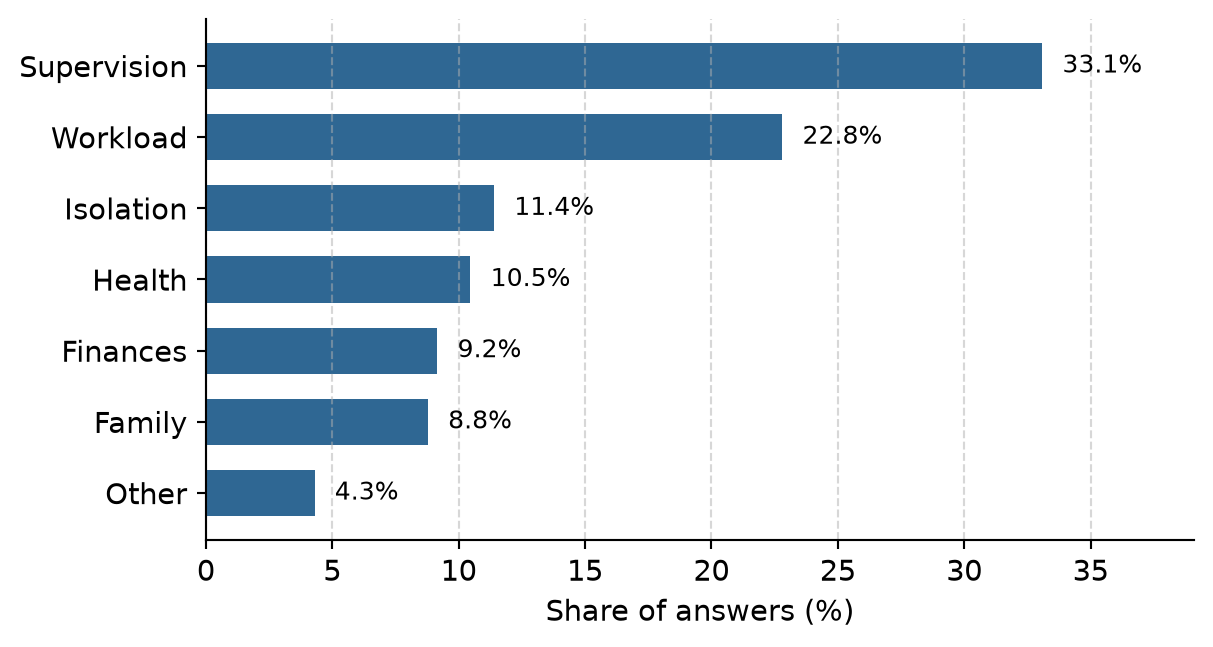
Supervision (33.0%) and Workload (22.8%) represent the two dominant challenges encountered by graduate students.
To establish construct validity, we cross-reference the qualitative AI themes with students’ quantitative ratings of supervisor support from the Chapter 2 questionnaire:
support_items = [f"support_{i}" for i in range(1, 7)]
q_support = questionnaire[["student_id"]].copy()
q_support["mean_support"] = questionnaire[support_items].mean(axis=1)
validation_table = (
ai_results.merge(q_support, on="student_id")
.groupby("ai_theme")
.agg(
Students=("student_id", "count"),
Supervisor_Support=("mean_support", "mean")
)
.reset_index()
.round(2)
.sort_values("Supervisor_Support")
)
validation_table.columns = ["Primary Challenge", "N Students", "Mean Supervisor Support (1-5)"]
validation_table| Primary Challenge | N Students | Mean Supervisor Support (1-5) | |
|---|---|---|---|
| 5 | Supervision | 177 | 2.82 |
| 3 | Isolation | 61 | 3.30 |
| 4 | Other | 23 | 3.31 |
| 2 | Health | 56 | 3.33 |
| 0 | Family | 47 | 3.43 |
| 1 | Finances | 49 | 3.45 |
| 6 | Workload | 122 | 3.46 |
The qualitative text and quantitative survey data validate each other: students whose primary open-ended challenge was classified as Supervision report significantly lower perceived supervisor support (2.82) than students reporting any other challenge (3.30 – 3.46).
AI tools cannot be listed as authors on academic publications (as confirmed by COPE and major journal publishers) because an AI model cannot take legal or intellectual responsibility for scholarly claims. You remain solely responsible for the accuracy of every finding, citation, and line of code in your thesis.
Before transmitting text to cloud-hosted AI APIs, verify that your institutional review board (IRB) ethics approval and participant consent forms explicitly authorize external data sharing. When dealing with sensitive, non-consented, or human-subject data:
LLMs are updated continuously by commercial vendors. To ensure reproducible research:
gemma4:e4b), host provider, temperature (0), and date..csv), analyzing the frozen outputs rather than querying dynamic endpoints repeatedly.Disclose AI assistance transparently in your thesis methodology or acknowledgments:
“Open-ended challenge responses were qualitatively categorized into seven themes using a local open-weight language model (Gemma 4, e4b variant, via Ollama and Python). Agreement with the primary author’s manual coding of a random benchmark sample (N = 200) was validated using Cohen’s kappa (\(\kappa = 0.874\)).”
temperature=0), reproducibility archives, and explicit disclosure.Qualitative coding, codebook, inter-rater reliability, Cohen’s kappa, large language model, token, hallucination, prompt engineering, system prompt, temperature, local model, Ollama, Pydantic, structured output, construct validity, reproducibility, disclosure.
The interactive Playground provides browser-based exercises with solutions:
A thesis is an argument, and its results chapter is the evidence. Each claim in it rests on a chain of reasoning that runs from a research question, through a hypothesis, a design, measured variables, and an analysis, to a result, a conclusion, and the limits of that conclusion. A thesis convinces when every link in that chain can be seen and checked, and every number in the text can be traced back to the raw data. The methods of this book are the links; this chapter joins them.
In the story, it is the final semester. Elaf’s analyses are spread over two years of scripts, written as she learned each method, and her supervisor’s advice for the last stretch is simple: “Before you write the results chapter, rebuild the whole thing, from the raw export to the last table, as one project that runs from start to finish. Then you will know that every number in your thesis is right, and you can answer any examiner’s question by pointing to the code.” This chapter does exactly that. It sets up a complete research project, runs the analysis from the messy survey export to the tables, figures, and sentences of a results chapter, and traces the chain of reasoning behind three of the research questions. It then steps back: how to report results to the standards journals expect, how to choose a method for a new question, the problems that every researcher meets, and where to go next.
Every quantitative project follows roughly the same path, and this book has followed it too (Figure 19.1).
flowchart TB A[Question and<br/>design<br/>Ch 5] --> B[Import<br/>Ch 1-2] B --> C[Clean and<br/>reshape<br/>Ch 3] C --> D[Explore and<br/>describe<br/>Ch 4, 6] D --> E[Test and<br/>model<br/>Ch 7-10] D --> F[Predict and<br/>discover<br/>Ch 11-16] E --> G[Report and<br/>share<br/>Ch 17-18] F --> G
The path is not a straight line in practice. Exploring the data sends you back to cleaning when you find a problem; a model’s diagnostics send you back to exploring. What matters is that each step is written in code, so that going back and rerunning everything is easy.
A project that others (and your future self) can follow has a predictable structure. The final thesis project looks like this:
wellbeing-thesis/
├── README.txt what the project is and how to run it
├── data-raw/
│ └── wellbeing_raw.xlsx the survey export, never edited by hand
├── data/ clean data, created by the scripts
├── scripts/
│ ├── 01_clean_data.py raw export -> clean tables (Chapter 3)
│ └── 02_analysis.py models and figures
├── output/ figures and tables, created by the scripts
├── results.qmd the results chapter (Chapter 17)
├── references.bib
└── requirements.txt package versions (Chapter 17)Four principles lie behind it. Raw data is read-only: everything in data/ and output/ can be deleted and recreated by running the scripts. Scripts are numbered in the order they run, and each does one job. Paths are relative to the project, using pathlib.Path (Chapter 1), so the project runs on any computer. And the README says in a few lines what the project is and how to run it.
The downloadable project for this chapter has the same structure, with working scripts (its data/ and output/ folders are created when the scripts run, and it provides a requirements.txt for virtual environments). The rest of the chapter walks through what the scripts do.
The cleaning of Chapter 3, gathered into one script, runs in a few seconds. Here is its core, reading the raw export and producing the clean questionnaire and semester tables:
import pandas as pd
import numpy as np
raw = pd.read_excel(data2thesis_example("wellbeing_raw.xlsx"))
item_names = [f"stress_{i}" for i in range(1, 7)] + \
[f"burnout_{i}" for i in range(1, 7)] + \
[f"support_{i}" for i in range(1, 7)] + \
[f"satisfaction_{i}" for i in range(1, 5)]
# 1. Drop test responses and duplicates
responses = raw[~raw["Q1_Student ID"].str.upper().str.startswith("TEST")].copy()
responses = responses.drop(columns=["Response ID"]).drop_duplicates()
responses = responses.rename(columns={
"Q1_Student ID": "student_id",
"Workshop group": "workshop",
"Y1_Considered leaving?": "considering_dropout"
})
# Rename item columns Q11_1:Q11_22
q11_cols = [f"Q11_{i}" for i in range(1, 23)]
responses = responses.rename(columns=dict(zip(q11_cols, item_names)))
for col in item_names:
responses[col] = pd.to_numeric(responses[col].replace([99, "99"], np.nan), errors="coerce")
questionnaire_clean = responses[["student_id"] + item_names].copy()
# 2. Reshape semesters from wide to long
def parse_number(s):
return pd.to_numeric(s.astype(str).str.replace(",", ".").str.extract(r"(\d+(?:\.\d+)?)")[0], errors="coerce")
long_records = []
for sem in [1, 2, 3, 4]:
sub = pd.DataFrame({
"student_id": responses["student_id"],
"semester": sem,
"gpa": parse_number(responses[f"GPA_S{sem}"]),
"sleep_hours": parse_number(responses[f"Sleep_S{sem}"]),
"study_hours": parse_number(responses[f"Study_S{sem}"]),
"exercise_days": parse_number(responses[f"Exercise_S{sem}"]),
"caffeine_mg": parse_number(responses[f"Caffeine_S{sem}"]),
"supervisor_meetings": parse_number(responses[f"Meetings_S{sem}"]),
"wellbeing": parse_number(responses[f"Wellbeing_S{sem}"])
})
long_records.append(sub)
semesters_clean = pd.concat(long_records, ignore_index=True)
semesters_clean.loc[semesters_clean["sleep_hours"] > 24, "sleep_hours"] = np.nan
semesters_clean.loc[semesters_clean["study_hours"] > 168, "study_hours"] = np.nan
semesters_clean.loc[semesters_clean["gpa"] > 4, "gpa"] = np.nan
metric_cols = ["gpa", "sleep_hours", "study_hours", "exercise_days", "caffeine_mg", "supervisor_meetings", "wellbeing"]
semesters_clean = semesters_clean.dropna(subset=metric_cols, how="all")
semesters_clean["supervisor_meetings"] = semesters_clean["supervisor_meetings"].astype(int)
semesters_clean["wellbeing"] = semesters_clean["wellbeing"].astype(int)Each step is explained in Chapter 3; the full script in the downloadable project also cleans the background variables. The most important line of any cleaning script is the check at the end, here comparing with the clean reference data:
def check_match(mine, theirs, key):
m = mine.sort_values(key).reset_index(drop=True)
t = theirs[mine.columns].sort_values(key).reset_index(drop=True)
return m.equals(t)
print("Questionnaire matches:", check_match(questionnaire_clean, questionnaire, "student_id"))
print("Semesters matches: ", check_match(semesters_clean, semesters, ["student_id", "semester"]))Questionnaire matches: True
Semesters matches: TrueBoth are True. In a real project there is no package to compare with, so the checks are the ones from Chapters 3 and 6: counts of categories, ranges of values, numbers of missing values, and a look at a few rows. From here on, the chapter uses the clean tables, together with the scale scores:
scores = questionnaire.copy()
scores["stress_4"] = 6 - scores["stress_4"]
scores["stress"] = scores.filter(like="stress_").mean(axis=1)
scores["burnout"] = scores.filter(like="burnout_").mean(axis=1)
scores["support"] = scores.filter(like="support_").mean(axis=1)
scores = scores[["student_id", "stress", "burnout", "support"]]
study = students.merge(scores, on="student_id").merge(semesters.query("semester == 1"), on="student_id")
print(f"Total students in study dataset: {len(study)}")Total students in study dataset: 600The table study has one row per student, with background, questionnaire scores, and first-semester records, as in Chapter 8.
Every results chapter begins by describing the participants, often in a table known as “Table 1”. Here the sample is described by programme:
def mean_sd(x):
return f"{x.mean():.1f} ({x.std(ddof=1):.1f})"
def percent(x):
return f"{100 * x.mean():.0f}%"
def describe(d):
return pd.Series({
"Students": str(len(d)),
"Age, mean (SD)": mean_sd(d["age"]),
"Women": percent(d["gender"] == "Female"),
"Part-time": percent(d["study_mode"] == "Part-time"),
"Stress (1-5), mean (SD)": mean_sd(d["stress"]),
"Support (1-5), mean (SD)": mean_sd(d["support"]),
"Wellbeing in semester 1, mean (SD)": mean_sd(d["wellbeing"]),
"Considered dropping out": percent(d["considering_dropout"] == "Yes")
})
sample_desc = pd.DataFrame({
"Characteristic": describe(study).index,
"Master's": describe(study[study["programme"] == "Master's"]).values,
"PhD": describe(study[study["programme"] == "PhD"]).values,
"All": describe(study).values
})
print(sample_desc.to_markdown(index=False))| Characteristic | Master's | PhD | All |
|:-----------------------------------|:------------|:------------|:------------|
| Students | 426 | 174 | 600 |
| Age, mean (SD) | 27.9 (3.3) | 34.2 (5.1) | 29.7 (4.8) |
| Women | 52% | 53% | 52% |
| Part-time | 26% | 39% | 30% |
| Stress (1-5), mean (SD) | 3.2 (0.7) | 3.2 (0.7) | 3.2 (0.7) |
| Support (1-5), mean (SD) | 3.2 (0.8) | 3.2 (0.7) | 3.2 (0.8) |
| Wellbeing in semester 1, mean (SD) | 60.9 (12.1) | 59.3 (11.9) | 60.5 (12.0) |
| Considered dropping out | 15% | 14% | 15% |Two small helper functions, mean_sd() and percent(), format the numbers the way theses report them, and describe() builds the column for any group of students, so the same code makes all three columns. Writing a small function whenever you would otherwise copy and paste code is one of the best habits to take from this book.
Three of the research questions are answered below with the methods of Parts 2 and 3, each with a sentence written the way it will appear in the thesis. A small function formats p-values in the usual style:
def format_p(p):
return "p < .001" if p < 0.001 else f"p = {p:.3f}".replace(" 0.", " .")Students were randomly invited to the wellbeing workshop after the first semester. The mixed-effects model of Chapter 10 uses all four semesters and every student:
panel = semesters.merge(students, on="student_id").assign(time=lambda d: d["semester"] - 1)
workshop_model = smf.mixedlm(
"wellbeing ~ C(semester) * workshop",
panel,
groups=panel["student_id"],
re_formula="~time"
).fit(method=["lbfgs", "powell"])
pred_grid = pd.MultiIndex.from_product(
[[1, 2, 3, 4], ["Invited", "Not invited"]],
names=["semester", "workshop"]
).to_frame().reset_index(drop=True)
pred_grid["time"] = pred_grid["semester"] - 1
pred_grid["predicted_wellbeing"] = workshop_model.predict(pred_grid)
piv = pred_grid.pivot(index="semester", columns="workshop", values="predicted_wellbeing")
gaps = piv["Invited"] - piv["Not invited"]
print("Wellbeing gaps across semesters:")
print(gaps.round(1))Wellbeing gaps across semesters:
semester
1 0.4
2 5.3
3 4.1
4 2.6
dtype: float64Wellbeing was similar in the two groups before the workshop (difference 0.4 points). After the workshop, invited students’ wellbeing was 5.3 points higher in semester 2, but the difference narrowed to 4.1 points in semester 3 and 2.6 in semester 4.
The multiple regression of Chapter 8, with coefficients and confidence intervals organized as a clean summary:
gpa_model = smf.ols("gpa ~ sleep_hours + study_hours + stress + support", data=study).fit()
gpa_table = pd.DataFrame({
"estimate": gpa_model.params,
"std_err": gpa_model.bse,
"t_value": gpa_model.tvalues,
"p_value": gpa_model.pvalues,
"conf_low": gpa_model.conf_int()[0],
"conf_high": gpa_model.conf_int()[1]
})
print(gpa_table.round(3)) estimate std_err t_value p_value conf_low conf_high
Intercept 2.137 0.145 14.712 0.0 1.852 2.423
sleep_hours 0.106 0.014 7.487 0.0 0.078 0.134
study_hours 0.007 0.001 6.270 0.0 0.005 0.009
stress -0.084 0.018 -4.685 0.0 -0.119 -0.049
support 0.111 0.017 6.632 0.0 0.078 0.144Each additional hour of sleep was associated with a GPA 0.11 points higher (95% CI 0.08 to 0.13, p < .001), holding study hours, stress, and support constant. Together, the four predictors explained 25% of the variation in first-semester GPA (n = 587).
The logistic regression of Chapter 8, with odds ratios:
study["dropout_bool"] = (study["considering_dropout"] == "Yes").astype(int)
dropout_model = smf.logit(
"dropout_bool ~ stress + support + financial_worry + C(employment) + C(study_mode)",
data=study
).fit(disp=False)
dropout_table = pd.DataFrame({
"odds_ratio": np.exp(dropout_model.params),
"conf_low": np.exp(dropout_model.conf_int()[0]),
"conf_high": np.exp(dropout_model.conf_int()[1]),
"p_value": dropout_model.pvalues
})
print(dropout_table.round(2)) odds_ratio conf_low conf_high p_value
Intercept 0.02 0.00 0.20 0.00
C(employment)[T.None] 0.55 0.24 1.31 0.18
C(employment)[T.Part-time job] 0.58 0.24 1.42 0.23
C(study_mode)[T.Part-time] 1.32 0.64 2.71 0.45
stress 3.60 2.25 5.77 0.00
support 0.33 0.22 0.49 0.00
financial_worry 1.57 1.24 2.00 0.00np.exp() turns the log-odds coefficients into odds ratios and their confidence intervals.
Each one-point increase in stress (on the 1 to 5 scale) was associated with 3.6 times the odds of considering dropping out (95% CI 2.3 to 5.8), and each one-point increase in supervisor support with 0.33 times the odds (95% CI 0.22 to 0.49).
Chapters 11 to 15 went further with this question, asking how well dropout can be predicted; the thesis reports that logistic regression predicted as well as machine learning models (a test AUC of about 0.84 in Chapter 11), which is itself a finding worth stating.
A thesis figure often combines panels. Using matplotlib.pyplot.subplots(), we can join figures side by side with consistent styling:
fig, (ax1, ax2) = plt.subplots(1, 2, figsize=(9, 4))
# Panel A: Workshop Trajectory
for w_label, color in [("Invited", navy), ("Not invited", copper)]:
sub = pred_grid[pred_grid["workshop"] == w_label]
ax1.plot(sub["semester"], sub["predicted_wellbeing"], marker="o", color=color, linewidth=2, label=w_label)
ax1.set_xlabel("Semester")
ax1.set_ylabel("Predicted wellbeing (0-100)")
ax1.set_xticks([1, 2, 3, 4])
ax1.legend(title="Workshop")
ax1.set_title("A", loc="left", fontweight="bold", fontsize=13)
# Panel B: Sleep and GPA
sns.regplot(
data=study, x="sleep_hours", y="gpa",
ax=ax2,
scatter_kws={"alpha": 0.3, "color": "black", "s": 20},
line_kws={"color": navy, "linewidth": 2}
)
ax2.set_xlabel("Sleep (hours a night)")
ax2.set_ylabel("GPA (semester 1)")
ax2.set_title("B", loc="left", fontweight="bold", fontsize=13)
for ax in (ax1, ax2):
ax.spines["top"].set_visible(False)
ax.spines["right"].set_visible(False)
plt.tight_layout()
plt.show()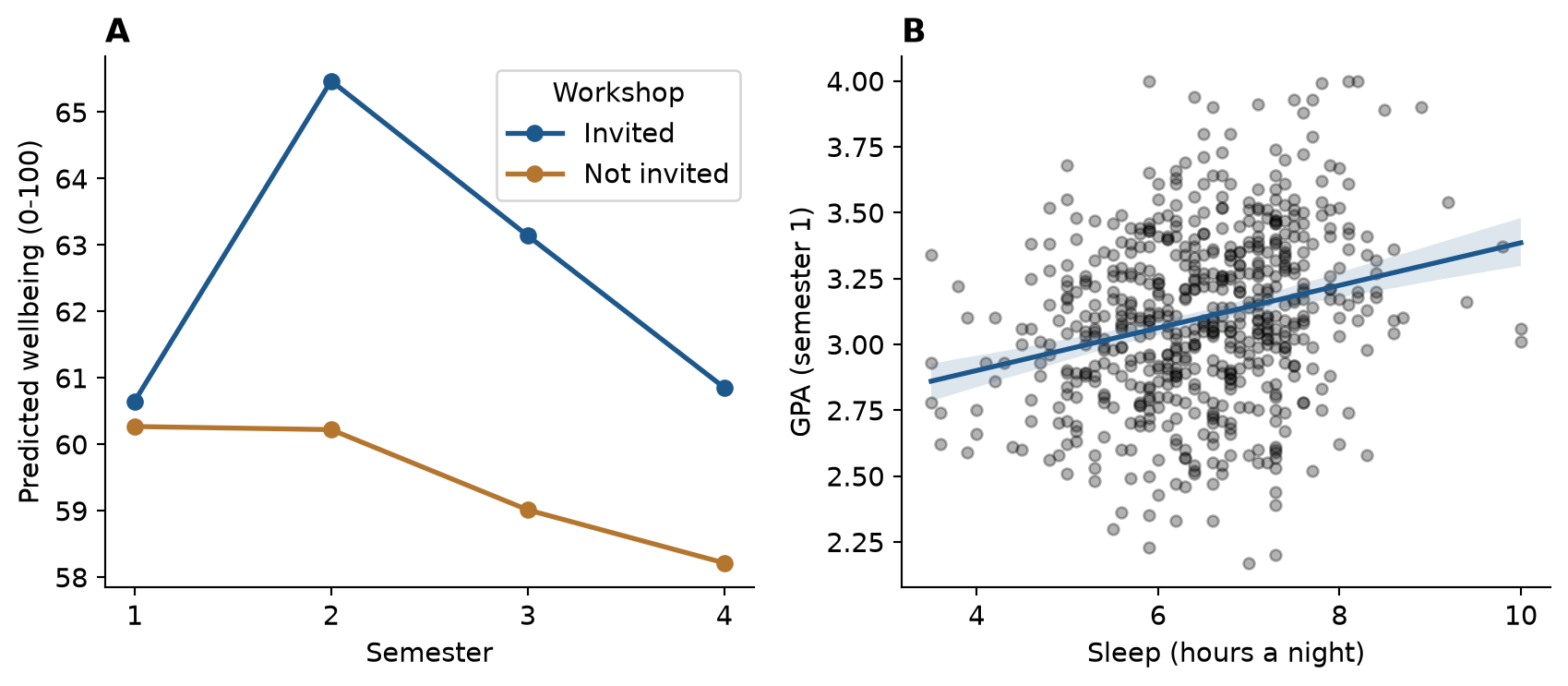
plt.savefig() saves the figure at the dimensions and resolution a thesis or journal requires (Chapter 4):
fig.savefig("output/figure-1.png", dpi=300, bbox_inches="tight")A result on its own is not yet a conclusion. Between the two lie the design that produced the data, the way the variables were measured, and the limits of both. Table 19.2 traces the whole chain for the three research questions answered above, from the hypotheses stated in Chapter 5 to the limitations that a thesis discussion must acknowledge. Every result in it is filled in by the code of this chapter.
| Step | Workshop (RQ3) | GPA (RQ5) | Considering dropout (RQ9) |
|---|---|---|---|
| Question | Does the workshop improve wellbeing? | What explains students’ GPA? | Who considers dropping out? |
| Hypothesis (Chapter 5) | Invited students have higher wellbeing in semester 2 | More sleep goes with a higher GPA, allowing for study hours, stress, and support | Higher stress raises the odds of considering dropout |
| Design | Randomised invitation within a longitudinal study | Observational, first semester | Observational, baseline and end of year 1 |
| Variables | Wellbeing (0 to 100), invitation, semester | GPA, sleep, study hours, stress, support | Considering dropout (yes/no), stress, support, financial worry, employment, study mode |
| Analysis | Mixed-effects model (Chapter 10) | Multiple regression (Chapter 8) | Logistic regression (Chapter 8) |
| Result | 5.3 points higher in semester 2, narrowing to 2.6 by semester 4 | 0.11 GPA points per hour of sleep (95% CI 0.08 to 0.13) | Odds ratio 3.6 per point of stress (95% CI 2.2 to 5.8) |
| Conclusion | The workshop raised wellbeing, and the effect faded; because the invitation was random, the effect is causal | Sleep is associated with GPA, independently of the other predictors; the null hypothesis is rejected, but the design does not show cause | Stress is associated with higher odds of considering dropout; the null hypothesis is rejected |
| Limitation | One university; the invitation, not attendance, was randomised | Sleep is self-reported, and unmeasured confounders may remain | The outcome is considering dropout, not leaving; stress and the outcome were measured close together |
Reading the table by columns shows how different the three conclusions are, although all three rest on “significant” results. Only the workshop conclusion is causal, because only the workshop was assigned at random (Chapter 5). The GPA and dropout conclusions are associations, and the limitations say what could still explain them. A discussion chapter that keeps each result attached to its design, in this way, claims exactly what the evidence supports.
The final step is the one Chapter 17 prepared: the tables, figures, and sentences above go into a Quarto document, results.qmd, in which every number is written with inline code. The downloadable project contains such a document, built from this chapter.
What a results chapter must contain is not left to taste. Reporting standards list the information that readers need in order to judge a study. For quantitative research in psychology and neighbouring fields, the American Psychological Association’s Journal Article Reporting Standards (JARS) set out what to report about the participants, the measures, the analysis, and the results, including effect sizes and confidence intervals (Appelbaum et al. 2018). Randomised trials in health research follow CONSORT, and observational studies follow STROBE (von Elm et al. 2007). Checking a draft against the relevant standard is one of the most useful things a student can do before submission, and many journals require it. When the data changes, or an examiner asks for a different model, the code is changed and rendered again, and the whole chapter is updated.
The choice of method for a new research question depends on the goal, on the kind of outcome, and on how the observations are related. Figure 19.3 summarises the methods of this book as a guide.
%%{init: {"flowchart": {"nodeSpacing": 18, "rankSpacing": 45}}}%%
flowchart TD
Q{What is the goal?} -->|Describe| D[Summaries and plots<br/>Ch 4, 6]
Q -->|Explain or compare| O{Outcome type?}
Q -->|Predict new cases| P[Machine learning<br/>Ch 11-15]
Q -->|Find groups or<br/>structure| U[PCA, factor analysis,<br/>clustering<br/>Ch 9, 14]
Q -->|Forecast over time| T[Time series<br/>Ch 16]
O -->|Numeric| N{Repeated or<br/>nested data?}
O -->|Yes / No| L[Chi-square, logistic<br/>regression<br/>Ch 7-8]
N -->|No| R[t-test, ANOVA,<br/>regression<br/>Ch 7-8]
N -->|Yes| M[Mixed-effects<br/>models<br/>Ch 10]
Table 19.3 shows how each of the study’s research questions was answered.
| Research question | Method | Chapters |
|---|---|---|
| RQ1 What does graduate life look like? | Plots, descriptive statistics | 4, 6 |
| RQ2 Do students sleep less than 7 hours? | One-sample t-test, confidence interval | 7 |
| RQ3 Does the workshop improve wellbeing? | Two-sample t-test; mixed-effects model | 7, 10 |
| RQ4 Do faculties and study modes differ? | ANOVA, post-hoc tests | 7, 8 |
| RQ5 What explains GPA? | Multiple regression | 8, 13 |
| RQ6 Does the questionnaire measure what it should? | Factor analysis, Cronbach’s alpha | 9 |
| RQ7 Are there student profiles? | Cluster analysis, mixture models | 9, 14 |
| RQ8 How do wellbeing and GPA change? | Mixed-effects models | 10 |
| RQ9 Who considers dropping out? | Logistic regression; classification | 8, 11, 12, 15 |
| RQ10 Can final GPA be predicted? | Regularised regression, gradient boosting | 13 |
| RQ11 What challenges do students describe? | Text coding with a language model | 18 |
| RQ12 How many counselling visits next year? | Time series forecasting | 16 |
Real projects rarely go as planned, and some problems are almost universal. Every real dataset is messy and needs cleaning, which takes longer than the analysis; it is done in code, checked after every step, and never applied to the raw file itself (Chapter 3). Missing data raises the question of why it is missing before anything is done about it, because dropping incomplete cases can bias results when the missing data is not random, as with the students who left the programme (Chapter 6). Small samples give wide confidence intervals and low power (Chapter 7) and make complex models overfit (Chapter 13); the remedies are to report effect sizes with intervals, keep models simple, and plan the sample size before collecting data with a power analysis (Chapter 5).
Analysis brings its own problems. Many tests produce many false alarms, so the main analyses are decided in advance, multiple comparisons are corrected where needed, and exploratory results are reported as exploratory (Chapters 7, 8, and 17). Assumptions are checked with plots rather than with tests alone, with robust tests, non-parametric tests, transformations, and mixed models as the alternatives (Chapters 7, 8, and 10). Correlation is not causation: observational data rarely proves causes, so confounders must be thought through, as sleep was behind the caffeine effect, and randomised designs used where possible, as in the workshop study (Chapters 5 and 8). Prediction and explanation are different aims: a model that predicts well may explain little, and the reverse (Chapter 11). Finally, results must be communicated to supervisors, co-authors, and examiners who may use other software; a clear results chapter with tables, figures, and an appendix of code serves them all, and data can be exported with to_csv() or pyreadstat when they need it (Chapter 2).
This book is a beginning. Depending on your field, the next methods to learn may be:
| Topic | What it is for | Python Packages |
|---|---|---|
| Structural equation modelling | Confirmatory factor analysis, path models, latent variables | semopy |
| Bayesian statistics | Models with prior knowledge and full uncertainty | PyMC, bambi |
| Survival analysis | Time until an event, such as dropping out | lifelines |
| Meta-analysis | Combining results from several studies | statsmodels |
| Natural language processing | Words, sentiment, and embeddings in text | spacy, transformers |
| Spatial data | Maps and geographic data | geopandas |
| Publication tables | Formatted summary tables of results | great_tables, tabulate |
| Interpreting models | Feature importances, SHAP values, and partial effects | shap, scikit-learn |
Some of the best resources are free online: Python for Data Analysis by Wes McKinney (McKinney 2022), Regression and Other Stories (Gelman et al. 2020) for regression modeling, An Introduction to Statistical Learning with Applications in Python (James et al. 2023) for machine learning, and the official documentation of Scikit-Learn, Statsmodels, and PyTorch. Appendix E lists more.
You do not have to learn alone. The Python data science community is large and welcoming: Stack Overflow, Python Discord servers, local PyData meetups, and open-source contributors around the world. Asking a clear question, with a small reproducible example, is itself an invaluable research skill, and the same skill that makes an AI assistant useful (Chapter 18).
A few misunderstandings are common at the stage of writing up.
Research workflow, project structure, raw data, pipeline, sample description (“Table 1”), helper function, tidy model summary, multi-panel figure, reporting sentence, chain of reasoning, reporting standard, method choice.
The playground has these and more, and the downloadable project contains the complete thesis project.
scripts/01_clean_data.py and scripts/02_analysis.py, and render results.qmd. Then change one cleaning rule (for example, treat ages above 70 as impossible), render again, and note which numbers change.This appendix explains how to install everything the book uses, how to configure your working environment, and how to resolve the issues that most often arise. If you want to get started immediately, the short version is: install Python, install Visual Studio Code, create a virtual environment, and install the companion packages with pip. If you are not ready to install anything locally yet, every chapter’s exercises can also be run directly in your web browser in the interactive playground.
Software installers and websites update their appearance over time, so this appendix describes each step in clear terms. The essential configuration choices remain consistent across versions.
| Software | What it is | Required? |
|---|---|---|
| Python (3.10+) | The programming language and computation engine | Yes |
| VS Code | Code editor with integrated terminal, plot viewer, and notebook support | Yes (or Positron) |
| Positron | Modern data science IDE by Posit, designed for Python and R | Optional |
| Quarto | Authoring tool that compiles research code into papers, books, and slides | Yes |
| Scientific packages | Libraries (pandas, seaborn, scipy, etc.) installed via pip |
Yes |
| data2thesis | Companion package containing all Graduate Wellbeing Study datasets | Yes |
All of these tools are free and open source. Python should be installed first so that editors and tools can discover your Python interpreter automatically.
Python is downloaded from the official Python Software Foundation website at python.org/downloads. Always download the latest stable release (version 3.10 or newer; 3.12 is recommended).
On python.org, download the macOS 64-bit universal installer (.pkg).
Run the package installer and accept the standard defaults.
After installation completes, navigate to your Applications folder, open the Python 3.x folder, and double-click Install Certificates.command to ensure secure network connections (SSL) function properly when downloading datasets and packages.
Alternatively, if you use Homebrew, you can install Python directly from Terminal:
brew install pythonPython comes pre-installed on most modern Linux distributions. On Debian/Ubuntu distributions, ensure the development packages and package manager are installed:
sudo apt update
sudo apt install python3 python3-pip python3-venvOpen your system terminal (Command Prompt or PowerShell on Windows; Terminal on macOS and Linux) and type:
python --versionIf it prints Python 3.12.x (or any version 3.10+), Python is installed and accessible.
Ctrl+Shift+X / Cmd+Shift+X).Positron (positron.posit.co) is a specialized code editor built by Posit for scientific data analysis in Python and R. It provides dedicated panes for Variables, DataFrames, and Plots out of the box. Everything taught in this book works identically in VS Code and Positron.
In empirical research, package versions evolve. To prevent package updates from inadvertently altering your thesis calculations months later, create a virtual environment for your research project. A virtual environment is an isolated directory containing its own Python interpreter and set of installed libraries.
In your research project folder:
# 1. Create a virtual environment named .venv
python -m venv .venv
# 2. Activate the virtual environment
# Windows (PowerShell):
.venv\Scripts\Activate.ps1
# Windows (Command Prompt):
.venv\Scripts\activate.bat
# macOS / Linux:
source .venv/bin/activateWhen activated, (.venv) appears at the start of your terminal command line. In VS Code, press Ctrl+Shift+P (or Cmd+Shift+P), type Python: Select Interpreter, and choose the interpreter inside your .venv directory.
Scientific libraries are installed using Python’s package manager, pip. Each chapter in the book uses specific packages; Table 1.2 summarizes the primary libraries used across chapters.
| Chapters | Libraries |
|---|---|
| 1–3 | pandas, numpy, openpyxl, pyreadstat |
| 4 | matplotlib, seaborn |
| 5–7 | scipy, statsmodels |
| 8–10 | statsmodels (OLS, GLM, MixedLM) |
| 11–13 | scikit-learn, xgboost |
| 14 | scikit-learn (K-Means, DBSCAN, GMM, PCA) |
| 15 | scikit-learn, torch (PyTorch) |
| 16 | statsmodels (ARIMA, seasonal decomposition) |
| 17 | quarto, shiny, matplotlib |
| 18 | requests, openai / ollama |
| 19 | pandas, statsmodels, seaborn |
To install all required packages into your virtual environment in a single command, run:
pip install pandas numpy openpyxl pyreadstat matplotlib seaborn scipy statsmodels scikit-learn xgboost torch shiny requestsdata2thesis packageThe case-study data for Elaf’s research is bundled in the companion package data2thesis. You can install it directly via pip:
pip install data2thesisVerify that the package and dataset load properly:
import data2thesis as dt
students = dt.load_students()
print(f"Loaded {students.shape[0]} students and {students.shape[1]} variables.")Loaded 600 students and 14 variables.All datasets are also available as direct CSV, Excel, and SPSS downloads on the book website.
The analyses in this edition were executed with the following package versions:
| Software | Version | |
|---|---|---|
| 0 | Python | 3.12.15 |
| 1 | pandas | 3.1.0 |
| 2 | numpy | 2.5.4 |
| 3 | scipy | 1.18.1 |
| 4 | statsmodels | 0.15.0 |
| 5 | scikit-learn | 1.9.1 |
| 6 | data2thesis | 1.1.0 |
'python' is not recognized as an internal or external commandC:\Users\Username\AppData\Local\Programs\Python\Python312\) to your system Environment Variables.
ModuleNotFoundError: No module named '...'Ctrl+Shift+P), select Python: Select Interpreter, and choose your project’s .venv. Then run pip install <package-name>.
Execution of scripts is disabled on this system (Windows PowerShell)Set-ExecutionPolicy -ExecutionPolicy RemoteSigned -Scope CurrentUserFile not found when loading datasetsdata/students.csv), or use the helper function dt.load_students(). Avoid absolute paths like C:\Users\Elaf\Desktop\data.csv, which fail when shared with supervisors or collaborators.
This appendix collects the key terms from every chapter’s review, with a plain-language definition of each and the chapters where it is introduced or applied, followed by a reference table of the Python functions and methods used most frequently in the book.
### A {.unnumbered}
**accuracy**
: The share of cases a classification model classifies correctly. Misleading when one outcome is rare. *(Chapter 11)*
**activation function**
: The function a neuron applies to its weighted total to produce its output, such as the sigmoid or the ReLU. *(Chapter 15)*
**adjusted Rand index**
: A measure of agreement between two clusterings or classifications, corrected for chance: 1 means identical groupings, 0 means chance agreement. *(Chapter 14)*
**adjusted R-squared**
: R-squared corrected for the number of predictors, so that adding useless predictors does not make a model look better. *(Chapter 8)*
**AI coding assistant**
: An AI tool that writes, explains, or completes code, in a chat or inside the editor. Its suggestions must be checked.
**AIC**
: Akaike information criterion: a measure for comparing models that balances fit against complexity; lower is better. *(Chapter 10)*
**alternative hypothesis**
: The claim that there is an effect or a difference, tested against the null hypothesis. *(Chapters 5, 7)*
**annotation**
: Text, arrows, or shapes added to a plot to point out something specific.
**anonymisation**
: Removing or altering information so that the people in a dataset cannot be identified. *(Chapter 17)*
**ANOVA**
: Analysis of variance: a test of whether the means of three or more groups differ, by comparing variation between groups with variation within them. *(Chapter 8)*
**API**
: Application programming interface: a way for one program to send requests to another, such as Python sending text to a language model.
**API key**
: A secret code that identifies you to an online service's API. Keep it in an environment variable or `.env` file, never hardcoded in a script.
**argument**
: A value passed to a function inside its parentheses, such as `dropna=True`, that controls what the function does. *(Chapter 1)*
**ARIMA**
: A family of time series models that forecast from the autocorrelation of the series and past random shocks. *(Chapter 16)*
**array**
: A one-dimensional homogeneous sequence of numbers in NumPy (`np.array`) or pandas Series. Also: vector. *(Chapters 2, 3, 4, 12)*
**artificial intelligence**
: Computer systems that perform tasks usually needing human intelligence, such as understanding language; in this book, mainly large language models.
**aspect ratio**
: The ratio of a graph's width to its height. It changes how steep lines and slopes appear.
**assignment**
: Storing a value in a variable with `=`, as in `x = 5`. *(Chapters 1, 14)*
**attrition**
: The loss of participants from a study over time. *(Chapters 5, 6)*
**autocorrelation**
: The correlation between a time series and itself a number of steps (lags) earlier. *(Chapter 16)*
### B {.unnumbered}
**bar chart**
: A plot of counts or values as bars, one per category.
**baseline model**
: The simplest possible model, such as predicting the mean for everyone, used as a benchmark for real models. *(Chapter 13)*
**Bayesian information criterion (BIC)**
: A criterion for comparing models that rewards fit and penalises complexity. In scikit-learn Gaussian mixture models, lower BIC indicates a better model. Also: BIC. *(Chapter 14)*
**benchmark forecast**
: A simple forecast, such as the mean or the value a season earlier, that any serious method should beat. *(Chapter 16)*
**between-group variation**
: How much group means differ from the overall mean; the numerator of the ANOVA F statistic. *(Chapter 8)*
**bias**
: In a neural network, the constant added to a neuron's weighted total (like an intercept). More generally, a systematic error. *(Chapters 5, 11, 15)*
**bias-variance trade-off**
: The balance between a model too simple to capture the pattern (high bias) and one so flexible that it follows the noise of each sample (high variance). Error on new data is lowest in between. *(Chapter 11)*
**BibTeX**
: A text format for bibliographic references, used by Quarto to format citations and reference lists. *(Chapter 17)*
**bimodal**
: Having two peaks. *(Chapter 6)*
**bin**
: One of the intervals into which a histogram divides the values.
**boosting**
: Building a model by adding many small models (usually trees) one at a time, each correcting the errors of the model so far. *(Chapter 13)*
**bootstrap**
: Estimating uncertainty by repeatedly resampling the data with replacement and recalculating a statistic. *(Chapters 7, 12)*
**bootstrap sample**
: A sample of the same size as the data, drawn from it at random with replacement. *(Chapter 12)*
**border point**
: In DBSCAN, a case near a core point that belongs to its cluster but is not itself a core point. *(Chapter 14)*
**box plot**
: A plot that shows the median, the quartiles, and unusual values of a variable. *(Chapter 4)*
### C {.unnumbered}
**case**
: One unit that is measured in a study, such as a student, a patient, or a school; one row of a data table.
**causal question**
: A research question about what leads to what. It needs a design that rules out other explanations, ideally an experiment. *(Chapter 5)*
**central limit theorem**
: The result that the sampling distribution of a mean is approximately normal for large enough samples, whatever the shape of the data. *(Chapter 7)*
**centring**
: Subtracting the mean from a variable, so that zero means "average"; often used before fitting interactions. *(Chapter 8)*
**chain of reasoning**
: The sequence of steps behind a research conclusion: question, hypothesis, design, variables, analysis, result, conclusion, and limitation. *(Chapter 19)*
**chi-square test**
: A test for categorical data: whether counts fit expected proportions (goodness of fit), or whether two categorical variables are related (independence). *(Chapter 7)*
**chunk option**
: A setting for a code chunk in a Quarto document, written as `#| option: value`, such as `echo: false`. *(Chapter 17)*
**citation**
: A reference to a source in the text, written in Quarto as `[@key]`.
**citation style (CSL)**
: A file in the Citation Style Language that sets how citations and references are formatted, such as APA.
**class weights**
: Making errors on a rare class count more when a model is fitted, one remedy for imbalanced outcomes. *(Chapter 12)*
**classification**
: Predicting a category, such as whether a student will consider dropping out. *(Chapters 11, 12)*
**cluster analysis**
: Methods that group cases so that cases in the same group are similar to each other. *(Chapter 9)*
**cluster sampling**
: Sampling whole groups, such as all the students of randomly chosen supervisors. *(Chapter 5)*
**code chunk**
: A block of code in a Quarto document that is run when the document is rendered. *(Chapter 17)*
**codebook**
: A description of every variable in a dataset or, in qualitative coding, of every theme and how to assign it. *(Chapters 2, 18)*
**coefficient path**
: A plot of how each coefficient of a regularised model changes as the penalty changes. *(Chapter 13)*
**Cohen's *d***
: An effect size for the difference between two means, in standard deviations.
**Cohen's kappa**
: A measure of agreement between two coders or classifiers, corrected for the agreement expected by chance. *(Chapter 18)*
**comment**
: Text in a script after `#`, which Python ignores; used to explain the code. *(Chapter 1)*
**commit**
: In git, a saved snapshot of a project, with a message describing the change. *(Chapter 17)*
**confidence interval**
: A range of plausible values for a population quantity, calculated from a sample, with a stated level of confidence such as 95%. *(Chapter 7)*
**confirmatory analysis**
: An analysis planned before seeing the data, to test a specific hypothesis. *(Chapters 5, 17)*
**confirmatory factor analysis**
: Factor analysis that tests a factor structure specified in advance. *(Chapter 9)*
**confounder**
: A variable related to both the predictor and the outcome, which can create or hide an apparent effect. *(Chapters 5, 6, 8)*
**confusion matrix**
: A table of predicted against actual classes, showing true and false positives and negatives. *(Chapter 12)*
**construct**
: An idea that cannot be observed directly, such as stress or wellbeing, and must be measured indirectly. *(Chapters 5, 9, 18)*
**construct validity**
: Whether a score behaves as the construct should: related to similar measures, less related to different ones. *(Chapters 5, 18)*
**content validity**
: Whether the items of a measure cover the whole construct. *(Chapter 5)*
**convenience sampling**
: Sampling whoever is easy to reach. Common, and the weakest basis for generalising. *(Chapter 5)*
**convolutional network**
: A type of deep neural network designed for images. *(Chapter 15)*
**core point**
: In DBSCAN, a case with at least `minPts` cases within distance `eps`. *(Chapter 14)*
**correlation coefficient**
: A number from −1 to 1 measuring the strength and direction of a straight-line relationship between two variables. *(Chapter 6)*
**correlation matrix**
: A table of the correlations between every pair of variables. *(Chapters 2, 9)*
**count outcome**
: An outcome that counts events (0, 1, 2, ...), usually modelled with a Poisson model. *(Chapter 10)*
**covariance matrix**
: A table of the variances and covariances of several variables; in a mixture model it sets the shape of a cluster. *(Chapter 14)*
**Cronbach's alpha**
: A measure of the internal consistency (reliability) of a scale made of several items. *(Chapter 9)*
**cross-loading**
: An item that loads substantially on more than one factor. *(Chapter 9)*
**cross-reference**
: A reference in a Quarto document, such as `@fig-wellbeing`, that becomes a numbered link. *(Chapter 17)*
**cross-sectional design**
: A design that measures every variable once, at one time. *(Chapter 5)*
**cross-validation**
: Estimating how well a model predicts new data by repeatedly fitting it on part of the training data and testing it on the rest. *(Chapters 11, 12)*
**CSV file**
: A plain-text file of comma-separated values, the most common format for sharing data tables.
### D {.unnumbered}
**data cleaning**
: Preparing raw data for analysis: removing test and duplicate cases, making categories consistent, marking missing values, and correcting or removing impossible values, with every decision recorded. *(Chapter 3)*
**data frame**
: A two-dimensional tabular data structure in pandas: columns are variables, rows are cases. Also: DataFrame. *(Chapters 1, 2)*
**data leakage**
: Information from the test data reaching the model during training, which makes its performance look better than it is. *(Chapter 11)*
**data matrix**
: The arrangement of data as a table with one row per case and one column per variable. *(Chapter 2)*
**data structure**
: The way data is organised in Python: list, dictionary, tuple, NumPy array, or pandas DataFrame.
**data type**
: The kind of value: numeric, integer, character, or logical. *(Chapter 1)*
**DataFrame method**
: A pandas method that performs an operation on a DataFrame, such as `.query()`, `.assign()`, or `.groupby()`.
**DatetimeIndex**
: A specialized pandas index of datetime timestamps that enables time-based slicing, date math, and resampling.
**DBSCAN**
: A clustering method that finds dense regions of cases and labels cases in sparse regions as noise. *(Chapter 14)*
**decision tree**
: A model that predicts by a series of yes-or-no questions about the predictors. *(Chapters 11, 12)*
**decomposition**
: Splitting a time series into trend, seasonal, and remainder components. *(Chapter 16)*
**deep learning**
: Neural networks with many hidden layers, used for images, sound, and text. *(Chapter 15)*
**dendrogram**
: The tree diagram produced by hierarchical clustering. *(Chapter 9)*
**density**
: In clustering, how closely packed cases are in a region. *(Chapters 4, 14)*
**density plot**
: A smooth version of a histogram, showing the shape of a distribution. *(Chapter 4)*
**descriptive question**
: A research question about what is: how much, how many, how often. *(Chapter 5)*
**descriptive statistics**
: Numbers that summarise data, such as means, medians, and standard deviations. *(Chapter 6)*
**design effect**
: How many times more grouped observations are needed to give the same information as independent ones: 1 + (m - 1) × ICC, where m is the group size. *(Chapter 10)*
**deviation**
: The distance of a value from the mean, $x_i - \bar{x}$. The standard deviation summarises the deviations of all values. *(Chapter 6)*
**diagnostic plot**
: A plot used to check a model's assumptions, such as residuals against fitted values. *(Chapter 8)*
**dictionary method**
: Classifying texts by counting keywords from a list for each category.
**diminishing returns**
: A relationship that levels off, so each extra unit of the predictor adds less than the one before. *(Chapter 8)*
**directional hypothesis**
: A hypothesis that predicts the direction of an effect, such as "higher" or "lower". *(Chapter 5)*
**disclosure**
: Stating in a publication how AI tools or other aids were used. *(Chapter 18)*
**distance**
: How different two cases are, calculated from their values on several variables. *(Chapters 9, 12, 14)*
**diverging palette**
: Colours running in two directions away from a meaningful midpoint, such as zero, used for values that can be positive or negative.
**DOI**
: Digital object identifier: a permanent identifier for a publication or dataset, such as `10.1126/science.1213847`. *(Chapter 17)*
**downsampling**
: Balancing classes by randomly removing cases of the common class from the training data. *(Chapter 12)*
**dpi**
: Dots per inch: the resolution of a saved image; 300 dpi is usual for print. *(Chapter 4)*
**dummy variable**
: A 0/1 variable representing one category of a categorical predictor.
### E {.unnumbered}
**effect size**
: A measure of how large an effect is, independent of sample size, such as Cohen's *d* or eta squared.
**eigenvalue**
: In PCA, the amount of variance captured by a component. *(Chapter 9)*
**elastic net**
: Regularised regression that mixes the ridge and lasso penalties. *(Chapter 13)*
**elbow method**
: Choosing the number of clusters where adding more stops reducing within-cluster distance much. *(Chapter 9)*
**ensemble**
: A model that combines the predictions of many models, such as a random forest. *(Chapter 12)*
**epoch**
: One pass through the training data when training a neural network. *(Chapter 15)*
**eps**
: In DBSCAN, the radius of the neighbourhood around each case. *(Chapter 14)*
**error message**
: Python's message when something goes wrong, providing an informative traceback of what occurred and where. Also: exception.
**eta squared**
: An effect size for ANOVA: the share of the variation in the outcome explained by the groups. *(Chapter 8)*
**expected count**
: In a chi-square test, the count expected in a cell if the null hypothesis were true.
**explanation**
: Using a model to understand why something happens, rather than to predict new cases. *(Chapter 11)*
**explanatory graph**
: A carefully designed graph made for readers, to show a finding clearly and accurately. *(Chapter 4)*
**exploratory analysis**
: Exploring data to find patterns and generate questions, rather than to test planned hypotheses. *(Chapters 5, 6, 17)*
**exploratory graph**
: A quick graph made by the researcher to understand the data: to check distributions, find unusual values, and notice patterns.
**exponential smoothing (ETS)**
: Forecasting with weighted averages of past observations, with more weight on recent ones; ETS models the error, trend, and season. Also: ETS. *(Chapter 16)*
**external validation**
: Checking clusters or predictions against known categories or outcomes. *(Chapter 14)*
**external validity**
: Whether a study's results apply beyond it, to other people, places, and times. *(Chapter 5)*
### F {.unnumbered}
**F statistic**
: In ANOVA, the ratio of between-group to within-group variation. *(Chapter 8)*
**F1 score**
: A single measure combining precision and recall (their harmonic mean). *(Chapter 12)*
**facet**
: A small panel of a plot showing one subgroup; `facet_wrap()` makes one panel per group. *(Chapter 4)*
**factor**
: In pandas, a categorical series (`Categorical`) with a fixed set of categories. In factor analysis, a hidden (latent) variable underlying observed items. *(Chapters 5, 9)*
**factor analysis**
: A method that explains the correlations among items by a smaller number of hidden factors. *(Chapter 9)*
**false negative**
: A case that belongs to the positive class but is predicted negative. *(Chapter 12)*
**false positive**
: A case predicted positive that belongs to the negative class. *(Chapter 12)*
**falsifiability**
: The property of a claim that some possible result would contradict it. A hypothesis that fits every possible result tells us nothing. *(Chapter 5)*
**fixed effect**
: In a mixed model, an effect assumed the same for everyone, such as the average change over time. *(Chapter 10)*
**fold**
: One of the parts into which the data is split for cross-validation. *(Chapter 11)*
**forecast horizon**
: How far ahead a forecast is made. *(Chapter 16)*
**Fourier terms**
: Pairs of sine and cosine waves used as predictors to describe a seasonal pattern. *(Chapter 16)*
**function**
: A named piece of code that takes arguments and returns a result, such as `mean()`. *(Chapters 1, 12, 15, 19)*
### G {.unnumbered}
**garden of forking paths**
: The many reasonable choices in an analysis. Choosing among them after seeing the results inflates the chance of a false positive. *(Chapter 17)*
**Gaussian mixture model**
: A model that describes data as a mix of normal distributions, giving each case a probability of belonging to each cluster. *(Chapter 14)*
**generalisation**
: The ability of a model to perform well on new data, not only on the data it learned from. *(Chapter 11)*
**generalised linear mixed model**
: A mixed-effects model for outcomes that are not normal, such as counts or yes/no outcomes. *(Chapter 10)*
**Gini impurity**
: A measure of how mixed the classes are in a group; decision trees choose splits that reduce it. *(Chapter 12)*
**git**
: The standard version control system, which records the history of a project. *(Chapters 4, 5, 17)*
**GitHub**
: A website for storing git projects online, sharing them, and working on them together. *(Chapter 17)*
**gradient**
: The direction and rate at which the error changes as each weight changes. *(Chapter 15)*
**gradient descent**
: Training a model by repeatedly moving the weights a small step in the direction that reduces the error. *(Chapter 15)*
**grammar of graphics**
: The conceptual foundation of statistical plotting: visual representations are built systematically from data, aesthetic mappings, and visual geometries.
**graphical perception**
: How people read values from graphs. Positions and lengths are judged most accurately, then angles, areas, and colours. *(Chapter 4)*
**grouped summary**
: Summary statistics calculated separately for each group, for example with `summarise(.by = ...)`.
### H {.unnumbered}
**hallucination**
: Plausible but invented content produced by a language model, such as a function or reference that does not exist. *(Chapter 18)*
**heat map**
: A grid of coloured cells showing values, such as a correlation matrix.
**helper function**
: A small function written to avoid repeating the same code, such as one that formats means. *(Chapter 19)*
**hidden layer**
: A layer of neurons between the inputs and the output of a neural network. *(Chapter 15)*
**hierarchical clustering**
: Clustering that repeatedly merges the most similar groups, producing a dendrogram. *(Chapter 9)*
**histogram**
: A plot of the distribution of a numeric variable, as bars counting the values in each bin. *(Chapter 4)*
**hyperparameter**
: A setting of a model that is chosen before fitting rather than learned from the data, such as the number of neighbours in k-NN. *(Chapter 11)*
**hypothesis**
: A prediction, stated before the data is analysed, of what the data will show; precise enough to be wrong. *(Chapters 5, 7)*
### I {.unnumbered}
**identifier**
: A variable that uniquely identifies each case, such as `student_id`.
**imbalanced outcome**
: An outcome in which one class is much rarer than the other. *(Chapter 11)*
**imputation**
: Filling in missing values with estimated ones, such as the median.
**independence**
: The assumption that observations do not influence each other; in a chi-square test, the hypothesis that two variables are unrelated.
**index**
: In a tsibble, the column that holds time. *(Chapters 2, 3, 14, 16)*
**inferential analysis**
: Using a sample to draw conclusions about a population. *(Chapter 6)*
**inline code**
: Code (such as Python expressions) inside a sentence of a Quarto document, evaluated and replaced by its result when rendered. *(Chapter 17)*
**input**
: In Shiny, a control such as a menu or slider whose value the user chooses. *(Chapter 15)*
**input layer**
: The inputs (predictors) of a neural network. *(Chapter 15)*
**interaction**
: When the effect of one predictor depends on the value of another. *(Chapter 8)*
**interaction plot**
: A plot of group means that shows whether the effect of one factor depends on another. *(Chapter 8)*
**intercept**
: The predicted value of the outcome when all predictors are zero. *(Chapters 8, 10)*
**internal consistency**
: The extent to which the items of a scale agree with each other, often measured with Cronbach's alpha. *(Chapters 5, 9)*
**internal validation**
: Judging clusters by how compact and separated they are, using the data alone, as with the silhouette. *(Chapter 14)*
**internal validity**
: Whether a study can rule out other explanations for its results. Highest in randomised experiments. *(Chapter 5)*
**interquartile range**
: The range of the middle 50% of the values: the third quartile minus the first. *(Chapter 6)*
**inter-rater reliability**
: The extent to which two people coding or rating the same material agree, often measured with Cohen's kappa. *(Chapters 5, 18)*
**interval**
: A level of measurement with equal distances between values but no true zero, such as a wellbeing index. *(Chapters 5, 7, 16)*
**intraclass correlation**
: The share of the total variation that lies between groups (such as students or supervisors). *(Chapter 10)*
### J {.unnumbered}
**join**
: Combining two tables by matching rows on a key, such as `student_id`. *(Chapter 3)*
**Jupyter kernel**
: The execution engine that runs Python code chunks inside Quarto and Jupyter documents.
**Jupyter Notebook**
: An interactive document format (`.ipynb`) combining executable Python code, explanatory markdown, and rich output.
### K {.unnumbered}
**Kaiser rule**
: Keeping components with an eigenvalue above 1; a rough guide that often keeps too many. *(Chapter 9)*
**kernel**
: In a support vector machine, a function that allows curved boundaries between classes. *(Chapter 12)*
**k-means**
: A clustering method that assigns each case to the nearest of *k* cluster centres and moves the centres to the means. *(Chapter 9)*
**k-nearest neighbours**
: Predicting a case from the *k* most similar cases in the training data. *(Chapters 11, 12)*
**k-nearest-neighbour distance plot**
: A sorted plot of each case's distance to its *k*-th nearest neighbour, used to choose `eps` for DBSCAN. *(Chapter 14)*
**Kruskal-Wallis test**
: A non-parametric alternative to one-way ANOVA. *(Chapter 8)*
### L {.unnumbered}
**lag**
: The number of time steps between an observation and an earlier one it is compared with. *(Chapter 16)*
**large language model**
: A neural network trained on huge amounts of text to predict the next token, used in AI assistants. *(Chapter 18)*
**lasso**
: Regularised regression with a penalty on the absolute size of the coefficients, which sets some of them to exactly zero. *(Chapter 13)*
**latent variable**
: A variable that cannot be observed directly, such as stress, and is assumed to cause part of the answers to the items that measure it. *(Chapter 9)*
**LaTeX**
: A typesetting system whose notation is used to write equations, as in `$\bar{x}$`. *(Chapter 17)*
**layer**
: In data visualization, an overlaid graphical element on an axis. In a neural network, a group of neurons that transforms input data. *(Chapter 15)*
**leaf**
: A final node of a decision tree, which gives the prediction. *(Chapter 12)*
**learning rate**
: In boosting and neural networks, how large a step each update takes. *(Chapters 13, 15)*
**least squares**
: Choosing a regression line that minimises the sum of the squared residuals. *(Chapter 8)*
**level**
: One of the categories of a factor. *(Chapters 5, 7, 10)*
**level of measurement**
: What the values of a variable mean (nominal, ordinal, interval, or ratio), which decides the summaries and tests that make sense. *(Chapter 5)*
**Levene's test**
: A test of whether groups have equal variances. *(Chapter 8)*
**licence**
: A statement of what others may do with shared data or code, such as CC BY or MIT.
**likelihood ratio test**
: A test comparing two nested models by how much better the larger one fits. *(Chapter 10)*
**line chart**
: A plot of values connected by lines, often over time.
**linear regression**
: A model of a numeric outcome as a straight-line function of one or more predictors. *(Chapter 8)*
**list**
: A standard Python data structure that holds an ordered sequence of items of any type, written with square brackets `[...]`. *(Chapter 1)*
**loading**
: The correlation between an item and a factor or component. *(Chapter 9)*
**local model**
: A language model that runs on your own computer, so data does not leave it. *(Chapter 18)*
**lockfile**
: A file, such as `requirements.txt` or a lockfile (`poetry.lock`, `Pipfile.lock`), that records the exact package versions of a project, so that another researcher can install the identical environment. *(Chapter 17)*
**log loss**
: The measure of error used to fit logistic regression and classification networks: small when high probabilities are given to the cases that did occur and low probabilities to those that did not. *(Chapter 15)*
**logical indexing**
: Selecting elements with a TRUE/FALSE condition, as in `x[x > 5]`.
**logistic regression**
: A regression model for a yes/no outcome, which predicts the probability of "yes". *(Chapter 8)*
**log-odds**
: The logarithm of the odds; the scale on which logistic regression coefficients are estimated. *(Chapter 8)*
**long format**
: Data with one row per observation, such as one row per student per semester. *(Chapter 3)*
**longitudinal design**
: A design that measures the same people repeatedly over time. *(Chapter 5)*
### M {.unnumbered}
**machine learning**
: Methods that learn patterns from data to make predictions or find structure, judged by performance on new data. *(Chapter 11)*
**MAE**
: Mean absolute error: the average size of the prediction errors. *(Chapter 13)*
**main effect**
: The effect of one factor, averaged over the levels of another. *(Chapter 8)*
**Mann-Whitney U test**
: A non-parametric test comparing two independent groups.
**mapping**
: Linking a dataset column to a visual property, such as x/y position, hue, style, or size. Also: visual mapping.
**margin**
: In a support vector machine, the empty band between the classes and the boundary. *(Chapter 12)*
**Markdown**
: A simple way of formatting text with symbols, such as `**bold**` and `# Heading`. *(Chapter 17)*
**matrix**
: A two-dimensional table of values of one type. *(Chapters 2, 9, 12, 14)*
**mean**
: The average: the sum of the values divided by their number. *(Chapters 6, 9, 16)*
**mean method**
: A benchmark forecast that predicts the average of past observations. *(Chapter 16)*
**median**
: The middle value when the values are sorted. *(Chapter 6)*
**mediator**
: A variable on the path between a predictor and an outcome, through which the predictor has its effect. *(Chapter 5)*
**membership probability**
: The probability that a case belongs to each cluster, as given by a mixture model. Also: soft assignment. *(Chapter 14)*
**method choice**
: Choosing an analysis method from the goal, the type of outcome, and how observations are related. *(Chapter 19)*
**minPts**
: In DBSCAN, the number of cases a neighbourhood must contain for a case to be a core point. *(Chapter 14)*
**misclassification cost**
: The cost assigned to each kind of error of a classifier, such as missing a case or raising a false alarm. The costs determine the best threshold. *(Chapter 12)*
**missing at random**
: Missingness that depends only on observed variables, not on the missing values themselves. *(Chapter 6)*
**missing code**
: A value such as `99` or `-9` used in raw data to mark a missing answer. *(Chapter 3)*
**missing completely at random**
: Missingness unrelated to any variable, observed or not. *(Chapter 6)*
**missing not at random**
: Missingness that depends on the missing values themselves. *(Chapter 6)*
**missing value (`NA` / `NaN`)**
: A marker for a missing or unrecorded value, represented in Python by `None`, `np.nan`, or `pd.NA`. Also: NA, NaN. *(Chapters 1, 2, 4, 5, 6, 7, 9, 11, 13, 14, 15, 16, 17, 18)*
**mixed-effects model**
: A regression model with both fixed effects and random effects, for repeated or nested data. *(Chapter 10)*
**mixing probability**
: In a mixture model, the share of cases belonging to a component. *(Chapter 14)*
**mixture**
: In regularised regression, the mix of lasso and ridge penalties, from 0 (ridge) to 1 (lasso). *(Chapters 13, 14)*
**mixture component**
: One of the normal distributions in a Gaussian mixture model. *(Chapter 14)*
**mode**
: The most common value. *(Chapters 5, 6, 10, 13, 14, 15, 18, 19)*
**model comparison grid**
: Systematically evaluating multiple candidate models and preprocessing pipelines across cross-validation folds.
**model specification**
: Initializing an estimator with chosen hyperparameters in scikit-learn or specifying a formula in statsmodels before fitting.
**moderator**
: A variable that changes the strength or direction of the relationship between a predictor and an outcome. *(Chapter 5)*
**`mtry`**
: In a random forest, the number of predictors each split may choose from. Also: mtry.
**multicollinearity**
: Strong correlation among predictors, which makes regression coefficients unstable. *(Chapter 13)*
**multilayer perceptron**
: A neural network with one or more hidden layers of neurons. *(Chapter 15)*
**multilevel model**
: Another name for a mixed-effects model, emphasising nested levels. *(Chapter 10)*
**multiple regression**
: Linear regression with more than one predictor. *(Chapter 8)*
**multiple testing**
: Running many tests in one study. Each test carries its own risk of a false alarm, so the chance of at least one grows with the number of tests.
**multivariate analysis**
: Methods that analyse many variables at once, such as PCA and factor analysis. *(Chapter 9)*
### N {.unnumbered}
**naive method**
: A benchmark forecast that repeats the last observed value. *(Chapter 16)*
**nested data**
: Data in which cases are grouped within units, such as students within supervisors. *(Chapter 10)*
**neural network**
: A model made of connected neurons in layers, whose weights are learned from data. *(Chapter 15)*
**neuron (unit)**
: The basic element of a neural network: it weights its inputs, adds a bias, and applies an activation function. Also: neuron, unit. *(Chapters 2, 5, 15)*
**node**
: A point in a decision tree where a question is asked or a prediction is made. *(Chapter 12)*
**noise**
: In DBSCAN, cases in sparse regions that belong to no cluster. *(Chapter 14)*
**nominal**
: A level of measurement for categories with no order, such as faculty. *(Chapter 5)*
**non-directional hypothesis**
: A hypothesis that predicts a difference or relationship without saying in which direction. *(Chapter 5)*
**non-parametric test**
: A test that does not assume a particular distribution, often based on ranks.
**normal distribution**
: The symmetric, bell-shaped distribution described by a mean and a standard deviation. *(Chapter 6)*
**normalisation**
: Rescaling variables, usually to z-scores, so that they are on the same scale.
**null distribution**
: The distribution of a statistic that would be expected if the null hypothesis were true, used to judge how surprising the observed result is.
**null hypothesis**
: The claim of no effect or no difference, which a test tries to reject. *(Chapters 5, 7)*
### O {.unnumbered}
**object**
: An entity in Python (such as a number, string, list, or DataFrame) that has a data type, identity, and methods.
**oblique rotation**
: A factor rotation that allows the factors to correlate. *(Chapter 9)*
**odds**
: The probability of an event divided by the probability of it not happening. *(Chapter 8)*
**odds ratio**
: The ratio of the odds in two groups; in logistic regression, the multiplicative change in odds per unit of a predictor. *(Chapter 8)*
**one-sample t-test**
: A test of whether a mean differs from a given value.
**one-tailed test**
: A test that looks for a difference in one direction only.
**open science**
: Practices that make research transparent and reusable: sharing data and code, preregistration, and open access. *(Chapter 17)*
**operationalisation**
: The decision about how a construct is measured: which questions, records, or instruments turn it into a variable. *(Chapter 5)*
**ordered category**
: A categorical series whose categories have a specified order, created with `pd.Categorical(..., ordered=True)`.
**ordinal**
: A level of measurement for ordered categories whose distances are unknown, such as none, part-time, and full-time employment. *(Chapters 2, 5)*
**outcome**
: The variable a model explains or predicts. *(Chapters 5, 8, 10, 11)*
**outlier**
: A value far from the others. *(Chapter 6)*
**output**
: In Shiny, a plot, table, or text that the server produces for the user interface. *(Chapters 15, 18)*
**output format**
: The kind of document Quarto produces, such as HTML, Word, or PDF.
**output layer**
: The final layer of a neural network, which produces the prediction. *(Chapter 15)*
**overfitting**
: A model learning the noise in its training data, so it performs well there and poorly on new data. *(Chapters 11, 13)*
**overplotting**
: Points drawn on top of each other in a plot, hiding how many there are. *(Chapter 4)*
### P {.unnumbered}
**package**
: A collection of Python modules, functions, and classes (such as pandas or seaborn) installed via `pip`. Also: library. *(Chapter 1)*
**paired t-test**
: A test comparing two measurements on the same cases.
**Pandoc**
: The document converter that Quarto uses to produce HTML, Word, PDF, and other formats.
**parallel analysis**
: Choosing the number of factors by comparing eigenvalues with those from random data. *(Chapter 9)*
**parameter**
: A quantity describing a population (Chapter 7); a value learned by a model, such as a coefficient (Chapter 11); or an input to a Quarto report (Chapter 17). *(Chapters 7, 11, 17)*
**penalty (lambda)**
: In regularised regression or a neural network, the strength of the penalty on large coefficients or weights. Also: penalty, lambda. *(Chapter 13)*
**permutation importance**
: A predictor's importance measured by how much shuffling its values reduces a model's accuracy. *(Chapter 12)*
**permutation test**
: A test that builds the null distribution by shuffling group labels many times, and compares the observed result with the shuffled ones. *(Chapter 7)*
**pipe**
: The operator `|>`, which passes the result on its left to the function on its right. *(Chapters 11, 19)*
**pipeline**
: The series of steps, in code, from raw data to results. *(Chapters 11, 19)*
**pipeline**
: In scikit-learn, a sequence of data preprocessing steps and estimators chained together into a single reproducible unit. *(Chapters 11, 19)*
**Pipeline**
: In scikit-learn, a composite estimator combining transformers and a predictor model. *(Chapters 11, 19)*
**plot kind**
: The geometric visualization representing data in matplotlib/seaborn, such as scatter points, lines, bars, or boxes.
**Poisson model**
: A regression model for counts. *(Chapter 10)*
**population**
: The whole group a study wants to draw conclusions about. *(Chapters 5, 7)*
**post-hoc test**
: A test run after ANOVA to find which groups differ, such as Tukey's test. *(Chapter 8)*
**power**
: The probability that a study detects an effect of a given size, if the effect is real. A common target is 80%. *(Chapters 5, 7)*
**precision**
: The share of cases predicted positive that are truly positive. *(Chapter 12)*
**predicted probability**
: A model's estimated probability of an outcome for a case. *(Chapter 8)*
**prediction**
: Using a model to estimate the outcome for new cases. *(Chapters 11, 13, 16)*
**prediction interval**
: A range within which a future observation is expected to fall with a stated probability. *(Chapter 16)*
**predictive analysis**
: Analysis aimed at predicting new cases rather than explaining or testing. *(Chapter 6)*
**predictor**
: A variable used to explain or predict the outcome. *(Chapters 5, 8)*
**preregistration**
: Publicly recording hypotheses and planned analyses before seeing the data. *(Chapters 5, 17)*
**pretrained model**
: A model already trained by others on large datasets, used as it is or adapted. *(Chapter 15)*
**principal component**
: A combination of variables that captures as much of their variation as possible. *(Chapter 9)*
**principal component analysis**
: A method that summarises many correlated variables with a few principal components. *(Chapter 9)*
**project structure**
: The systematic organisation of a research project's directories and files, such as `data/`, `scripts/`, and `output/`. *(Chapter 19)*
**project workspace**
: A project root directory opened in VS Code that defines the home of your research scripts and relative file paths.
**prompt**
: The text given to a language model. *(Chapter 18)*
**push**
: In git, copying commits to an online repository such as GitHub. *(Chapter 17)*
**p-value**
: The probability of results at least as extreme as those observed, if the null hypothesis were true.
**Python**
: The open-source, general-purpose programming language and scientific computing environment used in this book. *(Chapters 1, 17)*
### Q {.unnumbered}
**Q-Q plot**
: A plot comparing a variable's values with those expected from a normal distribution. *(Chapter 6)*
**quadratic term**
: A squared predictor in a regression model, which allows a curved relationship. *(Chapter 8)*
**qualitative coding**
: Assigning themes or categories to texts such as open-ended answers. *(Chapter 18)*
**qualitative palette**
: A set of clearly different colours of similar strength, used to distinguish categories.
**quartile**
: The values that divide sorted data into four equal parts. *(Chapter 6)*
**Quarto**
: A publishing system that turns documents with text and code into reports, books, websites, and slides. *(Chapter 17)*
**quasi-experiment**
: A study that compares groups receiving different treatments that were not assigned by chance. *(Chapter 5)*
### R {.unnumbered}
**radial basis function**
: A common kernel for support vector machines, which allows curved, rounded boundaries. *(Chapter 12)*
**random effect**
: In a mixed model, variation between groups (such as students) described by a distribution rather than a separate estimate for each group. *(Chapter 10)*
**random error**
: The difference between an estimate and the truth caused by which cases happened to be selected. It shrinks as the sample grows. *(Chapter 5)*
**random forest**
: An ensemble of decision trees, each grown on a bootstrap sample with random subsets of predictors. *(Chapter 12)*
**random intercept**
: A random effect that lets each group have its own average level. *(Chapter 10)*
**random slope**
: A random effect that lets each group have its own effect of a predictor, such as its own rate of change. *(Chapter 10)*
**randomised experiment**
: A study in which the researcher assigns the treatment by chance, so that the groups differ only by chance at the start. *(Chapter 5)*
**range**
: The difference between the largest and smallest values. *(Chapter 6)*
**rate ratio**
: In a Poisson model, the multiplicative change in the expected count per unit of a predictor. *(Chapter 10)*
**ratio**
: A level of measurement with equal distances and a true zero, so that "twice as much" is meaningful, such as hours of sleep. *(Chapters 5, 8, 10, 13, 17)*
**raw data**
: Data as it was collected or exported, before any cleaning; never edited by hand. *(Chapter 19)*
**reactive expression**
: In Shiny, a calculation, made with `reactive()`, that is updated automatically when its inputs change.
**reactivity**
: Shiny's system for updating outputs automatically when inputs change. *(Chapter 17)*
**recall**
: The share of truly positive cases that a model predicts as positive. Also: sensitivity. *(Chapter 12)*
**reference category**
: The category of a categorical predictor that the others are compared with. *(Chapter 8)*
**registered report**
: A publication format in which a journal accepts a study's plan before the data is collected. *(Chapter 17)*
**regression**
: Modelling or predicting a numeric outcome. In machine learning, regression means predicting a number rather than a category. Also: Regression (prediction). *(Chapters 4, 8, 11, 13)*
**regular expression**
: A pattern for matching text, such as `"\\b(money|fee)"`.
**regularisation**
: Penalising large coefficients to prevent overfitting, as in ridge and lasso regression. *(Chapter 13)*
**relational question**
: A research question about which variables go together. It establishes association, not cause. *(Chapter 5)*
**reliability**
: How consistently a scale measures what it measures. *(Chapters 5, 9, 18)*
**ReLU**
: Rectified linear unit: an activation function that sets negative values to zero. *(Chapter 15)*
**remainder**
: In a time series decomposition, what is left after removing trend and season. *(Chapter 16)*
**render**
: Running the code in a Quarto document and producing the finished output.
**repeated measures**
: Several measurements of the same cases, such as each student in four semesters. *(Chapter 10)*
**replicability**
: Whether a new study, with new data, reaches the same conclusions. *(Chapter 17)*
**reporting sentence**
: A sentence in a results section that states a finding with its numbers, such as an estimate, interval, and p-value. *(Chapter 19)*
**reporting standard**
: A published list of the information a research report must contain, such as JARS for psychology, CONSORT for randomised trials, and STROBE for observational studies. *(Chapter 19)*
**repository**
: A project folder whose history git keeps; also its online copy on GitHub. *(Chapter 17)*
**reproducibility**
: Whether the same data and code give exactly the same results. *(Chapters 17, 18)*
**reproducible research**
: Research whose results can be recomputed from the shared data and code. *(Chapter 1)*
**research question**
: A focused question that says precisely what a study will find out, narrow enough that data can answer it. *(Chapter 5)*
**research workflow**
: The path of a research project from question and data to reported results. *(Chapter 19)*
**residual**
: The difference between an observed value and the value a model predicts. Also: error. *(Chapters 5, 7, 8, 13)*
**reversed item**
: A questionnaire item worded in the opposite direction to the others, which must be reversed before scoring. *(Chapter 9)*
**ridge regression**
: Regularised regression with a penalty on the squared coefficients, which shrinks them all towards zero. *(Chapter 13)*
**RMSE**
: Root mean squared error: the square root of the average squared prediction error. *(Chapter 13)*
**ROC AUC**
: The area under the ROC curve: how often a model ranks a positive case above a negative one; 0.5 is chance, 1 is perfect. *(Chapter 11)*
**ROC curve**
: A plot of sensitivity against the false positive rate across all classification thresholds. *(Chapter 12)*
**rotation**
: In factor analysis, turning the factors to make the loadings easier to interpret. *(Chapter 9)*
**R-squared**
: The share of the variation in the outcome that a model explains, from 0 to 1. Also: R². *(Chapters 8, 13)*
### S {.unnumbered}
**sample**
: The part of a population that is observed. *(Chapters 5, 7, 12, 14, 19)*
**sample description ("Table 1")**
: A table describing the participants, usually the first table of a results chapter. Also: sample description. *(Chapter 19)*
**sampling distribution**
: The distribution of a statistic over many possible samples. *(Chapter 7)*
**sampling frame**
: A list of the members of a population, from which a sample can be drawn. *(Chapter 5)*
**scale**
: The mapping of continuous or discrete data values to physical coordinates, color maps, or visual sizes. *(Chapters 2, 3, 4, 11)*
**scale score**
: A score combining several questionnaire items, usually their mean. *(Chapter 3)*
**scaling**
: Converting variables to a common scale, usually z-scores, before calculating distances. *(Chapter 9)*
**scatter plot**
: A plot of two numeric variables as points.
**scientific Python ecosystem**
: The cohesive suite of foundational libraries (pandas, NumPy, SciPy, Matplotlib, Seaborn, Scikit-Learn, Statsmodels) that power modern data science.
**scree plot**
: A plot of eigenvalues, used to choose the number of components or factors. *(Chapter 9)*
**script**
: A text file containing Python code (`.py`) that can be executed sequentially and rerun at any time. *(Chapters 1, 5, 6, 19)*
**seasonal naive method**
: A benchmark forecast that repeats the value from the same season a cycle earlier. *(Chapter 16)*
**seasonal period**
: The length of a repeating pattern, such as 52 weeks or 12 months. *(Chapter 16)*
**seasonal plot**
: A plot that overlays the cycles of a time series to show its seasonal pattern. *(Chapter 16)*
**seasonality**
: A pattern in a time series that repeats at a fixed period. *(Chapter 16)*
**seasonally adjusted series**
: A time series with the seasonal component removed. *(Chapter 16)*
**self-report**
: A measure based on what participants say about themselves, such as their estimated hours of sleep. *(Chapter 5)*
**self-selection**
: When people choose their own group, such as volunteering for a workshop, so that the groups may differ from the start. *(Chapter 5)*
**sequential palette**
: Colours running from light to dark, used for quantities that go in one direction.
**Series**
: A one-dimensional labeled pandas array representing a single column of data in a DataFrame. *(Chapters 2, 16)*
**server**
: In Shiny, the function that computes the outputs from the inputs. *(Chapter 17)*
**setting**
: Giving a plot parameter a fixed visual constant (such as `color="blue"`) rather than mapping it to a data column.
**shrinkage**
: Pulling coefficients towards zero, as regularisation does. *(Chapter 13)*
**sigmoid**
: The S-shaped function that turns any number into a value between 0 and 1. *(Chapter 15)*
**significance level**
: The threshold (usually 0.05) below which a p-value counts as statistically significant. *(Chapter 7)*
**silhouette**
: A measure of how much closer each case is to its own cluster than to the next nearest, from −1 to 1. *(Chapters 9, 14)*
**simple random sampling**
: Sampling in which every member of the population has the same chance of being chosen. *(Chapter 5)*
**simulation**
: Using random numbers to generate many possible outcomes, for example many possible futures of a time series. *(Chapter 16)*
**singular fit**
: A warning that a mixed model estimates some variation as zero, often because the model is too complex for the data. *(Chapter 10)*
**skewness**
: Asymmetry of a distribution; a long tail to the right is positive skew. *(Chapter 6)*
**slope**
: The change in the predicted outcome for a one-unit change in a predictor. *(Chapters 8, 10)*
**small cells**
: Combinations of variables that describe very few people, who could be identified. *(Chapter 17)*
**SMOTE**
: A method that balances classes by creating artificial cases of the rare class between existing ones. *(Chapter 12)*
**specificity**
: The share of truly negative cases that a model predicts as negative. *(Chapter 12)*
**stability**
: Whether clusters or results stay the same under small changes to the data or the method. *(Chapter 14)*
**standard deviation**
: A measure of spread: roughly the typical distance of values from the mean. *(Chapter 6)*
**standard error**
: The standard deviation of a sampling distribution; the uncertainty of an estimate. *(Chapter 7)*
**statistic**
: A number calculated from a sample, such as a mean or a t value. *(Chapters 6, 7, 8)*
**statistically significant**
: A result with a p-value below the significance level.
**STL**
: Seasonal and trend decomposition using loess: a flexible method for decomposing a time series. *(Chapter 16)*
**stratified sampling**
: Sampling in which the population is divided into groups (strata) and a random sample is drawn from each. *(Chapter 5)*
**stratified split**
: A split of the data that keeps the same share of each outcome class in each part. *(Chapter 11)*
**Streamlit**
: A Python framework for rapidly creating interactive data applications and research dashboards in pure Python.
**structured output**
: A language model's answer in a fixed format, such as one category from a list, that code can use directly. *(Chapter 18)*
**study design**
: The plan for who is measured, on what, when, and under which conditions. *(Chapter 5)*
**subplots**
: Matplotlib's system (`plt.subplots()`) for combining multiple plot axes into a single coordinated figure.
**summary table**
: A tidy table that summarizes model results (coefficients, standard errors, p-values), constructed with pandas from statsmodels or scikit-learn outputs.
**supervised learning**
: Machine learning with a known outcome to predict. *(Chapter 11)*
**support vector**
: A case close to the boundary of a support vector machine, which determines where the boundary lies. *(Chapter 12)*
**support vector machine**
: A classifier that separates classes with the widest possible margin. *(Chapter 12)*
**symmetrical**
: Having the same shape on both sides of the centre. *(Chapter 6)*
**synthetic data**
: Artificial data with the structure of real data, used when the real data cannot be shared. *(Chapter 17)*
**system prompt**
: Instructions given to a language model before the conversation, such as a task and a codebook. *(Chapter 18)*
### T {.unnumbered}
**temperature**
: A setting of a language model that controls how random its answers are; 0 gives the most likely answer. *(Chapter 18)*
**terminal**
: The editor pane or interactive REPL where Python commands are run and results appear. Also: interactive window.
**test set**
: Data set aside to evaluate a final model once, at the end. *(Chapter 11)*
**test-retest reliability**
: The extent to which a measure gives similar results for the same people on two occasions. *(Chapter 5)*
**theme**
: In seaborn and matplotlib, the visual styling of a plot (such as fonts, grid, and background), configured via `sns.set_theme()`. In qualitative coding, a category of meaning.
**threshold**
: The probability above which a classifier predicts the positive class. *(Chapter 12)*
**tidy data**
: Data with one variable per column, one observation per row, and one value per cell. *(Chapter 3)*
**time plot**
: A plot of a time series against time. *(Chapter 16)*
**time series**
: Observations of one quantity at regular intervals over time. *(Chapter 16)*
**token**
: A word or part of a word, the unit of text a language model reads and writes. *(Chapter 18)*
**training**
: Adjusting a model's weights or parameters to fit the training data. *(Chapters 11, 15)*
**training cut-off**
: The date after which a language model's training data contains no information.
**training set**
: The data used to build and tune a model. *(Chapter 11)*
**transformer**
: The neural network architecture behind large language models. *(Chapters 11, 15)*
**tree depth**
: The number of questions in a row a decision tree may ask. *(Chapter 13)*
**trend**
: The long-term direction of a time series. *(Chapters 4, 16)*
**trend line**
: A line added to a scatter plot to show the overall relationship. *(Chapter 4)*
**true negative**
: A negative case correctly predicted negative. *(Chapter 12)*
**true positive**
: A positive case correctly predicted positive. *(Chapter 12)*
**Tukey's test**
: A post-hoc test comparing every pair of groups, with a correction for multiple comparisons. *(Chapter 8)*
**tuning**
: Choosing hyperparameters by comparing their performance, usually with cross-validation. *(Chapter 11)*
**two-sample t-test**
: A test comparing the means of two independent groups.
**two-tailed test**
: A test that looks for a difference in either direction.
**two-way ANOVA**
: ANOVA with two factors, including their interaction. *(Chapter 8)*
**type conversion**
: Changing a value from one data type to another, such as text to numbers.
**Type I error**
: Rejecting a true null hypothesis: a false alarm. *(Chapter 7)*
**Type II error**
: Failing to reject a false null hypothesis: a missed effect. *(Chapter 7)*
### U {.unnumbered}
**uncertainty**
: In a mixture model, 1 minus a case's largest membership probability. *(Chapter 14)*
**underfitting**
: A model too simple to capture the real pattern in the data. *(Chapter 11)*
**unimodal**
: Having one peak. *(Chapter 6)*
**unit of analysis**
: What one row of the data represents, and what the question is about: a student, a semester, a supervisor. *(Chapters 2, 5)*
**unsupervised learning**
: Machine learning without an outcome, looking for structure such as clusters. *(Chapter 11)*
**upsampling**
: Balancing classes by repeating cases of the rare class in the training data. *(Chapter 12)*
**user interface**
: In Shiny, what the user sees: inputs and places for outputs.
### V {.unnumbered}
**validity**
: Whether a measure measures what it claims to, or whether a study's conclusions are justified. *(Chapters 5, 18)*
**value label**
: A label attached to a coded value, such as 1 = "Strongly disagree", as in SPSS files.
**variable**
: One characteristic measured on every case, such as age or faculty; one column of a data table. *(Chapters 1, 9, 13)*
**variable label**
: A longer description attached to a variable, as in SPSS files.
**variable selection**
: Choosing which predictors to keep in a model; the lasso does it automatically. *(Chapter 13)*
**variance**
: The average squared distance from the mean; the square of the standard deviation. *(Chapters 6, 11, 14)*
**vector format**
: An image format, such as PDF or SVG, that stays sharp at any size.
**venv**
: A self-contained directory tree that isolates package installations and versions for a specific research project from system packages. Also: virtual environment. *(Chapter 17)*
**version control**
: Keeping a history of every change to a project's files.
**VS Code**
: Visual Studio Code: a modern, extensible code editor with rich Python support, used throughout this book. *(Chapter 1)*
### W {.unnumbered}
**Ward's method**
: A way of merging clusters in hierarchical clustering that keeps them as compact as possible. *(Chapter 9)*
**weak learner**
: A simple model, such as a small tree, that is only slightly better than chance on its own; boosting combines many. *(Chapter 13)*
**weight**
: In a neural network, the number by which an input is multiplied; learned during training. *(Chapters 12, 15)*
**weight decay**
: A penalty on large weights in a neural network, which prevents overfitting. *(Chapter 15)*
**Welch t-test**
: A two-sample t-test that does not assume equal population variances, calculated in Python with `scipy.stats.ttest_ind(..., equal_var=False)`.
**wide format**
: Data with repeated measurements side by side in columns, one row per case. *(Chapter 3)*
**Wilcoxon signed-rank test**
: A non-parametric test comparing two measurements on the same cases. *(Chapter 7)*
**within-group variation**
: How much values vary around their own group mean; the denominator of the ANOVA F statistic. *(Chapter 8)*
**working directory**
: The filesystem directory from which Python scripts resolve relative file paths by default.
### X {.unnumbered}
**XGBoost**
: Extreme gradient boosting: a fast, widely used boosting method.
### Y {.unnumbered}
**YAML header**
: The settings at the top of a Quarto document, between two `---` lines. *(Chapter 17)*
### Z {.unnumbered}
**z-score**
: A value expressed as the number of standard deviations from the mean. *(Chapter 6)*
Table 1.1 lists the functions and methods used most frequently in the book, grouped by research task, with their library and the chapters where they appear in code.
| Task | Function / Method | Library | What it does | Chapters | |
|---|---|---|---|---|---|
| 0 | Getting started | `print()` | Python built-in | Output text or variables to the console | 1, 2, 3, and later |
| 1 | Getting started | `type()` | Python built-in | Inspect the data type of an object | 1, 2, 3, and later |
| 2 | Getting started | `len()` | Python built-in | Return the number of items in a list, string, ... | 1, 2, 3, and later |
| 3 | Getting started | `round()` | Python built-in | Round numbers to a specified number of decimal... | 1, 2, 3, and later |
| 4 | Getting started | `help()` | Python built-in | Display documentation for a function or object | 1 |
| 5 | Importing and data loading | `pd.read_csv()` | pandas | Read a CSV file into a DataFrame | 2, 18 |
| 6 | Importing and data loading | `pd.read_excel()` | pandas | Read an Excel spreadsheet into a DataFrame | 2, 3, 19 |
| 7 | Importing and data loading | `pd.read_spss()` | pandas | Read an SPSS dataset (.sav) into a DataFrame | 2 |
| 8 | Importing and data loading | `df.to_csv()` | pandas | Save a DataFrame to a CSV file | 2 |
| 9 | Cleaning and transforming | `df.query()` | pandas | Filter rows matching a boolean expression | 3, 4, 6, and later |
| 10 | Cleaning and transforming | `df.drop()` | pandas | Drop specified rows or columns | 3, 9, 11, and later |
| 11 | Cleaning and transforming | `df.rename()` | pandas | Rename DataFrame columns or index labels | 3, 13, 19 |
| 12 | Cleaning and transforming | `df.sort_values()` | pandas | Sort rows by one or more column values | 3, 4, 8, and later |
| 13 | Cleaning and transforming | `df.assign()` | pandas | Assign new columns to a DataFrame | 3, 8, 10, and later |
| 14 | Cleaning and transforming | `df.groupby()` | pandas | Group DataFrame rows by categorical variables ... | 3, 4, 5, and later |
| 15 | Cleaning and transforming | `df.agg()` | pandas | Compute multiple summary statistics on grouped... | 3, 4, 5, and later |
| 16 | Cleaning and transforming | `df.value_counts()` | pandas | Return frequency counts of unique values | 1, 2, 3, and later |
| 17 | Cleaning and transforming | `df.merge()` | pandas | Merge (join) two DataFrames on a key column | 3, 4, 5, and later |
| 18 | Cleaning and transforming | `df.drop_duplicates()` | pandas | Remove duplicate rows from a DataFrame | 3, 19 |
| 19 | Cleaning and transforming | `df.melt()` | pandas | Unpivot a DataFrame from wide to long format | 3 |
| 20 | Cleaning and transforming | `df.pivot()` | pandas | Reshape a DataFrame from long to wide format | 3, 7, 10, and later |
| 21 | Cleaning and transforming | `df.isna()` | pandas | Detect missing values (NaN or None) | 1, 3, 6 |
| 22 | Cleaning and transforming | `df.dropna()` | pandas | Remove rows or columns containing missing values | 3, 5, 6, and later |
| 23 | Cleaning and transforming | `df.fillna()` | pandas | Fill missing values with a constant or compute... | 3, 8, 10, and later |
| 24 | Data Exploration | `df.head()` | pandas | Preview the first rows of a DataFrame | 1, 2, 3, and later |
| 25 | Data Exploration | `df.tail()` | pandas | Preview the last rows of a DataFrame | - |
| 26 | Data Exploration | `df.info()` | pandas | Print summary of DataFrame columns, types, and... | 2 |
| 27 | Data Exploration | `df.describe()` | pandas | Generate descriptive summary statistics for nu... | 2, 5, 19 |
| 28 | Data Exploration | `df.mean()` | pandas | Calculate arithmetic mean across rows or columns | 1, 2, 3, and later |
| 29 | Data Exploration | `df.std()` | pandas | Calculate standard deviation | 6, 7, 11, and later |
| 30 | Data Exploration | `df.median()` | pandas | Calculate median value | 5, 6, 7 |
| 31 | Data Exploration | `df.quantile()` | pandas | Calculate percentiles and quantiles | 6, 16 |
| 32 | Visualisation | `plt.figure()` | matplotlib | Create a new figure for plotting | 15, 16 |
| 33 | Visualisation | `plt.show()` | matplotlib | Display the active figure | 4, 5, 6, and later |
| 34 | Visualisation | `plt.savefig()` | matplotlib | Save the current plot to an image file | 4, 19 |
| 35 | Visualisation | `sns.histplot()` | seaborn | Plot a histogram with optional kernel density ... | 4, 5, 6, 7 |
| 36 | Visualisation | `sns.scatterplot()` | seaborn | Plot a bivariate scatter plot | 9 |
| 37 | Visualisation | `sns.boxplot()` | seaborn | Draw a box-and-whisker plot | 4, 7, 8 |
| 38 | Visualisation | `sns.regplot()` | seaborn | Plot data and a linear regression model fit | 4, 8, 19 |
| 39 | Visualisation | `sns.heatmap()` | seaborn | Plot rectangular data as a color-encoded matrix | 4, 9, 11 |
| 40 | Statistical Inference | `stats.ttest_ind()` | scipy.stats | Independent two-sample Student's t-test | 7, 17 |
| 41 | Statistical Inference | `stats.ttest_rel()` | scipy.stats | Paired (repeated measures) t-test | 7 |
| 42 | Statistical Inference | `stats.chi2_contingency()` | scipy.stats | Chi-square test of independence in a contingen... | 7 |
| 43 | Statistical Inference | `stats.mannwhitneyu()` | scipy.stats | Non-parametric Mann-Whitney U test | 7, 17 |
| 44 | Statistical Inference | `smf.ols()` | statsmodels | Fit an ordinary least squares (OLS) linear reg... | 8, 10, 19 |
| 45 | Statistical Inference | `smf.mixedlm()` | statsmodels | Fit a linear mixed-effects model (hierarchical... | 10, 19 |
| 46 | Predictive Modeling | `train_test_split()` | scikit-learn | Split arrays or matrices into random train and... | 11, 12, 13, 15 |
| 47 | Predictive Modeling | `StandardScaler()` | scikit-learn | Standardize features by removing the mean and ... | 9, 11, 12, and later |
| 48 | Predictive Modeling | `LogisticRegression()` | scikit-learn | Logistic regression classifier for binary or m... | 11, 12, 15 |
| 49 | Predictive Modeling | `RandomForestClassifier()` | scikit-learn | Random Forest ensemble classifier | 12 |
| 50 | Predictive Modeling | `KMeans()` | scikit-learn | K-Means clustering algorithm | 9, 14 |
| 51 | Predictive Modeling | `DBSCAN()` | scikit-learn | Density-Based Spatial Clustering of Applicatio... | 14 |
| 52 | Predictive Modeling | `cross_val_score()` | scikit-learn | Evaluate a model score by cross-validation | 15 |
| 53 | Predictive Modeling | `classification_report()` | scikit-learn | Build a text report showing main classificatio... | - |
| 54 | Predictive Modeling | `confusion_matrix()` | scikit-learn | Compute confusion matrix to evaluate classific... | 12 |
| 55 | Time Series | `seasonal_decompose()` | statsmodels | Decompose a time series into trend, seasonal, ... | - |
| 56 | Time Series | `ARIMA()` | statsmodels | Fit an AutoRegressive Integrated Moving Averag... | 16 |
This appendix lists every Python scientific library used across the book: what it is for, the chapters that apply it, and the package version used when compiling this edition. Appendix A shows how to install all of them into a project virtual environment using pip.
In Python, a library (or package) is a reusable collection of modules, functions, classes, and documentation shared via the Python Package Index (PyPI). Python includes a robust standard library (sys, os, math, json, datetime) available without installation; third-party scientific packages are installed once via pip install <package> and imported into your analysis sessions using import <package>.
Table 1.1 summarizes the packages used in this book.
| Area | Package | What it is for | Chapters | Version | |
|---|---|---|---|---|---|
| 0 | Data | `data2thesis` | Graduate Wellbeing Study case-study datasets a... | 1, 2, 3, and later | 1.1.0 |
| 1 | Core & Computing | `numpy` | Multidimensional arrays, numerical routines, a... | 1, 2, 3, and later | 2.5.4 |
| 2 | Data Handling | `pandas` | Foundational tabular data structures (DataFram... | 1, 2, 3, and later | 3.1.0 |
| 3 | Data Formats | `openpyxl` | Reading and writing Microsoft Excel (.xlsx) fi... | 2 | 3.1.5 |
| 4 | Data Formats | `pyreadstat` | Reading SPSS (.sav), Stata, and SAS datasets w... | 2, 19 | 1.3.7 |
| 5 | Visualisation | `matplotlib` | Foundational scientific plotting engine, layou... | 1, 4, 5, and later | 3.11.2 |
| 6 | Visualisation | `seaborn` | Statistical visualization: histograms, scatter... | 1, 2, 4, and later | 0.13.2 |
| 7 | Statistics | `scipy` | Probability distributions, hypothesis testing ... | 1, 2, 5, and later | 1.18.1 |
| 8 | Statistical Modeling | `statsmodels` | Classical statistical models: OLS regression, ... | 1, 5, 6, and later | 0.15.0 |
| 9 | Machine Learning | `scikit-learn` | Machine learning: preprocessing, pipelines, cl... | 1, 9, 11, and later | 1.9.1 |
| 10 | Machine Learning | `xgboost` | Scalable and accurate gradient boosted decisio... | 12, 13 | - |
| 11 | Deep Learning | `torch` | PyTorch deep learning framework for multilayer... | 15 | - |
| 12 | Time Series | `statsmodels.tsa` | Time series analysis, seasonal decomposition (... | 1, 5, 6, and later | 0.15.0 |
| 13 | Reporting & Apps | `shiny` | Shiny for Python: reactive web applications, i... | 17 | - |
| 14 | AI & Automation | `requests` | HTTP requests for connecting to local and remo... | 17, 18 | 2.34.2 |
Rather than requiring dozens of disparate packages, scientific Python is built on a coherent, tightly integrated stack:
pandas and numpy: The foundation for tabular data structures and numerical operations. A DataFrame is the Python counterpart of a spreadsheet or database table, with support for filtering, grouping, joining, and missing-value imputation.matplotlib and seaborn: The standard libraries for visualization. Matplotlib provides low-level graphical rendering and layout control, while Seaborn offers high-level statistical plotting routines (histograms, regression plots, and boxplots).scipy and statsmodels: The statistical modeling core. Scipy provides probability distributions and classical hypothesis testing (\(t\)-tests, chi-square, Mann-Whitney), while Statsmodels handles econometric and regression models with comprehensive diagnostic tables (OLS, logistic regression, ANOVA, and linear mixed-effects).scikit-learn: The premier machine learning toolkit for empirical research, providing consistent APIs (fit, transform, predict) for supervised classification, regression, clustering, and cross-validation pipelines.Everyone who writes Python code encounters error messages on a regular basis—experts included. An error is not a sign of failure; it is Python explaining, as precisely as possible, what went wrong and where execution stopped.
This appendix collects the exceptions and pitfalls that researchers are most likely to encounter in empirical analysis, what each message means, and how to fix it. The examples below are live: each was executed when compiling the book, so the tracebacks match exactly what your Python environment will display.
When Python cannot execute an instruction, it raises an exception and prints a traceback.
KeyError: 'age_years').analysis.py, line 24). That is the exact line where execution halted.SettingWithCopyWarning or FutureWarning) allows the script to continue running, but alerts you to a potential issue or deprecated syntax.NameError: name '...' is not definedaverage = sum(sleep_hours) / len(sleep_hours)--------------------------------------------------------------------------- NameError Traceback (most recent call last) Cell In[2], line 1 ----> 1 average = sum(sleep_hours) / len(sleep_hours) NameError: name 'sleep_hours' is not defined
What it means: Python searched your computer’s memory for an object or variable named sleep_hours and found nothing.
Common causes: - Typing mistake: Variable names in Python are strictly case-sensitive. Sleep_hours and sleep_hours are two completely different names. - Unexecuted line: In an interactive session or notebook, the cell where the variable was defined was not run, or was run in a previous session that has since been restarted. - Missing quotes around text: Writing faculty = Education instead of faculty = "Education" causes Python to look for a variable named Education.
AttributeError: '...' object has no attribute '...'scores = [78, 85, 92, 64, 88]
scores.mean()--------------------------------------------------------------------------- AttributeError Traceback (most recent call last) Cell In[3], line 2 1 scores = [78, 85, 92, 64, 88] ----> 2 scores.mean() AttributeError: 'list' object has no attribute 'mean'
What it means: You attempted to call a method or access a property that does not exist on that object type. Here, standard Python list objects have methods like .append() and .sort(), but no .mean() method.
How to fix it: - If working with a list, use Python’s built-in sum(scores) / len(scores) or numpy’s np.mean(scores). - If you intended to use pandas methods, convert the collection to a pandas Series: pd.Series(scores).mean(). - Check spelling: writing df.val_counts() instead of df.value_counts().
KeyError: '...'students["faculty_name"]--------------------------------------------------------------------------- KeyError Traceback (most recent call last) File /opt/hostedtoolcache/Python/3.12.15/x64/lib/python3.12/site-packages/pandas/core/indexes/base.py:3816, in Index.get_loc(self, key) 3815 try: -> 3816 return self._engine.get_loc(casted_key) 3817 except KeyError as err: File pandas/_libs/index.pyx:172, in pandas._libs.index.IndexEngine.get_loc() --> 172 'Could not get source, probably due dynamically evaluated source code.' File pandas/_libs/index.pyx:201, in pandas._libs.index.IndexEngine.get_loc() --> 201 'Could not get source, probably due dynamically evaluated source code.' File pandas/_libs/hashtable_class_helper.pxi:7726, in pandas._libs.hashtable.PyObjectHashTable.get_item() -> 7726 'Could not get source, probably due dynamically evaluated source code.' File pandas/_libs/hashtable_class_helper.pxi:7734, in pandas._libs.hashtable.PyObjectHashTable.get_item() -> 7734 'Could not get source, probably due dynamically evaluated source code.' KeyError: 'faculty_name' The above exception was the direct cause of the following exception: KeyError Traceback (most recent call last) Cell In[4], line 1 ----> 1 students["faculty_name"] File /opt/hostedtoolcache/Python/3.12.15/x64/lib/python3.12/site-packages/pandas/core/frame.py:4330, in DataFrame.__getitem__(self, key) 4326 4327 if is_single_key: 4328 if self.columns.nlevels > 1: 4329 return self._getitem_multilevel(key) -> 4330 indexer = self.columns.get_loc(key) 4331 if is_integer(indexer): 4332 indexer = [indexer] # type: ignore[assignment] 4333 else: File /opt/hostedtoolcache/Python/3.12.15/x64/lib/python3.12/site-packages/pandas/core/indexes/base.py:3823, in Index.get_loc(self, key) 3818 if isinstance(casted_key, slice) or ( 3819 isinstance(casted_key, abc.Iterable) 3820 and any(isinstance(x, slice) for x in casted_key) 3821 ): 3822 raise InvalidIndexError(key) from err -> 3823 raise KeyError(key) from err 3824 except TypeError: 3825 # If we have a listlike key, _check_indexing_error will raise 3826 # InvalidIndexError. Otherwise we fall through and re-raise 3827 # the TypeError. 3828 self._check_indexing_error(key) KeyError: 'faculty_name'
What it means: In pandas or dictionaries, you requested a column name or key that does not exist.
How to fix it: - Check the exact spelling and casing of your DataFrame columns by running list(students.columns). - In the wellbeing dataset, the column is named faculty, not faculty_name. - Check for hidden whitespace in column names (e.g. 'age ' instead of 'age'), which often occurs when importing messy Excel or survey exports. Clean them with df.columns = df.columns.str.strip().
IndexError: list index out of rangefaculties = ["Health Sciences", "Education", "Social Sciences"]
print(faculties[3])--------------------------------------------------------------------------- IndexError Traceback (most recent call last) Cell In[5], line 2 1 faculties = ["Health Sciences", "Education", "Social Sciences"] ----> 2 print(faculties[3]) IndexError: list index out of range
What it means: You attempted to access an item at an index position that does not exist.
How to fix it: - Python uses 0-based indexing. In a list of three elements, the items are at positions 0, 1, and 2. Accessing index 3 asks for a fourth item. - To access the last item of any list or array safely, use negative indexing: faculties[-1].
TypeError: unsupported operand type(s)total_participants = 600 + " students"--------------------------------------------------------------------------- TypeError Traceback (most recent call last) Cell In[6], line 1 ----> 1 total_participants = 600 + " students" TypeError: unsupported operand type(s) for +: 'int' and 'str'
What it means: You attempted an operation on incompatible data types—here, adding a number (int) and text (str).
How to fix it: - If you want to combine numbers and text for reporting, convert the number to a string using an f-string: python f"{600} students" - If a numerical column was imported as strings (for example, containing numbers mixed with "N/A"), convert the column with pd.to_numeric(df['col'], errors='coerce').
ValueError: could not convert string to floatfloat("29.5 years")--------------------------------------------------------------------------- ValueError Traceback (most recent call last) Cell In[7], line 1 ----> 1 float("29.5 years") ValueError: could not convert string to float: '29.5 years'
What it means: A function expected data in a specific format, but the received value could not be parsed. float() cannot convert "29.5 years" because of the trailing text characters.
How to fix it: - Strip extraneous text characters before numeric conversion: python float("29.5 years".replace(" years", "")) - In pandas, use regular expression extraction: df['age'].str.extract(r'(\d+\.?\d*)').astype(float).
SyntaxError: invalid syntaxif students['age'].mean() > 25
print("Mature cohort")SyntaxError: expected ':'What it means: Python could not parse your code because the grammar rules of the language were violated.
Common causes: - Forgetting the colon : at the end of an if, for, while, or def line. - Unmatched parentheses, brackets, or quotes: opening ( without a matching ). - Using assignment = where a comparison == was required (e.g. if x = 5:).
IndentationError: expected an indented blockdef calculate_bmi(weight_kg, height_m):
return weight_kg / (height_m ** 2)IndentationError: expected an indented block after function definitionWhat it means: Unlike R or C++ which use curly braces {} to group code blocks, Python relies strictly on indentation (usually 4 spaces).
How to fix it: - Indent all statements inside functions, loops, and conditional blocks by 4 spaces: python def calculate_bmi(weight_kg, height_m): return weight_kg / (height_m**2) - Never mix tabs and spaces in the same file. In VS Code, ensure your indentation setting is set to “Spaces: 4”.
FileNotFoundError: [Errno 2] No such file or directorydf = pd.read_csv("data/non_existent_survey.csv")--------------------------------------------------------------------------- FileNotFoundError Traceback (most recent call last) Cell In[8], line 1 ----> 1 df = pd.read_csv("data/non_existent_survey.csv") File /opt/hostedtoolcache/Python/3.12.15/x64/lib/python3.12/site-packages/pandas/io/parsers/readers.py:1866, in read_csv(filepath_or_buffer, sep, delimiter, header, names, index_col, usecols, dtype, engine, converters, true_values, false_values, skipinitialspace, skiprows, skipfooter, nrows, na_values, keep_default_na, na_filter, skip_blank_lines, parse_dates, date_format, dayfirst, cache_dates, iterator, chunksize, compression, thousands, decimal, lineterminator, quotechar, quoting, doublequote, escapechar, comment, encoding, encoding_errors, dialect, on_bad_lines, low_memory, memory_map, float_precision, storage_options, dtype_backend) 1853 kwds_defaults = _refine_defaults_read( 1854 dialect, 1855 delimiter, (...) 1862 lineterminator=lineterminator, 1863 ) 1864 kwds.update(kwds_defaults) -> 1866 return _read(filepath_or_buffer, kwds) File /opt/hostedtoolcache/Python/3.12.15/x64/lib/python3.12/site-packages/pandas/io/parsers/readers.py:423, in _read(filepath_or_buffer, kwds) 420 return result 422 # Create the parser. --> 423 parser = TextFileReader(filepath_or_buffer, **kwds) 425 if chunksize or iterator: 426 return parser File /opt/hostedtoolcache/Python/3.12.15/x64/lib/python3.12/site-packages/pandas/io/parsers/readers.py:2721, in TextFileReader.__init__(self, f, engine, **kwds) 2718 self.options["has_index_names"] = kwds["has_index_names"] 2720 self.handles: IOHandles | None = None -> 2721 self._engine = self._make_engine(f, self.engine) File /opt/hostedtoolcache/Python/3.12.15/x64/lib/python3.12/site-packages/pandas/io/parsers/readers.py:2988, in TextFileReader._make_engine(self, f, engine) 2983 is_text = engine in ("python", "python-fwf") or ( 2984 engine == "c" 2985 and self.options.get("encoding", "utf-8") not in (None, "utf-8") 2986 ) 2987 mode = "r" if is_text else "rb" -> 2988 self.handles = get_handle( 2989 f, 2990 mode, 2991 encoding=self.options.get("encoding", None), 2992 compression=self.options.get("compression", None), 2993 memory_map=self.options.get("memory_map", False), 2994 is_text=is_text, 2995 errors=self.options.get("encoding_errors", "strict"), 2996 storage_options=self.options.get("storage_options", None), 2997 ) 2998 assert self.handles is not None 2999 f = self.handles.handle File /opt/hostedtoolcache/Python/3.12.15/x64/lib/python3.12/site-packages/pandas/io/common.py:948, in get_handle(path_or_buf, mode, encoding, compression, memory_map, is_text, errors, storage_options) 939 handle = open( 940 handle, 941 ioargs.mode, (...) 944 newline="", 945 ) 946 else: 947 # Binary mode --> 948 handle = open(handle, ioargs.mode) 949 handles.append(handle) 951 # Convert BytesIO or file objects passed with an encoding FileNotFoundError: [Errno 2] No such file or directory: 'data/non_existent_survey.csv'
What it means: Python searched the file system at the specified path and found no file with that name.
How to fix it: - Check your current working directory by running: ```python import os
print(os.getcwd()) ``- Relative file paths start from the current working directory. If your script is inscripts/and your data is indata/, writing“data/students.csv”will fail if the working directory is already insidescripts/. Use paths relative to the project root or usepathlib.Path(file).parent` for portable path resolution.
ModuleNotFoundError: No module named '...'What it means: You ran import <package>, but Python could not find that library in the active environment.
How to fix it: - Ensure the library is installed in your terminal using pip install <package>. - In VS Code, verify that the active Python interpreter corresponds to the environment where you installed the package (Ctrl+Shift+P -> Python: Select Interpreter).
Some mistakes in data analysis produce no error message at all, but generate incorrect numbers. Watch out for these three pitfalls:
NaN == NaN)In scientific Python, floating-point missing values (NaN) follow the IEEE 754 standard: a missing value is never equal to anything, not even itself:
np.nan == np.nanFalseWriting students[students['age'] == np.nan] will return an empty table! Always use pandas’ .isna() or .notna():
missing_count = students["age"].isna().sum()
print(f"Students with missing age: {missing_count}")Students with missing age: 1^ vs. **)In Python, the caret symbol ^ is the bitwise XOR operator, not the mathematical power operator:
print("2 ^ 3 evaluates to:", 2 ^ 3) # Bitwise XOR!
print("2 ** 3 evaluates to:", 2**3) # Mathematical power (2 cubed)2 ^ 3 evaluates to: 1
2 ** 3 evaluates to: 8Always use ** for powers (e.g. (1 + r) ** t).
SettingWithCopyWarning)When you filter a DataFrame with sub = df[df['faculty'] == 'Education'] and then try to create a new column with sub['new_col'] = 1, pandas warns you that it cannot tell whether sub is an independent copy or a view into the original DataFrame.
How to fix it: Always make an explicit copy when creating a working subset:
sub = df[df["faculty"] == "Education"].copy()
sub["new_col"] = 1This book is a starting point. This appendix suggests where to go next: books, courses, documentation, and communities—almost all of them freely available. The resources cited across the chapters are listed first by topic; the remainder are chosen because they suit researchers who are not computer scientists.
You do not have to learn alone; the Python scientific computing community is renowned for welcoming newcomers.
[pandas], [matplotlib], [scikit-learn]), and formulate questions with a minimal reproducible example (MRE; Appendix D).Whatever you learn from, the most effective way to learn Python is to use it on your own research data—a little every day, one question at a time, just as Elaf did.
